
Adesso NUSCAN_5200TR
Contents
Adesso NuScan 5200TR Document Barcode Scanner User Manual
Model: NUSCAN_5200TR
1. Introduction
The Adesso NuScan 5200TR is a robust and versatile document barcode scanner designed for various environments including healthcare, retail, and warehousing. This scanner features an antimicrobial material that inhibits the growth of harmful bacteria and is sealed to an iP67 rating, making it 100% waterproof and easily cleanable with soap and water or other liquid cleaners. Its durable construction allows it to withstand accidental drops from up to 20 feet, ensuring reliability in demanding conditions.
This manual provides comprehensive instructions for setting up, operating, maintaining, and troubleshooting your NuScan 5200TR scanner to ensure optimal performance and longevity.
2. Package Contents
Please verify that all items listed below are included in your product package. If any items are missing or damaged, please contact Adesso customer support.
- Adesso NuScan 5200TR Barcode Scanner
- Integrated USB Cable with Cradle
- Instruction Guide
3. Setup
3.1 Connecting the Scanner
The NuScan 5200TR is designed for simple plug-and-play connectivity. No special drivers are typically required for most operating systems.
- Unpack the scanner and its integrated cradle.
- Locate an available USB port on your computer (PC or Mac).
- Plug the USB cable from the scanner's cradle directly into the USB port on your computer.
- The scanner will power on and typically be recognized by your operating system within a few seconds. A confirmation sound or light indicator on the scanner may signal successful connection.

Figure 3.1: NuScan 5200TR in its cradle, ready for connection.
3.2 Initial Test
After connecting, open a text editor (like Notepad or Word) or any application that accepts keyboard input. Scan any standard barcode. The scanned data should appear in the application, confirming successful setup.
4. Operating the Scanner
4.1 Basic Scanning Operation
To scan a barcode, follow these steps:
- Hold the scanner comfortably in your hand.
- Point the scanning window towards the barcode you wish to read. Ensure the red laser beam covers the entire barcode.
- Press the trigger button located on the handle. The scanner will emit a red laser line.
- Once the barcode is successfully read, the scanner will typically emit a beep and/or a green light indicator will illuminate, and the data will be transmitted to your connected device.
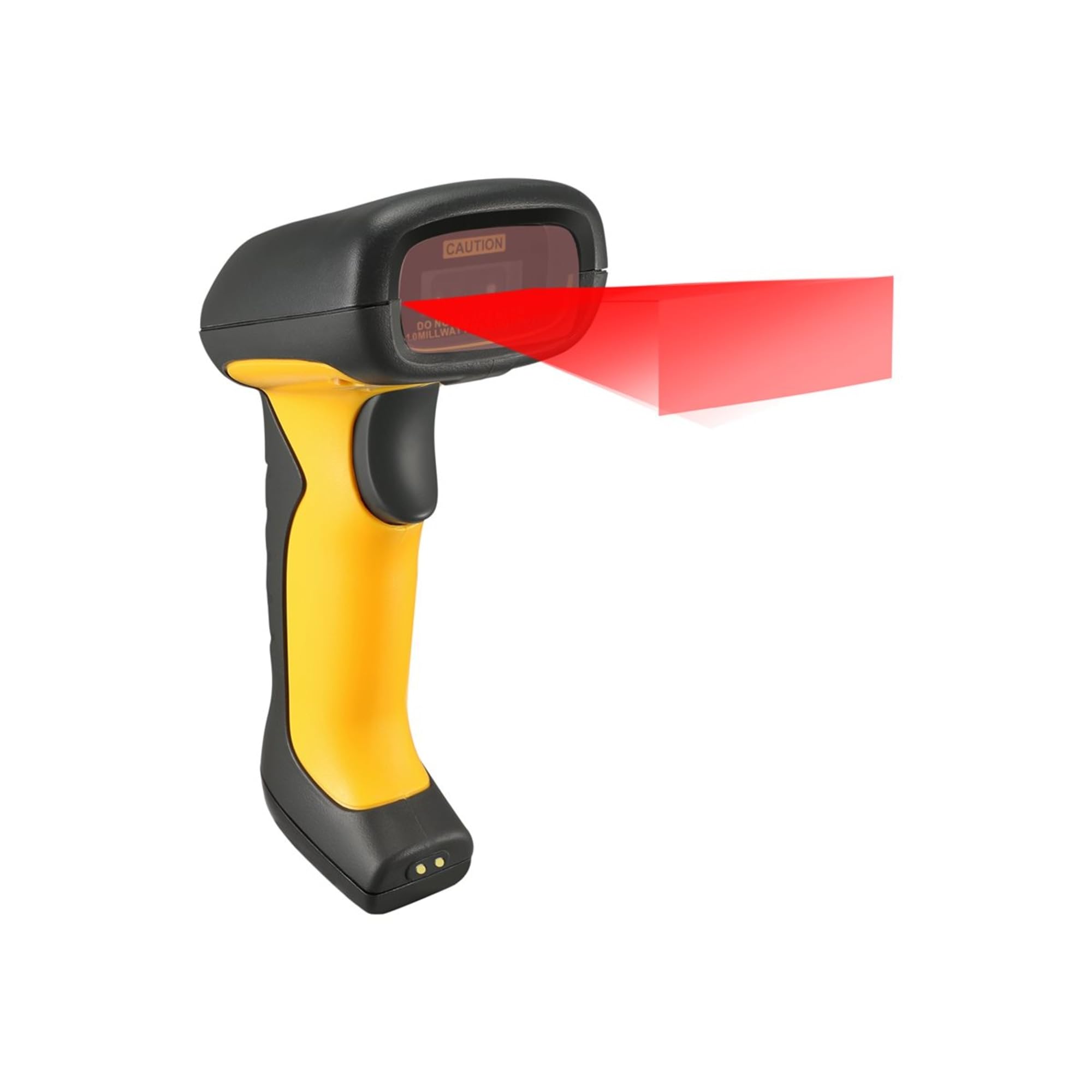
Figure 4.1: Scanner emitting a laser beam for barcode reading.
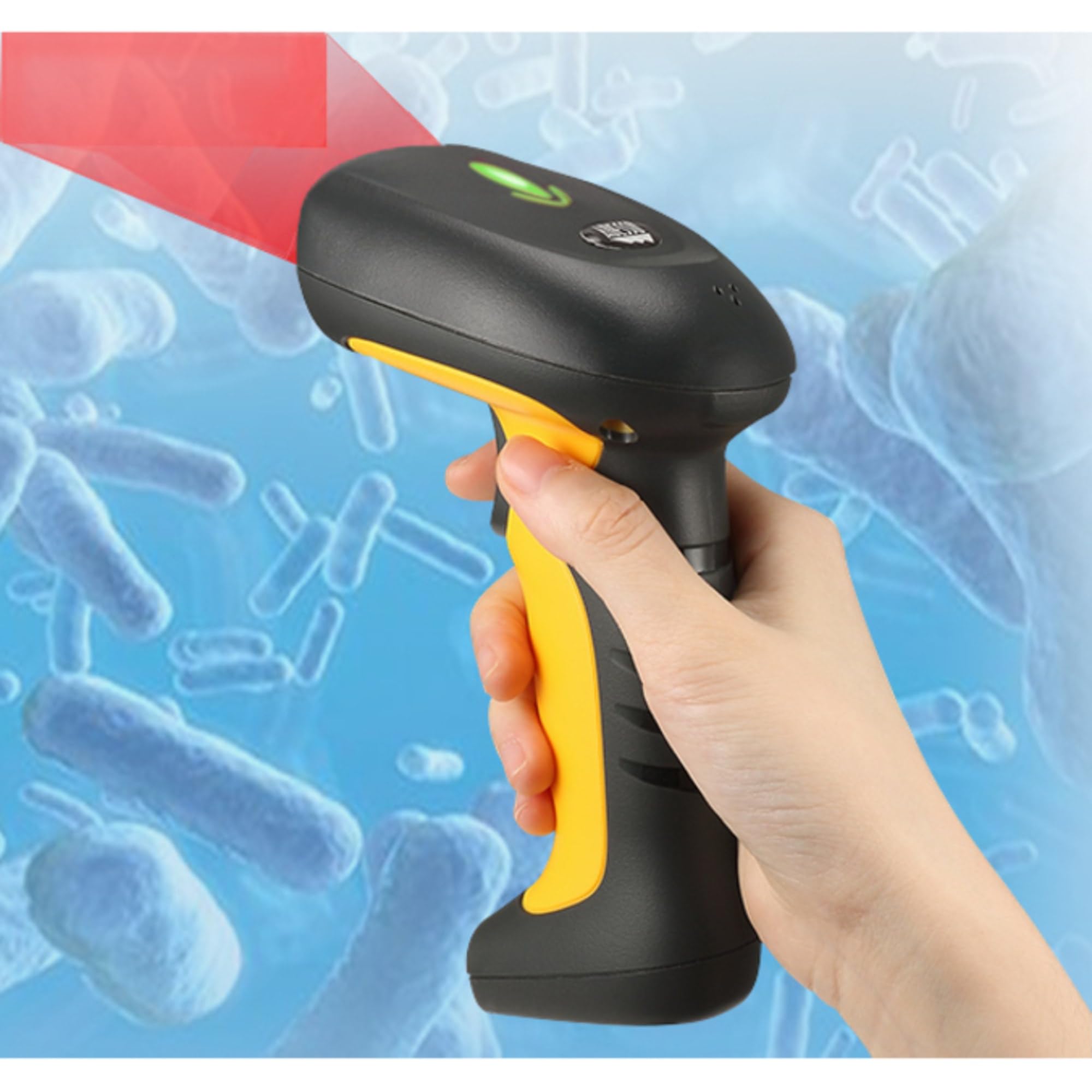
Figure 4.2: Proper grip for scanning.
4.2 Scanning Performance
The NuScan 5200TR features a 24 inches per second (ips) motion tolerance and an innovative High Pixels CMOS engine, allowing for fast and accurate scanning results even with moving barcodes or in dynamic environments.
5. Maintenance
5.1 Cleaning Instructions
Due to its antimicrobial material and iP67 waterproof rating, the NuScan 5200TR is easy to clean and sanitize, which is crucial for environments like healthcare. Regular cleaning helps maintain hygiene and optimal performance.
- Ensure the scanner is disconnected from its power source if possible, although its waterproof design allows for cleaning while connected.
- Use a soft cloth dampened with water and mild soap, or a liquid cleaner suitable for electronics.
- Gently wipe down the entire surface of the scanner, paying attention to the scanning window.
- Avoid using abrasive cleaners, solvents, or harsh chemicals that could damage the scanner's surface or internal components.
- Allow the scanner to air dry completely before resuming operation, especially if it was heavily rinsed.
Figure 5.1: The scanner's waterproof design allows for easy cleaning.
5.2 Storage
When not in use, store the scanner in a cool, dry place away from direct sunlight and extreme temperatures. Keep it in its cradle or a secure location to prevent accidental drops or damage.
6. Troubleshooting
If you encounter issues with your NuScan 5200TR, please refer to the following common problems and solutions:
- Scanner Not Connecting/Responding:
- Ensure the USB cable is securely plugged into both the scanner's cradle and the computer's USB port.
- Try plugging the scanner into a different USB port on your computer.
- Restart your computer.
- Verify that the scanner's indicator lights are on when connected.
- Scanner Not Reading Barcodes:
- Ensure the barcode is clean, undamaged, and clearly printed.
- Make sure the laser beam completely covers the barcode. Adjust the distance and angle.
- Check if the barcode type is supported by the scanner. The NuScan 5200TR supports most standard 1D and 2D barcodes.
- Ensure the application you are using is ready to receive input (e.g., cursor is blinking in a text field).
- Incorrect Data Scanned:
- Verify the barcode is not damaged or smudged.
- Ensure the scanner's firmware is up to date (check Adesso's support website).
- Confirm the correct keyboard layout is selected on your computer if characters appear incorrectly.
If these steps do not resolve your issue, please contact Adesso customer support for further assistance.
7. Specifications
Detailed technical specifications for the Adesso NuScan 5200TR Document Barcode Scanner:
| Feature | Detail |
|---|---|
| Model Number | NUSCAN_5200TR |
| Product Dimensions | 7 x 3 x 4 inches (17.78 x 7.62 x 10.16 cm) |
| Item Weight | 2 pounds (0.91 kg) |
| Connectivity Technology | USB Cable |
| Power Source | USB Cable |
| IP Rating | iP67 (Waterproof and Dustproof) |
| Drop Resistance | Up to 20 feet (6.1 meters) |
| Motion Tolerance | 24 inches per second (ips) |
| Compatible Devices | PC, Mac, Healthcare, Library, Logistics, Retail, Warehouse |
| Special Features | Antimicrobial Material, High Pixels CMOS Engine |
| Manufacturer | AdessoInc. |
| Date First Available | January 5, 2018 |
8. Warranty and Support
Adesso products are manufactured to high-quality standards. For information regarding the warranty period and terms for your NuScan 5200TR, please refer to the warranty card included with your product or visit the official Adesso website.
For technical support, troubleshooting assistance, or to inquire about replacement parts, please contact Adesso customer service. You can typically find contact information on the Adesso website or within the product packaging.
Visit the Adesso Store on Amazon for more product information and support resources.
Ask a question about this manual
Ask about setup, troubleshooting, compatibility, parts, safety, or missing instructions. Manuals+ will review the question and use this page’s manual context to help answer it.