
1. Introduction
This manual provides essential information for the proper installation, maintenance, and understanding of the Dorman 946-065 Rear Aluminum Drive Shaft. This drive shaft is engineered as a direct replacement for original equipment, ensuring dependable fit and performance.
Compatibility: This drive shaft is compatible with select Chevrolet and GMC models. Please verify fitment for your specific vehicle using the manufacturer's compatibility tools or by consulting a qualified technician.
- Chevrolet Cheyenne: 2014, 2015
- Chevrolet Silverado 1500 LD: 2019
- Chevrolet Silverado 1500: 2014, 2015, 2016, 2017, 2018
- Chevrolet Suburban 2500: 2007
- GMC Sierra 1500 Limited: 2019
- GMC Sierra 1500: 2014, 2015, 2016, 2017, 2018
- GMC Yukon XL 2500: 2007

Figure 1: The Dorman 946-065 Rear Aluminum Drive Shaft, a complete assembly ready for installation.
2. What's in the Box
The Dorman 946-065 package includes the following components:
- 1 x Dorman 946-065 Rear Aluminum Drive Shaft Assembly
3. Installation
Installation of a drive shaft requires specialized tools and knowledge. It is highly recommended that this procedure be performed by a qualified automotive technician. Refer to your vehicle's specific service manual for detailed, step-by-step instructions and torque specifications.
General Installation Considerations:
- Ensure the vehicle is safely supported on a lift or jack stands.
- Properly mark the orientation of the old drive shaft components relative to the differential and transmission flanges before removal to aid in correct installation of the new unit.
- Clean all mating surfaces thoroughly before installing the new drive shaft.
- Apply thread locker to bolts as specified by the vehicle manufacturer.
- Torque all fasteners to the vehicle manufacturer's specifications.
Video 1: An overview of the Dorman 946-065 Rear Driveshaft Assembly, demonstrating its components and general fitment.

Figure 2: Close-up view of the transmission-side yoke and universal joint on the Dorman 946-065 drive shaft.
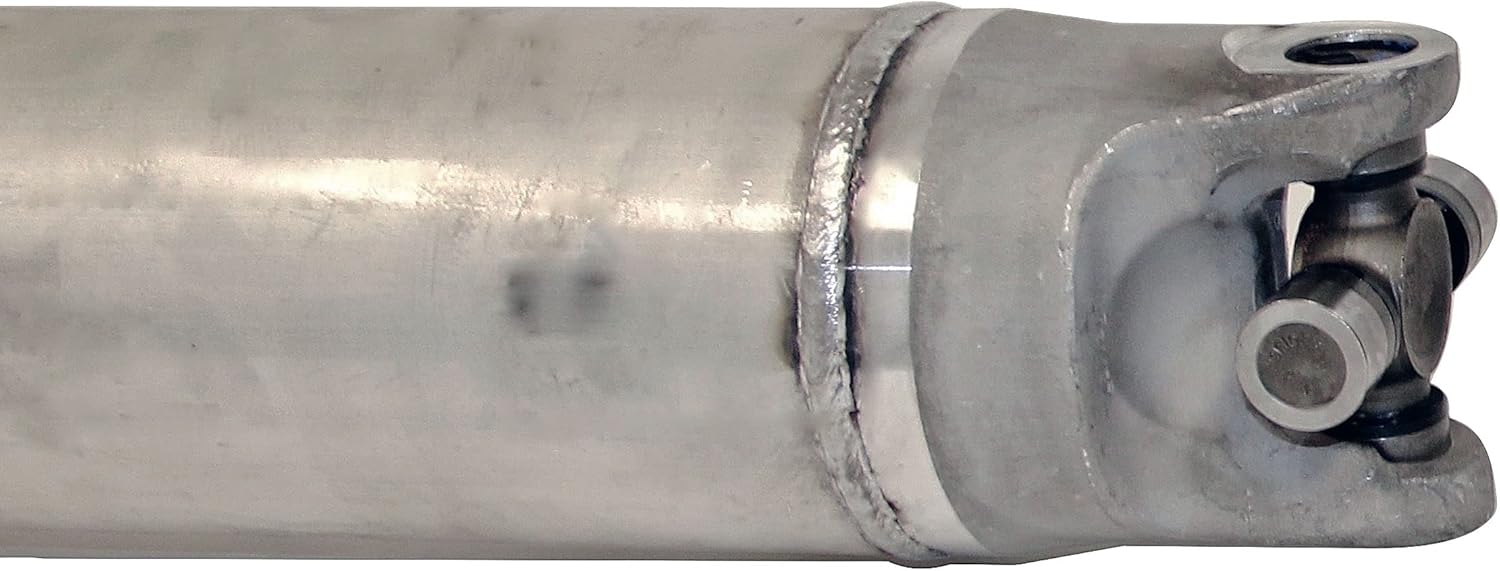
Figure 3: Close-up view of the differential-side yoke and universal joint on the Dorman 946-065 drive shaft.
4. Product Features
The Dorman 946-065 Rear Aluminum Drive Shaft offers several key features designed for reliable performance and ease of service:
- Direct Replacement: Manufactured to original equipment dimensions for a dependable fit and performance, ensuring a seamless replacement process.
- 100% New Components: This drive shaft is constructed from all new components, eliminating the need for a core charge or the hassle of returning an old unit.
- Pre-Balanced: Each drive shaft arrives pre-balanced to ensure smooth operation immediately after installation, reducing vibrations and promoting longevity.
- Serviceable Construction: Features non-staked universal joints, designed for future serviceability, making maintenance simpler and more cost-effective.
Video 2: This video highlights the manufacturing process and key features of Dorman driveshafts, including the use of new components, balancing, and serviceable U-joints.
5. Maintenance
The Dorman 946-065 drive shaft is designed with serviceable universal joints. This allows for individual U-joint replacement if necessary, extending the lifespan of the drive shaft assembly and reducing long-term maintenance costs. Regular inspection of the universal joints for signs of wear, such as looseness, rust, or grease leakage, is recommended. Consult your vehicle's service manual for recommended inspection intervals and lubrication procedures.
6. Troubleshooting
If issues such as vibrations, clunking noises, or unusual drivetrain behavior arise after installation, consider the following:
- Verify Installation: Double-check that all fasteners are properly torqued to specifications and that the drive shaft is correctly aligned.
- Inspect for Damage: Examine the drive shaft for any signs of shipping damage or installation-related issues.
- Professional Diagnosis: If problems persist, consult a qualified automotive technician for a thorough diagnosis. Drivetrain issues can be complex and may require specialized diagnostic equipment.
7. Specifications
| Attribute | Detail |
|---|---|
| Manufacturer | Dorman Products |
| Brand | Dorman |
| Model | Dorman 946-065 |
| Item Weight | 37.3 pounds |
| Product Dimensions | 91 x 6.5 x 7 inches |
| Item Model Number | 946-065 |
| Manufacturer Part Number | 946-065 |
| OEM Part Number | 15093867; 22760944; 23251181; 23251182; 23426693; 84202538; 84202539 |
| Hollander Number | 431-06100 |
8. Warranty and Support
The Dorman 946-065 Rear Aluminum Drive Shaft is backed by a limited lifetime warranty, reflecting Dorman's commitment to quality and durability. For specific warranty details, claims, or technical support, please refer to the official Dorman website or contact Dorman customer service directly.
Dorman provides extensive resources and support to ensure customer satisfaction and proper product application. Always ensure you are using the correct part for your vehicle by utilizing Dorman's application accuracy tools.


