
Crane EE-5622
Crane EE-5622 Digital LED Display Tower Fan User Manual
Model: EE-5622
Introduction
This manual provides detailed instructions for the safe and efficient use of your Crane EE-5622 Digital LED Display Tower Fan. Please read all instructions carefully before operation and retain this manual for future reference.

Image: Crane EE-5622 Tower Fan with its packaging, highlighting key features like digital LED display, 12-hour timer, 70-degree oscillation, and 3 adjustable speed settings.
Important Safety Instructions
- Always place the fan on a firm, level surface.
- Do not operate the fan with a damaged cord or plug.
- Keep the fan away from water or other liquids.
- Ensure the fan is unplugged before cleaning or maintenance.
- Do not insert fingers or foreign objects into any openings.
- This fan is for indoor use only.
- Supervise children when the fan is in use.
Package Contents
Verify that all items are present in the package:
- 1 x Crane EE-5622 Tower Fan
- 1 x Wireless Remote Control (batteries included)
- 1 x User Manual (this document)
Setup
- Unpacking: Carefully remove the fan and all accessories from the packaging.
- Placement: Place the fan on a stable, flat surface, ensuring there is adequate space around it for air circulation. Avoid placing it near curtains or objects that could obstruct airflow.
- Power Connection: Plug the power cord into a standard electrical outlet.

Image: Full view of the Crane EE-5622 Tower Fan, showing its base and power cord connection point.
Operating Instructions
The Crane EE-5622 Tower Fan can be operated using the control panel on top of the unit or the wireless remote control.
Control Panel
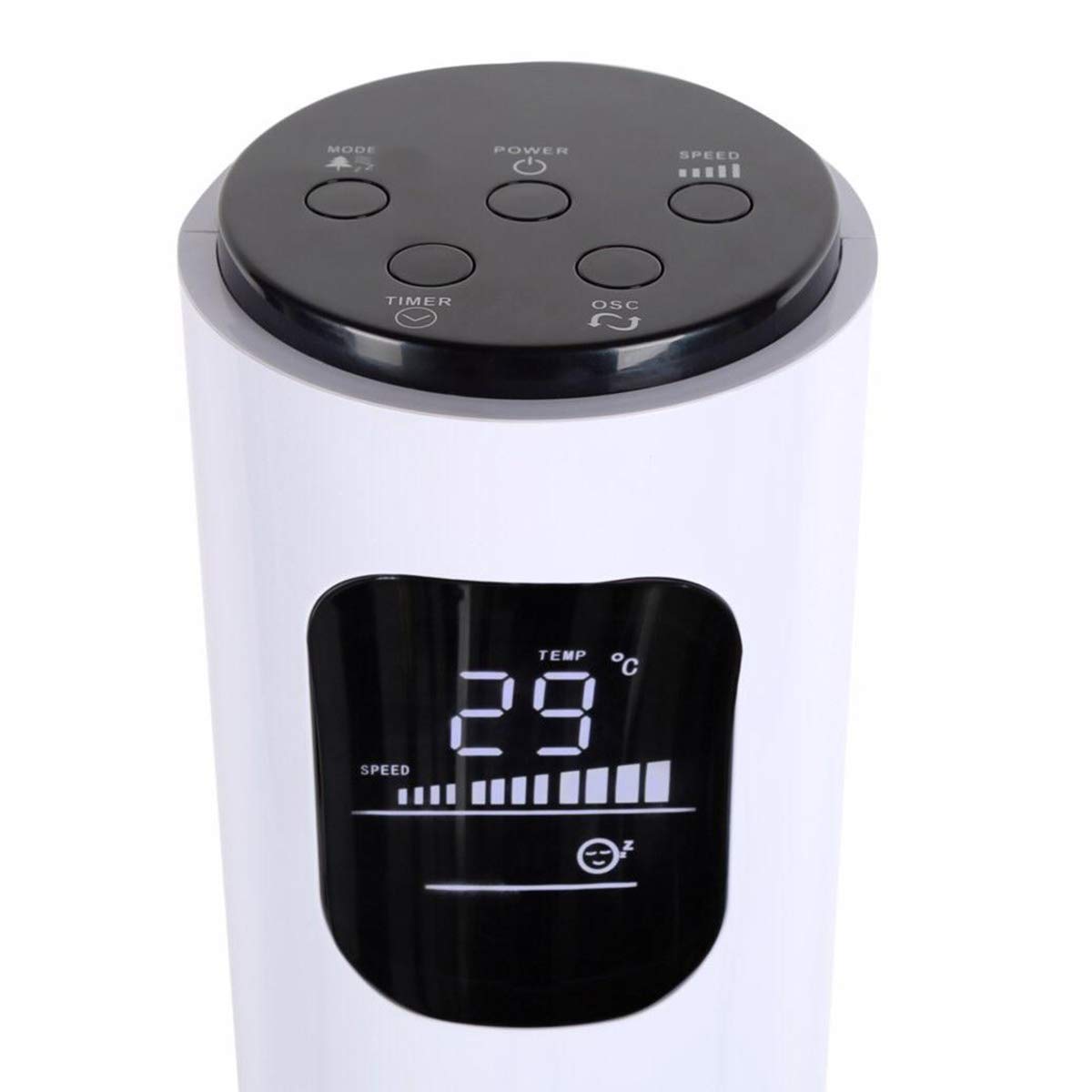
Image: Close-up of the fan's top control panel and digital LED display, showing buttons for Power, Speed, Oscillation, Timer, and Mode.
- Power Button (⏻): Press to turn the fan ON or OFF.
- Speed Button (█████): Press to cycle through 3 speed settings (Low, Medium, High). The current speed is indicated on the LED display.
- Oscillation Button (↻): Press to activate or deactivate the 70° oscillation function.
- Timer Button (⏱): Press to set the auto-off timer from 1 to 12 hours. Each press increases the timer by one hour.
- Mode Button (☼): Press to cycle through different operating modes:
- Normal Mode: Constant airflow at the selected speed.
- Natural Breeze Mode: Simulates natural wind by varying fan speed.
- Sleep Mode: Gradually reduces fan speed over time for quiet operation during sleep.
Wireless Remote Control
The remote control provides convenient operation from a distance. Ensure the remote is pointed towards the fan's receiver.
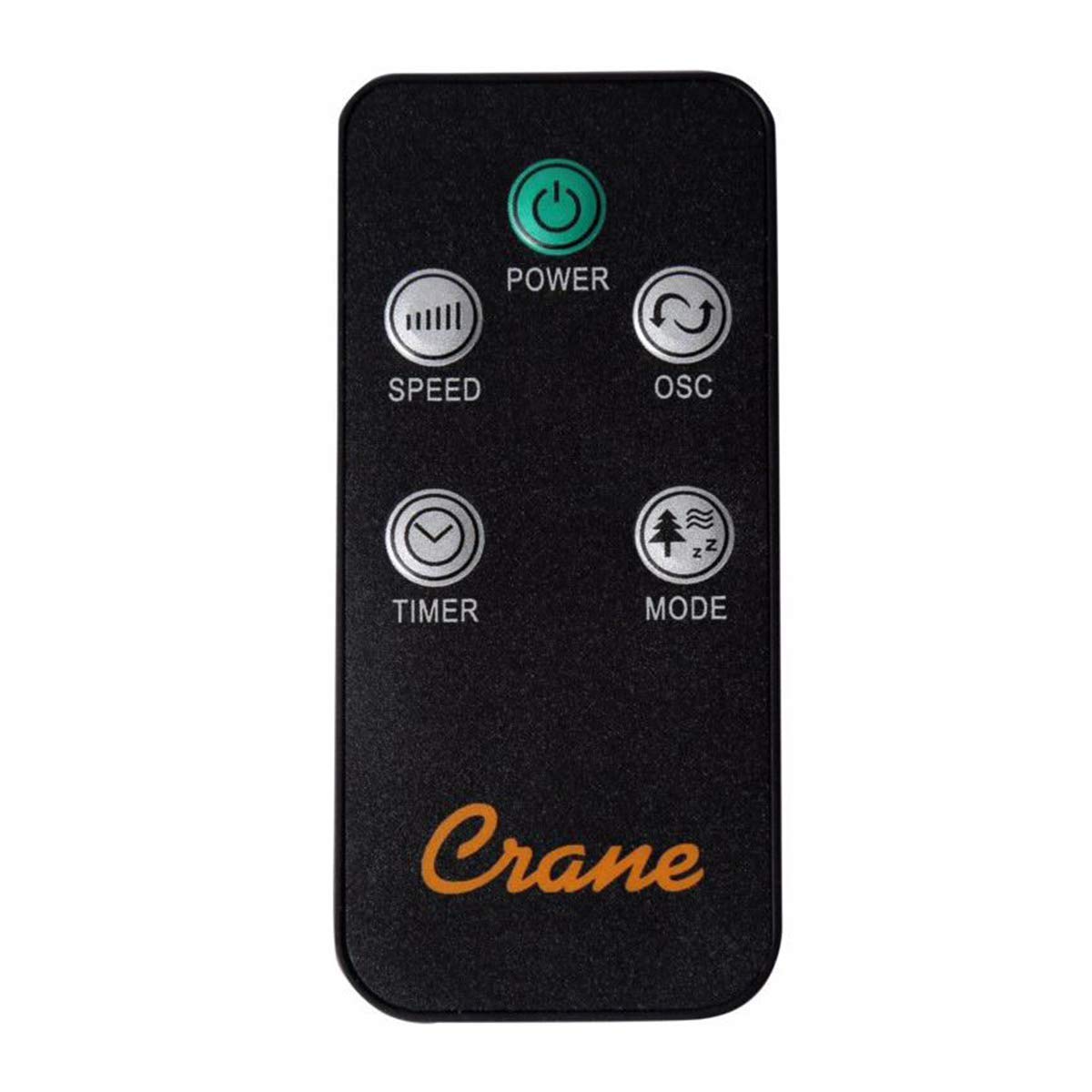
Image: The wireless remote control for the Crane EE-5622 Tower Fan, showing buttons for Power, Speed, Oscillation, Timer, and Mode.
The remote control features the same buttons as the control panel for Power, Speed, Oscillation, Timer, and Mode. It requires batteries (included).

Image: Top view of the Crane EE-5622 Tower Fan, illustrating the integrated slot for storing the remote control.
Maintenance
Regular maintenance ensures optimal performance and longevity of your fan.
- Cleaning: Always unplug the fan before cleaning. Use a soft, damp cloth to wipe the exterior surfaces. Do not use abrasive cleaners or allow water to drip into the fan's interior.
- Dust Removal: Use a vacuum cleaner with a brush attachment or compressed air to remove dust from the air intake and exhaust grilles.
- Storage: If storing the fan for an extended period, clean it thoroughly, place it back in its original packaging, and store it in a cool, dry place.
Troubleshooting
| Problem | Possible Cause | Solution |
|---|---|---|
| Fan does not turn on. | No power supply; Power cord not plugged in; Power button not pressed. | Check power outlet; Ensure power cord is securely plugged in; Press the Power button. |
| Weak airflow. | Fan speed set too low; Air intake/exhaust blocked; Dust accumulation. | Increase fan speed; Clear any obstructions; Clean the fan grilles. |
| Fan is noisy. | Fan not on a level surface; Foreign object inside; Dust accumulation. | Place fan on a flat, stable surface; Unplug and check for obstructions; Clean the fan. |
| Remote control not working. | Batteries depleted; Obstruction between remote and fan; Remote not pointed correctly. | Replace remote control batteries; Remove obstructions; Point remote directly at the fan's receiver. |
Specifications
| Brand | Crane |
| Model Number | EE-5622 |
| Power Source | AC Powered (Remote Control: Battery Powered) |
| Wattage | 45 Watts |
| Number of Speeds | 3 |
| Oscillation Angle | 70° |
| Timer | 1 to 12 Hours |
| Height | Approximately 115 cm (44 inches) |
| Item Weight | 5.1 Pounds |
| Control Method | Remote Control, On-unit Buttons |
| Special Features | Digital LED Display, Room Temperature Display, Natural Breeze Mode, Sleep Mode, Auto Shut-off |
| Material | Acrylonitrile Butadiene Styrene (ABS), Plastic Blades |
| Indoor/Outdoor Use | Indoor Use Only |
Warranty and Support
For warranty information or technical support, please refer to the warranty card included with your product or contact Crane customer service directly. Contact details are typically available on the manufacturer's official website or product packaging.
Note: Customer reviews indicate potential challenges with service support. It is recommended to retain your purchase receipt for warranty claims.
Related documentsEE-5622


Ask a question about this manual
Ask about setup, troubleshooting, compatibility, parts, safety, or missing instructions. Manuals+ will review the question and use this page’s manual context to help answer it.