
1. Introduction
This manual provides essential instructions for the safe and effective use of your UpBright 35V AC/DC Adapter. This power supply is designed to charge specific cordless stick vacuum cleaners. Please read this manual thoroughly before use and retain it for future reference.

Image 1.1: The UpBright AC/DC Adapter shown with various components of a compatible cordless stick vacuum cleaner. The adapter is used to power and charge the vacuum's battery.
2. Compatibility
The UpBright 35V AC/DC Adapter is specifically designed for compatibility with the following cordless stick vacuum cleaner models:
- Aucma by Whall Model EV-691 (29.6V 2200mAh Li-ion Battery)
- Aucma by Whall Model EV-691H (29.6V 2200mAh Li-ion Battery)
Important Note: The vacuum cleaner's battery operates at 29.6V. The charger's output voltage is 35V. This voltage difference is normal and necessary for proper battery charging. Always verify the compatibility of your device with the adapter specifications before connecting.

Image 2.1: The UpBright AC/DC Adapter displayed alongside packaging and components of the Sancorp by Whall EV-691 (4-in-1) and EV-691H (5-in-1) handheld cordless vacuum cleaners, illustrating compatibility.
3. Setup and Installation
- Inspect the Adapter: Before first use, visually inspect the adapter and its cable for any signs of damage. Do not use if damaged.
- Connect to Vacuum: Locate the charging port on your Aucma by Whall EV-691 or EV-691H vacuum cleaner. Insert the barrel connector of the UpBright adapter firmly into the charging port.
- Connect to Power Outlet: Plug the AC input end of the adapter into a standard 100-240VAC 50/60Hz wall outlet. Ensure the outlet is easily accessible.
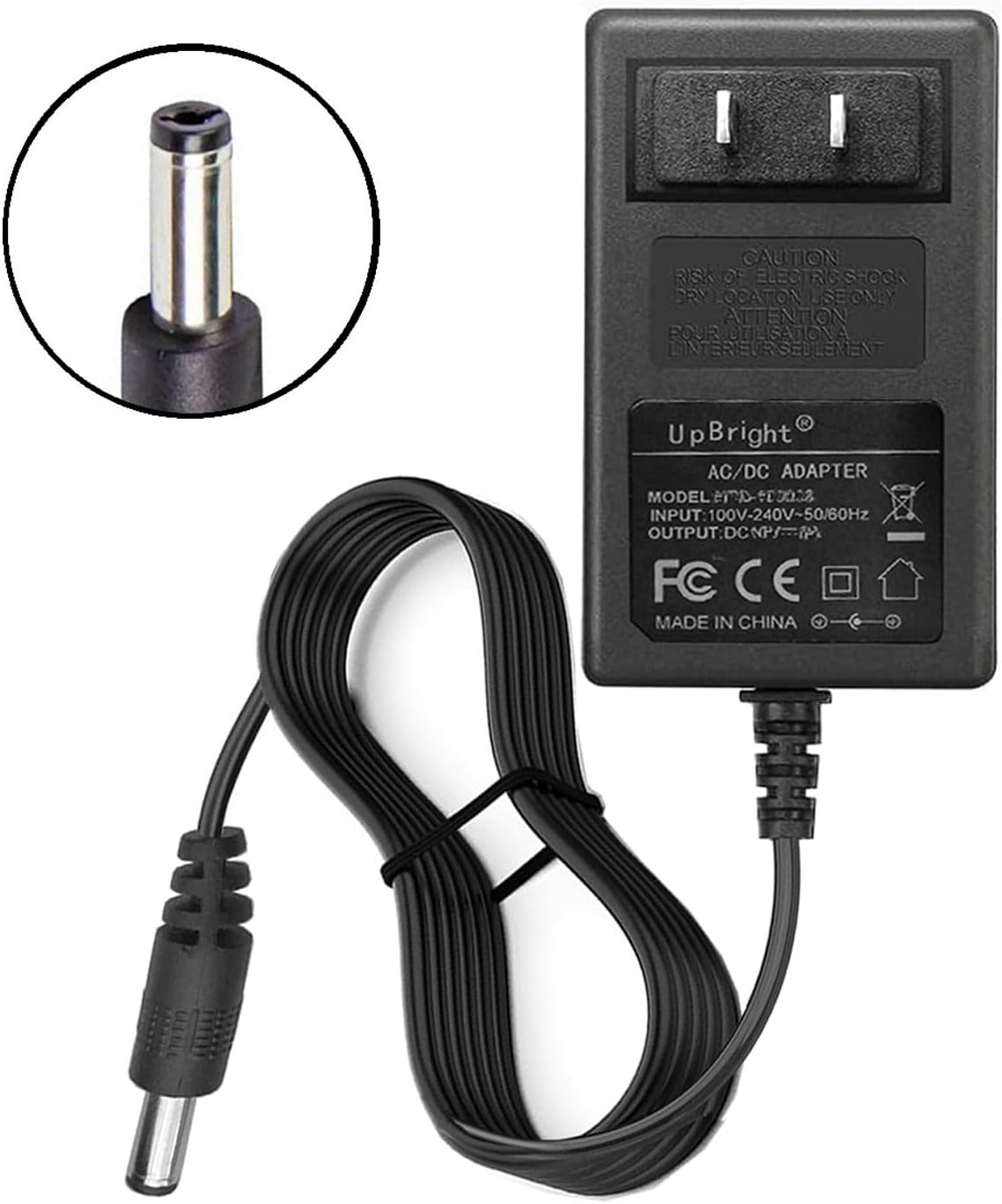
Image 3.1: A detailed view of the UpBright AC/DC Adapter, highlighting its barrel connector which plugs into the vacuum cleaner's charging port, and the main unit with input/output specifications.
4. Operation
Once connected, the adapter will begin charging the vacuum cleaner's battery. Refer to your vacuum cleaner's instruction manual for specific charging indicators (e.g., LED lights) and estimated charging times. Disconnect the adapter from the wall outlet and the vacuum cleaner once charging is complete or when the vacuum is not in use.
5. Safety Information
To ensure safe operation and prevent damage, observe the following safety guidelines:
- Voltage Compatibility: This adapter is designed for 100-240VAC input. Do not use it with incompatible voltage sources.
- Protection Features: The adapter includes Over Voltage Protection (OVP), Over Current Protection (OCP), and Short Circuit Protection (SCP) to safeguard your devices.
- Indoor Use Only: This adapter is intended for indoor use in dry conditions. Do not expose it to water, moisture, or extreme temperatures.
- Avoid Overloading: Do not connect devices that exceed the adapter's specified output ratings.
- Handle with Care: Do not drop, disassemble, or attempt to repair the adapter. Refer servicing to qualified personnel.
- Unplug When Not in Use: Disconnect the adapter from the power outlet when not actively charging or when leaving it unattended for extended periods.
6. Troubleshooting
If your vacuum cleaner's battery is not charging, consider the following:
- Check Connections: Ensure the adapter is securely plugged into both the vacuum cleaner and the wall outlet.
- Verify Power Outlet: Test the wall outlet with another device to confirm it is supplying power.
- Battery Condition: Rechargeable batteries have a limited lifespan, typically 1 to 3 years. If the vacuum's battery is old or faulty, it may no longer accept a charge, even with a functional adapter. This is a battery issue, not an adapter malfunction.
- Adapter Damage: If the adapter shows signs of physical damage or is unusually hot, discontinue use and replace it.
7. Specifications
| Feature | Specification |
|---|---|
| Input Voltage | 100-240VAC, 50/60Hz |
| Output Voltage | 35VDC |
| Output Amperage | 500mA (0.5A) |
| Power Output | 17.5W |
| Connector Type | Barrel Connector |
| Product Dimensions | 4 x 3 x 2 inches (approximate) |
| Item Weight | 5 ounces (approximate) |
8. Warranty and Support
Your UpBright 35V AC/DC Adapter comes with the following:
- 30 Days Refund: If you are not satisfied with the product, you may be eligible for a refund within 30 days of purchase.
- 24 Months Exchange: The product is covered by a 24-month exchange policy for manufacturing defects.
For warranty claims or technical support, please contact your retailer or the UpBright customer service department. Refer to the product packaging or the seller's information for contact details.

Image 8.1: An example of a UpBright Limited Warranty Certificate is shown, alongside images of AU, EU, and UK outlet adapters, indicating potential international compatibility options.