
1. Introduction and Overview
This manual provides comprehensive instructions for the installation, operation, and maintenance of your Yuanshikj Electronic Digital Security Safe Box. Designed for home, office, hotel, and business use, this compact safe offers secure storage for valuables such as jewelry, cash, and important documents. It features a digital keypad for easy access and comes with emergency keys for backup.
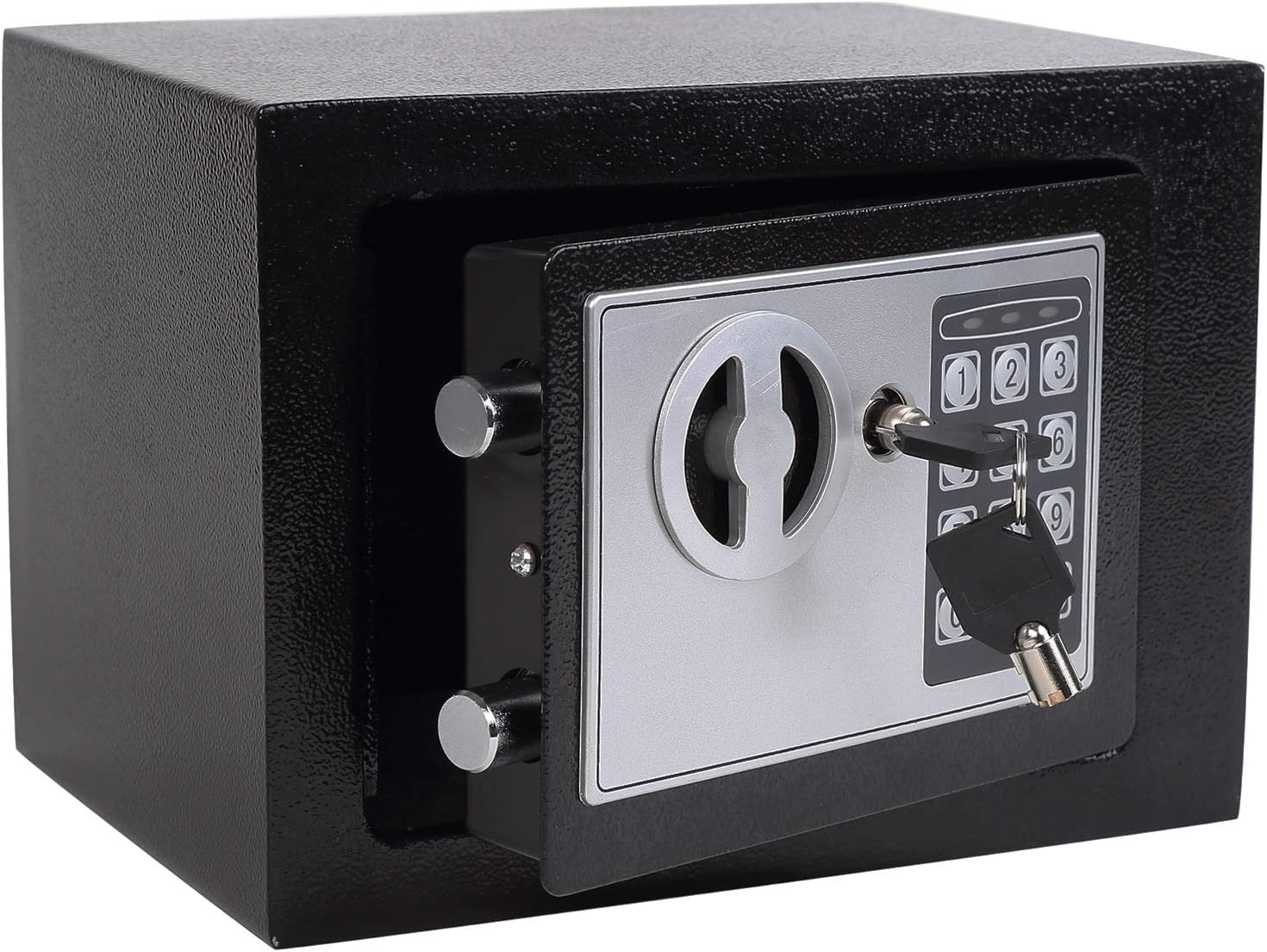
Image: The Yuanshikj Electronic Digital Security Safe Box, showcasing its black exterior, electronic keypad, and traditional keyhole. The safe is compact and designed for secure storage.
The safe is constructed from reinforced solid steel with dual security steel door locking bolts, ensuring robust protection. Its durable powder-coated finish resists corrosion and stains. The compact design allows for versatile placement in various environments.

Image: A detailed diagram highlighting key features of the safe, including the solid locking bolts, special steel plate construction, the internal reset button, the digital locking button, and visual indicators for correct password, low battery, and password error on the keypad.
2. Safety Information
- This safe is designed for security against unauthorized access and is not fireproof or water-resistant. Do not store highly flammable or water-sensitive items without additional protection.
- Always keep the emergency keys in a secure location, separate from the safe itself, and away from unauthorized individuals.
- Ensure the safe is placed on a stable, level surface or securely mounted to prevent tipping.
- Do not attempt to force the safe open if the electronic lock malfunctions. Use the emergency key.
- Keep the keypad clean and dry. Avoid using abrasive cleaners.
3. Package Contents
Please verify that all items listed below are included in your package:
- 1 x Yuanshikj Electronic Digital Security Safe Box
- 1 x Operation Instruction Manual (this document)
- 2 x Emergency Keys
- 2 x Expansion Screws (for mounting)
4. Setup
4.1. Initial Opening
Upon receiving your safe, it will be in a locked state. To open it for the first time:
- Locate the emergency keyhole, usually hidden behind a small cover on the keypad panel.
- Insert one of the provided emergency keys into the keyhole and turn it counter-clockwise.
- While holding the key turned, rotate the knob on the safe door clockwise to open the safe.
4.2. Battery Installation
The electronic keypad requires batteries to function. The battery compartment is located inside the safe door.
- Open the safe door using the emergency key (if not already open).
- Locate the battery compartment cover on the inside of the door.
- Remove the cover and insert 4 x AA batteries (not included), ensuring correct polarity (+/-).
- Replace the battery compartment cover.
A low battery indicator will typically light up on the keypad when batteries need replacement.
4.3. Setting Your Personal Passcode
You can set a personal passcode (3-8 digits) for electronic access. It is recommended to change the factory default code immediately.
- With the safe door open, locate the red reset button on the inside of the door, near the hinge.
- Press the red reset button. You will hear a beep, and the yellow light on the keypad will illuminate.
- Within 5 seconds, enter your desired 3-8 digit passcode on the keypad.
- Press the "E" or "#" button to confirm. You will hear a confirmation beep, and the yellow light will turn off.
- Test your new passcode with the door open to ensure it works correctly before closing the safe.
If the yellow light flashes and you hear a series of beeps, the code was not set correctly. Repeat the steps.
5. Operating Instructions
5.1. Opening the Safe with Your Passcode
- Enter your 3-8 digit personal passcode on the keypad.
- Press the "E" or "#" button to confirm.
- If the code is correct, the green light will illuminate. Within 5 seconds, rotate the knob on the safe door clockwise to open.
- If the code is incorrect, the yellow light will flash, and you will hear a beep. After three incorrect attempts, the system will lock for 20 seconds. After three more incorrect attempts, it will lock for 5 minutes.

Image: Illustration demonstrating the two methods of opening the safe: using the emergency key in conjunction with turning the knob, or entering the digital password followed by turning the knob.
5.2. Opening the Safe with Emergency Key
The emergency key provides immediate access in case of forgotten passcode, dead batteries, or electronic malfunction.
- Remove the small cover on the keypad panel to reveal the emergency keyhole.
- Insert the emergency key and turn it counter-clockwise.
- While holding the key turned, rotate the knob on the safe door clockwise to open.
5.3. Locking the Safe
To lock the safe, simply close the door firmly. The locking bolts will automatically engage.
6. Mounting Instructions
For enhanced security, the safe can be mounted to a wall or floor using the pre-drilled holes and included expansion screws.

Image: Visual guide illustrating how the safe can be mounted to a wall or secured to the floor, showing the placement of mounting holes.
- Choose a suitable location for mounting. Ensure the surface is solid and can support the weight of the safe and its contents.
- Open the safe door. Locate the pre-drilled holes on the back or bottom of the safe.
- Mark the drilling points on the wall or floor through the pre-drilled holes.
- Drill holes at the marked points using an appropriate drill bit for your wall/floor material.
- Align the safe with the drilled holes and insert the expansion screws through the safe's holes into the wall/floor.
- Tighten the screws securely to fasten the safe in place.

Image: A step-by-step visual guide demonstrating the process of securing the safe, from punching holes in the mounting surface to installing and tightening the screws.
7. Maintenance
- Battery Replacement: Replace batteries promptly when the low battery indicator appears to ensure continuous electronic access. Frequent battery replacement may be necessary depending on usage.
- Cleaning: Wipe the exterior of the safe with a soft, damp cloth. Avoid harsh chemicals or abrasive materials that could damage the finish.
- Key Storage: Store emergency keys in a secure, hidden location known only to trusted individuals. Do not store them inside the safe.
- Door Operation: Avoid slamming the safe door, as this can potentially dislodge batteries or affect the electronic locking mechanism.
8. Troubleshooting
| Problem | Possible Cause | Solution |
|---|---|---|
| Safe does not open with passcode. | Incorrect passcode entered; low batteries; batteries dislodged. | Re-enter passcode carefully. Replace batteries. Ensure batteries are seated correctly. Use emergency key to open. |
| Keypad is unresponsive. | Dead or improperly installed batteries. | Replace batteries with new ones, ensuring correct polarity. |
| Safe door does not close/lock properly. | Obstruction in the door frame; locking bolts misaligned. | Check for any objects blocking the door. Gently push the door firmly to ensure bolts engage. |
| Forgotten passcode. | Passcode has been forgotten. | Use the emergency key to open the safe. Once open, reset the passcode using the red reset button inside the door. |
9. Specifications
| Feature | Detail |
|---|---|
| Brand | Yuanshikj |
| Model Number | YSKJ-SAFE-17K-SFB |
| Product Dimensions (External) | 9.1"W x 6.7"D x 6.7"H (23.1cm W x 17cm D x 17cm H) |
| Interior Dimensions (Chamber) | 8.9"W x 6.5"D x 6.5"H (22.6cm W x 16.5cm D x 16.5cm H) |
| Capacity | 0.2 Cubic Feet |
| Lock Type | Electronic Keypad or Key |
| Color | BLACK |
| Material | Alloy Steel |
| Item Weight | 5.3 Pounds (2.4 kg) |
| Mounting Type | Wall Mount (pre-drilled holes) |
| Control Type | Push Button Control |
| Alarm | Anti-theft (audible alert for incorrect entries) |
| Water Resistance Level | Not Water Resistant |
| Included Components | Safe Box, Operation Instruction, 2 Expansion Screws, 2 Keys |

Image: Technical drawing illustrating the external and internal dimensions of the safe, including width, depth, and height measurements.
10. Warranty and Support
For warranty information or technical support, please contact Yuanshikj customer service through the retailer where the product was purchased or visit the official Yuanshikj website. Please have your model number (YSKJ-SAFE-17K-SFB) and purchase details ready when contacting support.
For additional resources and product information, you may visit the Yuanshikj Store on Amazon.