Product Overview
The Amazon Basics Full Size Ergonomic Wireless Mouse is designed for comfort and seamless functionality, ideal for right-hand use. This black wireless mouse provides reliable performance for both laptops and PCs, enhancing your computing experience with its advanced features.
Key features include fast-scrolling capabilities, a clickable scroll wheel, and convenient forward/back thumb buttons for streamlined navigation. It connects via a compact USB receiver, allowing for a tidy workspace without occupying additional ports. The optical sensor offers a 1600 DPI resolution for smooth and accurate tracking on most surfaces. An integrated on/off switch helps extend battery life, making it a dependable choice for continuous use. The mouse operates on a stable 2.4 GHz non-Bluetooth wireless connection and comes with 2 AA batteries and a battery LED light for user convenience.
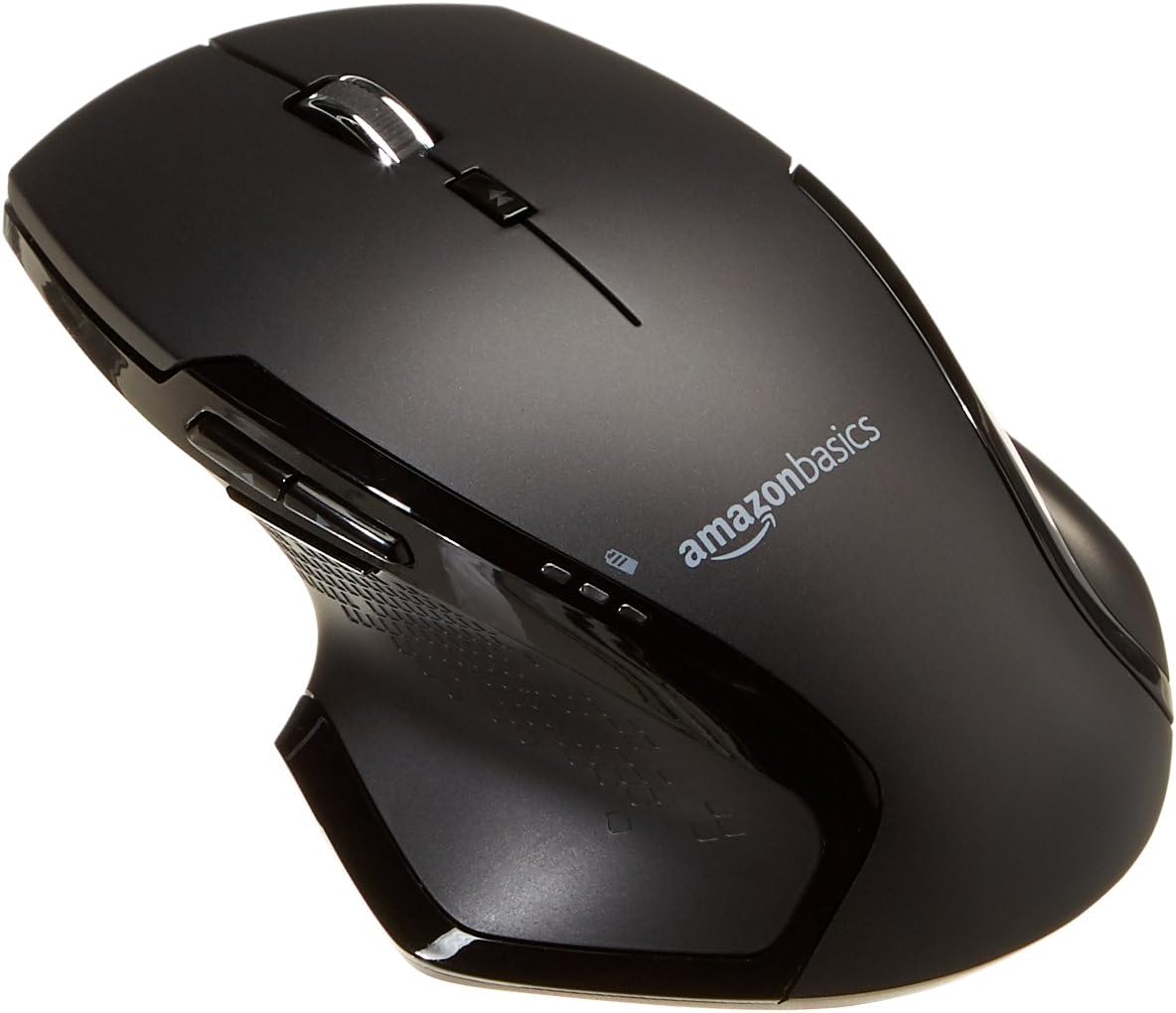
Image: Top view of the Amazon Basics Full Size Ergonomic Wireless Mouse, showcasing its black finish and ergonomic design.
Package Contents
Ensure all items are present before proceeding with setup:
- Wireless Mouse
- 2 x AA Batteries
- USB Receiver
Setup
1. Installing Batteries
- Turn the mouse upside down.
- Locate the battery compartment cover on the underside of the mouse.
- Slide the cover open.
- Insert the two (2) AA batteries, ensuring correct polarity (+/-) as indicated inside the compartment.
- Close the battery compartment cover securely.

Image: Underside of the mouse with the battery compartment open, showing the slots for two AA batteries and the stored USB receiver.
2. Connecting the USB Receiver
- Remove the USB receiver from its storage slot within the battery compartment of the mouse.
- Plug the USB receiver into an available USB port on your computer (PC or Mac).
- Turn the mouse ON using the on/off switch located on the underside of the mouse.
- Your computer should automatically detect and install the necessary drivers. This may take a few moments.

Image: The Amazon Basics wireless mouse positioned next to a laptop, illustrating a typical setup.
The mouse is plug-and-play and does not require additional software installation. For pointer speed adjustments, refer to your operating system's system settings.
Operating Instructions
Basic Functions
- Left Click: Primary button for selecting items, opening files, and interacting with software.
- Right Click: Secondary button for accessing context menus and additional options.
- Scroll Wheel: Scroll up or down through documents and web pages. The wheel is also clickable for middle-click functions.

Image: Side view of the Amazon Basics wireless mouse, highlighting its ergonomic contours and side buttons.
Advanced Functions (Thumb Buttons)
- Forward Button: Navigates forward in web browsers or file explorers.
- Back Button: Navigates backward in web browsers or file explorers.

Image: A hand demonstrating the ergonomic grip on the Amazon Basics wireless mouse, showing natural placement of fingers and thumb on the buttons.
Maintenance
- Cleaning: Use a soft, dry cloth to clean the mouse. For stubborn dirt, a slightly damp cloth can be used, but ensure no moisture enters the internal components.
- Battery Replacement: When the battery LED light indicates low power, replace both AA batteries promptly to ensure optimal performance.
- Storage: When not in use for extended periods, turn off the mouse using the on/off switch to conserve battery life. The USB receiver can be stored inside the battery compartment for safekeeping.
Troubleshooting
| Problem | Possible Cause | Solution |
|---|---|---|
| Mouse not responding. |
|
|
| Cursor movement is erratic or jumpy. |
|
|
| Forward/Back buttons not working on Mac. |
|
|
Specifications
| Feature | Detail |
|---|---|
| Brand | Amazon Basics |
| Model Number | GP8-BK |
| Connectivity Technology | 2.4 GHz Wireless (USB Receiver) |
| Movement Detection Technology | Optical |
| DPI Resolution | 1600 DPI |
| Power Source | 2 x AA Batteries (included) |
| Color | Black |
| Item Weight | 8 ounces (approx. 227 grams) |
| Product Dimensions (LxWxH) | 4.96 x 1.77 x 3.24 inches (approx. 12.6 x 4.5 x 8.2 cm) |
| Compatible Operating Systems | PC (Windows 7 and above), Mac, Laptop, Chromebook |
Warranty & Support
For warranty information and customer support, please refer to the official Amazon Basics website or the documentation included with your product. You can also find additional resources and contact information via the following links:
For further assistance, please contact Amazon Basics customer service.


