1. Introduction
Thank you for choosing the Bosch PSR 1800 LI-2 Cordless Drill Driver. This manual provides essential information for the safe and efficient operation, maintenance, and troubleshooting of your new tool. Please read these instructions carefully before first use and keep them for future reference.
2. General Safety Instructions
Always observe the following safety precautions when using power tools to prevent electric shock, fire, and serious injury.
- Work Area Safety: Keep your work area clean and well-lit. Cluttered or dark areas invite accidents. Do not operate power tools in explosive atmospheres, such as in the presence of flammable liquids, gases, or dust.
- Electrical Safety: Avoid body contact with earthed or grounded surfaces such as pipes, radiators, ranges, and refrigerators. Do not expose power tools to rain or wet conditions.
- Personal Safety: Always wear eye protection. Use safety equipment such as dust masks, non-skid safety shoes, hard hats, or hearing protection when appropriate. Dress properly; avoid loose clothing or jewelry.
- Tool Use and Care: Do not force the power tool. Use the correct power tool for your application. Disconnect the plug from the power source and/or the battery pack from the power tool before making any adjustments, changing accessories, or storing power tools.
- Battery Tool Use and Care: Recharge only with the charger specified by the manufacturer. Use power tools only with specifically designated battery packs.
3. Product Overview
Familiarize yourself with the components of your Bosch PSR 1800 LI-2 drill driver.

Figure 3.1: Main view of the Bosch PSR 1800 LI-2 Cordless Drill Driver, highlighting its ergonomic design and key controls.

Figure 3.2: Close-up of the keyless chuck, showing the bit inserted and the torque setting ring.
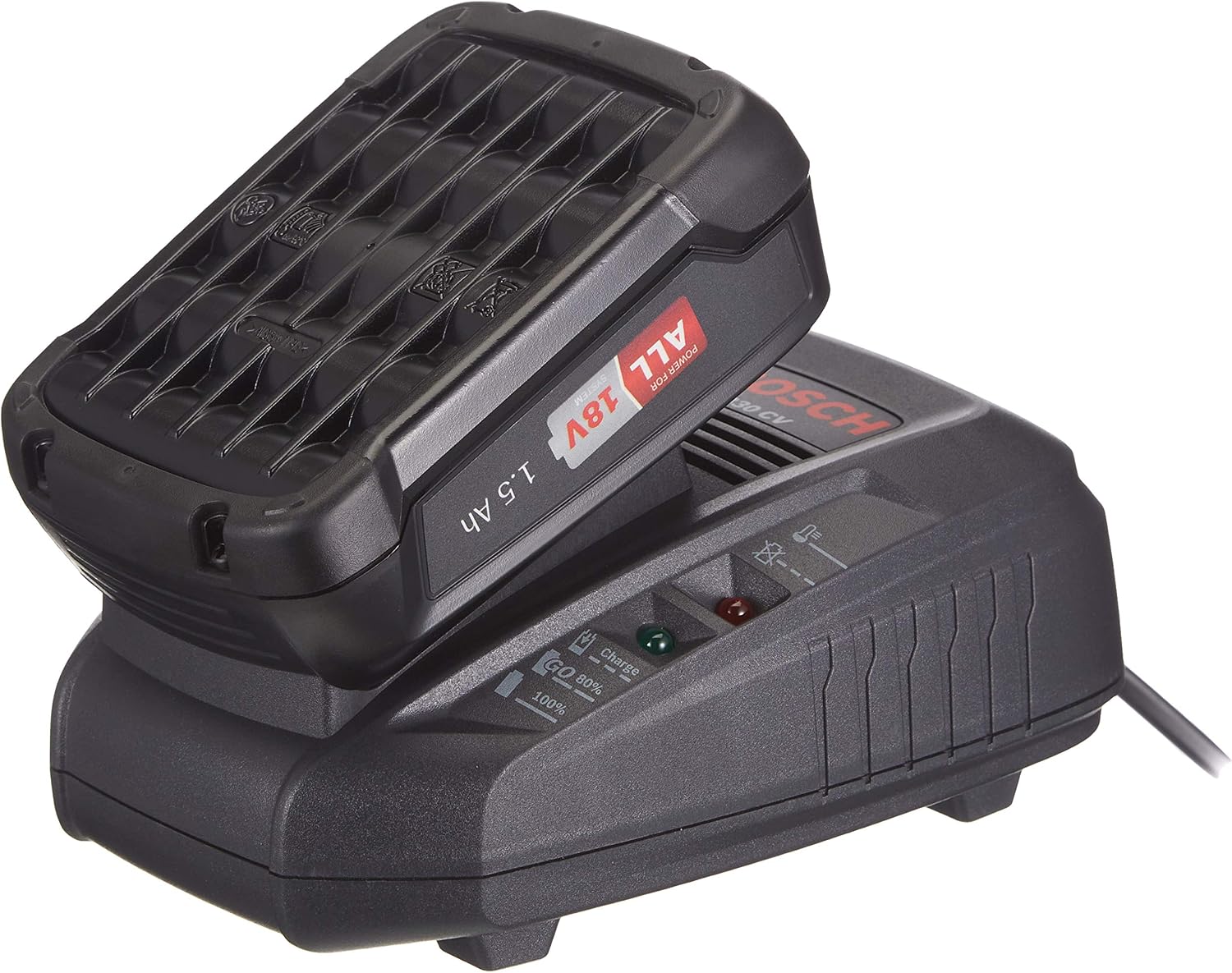
Figure 3.3: The 18V Lithium-Ion battery pack and its dedicated charger, essential for cordless operation.

Figure 3.4: The Bosch PSR 1800 LI-2 drill driver and accessories stored in its robust carrying case.
Key Components:
- Keyless Chuck
- Torque Setting Ring (ScrewControl)
- Gear Selector (2-speed)
- Rotation Direction Switch
- On/Off Trigger Switch with Variable Speed Control
- Battery Pack
- Battery Release Button
- Charger
- LED Worklight
4. Setup
4.1. Charging the Battery
The Bosch PSR 1800 LI-2 is powered by an 18V Lithium-Ion battery. Ensure the battery is fully charged before first use.
- Insert the battery pack into the charger. Ensure it clicks into place.
- Plug the charger into a suitable power outlet.
- The charging indicator light on the charger will show the charging status. Refer to the charger's specific instructions for light indications.
- Once fully charged, remove the battery from the charger and unplug the charger.
4.2. Installing/Removing the Battery
- To Install: Slide the charged battery pack into the base of the drill handle until it locks securely.
- To Remove: Press the battery release button and slide the battery pack out of the handle.
4.3. Installing/Removing Drill Bits or Screwdriver Bits
- Ensure the drill is switched off and the rotation direction switch is in the neutral (locked) position.
- Hold the rear part of the keyless chuck and turn the front part counter-clockwise until the chuck jaws are open wide enough for the bit.
- Insert the drill bit or screwdriver bit fully into the chuck.
- Turn the front part of the chuck clockwise until the bit is securely clamped. Check for tightness by pulling on the bit.
- To remove, reverse the process.
5. Operating Instructions

Figure 5.1: Proper handling of the drill driver during operation, demonstrating safe and effective use.
5.1. Switching On/Off and Variable Speed Control
- To switch on the power tool, press the On/Off trigger switch.
- To switch off, release the On/Off trigger switch.
- The drill driver features variable speed control. The speed can be continuously adjusted depending on how far the On/Off trigger switch is pressed. Light pressure results in lower speed, while full pressure provides maximum speed.
5.2. Setting the Rotation Direction
The rotation direction switch allows you to select forward (clockwise) or reverse (counter-clockwise) rotation. The middle position locks the trigger switch, preventing accidental activation.
- For drilling and screwdriving, push the switch to the left (viewed from the rear of the tool) for clockwise rotation.
- For loosening screws, push the switch to the right for counter-clockwise rotation.
- Always set the rotation direction switch to the middle position when the tool is not in use or during bit changes.
5.3. Selecting Gear (2-Speed)
The PSR 1800 LI-2 has a 2-speed gearbox for optimal performance in different applications.
- Gear 1 (Low Speed): Ideal for screwdriving and drilling large diameters, providing higher torque.
- Gear 2 (High Speed): Suitable for drilling smaller diameters and applications requiring higher speed.
- To change gears, slide the gear selector switch located on top of the tool. Ensure the tool is stopped before changing gears to prevent damage.
5.4. Setting the Torque (ScrewControl)
The torque setting ring (ScrewControl) allows you to pre-select the desired torque for screwdriving applications. This prevents over-tightening screws and damaging the workpiece.
- Rotate the torque setting ring to the desired number. Lower numbers are for smaller screws or softer materials, higher numbers for larger screws or harder materials.
- For drilling, set the ring to the drill symbol (usually the highest setting) to engage maximum power without the clutch slipping.
6. Maintenance
Regular maintenance ensures the longevity and optimal performance of your drill driver.
- Cleaning: Keep the ventilation slots of the power tool clean to prevent overheating. Regularly clean the tool housing with a soft, damp cloth. Do not use solvents or abrasive cleaners.
- Chuck Maintenance: Periodically clean the chuck jaws to ensure proper gripping of bits.
- Battery Care: Store batteries in a cool, dry place away from direct sunlight. Do not store fully discharged batteries for extended periods.
- Storage: When not in use, store the drill driver and its accessories in the provided carrying case in a dry, secure location out of reach of children.
7. Troubleshooting
Before contacting customer service, try these common troubleshooting steps.
| Problem | Possible Cause | Solution |
|---|---|---|
| Tool does not start. | Battery not charged or not inserted correctly. Rotation direction switch in locked position. | Charge battery. Ensure battery is fully inserted. Move rotation direction switch to forward or reverse. |
| Reduced power or short operating time. | Battery is low or nearing end of life. | Recharge battery. If problem persists, battery may need replacement. |
| Bit slips in chuck. | Chuck not tightened sufficiently. Bit shank is dirty or damaged. | Tighten chuck firmly. Clean or replace bit. |
| Overheating during use. | Blocked ventilation slots. Excessive load. | Clean ventilation slots. Reduce pressure on the tool. Allow tool to cool down. |
8. Technical Specifications
| Feature | Detail |
|---|---|
| Model | PSR 1800 LI-2 (06039A310B) |
| Brand | Bosch |
| Power Source | Cordless Electric |
| Voltage | 18 Volts |
| Battery Type | Lithium-Ion (1.5 Ah included) |
| Number of Gears | 2 |
| Special Feature | Variable Speed, ScrewControl Torque Setting |
| Weight | 2.9 Kilograms |
| Dimensions (L x W x H) | 10.15 x 38.6 x 34.1 cm |
| International Article Code (EAN) | 03165140867658 |
9. Warranty and Support
Bosch power tools are manufactured to the highest quality standards and undergo rigorous testing. This product is covered by Bosch's standard warranty, which typically includes a period of coverage against defects in materials and workmanship. Specific warranty terms may vary by region and retailer.
For detailed warranty information, product registration, or technical support, please visit the official Bosch website or contact your local Bosch service center. You can find more information at the Bosch Professional Store.


