
1. Introduction and Overview
The Profoon PDX-300 is a DECT (Digital Enhanced Cordless Telecommunications) cordless phone designed for clear communication and user convenience. It features crystal-clear sound quality, a backlit display, and a secure connection, making it suitable for both home and office environments.
Key features include:
- DECT Technology: Ensures interference-free communication and superior sound quality.
- Expandable System: Supports up to five handsets, allowing for multiple phones throughout your premises.
- Hands-Free Function: Enables conversations without holding the handset.
- Phonebook: Stores up to 50 contacts for quick dialing.
- Long Battery Life: Up to 10 hours talk time and 100 hours standby time.
- Hearing Aid Compatible: Designed for use with hearing aids.
2. Package Contents
Before setup, ensure all items are present:
- Profoon PDX-300 Handset
- Base Station
- Power Adapter
- Telephone Line Cable
- 2 x AAA Rechargeable Batteries
- User Manual (this document)
3. Setup Instructions
3.1. Battery Installation
1. Locate the battery compartment cover on the back of the handset.
2. Slide the cover downwards to open it.
3. Insert the two AAA rechargeable batteries, observing the correct polarity (+ and -) as indicated inside the compartment.
4. Replace the battery compartment cover by sliding it upwards until it clicks into place.
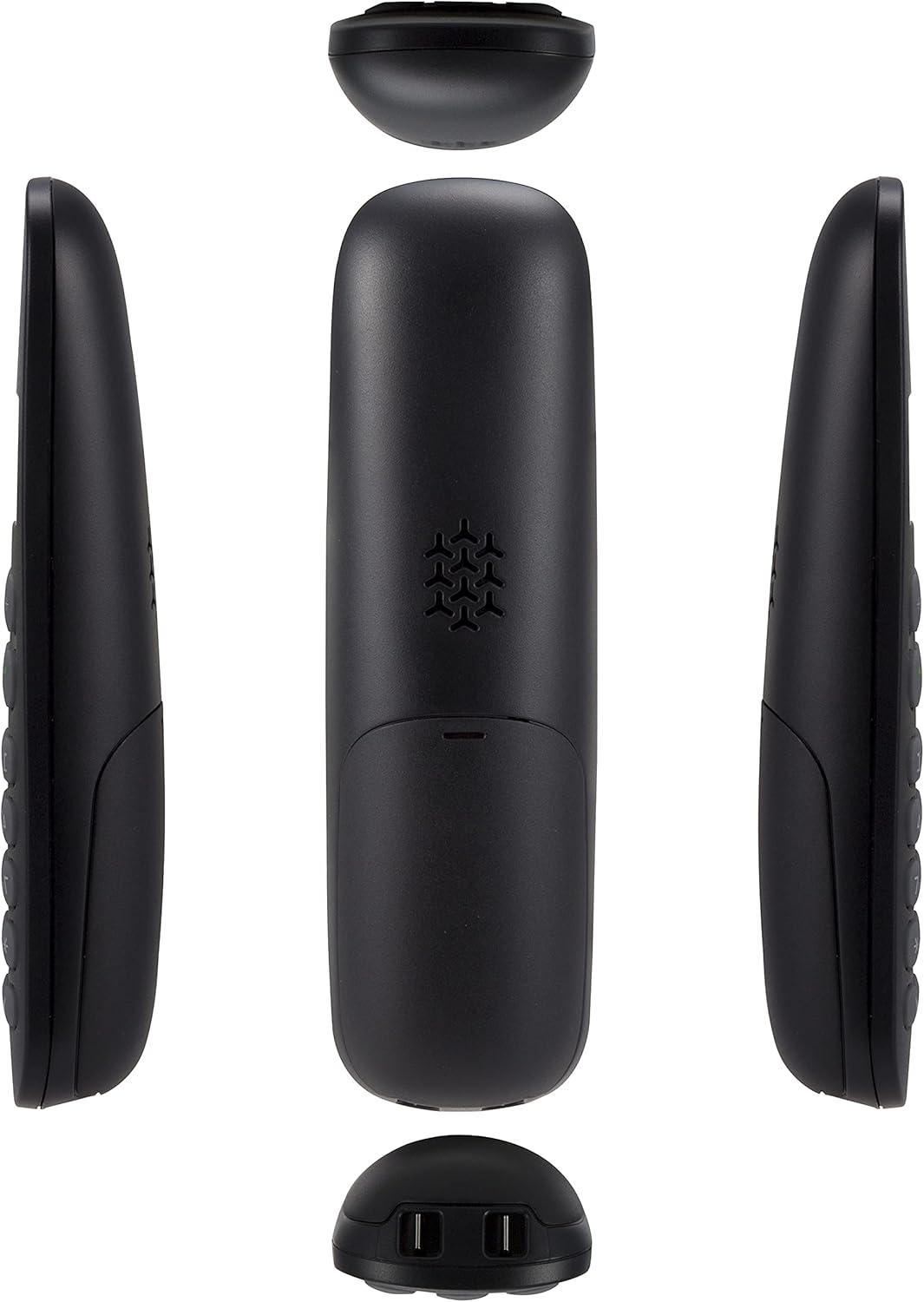
Image: Exploded view of the handset, illustrating the battery compartment and internal layout.
3.2. Connecting the Base Station
1. Connect one end of the telephone line cable to the TEL socket on the base station.
2. Connect the other end of the telephone line cable to your telephone wall socket.
3. Plug the power adapter into the DC IN socket on the base station.
4. Plug the other end of the power adapter into a standard electrical outlet.

Image: Side view of the Profoon PDX-300 handset correctly placed in its charging base.
3.3. Initial Charging
Place the handset on the base station. The display will indicate charging. For optimal battery performance, allow the handset to charge for at least 12-15 hours before its first use, even if the display shows a full charge earlier.
4. Operating Instructions
4.1. Making and Receiving Calls
To Make a Call:
- Press the Green Call Button.
- Dial the desired phone number.
- Press the Green Call Button again to end the call.
To Receive a Call:
- When the phone rings, press the Green Call Button.
- Press the Red End Call Button to end the call.

Image: Front view of the Profoon PDX-300 handset, highlighting the display and keypad for call management.
4.2. Phonebook
The phonebook can store up to 50 contacts. To access, add, or edit contacts, refer to the on-screen menu options. Typically, the Menu/OK button is used to navigate, and the arrow keys to scroll.
4.3. Redial Function
To redial one of the last five numbers called, press the Redial button (often indicated by a phone icon with an arrow or a 'R' button) and select the desired number from the list.
4.4. Hands-Free Function
During a call, press the Hands-Free button (often indicated by a speaker icon) to activate the speakerphone. Press it again to switch back to the earpiece.
4.5. Volume Adjustment
During a call, use the Up/Down Arrow keys on the handset to adjust the earpiece or speaker volume.
4.6. Expandability and Conference Calls
The Profoon PDX-300 system can be expanded with up to five handsets. This allows for internal calls between handsets, call forwarding, and setting up conference calls with multiple parties. Refer to the advanced settings in the handset menu for specific instructions on registering additional handsets and managing conference calls.
5. Maintenance
5.1. Cleaning
Wipe the handset and base station with a soft, damp cloth. Do not use abrasive cleaners or solvents, as these can damage the surfaces. Ensure no liquid enters the device openings.
5.2. Battery Care
Use only the specified rechargeable AAA batteries. Non-rechargeable batteries can cause damage or malfunction. If the phone will not be used for an extended period, remove the batteries to prevent leakage.
6. Troubleshooting
If you encounter issues with your Profoon PDX-300, try the following solutions:
- No Dial Tone: Ensure the telephone line cable is securely connected to both the base station and the wall socket. Check if the power adapter is properly connected and the base station is powered on.
- Cannot Make/Receive Calls: Verify that the handset batteries are charged. Ensure the handset is within range of the base station. Check if the telephone line is active.
- Poor Sound Quality/Interference: Move the handset closer to the base station. Ensure the base station is not placed near other electronic devices that may cause interference (e.g., Wi-Fi routers, microwaves).
- Handset Not Charging: Ensure the handset is correctly seated in the base station. Clean the charging contacts on both the handset and the base station with a dry cloth.
- Display Not Working: Check battery charge. If the issue persists after charging, contact support.
7. Specifications
| Model Number | A003883 |
| Brand | Profoon |
| Color | Black |
| Type | DECT Cordless Phone |
| Power Source | Battery-Powered (2 x AAA rechargeable batteries, included) |
| Talk Time | Up to 10 hours |
| Standby Time | Up to 100 hours |
| Display | Backlit LCD |
| Phonebook Capacity | 50 contacts |
| Expandability | Up to 5 handsets (GAP compatible) |
| Special Features | Hands-free function, Hearing aid compatible, Call conference (basic) |
| Item Weight | 370 g |
| Package Dimensions | 16.6 x 11.6 x 7.9 cm |
| Manufacturer | Profoon |
| Country of Origin | China |
8. Warranty and Support
The Profoon PDX-300 is designed for optimal and long-lasting use. For specific warranty information or technical support, please refer to the documentation provided with your purchase or contact Profoon customer service directly. Contact details can typically be found on the manufacturer's official website.