
1. Important Safety Information
Please read these instructions carefully before using the appliance and keep them for future reference. Failure to follow these instructions may result in electric shock, fire, or serious injury.
- Electrical Safety: Ensure the voltage indicated on the appliance matches your local mains voltage. Do not immerse the appliance, cord, or plug in water or other liquids. Do not operate the appliance with a damaged cord or plug.
- Heat and Burn Hazard: The cooktop surface will become hot during and after use. Do not touch hot surfaces. Always use oven mitts or pot holders. Keep children away from the appliance.
- Ventilation: Ensure adequate ventilation around the appliance. Do not block any ventilation openings.
- Cookware: Only use induction-compatible cookware. Non-compatible cookware will not heat up.
- General Use: This appliance is for household use only. Do not use outdoors. Do not leave the appliance unattended during operation.
- Cleaning: Always unplug the appliance and allow it to cool completely before cleaning.
2. Product Overview
The MEDION MD17595 is a single induction cooktop designed for efficient and precise cooking. It features a sleek glass-ceramic surface and a user-friendly touch control panel.
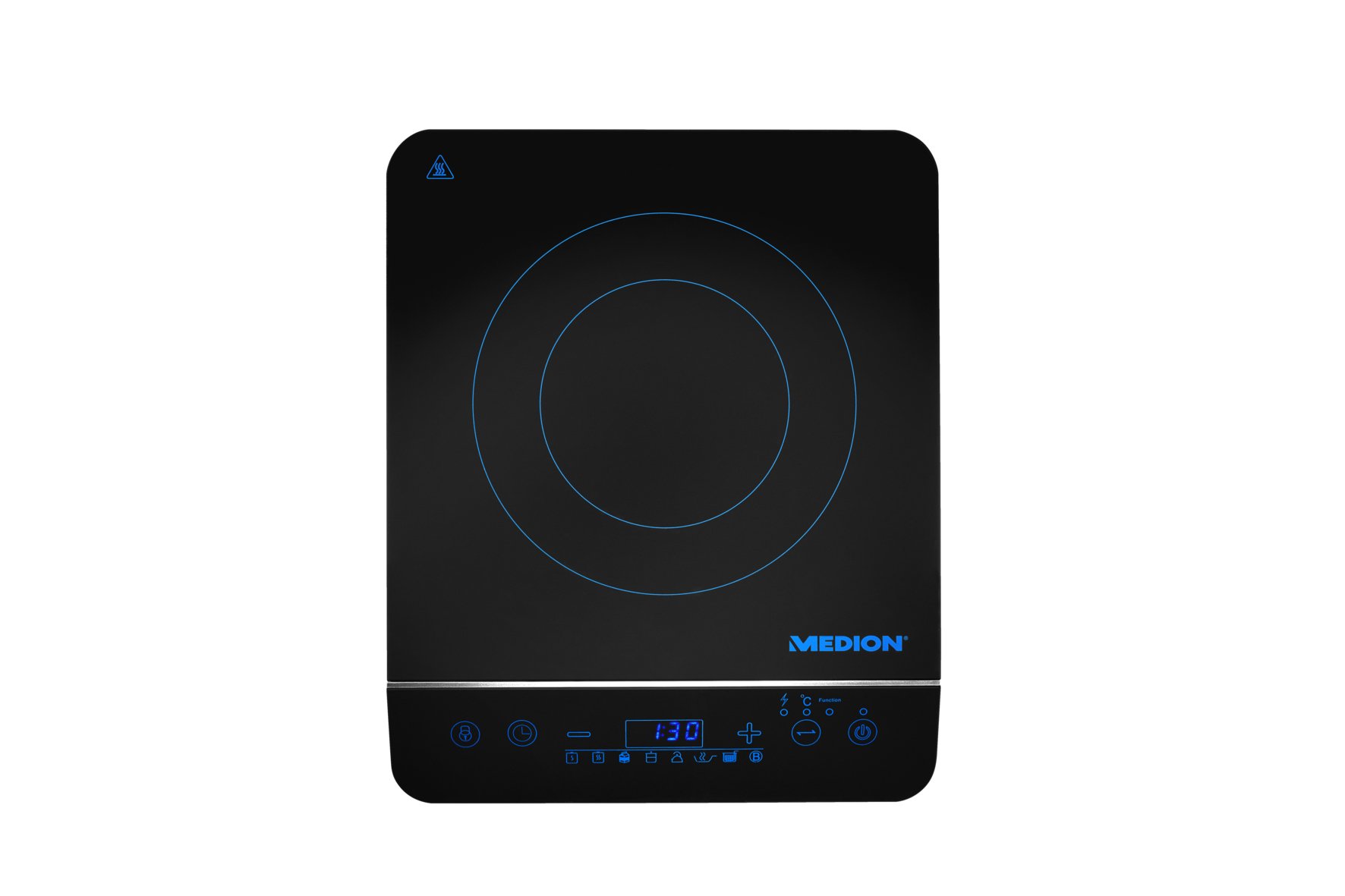
Figure 2.1: MEDION MD17595 Single Induction Cooktop with a frying pan.
2.1 Components
- Induction Cooking Zone: The area where cookware is placed for heating.
- Glass-Ceramic Surface: Durable and easy-to-clean cooking surface.
- Touch Control Panel: For operating the cooktop functions.
- LCD Display: Shows power level, temperature, timer, and program information.
- Power Cord: For connecting to the mains supply.
2.2 Control Panel

Figure 2.2: Close-up view of the touch control panel.
The touch control panel includes the following buttons and indicators:
- Power On/Off Button: To switch the appliance on or off.
- Function/Mode Button: To select between power, temperature, or automatic cooking programs.
- Plus (+) / Minus (-) Buttons: To adjust power, temperature, or timer settings.
- Timer Button: To set the cooking timer.
- Automatic Program Buttons: Dedicated buttons for 8 pre-set cooking programs.
- LCD Display: Shows current settings and status.
3. Setup and First Use
3.1 Unpacking
Carefully remove the cooktop from its packaging. Retain the packaging materials for future storage or transport. Check the appliance for any signs of damage. If damaged, do not use and contact customer support.
3.2 Placement
- Place the cooktop on a stable, flat, heat-resistant surface.
- Ensure there is at least 10 cm of clear space around the sides and back of the appliance for proper ventilation.
- Do not place the cooktop near heat sources, flammable materials, or on metal surfaces that could interfere with induction.
3.3 Power Connection
Plug the power cord into a grounded electrical outlet. Ensure the outlet meets the electrical requirements of the appliance (220-240V, 50/60Hz).
3.4 Compatible Cookware
The induction cooktop requires cookware made of ferromagnetic material. To check if your cookware is compatible, hold a magnet to the bottom of the pot or pan. If the magnet sticks, the cookware is suitable for induction cooking.
- Suitable materials include cast iron, enameled iron, steel, and stainless steel with a magnetic base.
- Cookware with a flat bottom is recommended for optimal contact and heating.
- Avoid glass, ceramic, aluminum, copper, or non-magnetic stainless steel cookware.
4. Operating Instructions
4.1 Powering On/Off
- Place suitable cookware with food on the center of the cooking zone.
- Press the Power On/Off button to switch on the cooktop. The display will light up.
- To switch off, press the Power On/Off button again. The display will turn off.
4.2 Adjusting Power and Temperature
After powering on, the cooktop typically defaults to a power or temperature setting. You can adjust this:
- Power Levels: Use the Plus (+) and Minus (-) buttons to select from 10 power levels (e.g., 200W to 2000W).
- Temperature Levels: Press the Function/Mode button to switch to temperature mode. Use the Plus (+) and Minus (-) buttons to select from 10 temperature levels, ranging from 60°C to 240°C.
4.3 Using Automatic Cooking Programs
The cooktop features 8 pre-set automatic cooking programs for common dishes. To use them:
- Place cookware on the cooking zone and power on the appliance.
- Press the desired Automatic Program Button. The cooktop will automatically set the appropriate power/temperature and cooking time.
- The program will run until completion or can be manually stopped by pressing the Power On/Off button.
4.4 Setting the Timer
The timer can be set for up to 180 minutes (3 hours).
- While cooking, press the Timer button. The timer indicator will flash on the display.
- Use the Plus (+) and Minus (-) buttons to set the desired cooking time.
- The timer will start counting down. Once the time expires, the cooktop will automatically switch off and emit an audible signal.
4.5 Automatic Pot Recognition
The cooktop automatically detects if suitable cookware is placed on the cooking zone. If no pot is detected or if an incompatible pot is used, an error message may appear, and the cooktop will not heat up.
4.6 Overheating Protection and Automatic Shut-off
The appliance is equipped with safety features:
- Overheating Protection: If the internal temperature becomes too high, the cooktop will automatically reduce power or shut down to prevent damage.
- Automatic Shut-off: If left unattended for an extended period without any operation, the cooktop will automatically switch off as a safety measure.
5. Cleaning and Maintenance
Proper cleaning and maintenance ensure the longevity and optimal performance of your induction cooktop.
5.1 Cleaning the Cooktop
- Always unplug the cooktop from the power outlet and allow it to cool completely before cleaning.
- Wipe the glass-ceramic surface with a soft, damp cloth and a mild detergent.
- For stubborn stains or burnt-on food, use a specialized ceramic hob cleaner and a non-abrasive sponge.
- Dry the surface thoroughly with a clean, soft cloth to prevent water spots.
- Do not use abrasive cleaners, scouring pads, or harsh chemicals, as these can scratch or damage the surface.
5.2 Cleaning the Housing
Wipe the exterior housing with a soft, damp cloth. Do not allow water to enter the ventilation openings.
5.3 Storage
If storing the cooktop for an extended period, ensure it is clean and dry. Store it in a cool, dry place, preferably in its original packaging, away from direct sunlight and moisture.
6. Troubleshooting
If you encounter problems with your induction cooktop, please refer to the following table before contacting customer support.
| Problem | Possible Cause | Solution |
|---|---|---|
| Cooktop does not turn on. | No power supply. Power cord not properly connected. | Check if the plug is securely inserted into the outlet. Check the circuit breaker. |
| Cooktop does not heat up. | Cookware is not induction-compatible. No cookware on the cooking zone. | Use induction-compatible cookware. Place cookware on the center of the cooking zone. |
| Display shows an error code (e.g., E0, E1). | Specific error condition (e.g., overheating, voltage issue). | Refer to the full manual for specific error code meanings. Unplug the appliance, wait a few minutes, then plug it back in. |
| Unusual noise during operation. | Normal operation sound (fan, magnetic field). | A slight humming or fan noise is normal for induction cooktops. If the noise is excessive or unusual, contact support. |
7. Technical Specifications
| Feature | Specification |
|---|---|
| Model Number | MD17595 |
| Power Output | 2000 Watt |
| Power Levels | 10 |
| Temperature Levels | 10 (60°C - 240°C) |
| Timer | 0 - 180 minutes |
| Cooking Programs | 8 Automatic Programs |
| Control Type | Touch Sensor |
| Display | LCD with Blue LED |
| Material | Glass-Ceramic (Black) |
| Dimensions (approx.) | 29 x 36 x 36 cm |
| Weight (approx.) | 2.8 Kilograms |
| Special Features | Automatic Pot Recognition, Overheating Protection, Automatic Shut-off |
8. Warranty and Support
This product comes with a warranty. Please refer to the included warranty card for detailed terms and conditions, including the warranty period and coverage.
For technical support, service, or questions regarding your MEDION MD17595 Induction Cooktop, please contact MEDION customer service. Contact information can typically be found on the warranty card or the official MEDION website.
When contacting support, please have your model number (MD17595) and proof of purchase readily available.