
1. Introduction
Thank you for purchasing the Arcchio LED Nora Floor Lamp. This energy-efficient LED lamp is designed for various indoor environments, including offices and living spaces, and features an integrated motion sensor for automatic operation. This manual provides essential information for the safe and efficient use of your new lamp, covering installation, operation, maintenance, and troubleshooting.
2. Safety Instructions
Please read these safety instructions carefully before installation and use. Keep this manual for future reference.
- Ensure the power supply is disconnected before installation, cleaning, or maintenance.
- This product is designed for indoor use only (IP20 rating). Do not expose to moisture or extreme temperatures.
- The light source (LEDs) is integrated and not user-replaceable. Do not attempt to open or modify the lamp.
- Ensure the lamp is placed on a stable, level surface to prevent tipping.
- Do not cover the lamp with any materials, as this may cause overheating.
- Keep away from children and pets.
- If the external flexible cable or cord of this luminaire is damaged, it shall be exclusively replaced by the manufacturer or his service agent or a similar qualified person in order to avoid a hazard.
3. Package Contents
Verify that all components are present and undamaged upon unpacking.
- Arcchio LED Nora Floor Lamp (main unit with integrated LED light source)
- Power Cable with Plug
- Instruction Manual (this document)
4. Product Overview
The Arcchio LED Nora is a modern floor lamp constructed from aluminum, featuring an integrated LED light panel and a motion sensor. Its design is suitable for various contemporary interiors.
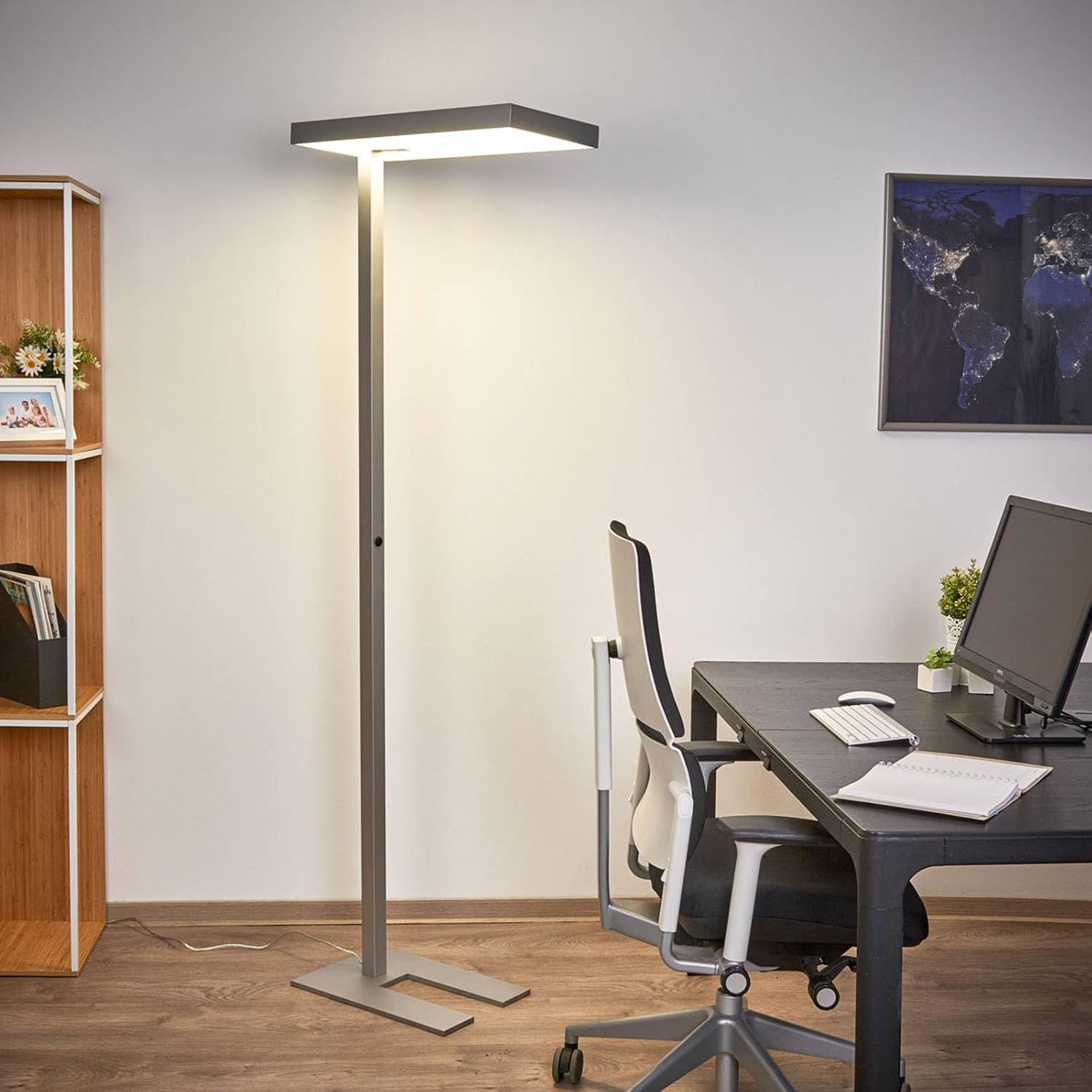
Figure 4.1: The Arcchio LED Nora floor lamp positioned in an office environment, showcasing its full height and light output.
- Lamp Head: Contains the integrated LED light source and the motion sensor.
- Lamp Stand: The main vertical support column, housing the manual switch.
- Base: Provides stability for the lamp.
- Motion Sensor: Detects movement to automatically switch the light on or off.
- Manual Switch: Located on the lamp stand for manual control.
5. Setup and Installation
Follow these steps to set up your Arcchio LED Nora floor lamp.
- Unpack: Carefully remove all components from the packaging. Retain packaging for future transport or storage.
- Assembly (if required): The lamp typically comes pre-assembled or requires minimal assembly of the stand to the base. Ensure all connections are secure.
- Placement:
- Place the lamp on a firm, level surface to ensure stability.
- Position the lamp in an area where the motion sensor has an unobstructed view of the desired detection zone. Avoid placing it near heat sources or in direct sunlight, which might interfere with sensor operation.
- Connect Power: Insert the power plug into a standard 230V electrical outlet.

Figure 5.1: The power cable and plug for connecting the lamp to a mains power supply.
6. Operating Instructions
The Arcchio LED Nora lamp offers both manual and automatic operation modes.
6.1 Manual Operation
The lamp is equipped with a manual switch located on the lamp stand.
- To turn the lamp ON, press the switch.
- To turn the lamp OFF, press the switch again.

Figure 6.1: The manual push-button switch located on the lamp's vertical stand.
6.2 Motion Sensor Operation
The integrated motion sensor automatically detects movement within its range and activates the light, providing convenient and energy-efficient illumination.
- When movement is detected within the sensor's field of view, the lamp will automatically turn on.
- After a period of no detected movement, the lamp will automatically turn off to conserve energy. The exact duration before turning off may vary and is typically pre-set.
- Ensure the motion sensor is not obstructed for optimal performance.

Figure 6.2: Detail of the lamp head, highlighting the integrated motion sensor.
7. Maintenance and Care
Proper care will ensure the longevity and optimal performance of your lamp.
- Cleaning: Disconnect the lamp from the power supply before cleaning. Use a soft, dry, or slightly damp cloth to wipe the surfaces. Do not use abrasive cleaners, solvents, or harsh chemicals, as these can damage the finish.
- Light Source: The LED light source is integrated and designed for a long lifespan. It is not user-replaceable. If the light source fails, contact qualified personnel or the manufacturer for assistance.
- General Inspection: Periodically check the power cord for any signs of damage. If damage is found, discontinue use and contact a qualified electrician or the manufacturer.
8. Troubleshooting
If you encounter issues with your lamp, refer to the following common problems and solutions.
| Problem | Possible Cause | Solution |
|---|---|---|
| Lamp does not turn on. |
|
|
| Motion sensor not working correctly. |
|
|
| Light flickers or dims unexpectedly. |
|
|
If these solutions do not resolve the issue, please contact Arcchio customer support or your retailer for further assistance. Do not attempt to repair the lamp yourself.
9. Specifications
| Brand | Arcchio |
| Model Number | 9966006 |
| Product Dimensions (L x W x H) | 60 x 30 x 195 cm |
| Weight | 15.7 kg |
| Material | Aluminum (Metal) |
| Color | Aluminum, Opal |
| Light Source Type | Integrated LED |
| Total Wattage | 50 W |
| Luminous Flux | 6200 Lumen |
| Operating Voltage | 230 V |
| IP Code (Protection Class) | IP20 (Indoor use only) |
| Protection Class | I |
| Energy Label EU | A+ |
| Special Features | Motion Sensor, Energy-efficient |
10. Warranty and Support
For warranty information, please refer to the terms and conditions provided at the time of purchase or contact your retailer. Arcchio stands for high quality and customer satisfaction.
If you require technical support or have questions not covered in this manual, please contact Arcchio customer service or the point of purchase. Please have your model number (Nora 9966006) and purchase details ready.