
1. Introduction
The SNDWAY SW-525B Digital Sound Level Meter is a precision instrument designed for measuring sound levels in various environments. This device features a large LCD display for clear readings and can be conveniently wall-mounted or hung. It is suitable for monitoring noise levels in homes, offices, factories, construction sites, and other settings where accurate sound measurement is required.
This manual provides detailed instructions for the proper setup, operation, and maintenance of your SW-525B sound level meter to ensure optimal performance and longevity.
2. Product Overview
2.1 Key Features
- Measurement Range: 30 to 130dB
- Accuracy: ±1.5dB (reference sound pressure level, 94dB@1KHz)
- Frequency Response Range: 31.5Hz~8.5KHz
- Large 9.6 inch LCD display with backlight for clear visibility
- USB connectivity for data download, sample collection, and chart/date printing
- Powered by DC 5V 1A Micro USB Outlet
2.2 Parts Identification
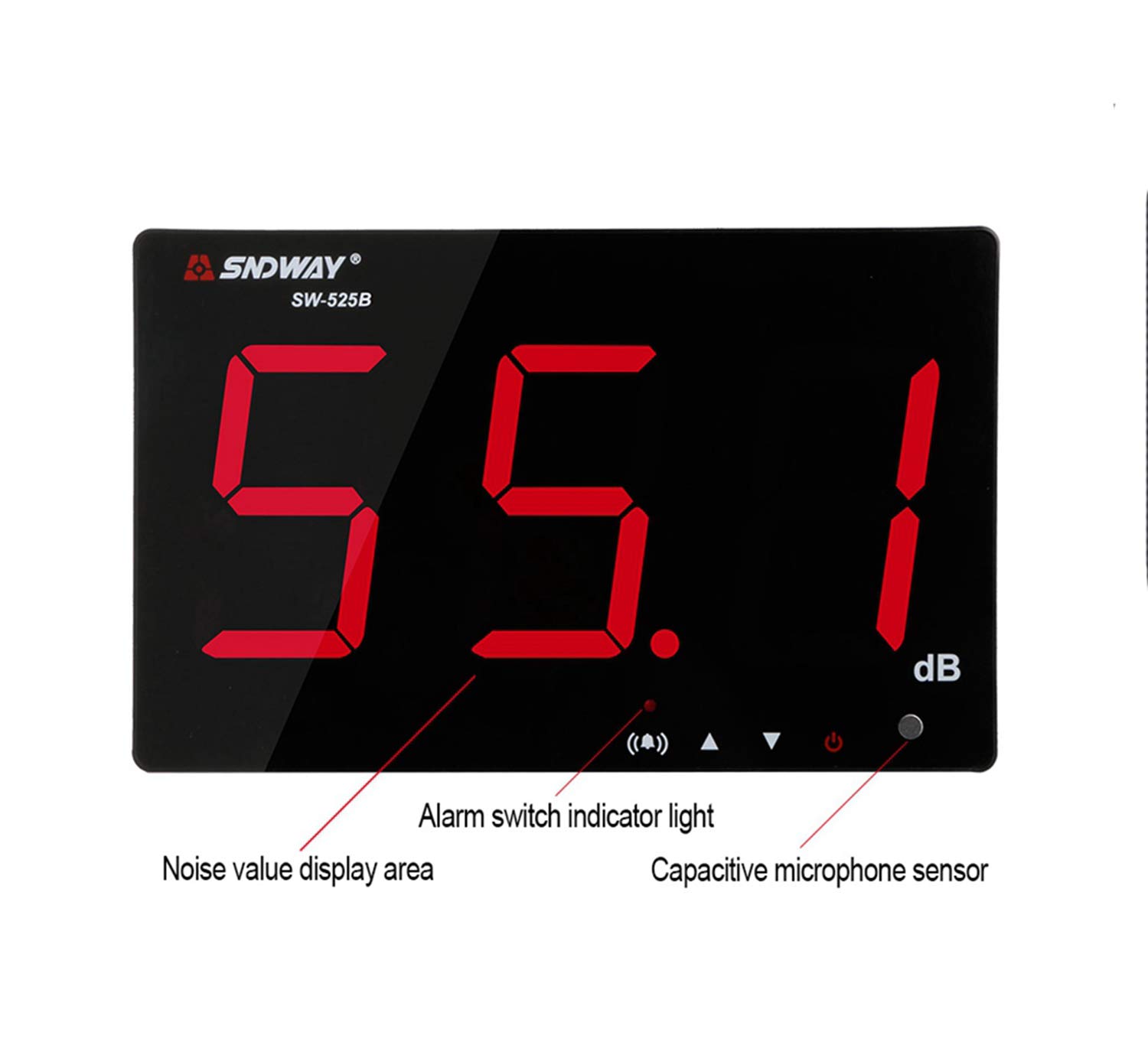
Figure 2.2.1: Front Panel Overview
Identifies the noise value display area, alarm switch indicator light, and capacitive microphone sensor.

Figure 2.2.2: Side Panel Controls and Ports
Details the LCD display, Microphone Sensor, Calibration Knob, Audio Outlet, USB outlet, and a table describing button functions (Power ON/OFF, Down key, Up key, Alarm ON/OFF key).

Figure 2.2.3: Numbered Component Diagram
Illustrates key components: ⒈ USB power socket, ⒉ Alarm export (for external horn, product does not have internal horn), ⒊ Set the alarm switch, ⒋ On key, ⒌ The key, ⒍ Key to power supply, ⒎ Calibration knob (factory calibrated, do not adjust).

Figure 2.2.4: Rear Panel and Mounting Points
Shows the back of the device with installation dimensions (120mm and 85mm), hooks for hanging, and a copper nut for tripod mounting.
3. Setup
3.1 Power Connection
Connect the device to a DC 5V 1A Micro USB power source using the provided USB cable. The power input port is located on the side of the unit (refer to Figure 2.2.3, item ⒈).
3.2 Mounting the Device
The SW-525B can be wall-mounted or placed on a surface. For wall mounting, utilize the integrated hooks on the rear panel (refer to Figure 2.2.4). Ensure the mounting surface is stable and capable of supporting the device's weight. The device also features a tripod mounting screw for alternative placement.
3.3 Initial Power On
After connecting the power, press the power ON/OFF key (refer to Figure 2.2.2) to turn on the device. The large LCD display will illuminate.
4. Operating Instructions
4.1 Measuring Noise

Figure 4.1.1: Noise Measurement Display
Example of a noise level reading on the LCD display.
To begin measuring noise, press the power button (⏻) to start up the device. Wait approximately 2 seconds for the device to enter the measuring condition. The current noise level will then be displayed on the large LCD screen in decibels (dB).
4.2 Instrument Alarm Function
The device includes an alarm function to alert users when a set noise threshold is exceeded.
4.2.1 Alarm Switch
- The alarm function is turned on by default when the meter starts.
- Press the alarm button (♫) to turn off the alarm. The red indicator light will extinguish.
- Press the alarm button (♫) again to turn on the alarm. The red indicator light will illuminate.
4.2.2 Setting Alarm Value
Figure 4.2.1: Alarm Value Setting
Example of setting the alarm threshold.
The default alarm value is 130dB. Users can adjust this value within the range of 50 to 130dB.
- Press and hold the alarm button (♫) for a short period to enter the alarm setting mode. The display will show the current alarm value, and the red indicator light will blink.
- Press the up (▲) and down (▼) buttons to adjust the alarm value. Hold the buttons for continuous adjustment.
- Press the alarm button (♫) briefly to save the new alarm value, or press the power switch shortly to cancel the setting and return to normal measuring condition.
4.3 PC Software and Data Management
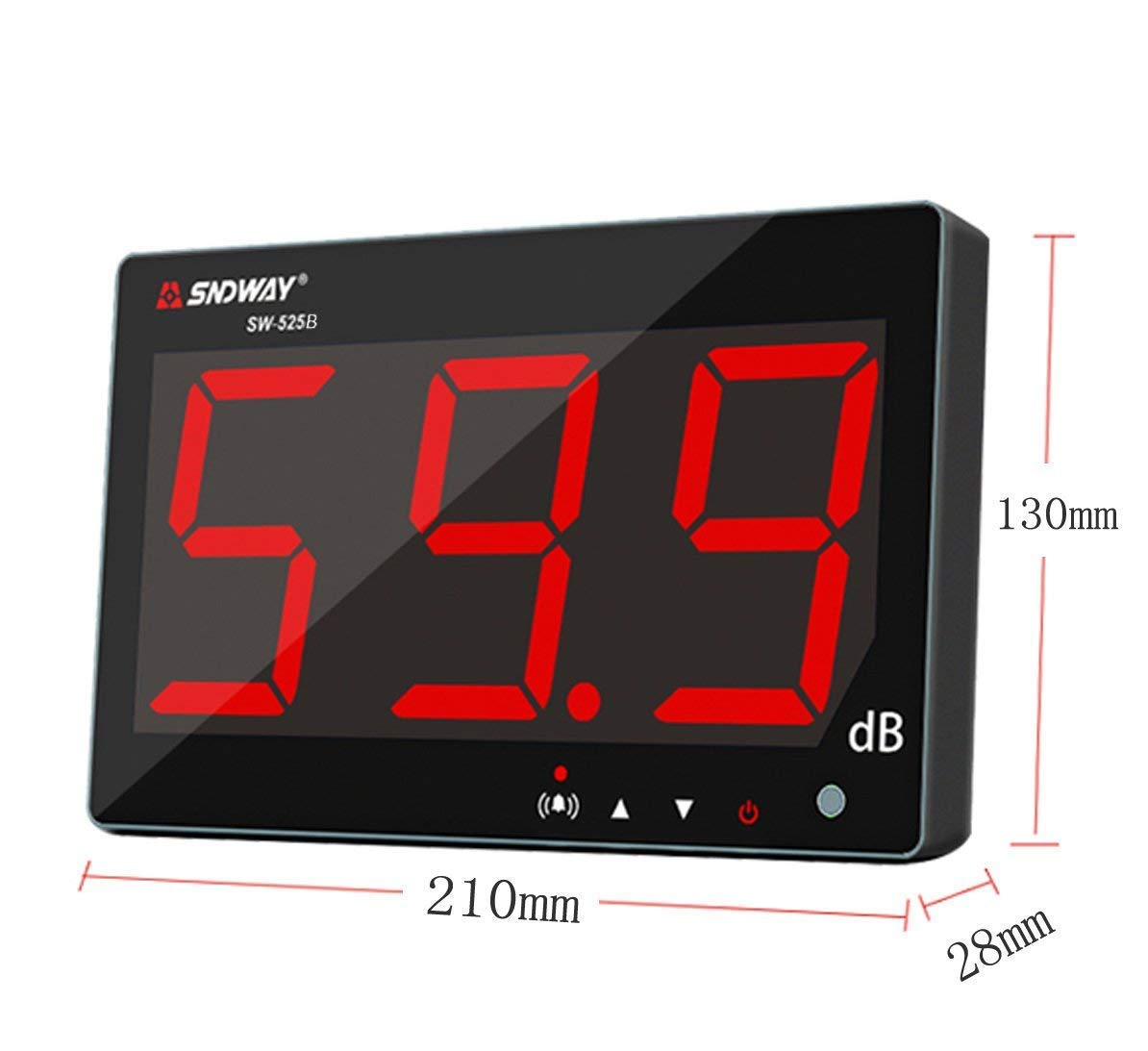
Figure 4.3.1: PC Software Interface
Screenshot of the NoiseMeter software for data analysis.
The SW-525B can be connected to a computer via a USB cable to download recorded data, collect real-time samples, and print charts and dates. A software CD is included with the product for installation on your PC.
To use this feature:
- Install the provided software from the CD onto your computer.
- Connect the sound level meter to your computer using the USB cable.
- Launch the software and follow the on-screen instructions to connect to the device, download data, or initiate real-time measurements.

Figure 4.3.2: Included Accessories
The product package includes the SW-525B unit, a USB cable, and a software CD.
5. Maintenance
- Cleaning: Use a soft, dry cloth to clean the device. Do not use abrasive cleaners or solvents.
- Storage: Store the device in a cool, dry place away from direct sunlight and extreme temperatures.
- Calibration: The calibration knob (refer to Figure 2.2.3, item ⒎) is factory-calibrated. Please do not attempt to adjust it, as this may affect the accuracy of the measurements.
- Battery: This device is powered via USB and does not use internal batteries. Ensure a stable 5V 1A power supply.
6. Troubleshooting
If you encounter issues with your SNDWAY SW-525B, please refer to the following common troubleshooting steps:
- Device Does Not Power On:
- Ensure the USB power cable is securely connected to both the device and a working 5V 1A power source.
- Verify that the power outlet is functional.
- Inaccurate Readings:
- Ensure the microphone sensor is not obstructed.
- Avoid placing the device in areas with strong electromagnetic interference.
- Do not attempt to adjust the factory-calibrated knob.
- PC Software Connection Issues:
- Ensure the USB cable is properly connected between the device and the computer.
- Verify that the software drivers are correctly installed from the provided CD.
- Try restarting both the device and the computer.
If the problem persists after attempting these steps, please contact the seller or manufacturer for further assistance.
7. Specifications
| Attribute | Value |
|---|---|
| Brand | SNDWAY |
| Model Number | SW-525B (611864734309) |
| Measurement Range | 30 to 130dB |
| Accuracy | ±1.5dB (reference sound pressure level, 94dB@1KHz) |
| Frequency Response Range | 31.5Hz~8.5KHz |
| Display | Large 9.6 inch LCD with backlight |
| Power Source | DC 5V 1A Micro USB Outlet |
| Connectivity | USB (for PC connection) |
| Color | Black |
| Item Weight | 454 g (approx. 1 Pound) |
| Package Dimensions | 23.1 x 18.3 x 5.7 cm |
| Included Components | Cable |
| Country of Origin | China |
8. Warranty and Support
8.1 Extended Warranty
An optional 1-Year Extended Warranty may be available for purchase. Please refer to your point of purchase for details regarding extended warranty options and terms.
8.2 Customer Support
For technical support, service, or inquiries not covered in this manual, please contact the authorized seller or the manufacturer directly. Keep your purchase receipt and product model information readily available when seeking support.


