
DreamSky DS206
DreamSky DS206 Alarm Clock Radio User Manual
Your comprehensive guide to setting up, operating, and maintaining your DreamSky DS206 Digital FM Alarm Clock Radio.
Product Overview
The DreamSky DS206 is a versatile digital alarm clock radio designed for bedrooms, featuring a large, dimmable display, FM radio, USB charging port, and battery backup. It provides essential timekeeping, alarm, and environmental information for a comfortable living space.
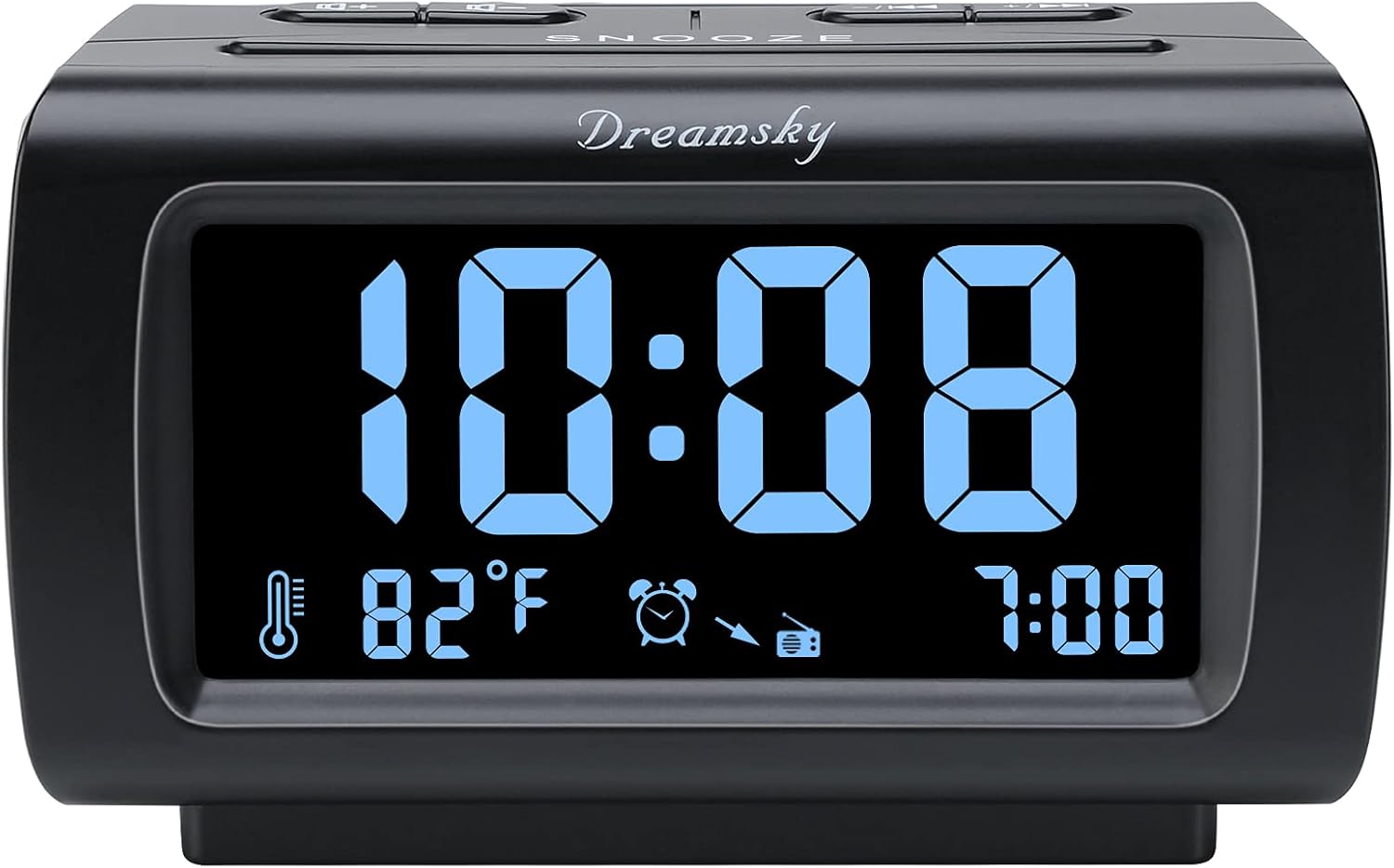
Figure 1: Front view of the DreamSky DS206 Alarm Clock Radio, displaying time and indoor temperature.
Initial Setup
Power Connection
Connect the included DC adapter to the "IN" USB port on the back of the alarm clock and plug it into a standard wall outlet. The display will illuminate, indicating power is supplied.

Figure 2: Rear view of the alarm clock, highlighting the USB IN port for power and the dimmer control.
Battery Backup Installation
For uninterrupted timekeeping during power outages, install 3 AAA batteries (not included) into the battery compartment on the bottom of the unit. These batteries serve as a backup and do not power the main display continuously.
Setting Time (12/24H Format)
- Press and hold the TIME SET button until the hour digits begin to flash.
- Use the + or - buttons to adjust the hour.
- Press TIME SET again to confirm the hour and move to minute setting.
- Use the + or - buttons to adjust the minutes.
- Press TIME SET once more to save the time.
- To switch between 12-hour and 24-hour (military) time format, briefly press the 12/24H TIME SET button.
Video 1: Demonstrates the unboxing, power connection, and setting of the time on the DreamSky DS206 Alarm Clock Radio.
Temperature Unit Selection
To toggle the indoor temperature display between Celsius (℃) and Fahrenheit (℉), briefly press the ℃/℉ ALARM SET button.
Operating Instructions
Display Brightness Control
The large LCD display features a 0% to 100% adjustable dimmer. Use the DIMMER knob located on the back of the unit to set your preferred brightness level, from completely off to fully bright.

Figure 3: Visual representation of the 0% to 100% adjustable display brightness control.
FM Radio Operation
- To turn the FM radio on or off, press the FM ON/OFF button.
- Use the -/<< or +>> buttons to tune to your desired FM station.
- Adjust the radio volume (L0 to L15) using the VOLUME + or VOLUME - buttons.
- To activate the sleep timer, press the SLEEP button repeatedly to cycle through sleep durations (10-120 minutes). The radio will automatically turn off after the selected time.

Figure 4: The alarm clock supports FM radio only, with no AM band functionality.
Alarm Settings and Snooze
- Press and hold the ALARM SET button until the alarm time flashes.
- Use the + or - buttons to set the desired alarm hour and minutes.
- Press ALARM SET again to select the alarm source: buzzer or FM radio.
- If FM radio is selected, adjust the alarm volume using the VOLUME + or VOLUME - buttons. Buzzer volume has 3 levels.
- Press ALARM SET to confirm.
- To activate/deactivate the alarm, press the ALARM ON/OFF button.
- When the alarm sounds, press the large SNOOZE button for an additional 8 minutes of sleep. The alarm will sound again after 8 minutes.
- To turn off the alarm for the day, press any button other than SNOOZE.

Figure 5: The alarm can be set to wake you with either a buzzer or your preferred FM radio station.
Video 2: Demonstrates setting the alarm and the progressive volume increase of the buzzer alarm.
USB Charging Port
The alarm clock features an extra USB "OUT" port on the back, allowing you to conveniently charge your smartphone or other smart devices without needing an additional wall adapter.

Figure 6: The integrated USB port allows for convenient charging of external devices.
Maintenance
Care and Cleaning
To clean the unit, use a soft, dry cloth. Do not use abrasive cleaners or solvents, as they may damage the surface. Keep the device away from water and excessive moisture.
Battery Replacement
If the clock loses time during a power outage, the backup batteries may need to be replaced. Open the battery compartment on the bottom of the unit and replace the 3 AAA batteries, ensuring correct polarity.
Troubleshooting
| Issue | Solution |
|---|---|
| Q: How do I set my favorite radio station as wake up alarm? | A: You cannot manually set a specific radio station as the wake-up alarm sound. However, if the radio is set as an alarm, it will play your last tuned-in station when the alarm goes off. Ensure your desired station is the last one listened to. |
| Q: Clock display does not light up? | A: Please check if the clock radio is plugged into a working outlet. Also, slide the dimmer wheel on the back of the unit to ensure it is not set to 0% brightness. |
| Q: Can I tune in AM station? | A: No, this device supports FM stations ONLY. It does not have an AM tuner. |
Product Specifications
| Feature | Detail |
|---|---|
| Model Number | DS206 |
| Display Type | Digital LCD with Blue Numbers |
| Display Size | 4 Inches |
| Brightness Control | 0% to 100% Adjustable Dimmer |
| Time Format | 12H or 24H |
| Temperature Display | Indoor (℃ or ℉) |
| Radio Type | FM Only (87.5MHz to 108.0MHz) |
| Alarm Sound Options | Buzzer (3 levels) or FM Radio (1-15 levels) |
| Snooze Duration | 8 Minutes |
| Sleep Timer | 10-120 Minutes (FM Radio) |
| USB Port | 1 x USB Output for Charging (5V) |
| Power Source | Corded Electric (DC adapter included) |
| Battery Backup | 3 x AAA Batteries (not included) |
| Product Dimensions | 5" (L) x 3.2" (W) x 2.7" (H) |
| Item Weight | 12.3 ounces (350 Grams) |

Figure 7: Detailed product dimensions for the DreamSky DS206 Alarm Clock Radio.
Warranty and Support
Warranty Information
This DreamSky Alarm Clock Radio comes with a 1-year replacement warranty from the date of purchase.
Customer Support
For any warranty claims, technical assistance, or product inquiries, please contact DreamSky customer support:
- Email: info@dreamsky4u.com
Related Documents - DS206
 |
Dreamsky DS2203 Wireless Charging Alarm Clock Instruction Manual User manual for the Dreamsky DS2203 Wireless Charging Alarm Clock, detailing setup, time and alarm settings, DST, wireless charging, and button functions. |
 |
Portable AM/FM Pocket Radio User Manual - Features, Specs, Setup Comprehensive user manual for the Portable AM/FM Pocket Radio, covering product features, specifications, setup instructions, battery safety, operation, and troubleshooting. Includes what's in the box and after-sales service information. |
 |
Digital LED Clock and Thermometer: User Instructions Comprehensive instructions for setting up and using your Digital LED Clock and Thermometer, including alarm, night mode, and temperature features. |
 |
DreamSky QL-955 Portable AM/FM Radio User Manual Comprehensive user manual for the DreamSky QL-955 portable AM/FM radio, detailing setup, operation, specifications, troubleshooting, battery safety, warranty, and FCC compliance. |
 |
Dreamsky DS2266 Clock Radio User Manual: Features, Setup, and Troubleshooting Comprehensive user manual for the Dreamsky DS2266 clock radio. Learn how to set alarms, use Bluetooth, operate the FM radio, set timers, and troubleshoot common issues. Includes FCC compliance information. |
 |
DreamSky DS226 FM-AM Radio with Bluetooth - Instruction Manual Instruction manual for the DreamSky DS226 FM-AM Radio with Bluetooth. Learn how to operate, set up, and troubleshoot this portable radio, including safety precautions and specifications. |
Ask a question about this manual
Ask about setup, troubleshooting, compatibility, parts, safety, or missing instructions. Manuals+ will review the question and use this page’s manual context to help answer it.