
1. Introduction
The PTZOptics 20X-NDI-GY is a high-definition indoor NDI camera featuring a 20x optical zoom lens. This camera is designed for professional video production, live streaming, and video conferencing applications, offering versatile connectivity options including HDMI, 3G-SDI, and IP streaming with NDI|HX support. Its pan, tilt, and zoom capabilities allow for dynamic shot composition and remote control.
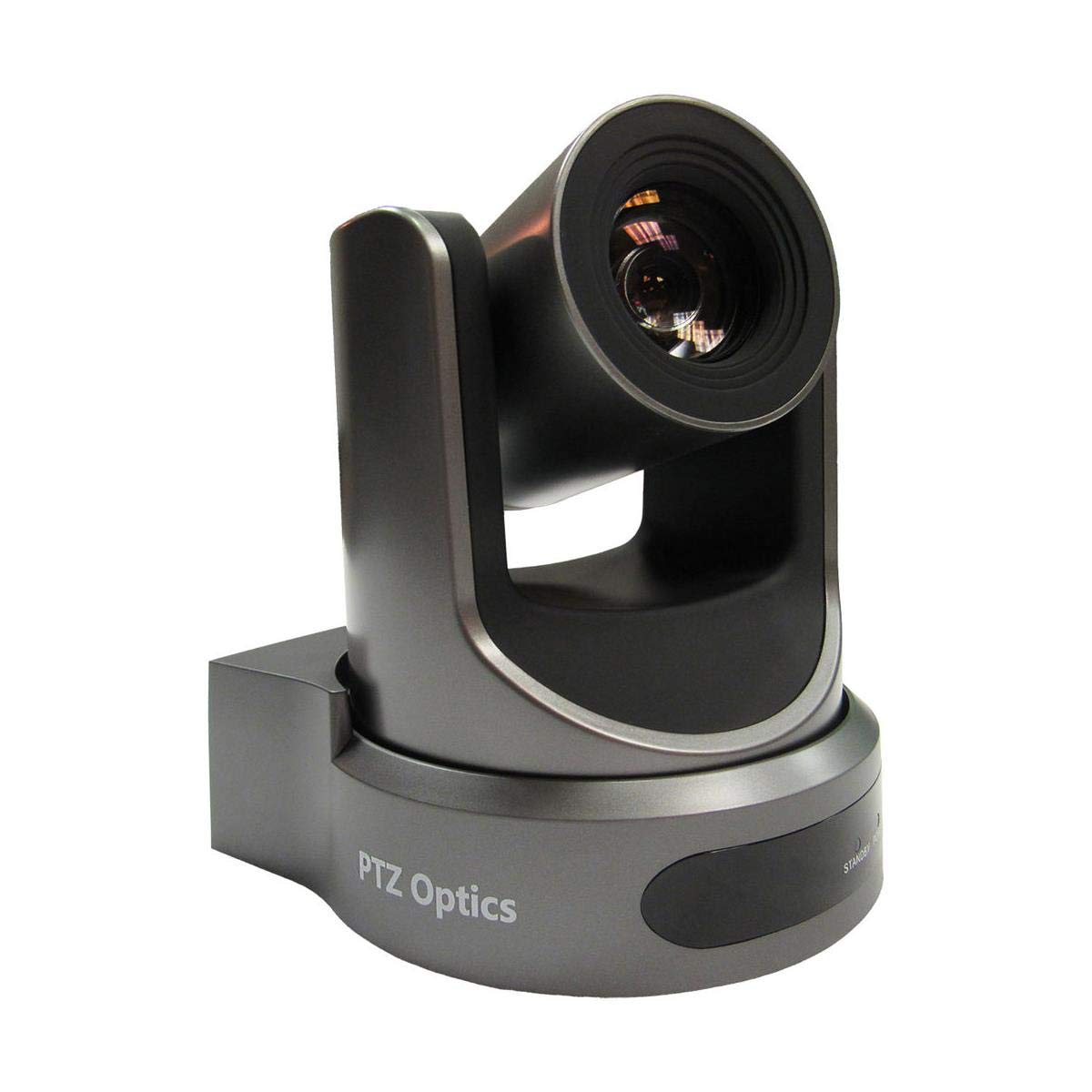
Figure 1: Front view of the PTZOptics 20X-NDI-GY camera, showcasing its lens and pan-tilt mechanism.
2. What's in the Box
Carefully unpack the box and ensure all items are present:
- PTZOptics 20X Zoom NDI|HX Camera (Gray)
- Power Adapter & Cord
- IR Remote Control
- RS-232C Cable
- Quick Start Guide
- (2) AAA Batteries (for IR Remote)
- Mounting Hardware (for various installation options)
Video 1: This video demonstrates the unboxing process for the PTZOptics 20X-NDI camera, showing all included components.
3. Setup
3.1 Physical Connections
Before powering on the camera, make all necessary physical connections. Refer to the diagram below for port identification.
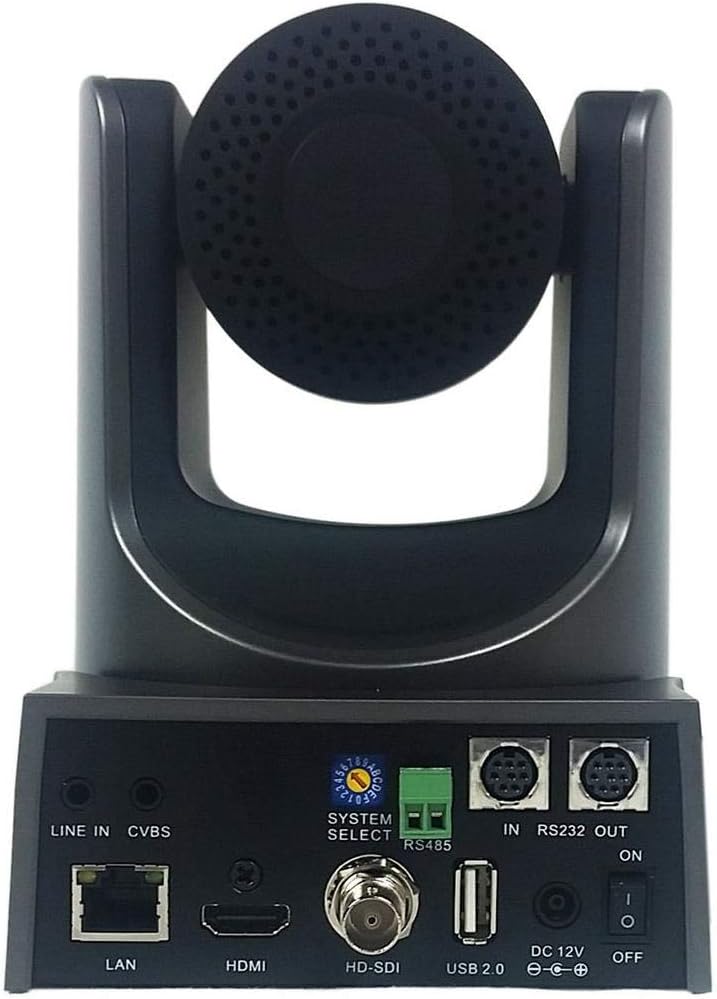
Figure 2: Rear panel of the PTZOptics 20X-NDI-GY camera, showing various input/output ports.
- Power Connection: Connect the provided power adapter to the DC 12V port and plug it into a power outlet.
- Network (LAN): For NDI|HX streaming and IP control, connect an Ethernet cable from the camera's LAN port to your network switch or router. This port also supports Power over Ethernet (PoE) if your network infrastructure provides it.
- Video Output:
- HDMI: Connect an HDMI cable to an HDMI display or capture device.
- 3G-SDI: Connect an SDI cable to an SDI-compatible device.
- CVBS: Connect a composite video cable for standard definition output.
- Audio Input: Connect an external audio source to the LINE IN port using a 3.5mm audio cable.
- Control Ports:
- RS-232 (IN/OUT): Use the RS-232C cable for serial control from a compatible controller.
- RS-485: Use the RS-485 terminal for alternative serial control.
- USB 2.0: For future firmware updates or specific applications.
3.2 Powering On
Once all connections are secure, flip the ON/OFF switch located on the rear panel to the 'ON' position. The camera will perform a self-test, and the lens will move to its home position.
4. Operating Instructions
4.1 IR Remote Control
The included IR remote control allows for basic camera functions such as pan, tilt, zoom, and focus. Ensure the AAA batteries are correctly installed.
- Pan/Tilt: Use the directional arrows to move the camera horizontally and vertically.
- Zoom: Use the 'TELE' button to zoom in and 'WIDE' button to zoom out.
- Focus: Use 'AUTO FOCUS' for automatic focusing or 'FAR'/'NEAR' for manual adjustment.
- Presets: The remote allows you to save and recall specific camera positions (pan, tilt, zoom, focus settings). Consult the Quick Start Guide for detailed instructions on setting and recalling presets.
Figure 3: The PTZOptics 20X-NDI-GY camera responding to commands from the IR remote control, demonstrating pan, tilt, and zoom functionality.
4.2 IP Control and NDI|HX
For advanced control and NDI|HX streaming, connect the camera to your network. The camera can be controlled via a web interface, PTZOptics IP Joystick, or compatible third-party software (e.g., OBS, vMix, Wirecast). NDI|HX allows for high-quality, low-latency video transmission over standard Ethernet networks.
5. Maintenance
5.1 Cleaning
To maintain optimal performance and image quality:
- Gently wipe the camera body with a soft, dry cloth.
- For the lens, use a lens cleaning cloth and specialized lens cleaning solution. Avoid abrasive materials or harsh chemicals.
- Ensure no dust or debris accumulates in the pan/tilt mechanism.
5.2 Firmware Updates
Periodically check the PTZOptics official website for firmware updates. Firmware updates can improve performance, add new features, or resolve known issues. Follow the instructions provided with the firmware update package carefully.
6. Troubleshooting
| Problem | Possible Cause | Solution |
|---|---|---|
| No power indicator | Power adapter not connected; Power switch off; Faulty power adapter/outlet. | Ensure power adapter is securely connected. Flip power switch to ON. Test with a different outlet or adapter. |
| No video output | Incorrect cable connection; Input selection on display; Camera not powered on. | Check HDMI/SDI/LAN cable connections. Verify correct input is selected on your display/capture device. Ensure camera is powered on. |
| IR remote not working | Dead batteries; Obstruction between remote and camera; Incorrect remote mode. | Replace AAA batteries. Ensure clear line of sight to camera's IR receiver. Check if remote is set to control the correct camera ID (if multiple cameras are used). |
| Camera not responding to IP control | Network connectivity issue; Incorrect IP settings; Firewall blocking communication. | Verify Ethernet cable connection. Check camera's IP address and network settings. Ensure no firewall is blocking the camera's ports. |
7. Specifications
- Brand: PTZOptics
- Model Number: PT20X-NDI-GY
- Optical Zoom: 20x
- Video Capture Resolution: 1080p
- Connectivity Technology: HDMI, 3G-SDI, IP Streaming
- Viewing Angle: 60.7 Degrees
- Color: Gray
- Photo Sensor Technology: CMOS
- Maximum Aperture: 2.8 Millimeters
- Video Capture Format: MPEG 4
- File Format: H.264, H.265, MJPEG, MPEG-4
- Special Feature: Motion Detection
- Form Factor: Bullet (Note: This appears to be a classification error in the source data, as the product is a PTZ camera.)
- Operating System (Compatibility): Android (Refers to app compatibility, not camera OS)
- Focus Type: Manual Focus
- Display Resolution Maximum: 1080p Full HD
- UPC: 737993160465
8. Warranty Information
The PTZOptics 20X-NDI-GY camera comes with a 3-year manufacturer's warranty covering defects in materials and workmanship. For specific terms and conditions, please refer to the official PTZOptics warranty policy available on their website.
9. Support
For further assistance, technical support, software downloads, and detailed documentation, please visit the official PTZOptics support website. You can also find FAQs and community forums for common inquiries.
PTZOptics Official Website: www.ptzoptics.com


