
Introduction
This manual provides comprehensive instructions for the safe installation, efficient operation, and proper maintenance of your Nora NLPR-56 PRISM Smart LED Retrofit Downlight. Please read this manual thoroughly before proceeding with installation or use to ensure optimal performance and safety.
Safety Information
WARNING: Risk of electric shock. Disconnect power at the circuit breaker or fuse box before installation or servicing. Failure to do so may result in serious injury or death.
- Read all instructions carefully before beginning installation.
- This product is suitable for damp locations.
- Do not use this fixture with fully enclosed recessed luminaires unless specifically rated for such use.
- Minimum starting temperature for operation is -20°C (-4°F).
- This device is not intended for use with emergency exits or emergency lighting.
- Proposition 65 Warning: This product may contain chemicals known to the State of California to cause cancer and birth defects or other reproductive harm.
Package Contents
Verify that all components are present before beginning installation:
- 1 x Nora NLPR-56 PRISM Smart LED Retrofit Downlight
- 1 x Reflector Trim (integrated)
- 1 x Instruction Manual
Setup and Installation
This retrofit downlight is designed for easy installation into existing 5-inch or 6-inch recessed housings.
- Disconnect Power: Ensure the power supply to the recessed housing is completely disconnected at the circuit breaker before starting.
- Remove Existing Fixture: Carefully remove the existing trim and light bulb from the recessed housing.
- Install Socket Adapter: Screw the provided E26 socket adapter into the existing light bulb socket within the recessed housing.
- Connect Wiring: Connect the male connector from the retrofit downlight to the female connector of the socket adapter. Ensure a secure connection.
- Insert Downlight: Gently push the retrofit downlight into the recessed housing. The torsion springs on the sides of the downlight will compress and then expand to secure the fixture firmly in place. Ensure the trim is flush with the ceiling.
- Restore Power: Once the downlight is securely installed, restore power at the circuit breaker.
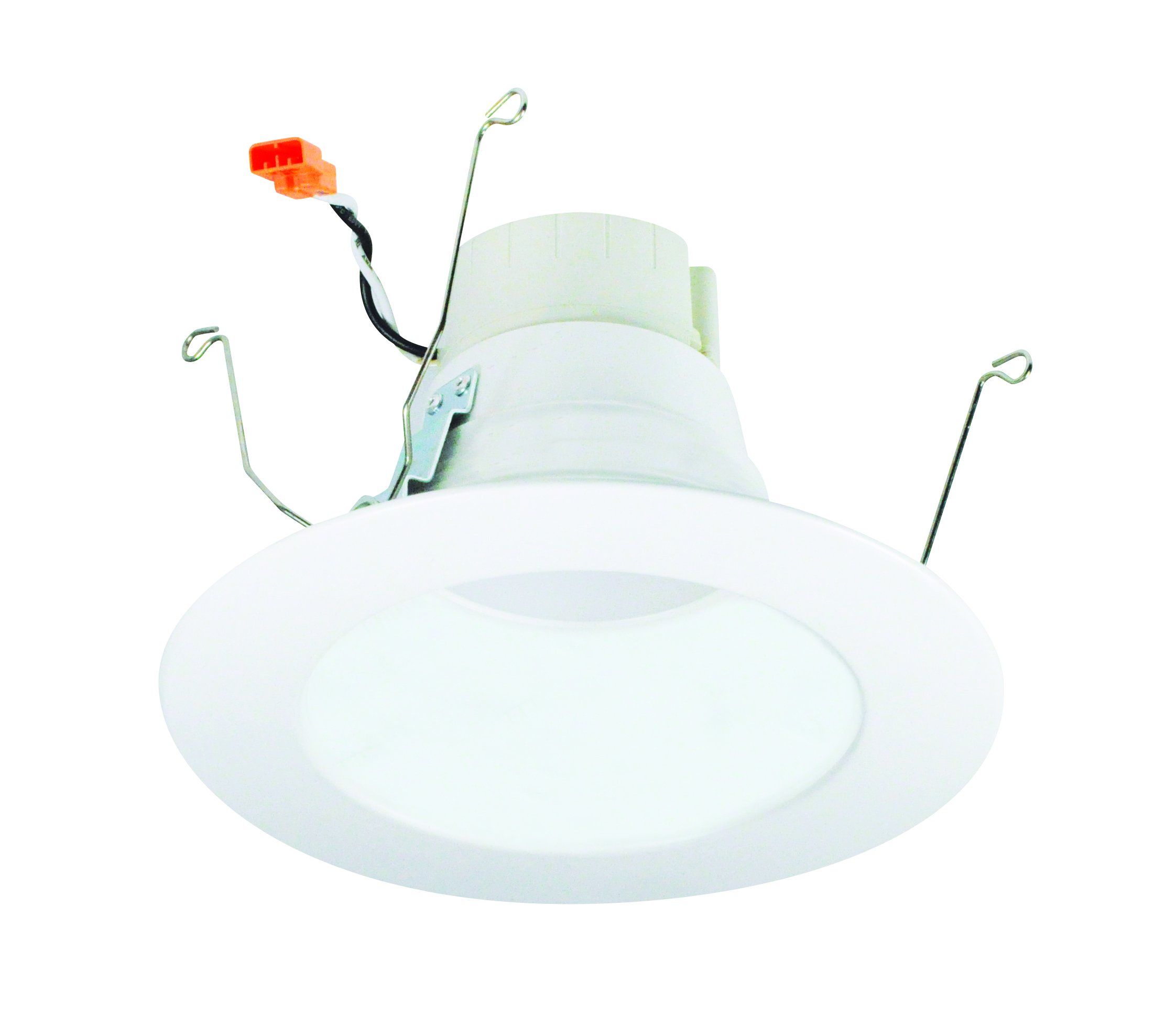
This diagram illustrates the physical dimensions of the Nora NLPR-56 retrofit downlight, indicating its compatibility with standard recessed housings. The overall diameter is 7-1/2 inches, the visible aperture is 5 inches, and the height is 4-5/8 inches.
Operating Instructions
The Nora NLPR-56 PRISM Smart LED Retrofit Downlight features advanced smart technology for versatile lighting control.
- Initial Power On: Upon first power-up, the downlight will typically illuminate in a default white light setting.
- Remote Control: This fixture is designed for control via a compatible remote control. Refer to the specific instructions provided with your Nora remote control for pairing and operation.
- Dimmable Functionality: The downlight is fully dimmable. Adjust brightness levels using the remote control or a compatible smart home system.
- Color Temperature Adjustment: The fixture offers adjustable white light color temperatures ranging from 2700K (warm white) to 4000K (cool white). Use the remote or smart home app to select your desired white light.
- RGBW Color Changing: Explore a wide spectrum of colors with the RGBW (Red, Green, Blue, White) capabilities. Select custom colors to suit your mood or environment via the control interface.
- Smart Home Integration: The NLPR-56 is Smart Home Compatible. For detailed instructions on connecting to your smart home system (e.g., Wi-Fi pairing, app control), please refer to the separate PRISM Smart Technology guide or the Nora Lighting website.
Maintenance
Proper maintenance ensures the longevity and performance of your downlight.
- Cleaning: Always ensure the power is disconnected before cleaning the fixture. Use a soft, dry, or slightly damp cloth to wipe the surface. Do not use abrasive cleaners, solvents, or cleaning agents containing alcohol, as these can damage the finish or electrical components.
- No User-Serviceable Parts: The LED light source and internal components are not user-serviceable. Do not attempt to open or repair the fixture. Contact qualified personnel for any issues beyond basic troubleshooting.
Troubleshooting
If you encounter issues with your downlight, refer to the following common problems and solutions:
- Light does not turn on:
- Verify that the power supply to the fixture is active at the circuit breaker.
- Check all electrical connections to ensure they are secure.
- If using a remote, ensure its batteries are functional and it is properly paired with the downlight.
- Light flickers or dims inconsistently:
- Ensure the downlight is connected to a compatible dimmer switch if using a wall dimmer.
- Check for loose wiring connections.
- Smart features (color change, app control) are not working:
- Refer to the PRISM Smart Technology guide for detailed pairing and network connection instructions.
- Ensure your Wi-Fi network is active and the downlight is within range.
- Confirm the smart home app is updated to the latest version.
Specifications
| Brand | Nora |
| Model Number | NLPR-5641RGBW/WW |
| Wattage | 13 Watts |
| Voltage | 120 Volts |
| Light Source Type | LED |
| Lumen Output | 800 Lumens |
| Color Temperature | 2700K-4000K Adjustable, RGBW |
| CRI | 90 |
| Dimmable | Yes |
| Control Method | Remote Control, Smart Home Compatible |
| Fixture Type | Retrofit Downlight |
| Compatible Housing Size | 5-inch / 6-inch |
| Material | Copper |
| Item Weight | 1 Pound |
| Package Dimensions | 8.25 x 8.25 x 5 inches |
| UPC | 732180998586 |
Warranty Information
This Nora product is covered by the manufacturer's standard limited warranty. For detailed information regarding warranty terms, conditions, and duration, please refer to the official Nora Lighting website or contact their customer support department directly. Keep your purchase receipt as proof of purchase for any warranty claims.
Support
For technical assistance, troubleshooting beyond this manual, or customer service inquiries, please visit the official Nora Lighting website or contact their support team. Contact information can typically be found on the manufacturer's website or product packaging.


