1. Introduction
This manual provides essential information for the safe and effective use of your OMNIHIL Replacement AC/DC Adapter. This adapter is designed to provide power to compatible Nixplay Edge 8 and 13 inch WiFi Cloud Digital Photo Frames, specifically models W08C and W13A.
The adapter features worldwide compatibility, accepting input voltages from 100V to 240V at 50/60Hz, ensuring it can be used in various regions. It is engineered as a high-quality power supply to meet or exceed standard specifications for reliable performance.
2. Setup
Follow these steps to properly set up your OMNIHIL AC/DC Adapter:
- Unpack the Adapter: Carefully remove the adapter from its packaging.
- Verify Compatibility: Ensure that the adapter's specifications are suitable for your Nixplay Edge Digital Photo Frame. This adapter is specifically designed for Nixplay Edge 8 and 13 inch models W08C and W13A.
- Connect to Device: Locate the power input port on your Nixplay Digital Photo Frame. Insert the barrel connector end of the OMNIHIL adapter firmly into this port.
- Connect to Power Outlet: Plug the AC prongs of the adapter into a standard electrical wall outlet. The adapter is compatible with 100V to 240V, 50/60Hz power sources.
- Power On: Once connected, your digital photo frame should power on automatically or be ready to be powered on via its own controls.

Image 1: OMNIHIL AC/DC Adapter with its integrated power cord.
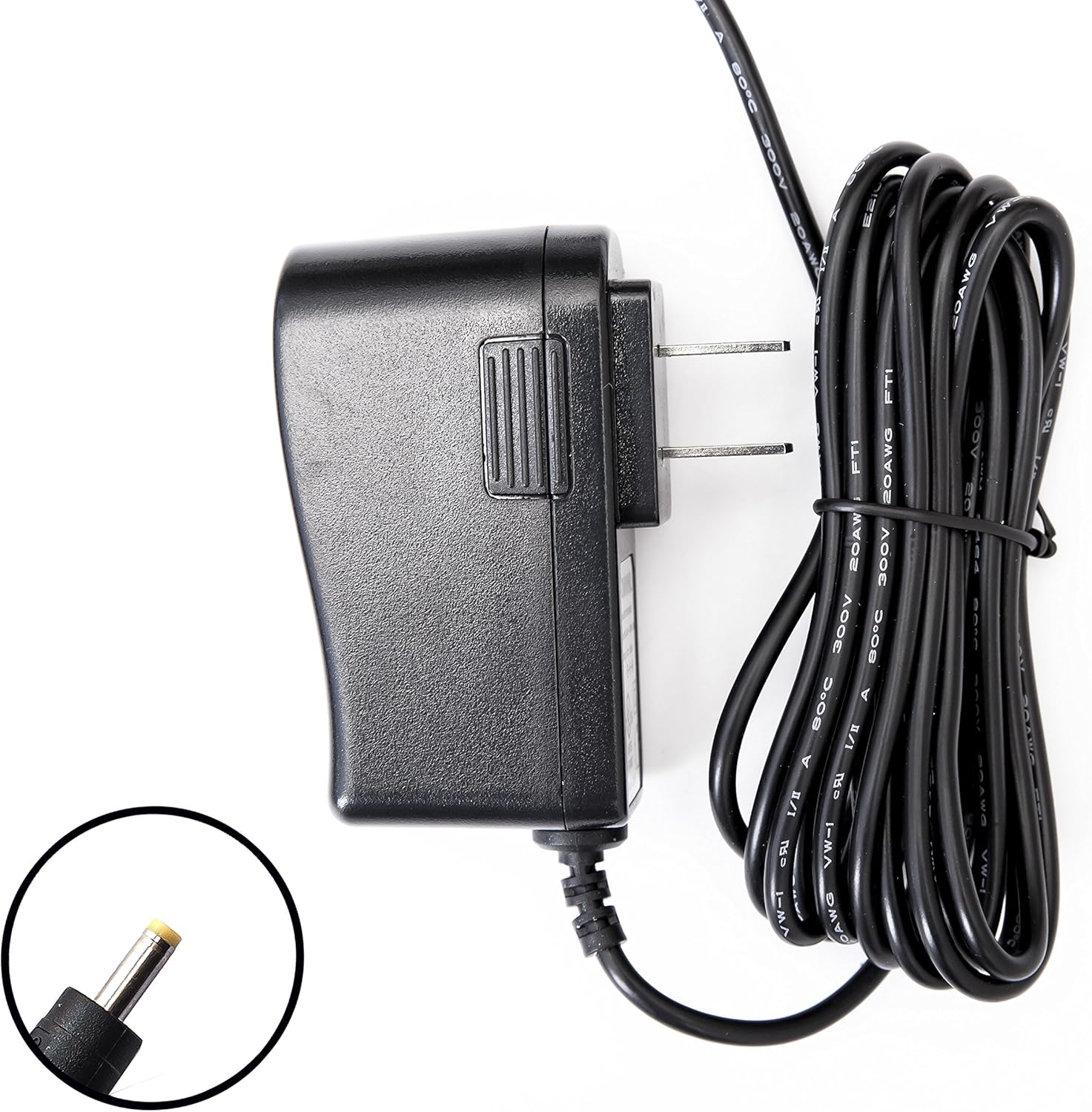
Image 2: Close-up view of the adapter's barrel connector, which plugs into the digital photo frame.
3. Operating Instructions
The OMNIHIL AC/DC Adapter operates automatically once properly connected. It converts the AC power from your wall outlet into the DC power required by your Nixplay Edge Digital Photo Frame.
- Continuous Power: The adapter provides continuous power to your device as long as it remains plugged into a functional power outlet and connected to the photo frame.
- Disconnection: To safely disconnect power, first unplug the adapter from the wall outlet, then disconnect the barrel connector from your digital photo frame.
4. Safety Information
Your OMNIHIL AC/DC Adapter is designed with safety features to protect both the adapter and your connected device. Please observe the following safety guidelines:
- Protection Features: The adapter incorporates Over Voltage Protection (OVP), Over Current Protection (OCP), and Short Circuit Protection (SCP) to prevent damage from electrical irregularities.
- Environmental Conditions: Do not expose the adapter to water, moisture, or extreme temperatures. Operate it in a well-ventilated area to prevent overheating.
- No Disassembly: Do not attempt to open, disassemble, or repair the adapter. Doing so may cause electric shock, damage the unit, and void the warranty.
- Proper Use: Use the adapter only with compatible devices as specified in this manual. Using it with incompatible devices may cause damage.
- Cord Care: Avoid placing heavy objects on the power cord or bending it sharply. Inspect the cord regularly for any signs of damage.

Image 3: Side profile of the OMNIHIL AC/DC Adapter.

Image 4: View of the adapter's AC prongs for wall outlet connection.
5. Troubleshooting
If you encounter issues with your OMNIHIL AC/DC Adapter, refer to the following common troubleshooting steps:
- No Power to Device:
- Ensure the adapter is securely plugged into both the wall outlet and the digital photo frame.
- Test the wall outlet with another device to confirm it is functional.
- Verify that the barrel connector is fully inserted into the photo frame's power port.
- Confirm that this specific OMNIHIL adapter model is correct for your Nixplay Edge frame (W08C, W13A).
- Adapter Overheating:
- Immediately unplug the adapter from the wall outlet and the device.
- Ensure the adapter is in a well-ventilated area, away from heat sources or obstructions.
- If overheating persists after allowing it to cool and ensuring ventilation, discontinue use and contact customer support.
- Physical Damage: If the adapter or cord shows signs of physical damage (fraying, exposed wires, cracks), discontinue use immediately to prevent electrical hazards.
6. Maintenance
Proper maintenance helps ensure the longevity and safe operation of your adapter:
- Cleaning: Keep the adapter clean and free from dust. Use a dry, soft cloth to wipe its surface. Do not use liquid cleaners.
- Storage: When not in use, store the adapter in a cool, dry place, away from direct sunlight and extreme temperatures.
- Cord Management: Avoid tightly wrapping or excessively bending the power cord, as this can damage the internal wires.
- Inspection: Periodically inspect the power cord and connectors for any signs of wear, cuts, or damage.
7. Specifications
| Manufacturer | OMNIHIL |
| Model Number | OMNI120817021 |
| Input Voltage | 100V ~ 240V AC, 50/60Hz (Worldwide Compliant) |
| Output | Compatible with Nixplay Edge 8/13 inch Digital Photo Frame power requirements |
| Connector Type | Barrel Connector |
| Dimensions (L x W x H) | 7.62 x 5.08 x 7.62 cm (3 x 2 x 3 inches) |
| Weight | 111 g (0.24 lbs) |
| Safety Compliance | UL Compliant |
| Cord Length | Approximately 8 feet (2.4 meters) |

Image 5: Graphic highlighting key features including 5-year warranty, 8 ft cord length, and OVP, OCP, SCP safety specifications.
8. Warranty and Support
OMNIHIL provides a 5-year replacement warranty for this AC/DC adapter. This warranty covers defects in materials and workmanship under normal use.
For warranty claims, technical support, or any inquiries regarding your OMNIHIL product, please refer to the contact information provided with your purchase or visit the official OMNIHIL website for assistance.