
1. Introduction
Thank you for choosing the PERLESMITH TV Wall Mount. This manual provides comprehensive instructions for the safe and proper installation, operation, and maintenance of your new TV wall mount. Please read this manual thoroughly before installation and retain it for future reference.

Image 1.1: The PERLESMITH TV Wall Mount, including the main mount assembly, VESA plate, HDMI cable, bubble level, and cable ties.
2. Important Safety Information
Please ensure you understand all instructions before beginning installation. If you have any doubts about the installation process, contact a qualified professional. Improper installation may result in property damage or personal injury.
- Do not install this product on walls that are not structurally sound.
- This mount is designed for installation on a single wood stud only. Do not attempt to install on drywall alone or metal studs.
- Ensure the wall mount is securely fastened to the wall before attaching the TV.
- Do not exceed the maximum weight capacity of 99 lbs (45 kg).
- This mount is suitable for TVs between 23 and 55 inches.
- Always use the provided hardware. If your TV requires different screws, consult your TV's manual or contact customer support.
- Keep all small parts away from children.
3. Package Contents
Verify that all components are present and undamaged before installation. If any parts are missing or damaged, please contact PERLESMITH customer service.
- TV Wall Mount Assembly
- Wide assortment of screws and bolts for various TV models
- Spacers for curved/flat back TVs
- Adapter arms (if needed to extend VESA compatibility)
- 6 ft HDMI Cable
- 3-Axis Magnetic Bubble Level
- 5 pieces of Cable Ties
- Instruction Manual
4. Product Overview
The PERLESMITH TV Wall Mount (Model PSMFK6) is a full-motion articulating mount designed for optimal viewing flexibility. It features a robust alloy steel construction to securely hold your television.

Image 4.1: Illustration of the mount's heavy-duty design, highlighting the three robust arms and dimensions. The mount supports up to 99 lbs and TVs from 23 to 55 inches.
Key features include:
- Full Motion Capability: Allows for swivel, tilt, and extension adjustments.
- Heavy-Duty Construction: Made from durable alloy steel, tested to hold four times its rated weight capacity.
- Slim Profile: Collapses to 2.8 inches from the wall for a clean appearance.
- Extended Reach: Extends up to 19.5 inches from the wall for versatile viewing angles.
5. Setup and Installation
5.1 Before You Begin
5.1.1 Check TV Compatibility
Ensure your TV's VESA mounting pattern is compatible with this mount. VESA patterns are the distances (in mm) between the four screw holes on the back of your TV.

Image 5.1: Diagram showing various VESA mounting patterns supported by the mount, including 75x75mm, 100x100mm, 200x100mm, 200x200mm, 300x200mm, 300x300mm, 400x200mm, 400x300mm, and 400x400mm.
This mount supports VESA patterns from 75x75mm (3"x3") up to 400x400mm (16"x16").
5.1.2 Wall Type Considerations
This mount is designed for installation on a single wood stud only. It is not suitable for concrete, brick, or metal stud walls without additional specialized hardware (not included). Use a stud finder to locate the center of a wood stud in your desired mounting location.
5.2 Installation Steps
Follow these steps carefully for a secure installation. It is recommended to have two people for certain steps, especially when lifting the TV.
- Attach TV Brackets to TV: Select the appropriate screws and spacers for your TV's VESA holes. Secure the two vertical TV brackets to the back of your TV. Ensure they are level and tightened securely.
- Mark Drill Holes: Hold the wall plate assembly against the wall at your desired height, ensuring it is centered on a wood stud. Use the included bubble level to ensure it is perfectly horizontal. Mark the three drill holes.
- Drill Pilot Holes: Using a power drill, drill pilot holes at the marked locations. The recommended drill bit size is typically 5/16 inch (8mm) for wood studs, but always verify with the instructions provided with your specific lag bolts.
- Mount Wall Plate: Align the wall plate with the pilot holes. Insert the lag bolts and tighten them firmly using a socket wrench. Do not overtighten. Ensure the wall plate is securely fixed to the wall.
- Hang TV on Wall Plate: With assistance, carefully lift the TV (with brackets attached) and hook the brackets onto the wall plate. Ensure the TV is seated properly and securely on the mount.
- Secure TV to Mount: Tighten the security screws on the bottom of the TV brackets to lock the TV in place, preventing accidental dislodgement.

Image 5.2: The mount's ability to extend up to 19.5 inches from the wall and retract to a slim 2.8 inches, providing both maximum reach and a clean, compact profile.
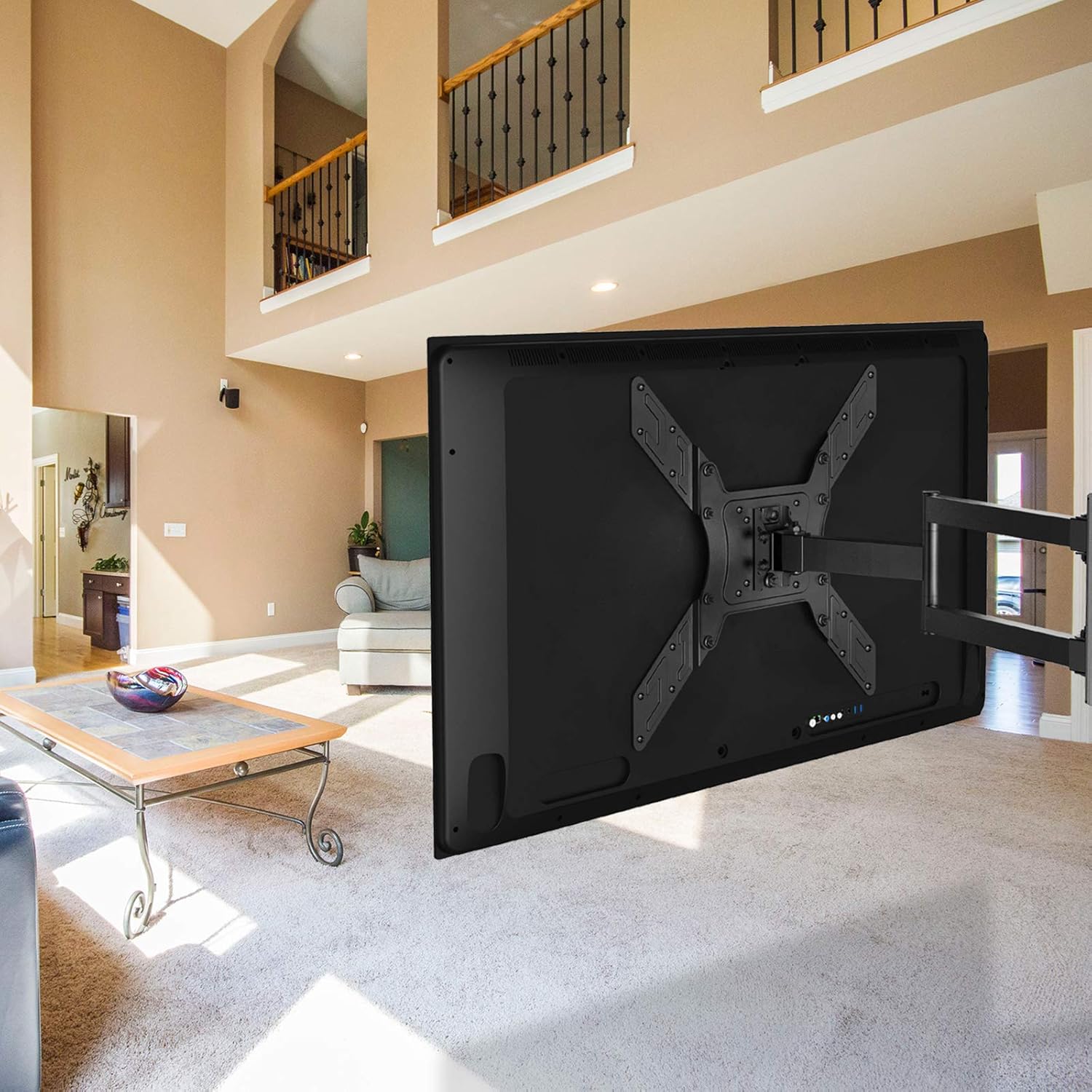
Image 5.3: A television securely mounted on the PERLESMITH wall mount in a living room setting, demonstrating its full articulation.
6. Operating the Mount
Once installed, your PERLESMITH TV mount offers various adjustments for optimal viewing.

Image 6.1: Visual representation of the mount's adjustment capabilities: Tilt up 5°, Tilt down 12°, Swivel ±90°, and Level Adjustment ±3°.
- Tilt Adjustment: The mount allows for a tilt range of +5° to -12°. This helps reduce glare and optimize viewing angles. Loosen the tilt knobs on the TV brackets, adjust to the desired angle, and then re-tighten.
- Swivel Adjustment: The articulating arm allows for a swivel of up to ±90° (the actual maximum swivel angle depends on your TV size and wall distance). Gently push or pull the TV to the desired left or right angle.
- Level Adjustment: After installation, you can make a post-installation level adjustment of ±3°. This ensures your TV is perfectly horizontal even if the wall plate was not installed perfectly level. Locate the leveling screws on the TV plate and adjust as needed.
- Extension/Retraction: Gently pull the TV away from the wall to extend the arm, or push it back towards the wall to retract it. The mount extends up to 19.5 inches and retracts to 2.8 inches.
7. Maintenance
Regular maintenance ensures the longevity and safe operation of your TV wall mount.
- Cleaning: Wipe the mount with a soft, dry cloth to remove dust. Do not use abrasive cleaners or solvents.
- Check Connections: Periodically check all screws and bolts to ensure they remain tight and secure. Re-tighten if necessary.
- Lubrication: The moving parts of the mount are designed for smooth operation and generally do not require lubrication. If movement becomes stiff, contact customer support.
8. Troubleshooting
If you encounter any issues during or after installation, refer to the following common problems and solutions:
| Problem | Possible Cause | Solution |
|---|---|---|
| TV is not level after installation. | Wall plate not perfectly level, or TV not adjusted. | Use the post-installation level adjustment feature (±3°) on the TV plate. |
| Mount feels loose on the wall. | Lag bolts not fully tightened or improper wall type. | Ensure lag bolts are securely tightened into a wood stud. If not on a wood stud, re-install on a stud or consult a professional. |
| TV does not fit the mount. | Incorrect VESA pattern or TV size. | Verify your TV's VESA pattern and size against the mount's specifications (23-55 inches, VESA 75x75mm to 400x400mm). Use adapter arms if necessary. |
| Mount arms are stiff to move. | Friction in joints. | Apply gentle, even pressure. If stiffness persists, contact customer support. Do not force movement. |
If the problem persists or is not listed here, please contact PERLESMITH customer support for assistance.
9. Specifications
| Feature | Specification |
|---|---|
| Model Number | PSMFK6 |
| Compatible TV Sizes | 23 - 55 inches |
| Weight Capacity | Up to 99 lbs (45 kg) |
| VESA Compatibility | 75x75mm, 100x100mm, 200x100mm, 200x200mm, 300x200mm, 300x300mm, 400x200mm, 400x300mm, 400x400mm |
| Tilt Angle | +5° / -12° |
| Swivel Angle | ±90° (max, TV size dependent) |
| Level Adjustment | ±3° |
| Extension from Wall | 2.8 inches (retracted) to 19.5 inches (extended) |
| Material | Alloy Steel |
| Mounting Type | Articulating / Full Motion |
10. Warranty and Customer Support
10.1 Warranty Information
PERLESMITH products are designed for durability and reliability. This product is covered by a manufacturer's warranty. Please refer to the product packaging or the official PERLESMITH website for specific warranty terms and conditions, as well as details on how to register your product.
10.2 Customer Support
For technical assistance, missing parts, or any questions regarding your PERLESMITH TV Wall Mount, please contact our customer support team. Our friendly and knowledgeable staff are available to help you.
- Website: Visit the official PERLESMITH website for FAQs and support resources.
- Email: Refer to your product packaging or website for customer service email.
- Phone: Refer to your product packaging or website for customer service phone number.
Please have your model number (PSMFK6) and purchase information ready when contacting support.


