
Introduction
The SE ELECTRONICS V7 MC1 is a high-performance dynamic microphone capsule specifically designed to upgrade your existing Shure wireless handheld transmitters. It provides the acclaimed sound quality of the wired V7 microphone, offering enhanced clarity and feedback rejection for live vocals, speech, and studio recording applications. This manual provides essential information for the proper setup, operation, and maintenance of your V7 MC1 capsule.
Key Features
- Natural Vocal Sound: Delivers crisp and natural vocal clarity, allowing your voice to cut through the mix without harshness.
- Enhanced Feedback Rejection: The supercardioid polar pattern and specialized aluminum voice coil provide significant gain before feedback.
- Gold-Plated Contacts: Ensures a loss-free and ultra-reliable signal connection for consistent performance.
- Durable Construction: Features an all-metal body, dent-proof, corrosion-free spring steel grille, and a beveled edge to prevent rolling.
- Patented Shockmount System: Decouples the capsule from mechanical vibration, minimizing handling noise.
- Switchable Internal Windscreen: Includes both red and black internal windscreens to minimize wind noise and plosive sounds.

Image: Overview of the V7 MC1 Wireless Microphone Capsule highlighting its key features.

Image: Close-up of the V7 MC1 capsule showing its gold-plated contacts for reliable signal transmission.

Image: The V7 MC1 capsule demonstrating its robust all-metal, touring-ready construction.
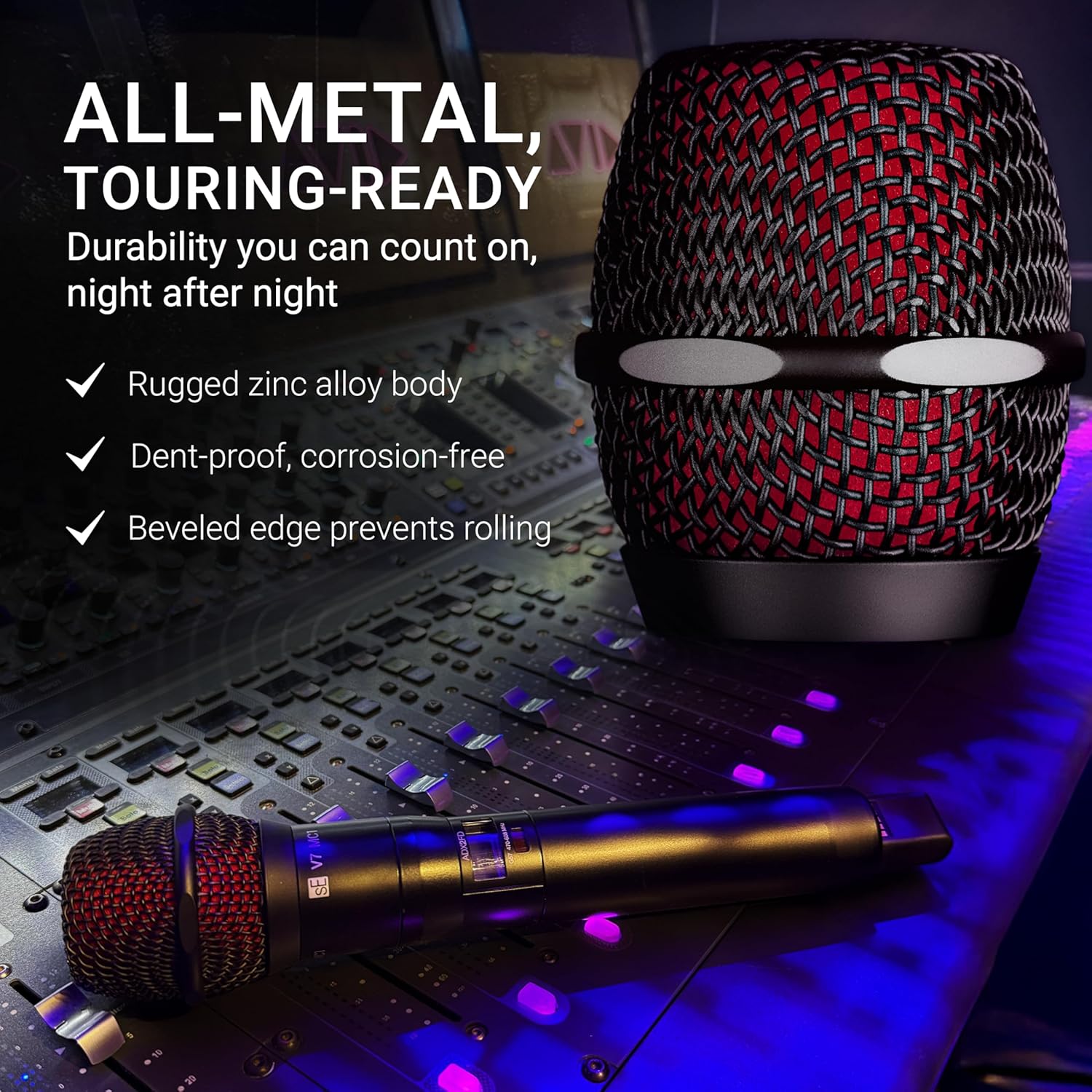
Image: Diagram illustrating the custom-designed DMC7 dynamic voice coil within the V7 MC1 capsule.

Image: The V7 MC1 capsule highlighting its patented shockmount system and switchable internal windscreen for noise reduction.
Setup and Installation
The V7 MC1 capsule is designed for easy installation onto compatible Shure wireless handheld transmitters. Follow these steps to replace your existing microphone capsule:
- Ensure your Shure wireless transmitter is powered off.
- Gently unscrew the existing microphone capsule from the top of the transmitter by turning it counter-clockwise.
- Carefully align the V7 MC1 capsule with the threads on the transmitter.
- Screw the V7 MC1 capsule onto the transmitter by turning it clockwise until it is securely fastened. Do not overtighten.
- Power on your Shure wireless transmitter and test the audio.

Image: The SE ELECTRONICS V7 MC1 Wireless Microphone Capsule, ready for installation.
Operation
Once installed, the V7 MC1 capsule operates like any standard dynamic microphone with your Shure wireless system. Its supercardioid polar pattern is highly effective at isolating your voice from other instruments and ambient noise, making it ideal for live performances and environments where sound isolation is crucial. To maximize performance and minimize feedback:
- Hold the microphone close to your mouth, typically within 1-6 inches.
- Point the top of the microphone directly at the sound source.
- Avoid cupping the microphone grille, as this can affect its polar pattern and increase susceptibility to feedback.
- Ensure proper gain staging on your wireless receiver and mixing console to prevent clipping or distortion.
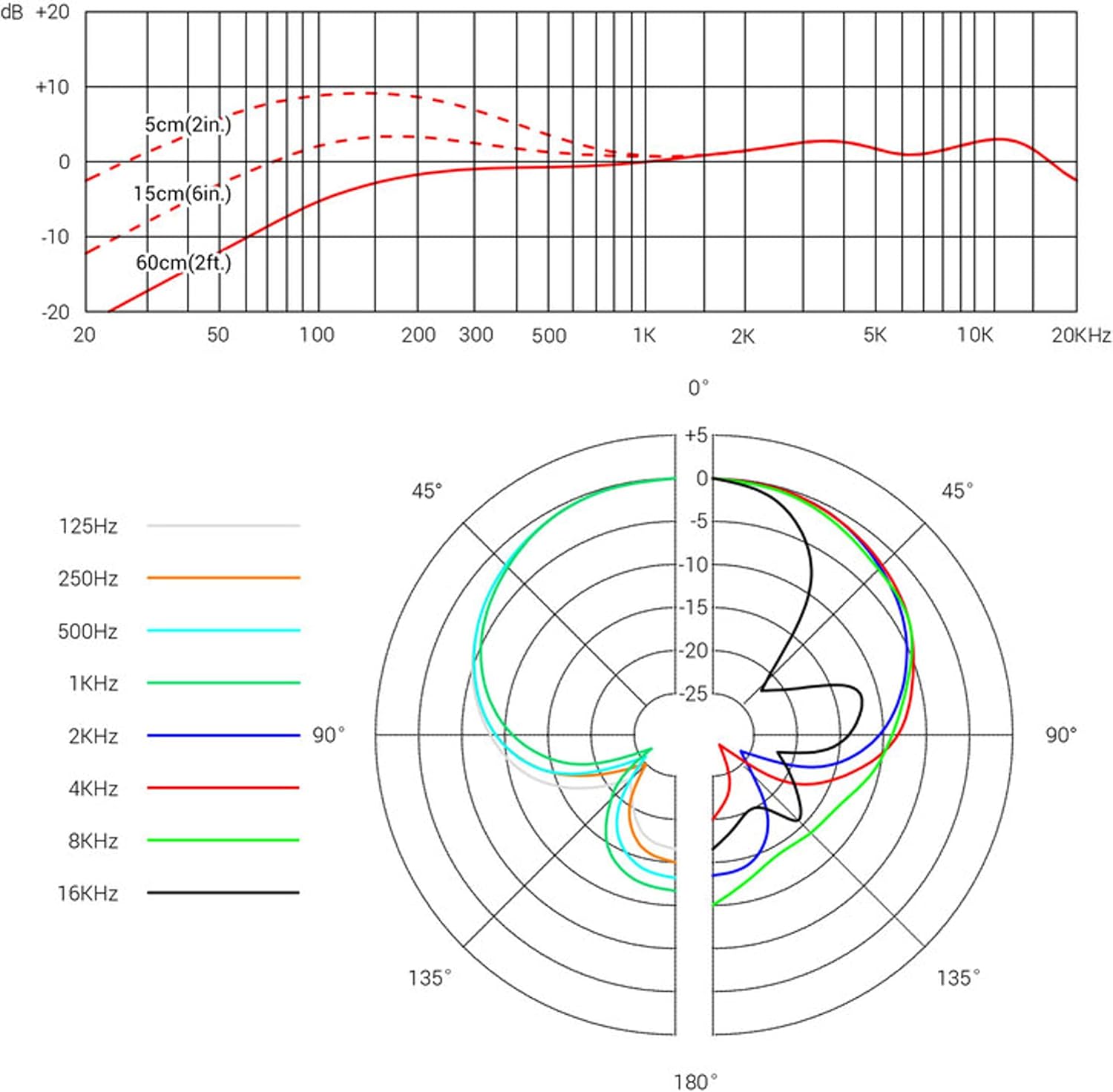
Image: A performer using a microphone equipped with the V7 MC1 capsule, demonstrating typical usage for clear vocal capture.
Care and Maintenance
Proper care will ensure the longevity and optimal performance of your V7 MC1 microphone capsule:
- Cleaning the Grille: Regularly wipe the microphone grille with a soft, dry cloth to remove dust and debris. For more thorough cleaning, the grille can be carefully unscrewed and cleaned with a mild, non-abrasive cleaner. Ensure it is completely dry before reattaching.
- Internal Windscreen: The internal windscreen can be removed and gently hand-washed with mild soap and water if necessary. Allow it to air dry completely before reinserting.
- Storage: When not in use, store the capsule in a dry, clean environment, preferably in its original packaging or a protective pouch, to prevent dust accumulation and physical damage.
- Avoid Moisture: Do not expose the capsule to excessive moisture or liquids. If it becomes wet, power off the transmitter immediately and allow the capsule to dry thoroughly before use.

Image: A collection of V7 MC1 capsules, illustrating their robust design and ease of maintenance.
Troubleshooting
If you encounter issues with your V7 MC1 microphone capsule, consider the following common solutions:
- No Sound/Low Volume:
- Ensure the capsule is securely screwed onto the transmitter.
- Check the battery level of your wireless transmitter.
- Verify that the wireless receiver is powered on and properly connected to your audio system.
- Adjust gain settings on the transmitter, receiver, and mixing console.
- Feedback (Squealing Sound):
- Reposition the microphone further away from loudspeakers or monitors.
- Reduce the gain on the mixing console or receiver.
- Ensure the microphone is not pointed directly at speakers.
- Utilize the supercardioid pattern effectively by speaking directly into the top of the microphone.
- Distorted Sound:
- Reduce the input gain on the transmitter or mixing console to prevent clipping.
- Check for any physical damage to the capsule or transmitter.
Technical Specifications
| Specification | Value |
|---|---|
| Model Name | V7 MC1 |
| Microphone Form Factor | Handheld Capsule |
| Polar Pattern | Supercardioid (Unidirectional) |
| Audio Sensitivity | 54 Decibels |
| Frequency Response | 19 KHz (Upper limit, typical for dynamic mics) |
| Signal-to-Noise Ratio | 70 dB |
| Compatible Devices | Shure Wireless Transmitters |
| Material | Alloy Steel, Zinc |
| Item Weight | 0.23 Kilograms (8.1 ounces) |
| Product Dimensions (L x W x H) | 3.94 x 2.56 x 2.44 inches |

Image: A visual representation of some technical specifications for the V7 MC1 capsule.

Image: Graphs illustrating the frequency response and supercardioid polar pattern of the V7 MC1 capsule.
Warranty and Support
For detailed warranty information and technical support, please refer to the official SE ELECTRONICS website or contact their customer service directly. Keep your purchase receipt as proof of purchase for any warranty claims.
You can find more information and contact details on the SE ELECTRONICS Brand Store.


