1. Introduction
This manual provides detailed instructions for the safe and effective operation of your Audibax Arkansas 12 Bluetooth Speaker. Please read this manual thoroughly before using the product and retain it for future reference. The Audibax Arkansas 12 is an active 2-way speaker designed for high-quality audio reproduction with versatile connectivity options including Bluetooth, USB, and SD card playback.
2. Safety Information
- Power Source: Connect the speaker only to an AC power outlet that matches the voltage specified on the unit.
- Ventilation: Ensure adequate ventilation around the speaker. Do not block ventilation openings.
- Water and Moisture: Do not expose the speaker to rain, moisture, or excessive humidity. Keep liquids away from the unit.
- Heat: Avoid placing the speaker near heat sources such as radiators, heat registers, stoves, or other heat-producing appliances.
- Cleaning: Disconnect the power cord before cleaning. Use a dry cloth only.
- Servicing: Do not attempt to service this product yourself. Refer all servicing to qualified service personnel.
- Placement: Place the speaker on a stable, level surface. Ensure it is securely mounted if using a stand.
3. Product Overview
The Audibax Arkansas 12 speaker features a robust ABS enclosure and a steel grille for durability. It includes integrated handles for easy transport. The rear panel houses all control interfaces and input/output ports.
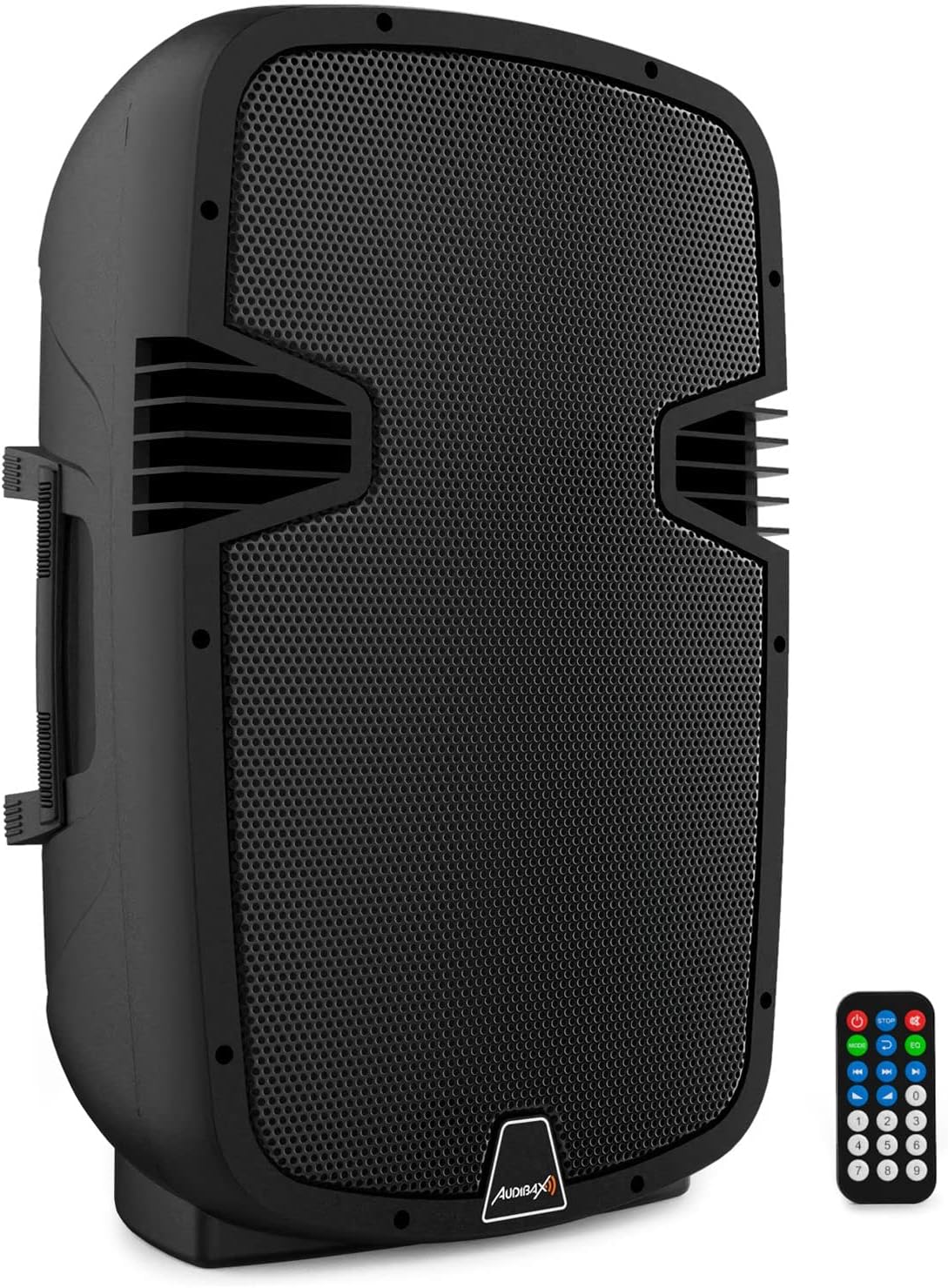
Figure 3.1: Front view of the Audibax Arkansas 12 speaker with its remote control.
3.1 Rear Panel Controls and Connections
The rear panel provides access to all audio inputs, outputs, and control adjustments.

Figure 3.2: Detailed view of the Audibax Arkansas 12 rear panel, illustrating various inputs, outputs, and controls.
- USB/SD Digital Player: Slot for USB drives and SD cards for media playback. Includes a display and control buttons.
- MIC LEVEL: Adjusts the volume of the microphone input.
- LINE LEVEL: Adjusts the volume of the line inputs.
- MAIN VOLUME: Master volume control for all audio sources.
- TREBLE: Adjusts the high-frequency response.
- BASS: Adjusts the low-frequency response.
- LINE IN (RCA/XLR): Inputs for connecting external audio devices (e.g., mixers, CD players).
- LINE OUT (RCA/XLR): Output for connecting to another speaker or audio system.
- SPEAKER OUT (8Ω): Output for connecting a passive speaker.
- POWER Switch: Turns the speaker on or off.
- AC INPUT: Power cord connection.
3.2 Remote Control
The included remote control allows for convenient operation of playback functions (play, pause, skip tracks), mode selection, and volume adjustment from a distance.

Figure 3.3: The Audibax Arkansas 12 speaker shown with its multi-function remote control.
4. Setup
4.1 Unpacking and Placement
- Carefully remove the speaker and all accessories from the packaging.
- Place the speaker on a stable, flat surface or mount it on a compatible speaker stand. Ensure the speaker is stable to prevent accidental falls.
4.2 Power Connection
- Ensure the POWER switch on the rear panel is in the OFF position.
- Connect the supplied AC power cord to the AC INPUT on the rear panel of the speaker.
- Plug the other end of the power cord into a suitable wall outlet.
5. Operating
5.1 Powering On/Off
To power on the speaker, flip the POWER switch on the rear panel to the ON position. The display on the USB/SD Digital Player will illuminate. To power off, flip the POWER switch to the OFF position.
5.2 Bluetooth Connection
- Turn on the Audibax Arkansas 12 speaker. The digital player display will show the current mode.
- Press the 'MODE' button on the speaker's digital player or the remote control until 'BLUE' (Bluetooth) mode is selected. The display will show 'BLUE' and a blinking Bluetooth icon, indicating it is ready for pairing.
- On your Bluetooth-enabled device (smartphone, tablet, etc.), go to the Bluetooth settings and search for available devices.
- Select 'Audibax Arkansas 12' from the list of devices.
- Once paired, the Bluetooth icon on the speaker's display will stop blinking, and you will hear a confirmation tone. You can now play audio from your device through the speaker.
5.3 USB/SD Playback
- Insert a USB flash drive into the USB port or an SD card into the SD card slot on the digital player.
- The speaker will automatically switch to USB or SD mode and begin playing compatible audio files. If not, press the 'MODE' button to select the correct source.
- Use the control buttons on the digital player or the remote control to play, pause, skip tracks, and adjust volume.
5.4 Line Input Connection
To connect an external audio source (e.g., a mixer, another speaker, or a media player) using cables:
- Connect your audio source to the LINE IN (RCA or XLR) ports on the rear panel.
- Press the 'MODE' button on the speaker until 'LINE' mode is selected.
- Adjust the LINE LEVEL and MAIN VOLUME controls to achieve the desired audio output.
5.5 Microphone Input
Connect a microphone to the MIC IN port on the rear panel. Adjust the MIC LEVEL control to set the microphone volume independently.
5.6 Tone Control (Equalizer)
Use the TREBLE and BASS knobs on the rear panel to adjust the high and low frequencies of the audio output, tailoring the sound to your preference or environment.
6. Maintenance
6.1 Cleaning
Before cleaning, ensure the speaker is powered off and disconnected from the power outlet. Use a soft, dry cloth to wipe the exterior surfaces. Do not use abrasive cleaners, waxes, or solvents as they may damage the finish.
6.2 Storage
If the speaker will not be used for an extended period, store it in a cool, dry place, away from direct sunlight and extreme temperatures. It is recommended to keep the original packaging for storage and transport.
7. Troubleshooting
- No Power:
- Check if the power cord is securely connected to both the speaker and the wall outlet.
- Ensure the POWER switch is in the ON position.
- Verify the wall outlet is functioning by plugging in another device.
- No Sound:
- Check the MAIN VOLUME control and ensure it is not set to minimum.
- Verify the correct input mode (Bluetooth, USB, SD, LINE) is selected.
- If using Bluetooth, ensure the device is properly paired and its volume is up.
- If using LINE IN, check the cable connections and the source device's output.
- If using USB/SD, ensure the media contains compatible audio files and is inserted correctly.
- Bluetooth Pairing Issues:
- Ensure the speaker is in Bluetooth pairing mode ('BLUE' blinking on display).
- Make sure your device's Bluetooth is enabled and within range (typically 10 meters).
- Try unpairing and re-pairing the device.
- Restart both the speaker and your Bluetooth device.
- Distorted Sound:
- Reduce the MAIN VOLUME on the speaker and the volume on your source device.
- Check if the audio source itself is distorted.
- Adjust BASS and TREBLE controls to see if distortion is related to specific frequencies.
8. Specifications
The following are the technical specifications for the Audibax Arkansas 12 Bluetooth Speaker:
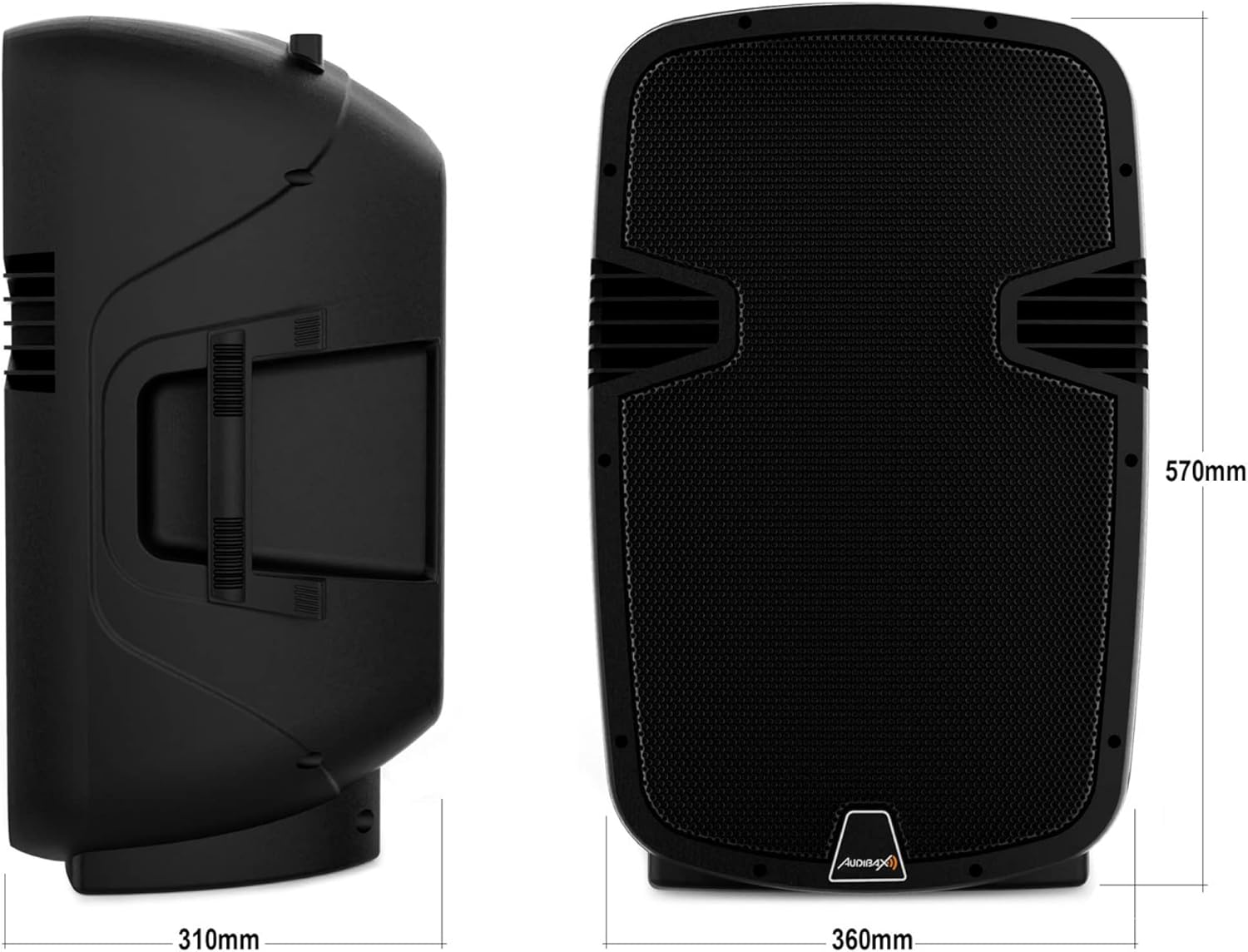
Figure 8.1: Dimensions of the Audibax Arkansas 12 speaker.
| Feature | Specification |
|---|---|
| Brand | Audibax |
| Model Name | Arkansas 12 |
| Speaker Type | Active, 2-way, Floor Mount |
| Connectivity Technology | Bluetooth, USB, SD |
| Maximum Output Power | 600 Watts |
| Audio Output Mode | Stereo |
| Material | Acrylonitrile Butadiene Styrene (ABS) |
| Special Feature | Bluetooth, USB/SD Player, Remote Control, Equalizer |
| Recommended Uses | For smartphones or tablets, professional audio applications |
| Dimensions (Approx.) | 420 x 345 x 633 mm (as per product title) / 360mm (W) x 570mm (H) x 310mm (D) (as per image) |
9. Warranty and Support
For warranty information or technical support, please refer to the documentation provided with your purchase or contact Audibax customer service through their official website. Keep your proof of purchase for any warranty claims.


