
1. Introduction
This manual provides essential information for the safe and efficient use of your ACOVA IRS Electric Blower Remote Control. This infrared remote control is designed to manage the blower unit of compatible radiators. Please read this manual thoroughly before installation and operation, and retain it for future reference.
2. Safety Information
- To prevent electrical hazards, always disconnect the power supply to the appliance (radiator) before any intervention or installation.
- If in doubt regarding installation or compatibility, do not attempt to install the product yourself. Consult a qualified professional or electrician.
- Professional installation is recommended for the associated radiator system.
- Keep batteries out of reach of children. If swallowed, seek immediate medical attention.
- Dispose of used batteries according to local regulations. Do not incinerate.
3. Package Contents
- ACOVA IRS Electric Blower Remote Control (Model 7630015209315)
- 2 x LR03 (AAA) Batteries
4. Product Overview
The ACOVA IRS Remote Control features a digital display and intuitive buttons for managing your radiator's blower unit and temperature settings. Its compact, rectangular design ensures comfortable handling.
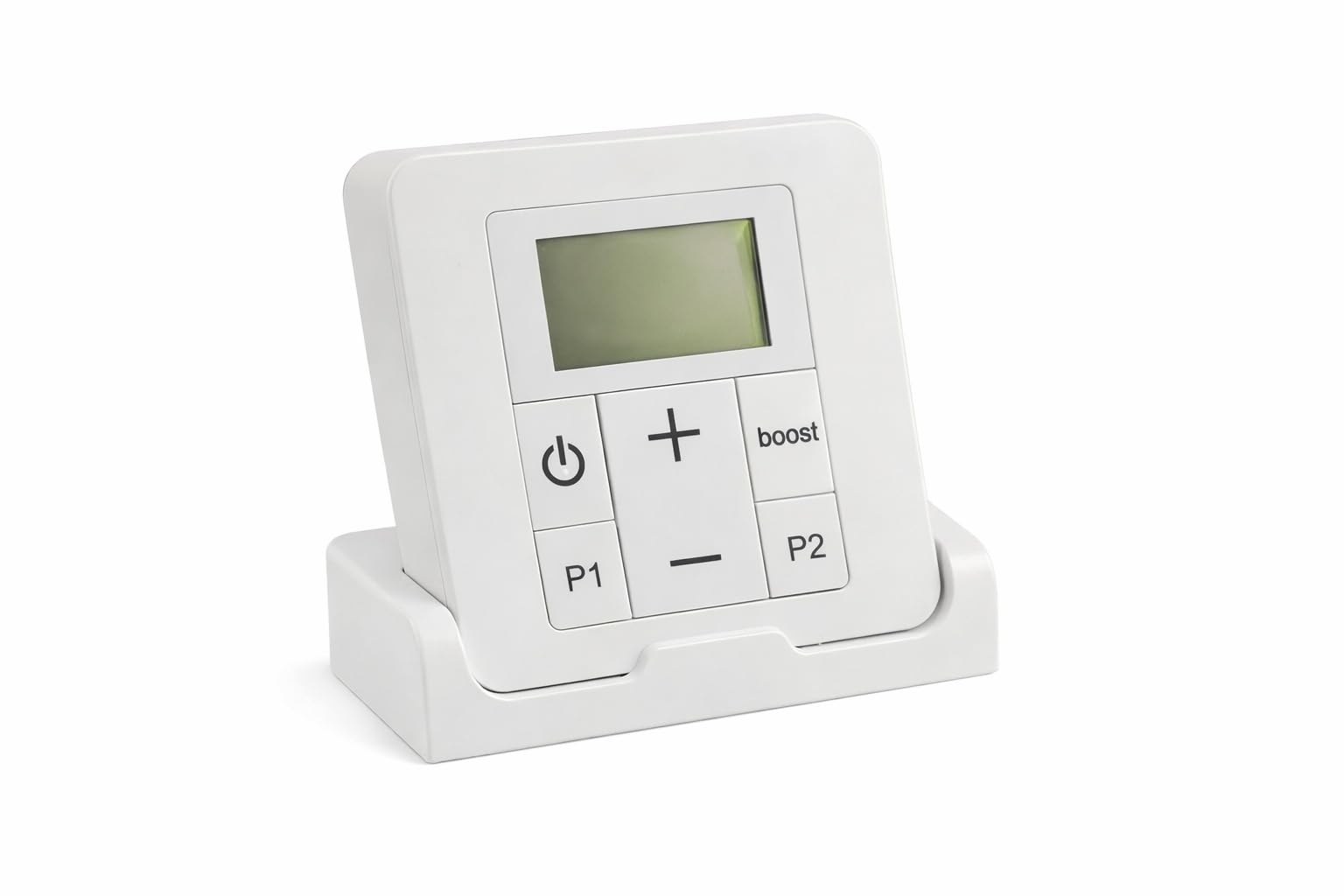
Figure 1: Front view of the ACOVA IRS Electric Blower Remote Control. Shows the digital display and control buttons.
5. Setup
5.1 Battery Installation
- Locate the battery compartment cover on the back of the remote control.
- Slide or unclip the cover to open the compartment.
- Insert the two supplied LR03 (AAA) batteries, ensuring correct polarity (+ and -) as indicated inside the compartment.
- Replace the battery compartment cover securely.
5.2 Initial Configuration
Upon battery installation, the remote control will power on. It is an infrared (IR) device, meaning it communicates directly with the radiator's IR receiver. No complex pairing process is typically required. Ensure the remote has a clear line of sight to the radiator's IR receiver.
Depending on your radiator model, you may need to select the appropriate operating mode (e.g., for hot water radiators or electric radiators) if prompted on the remote's display. Refer to your radiator's manual for specific IR receiver location and any initial setup requirements.
6. Operating Instructions
6.1 Setting Temperature
- Use the 'Up' and 'Down' arrow buttons to adjust the desired setpoint temperature.
- The temperature can be set from 7°C to 28°C in 0.5°C increments.
- The digital display will show the current setpoint temperature.
6.2 Weekly Programming
The remote control supports customizable weekly programming, allowing you to set different temperature schedules for each hour of the week. Consult the detailed programming section in the full product manual (if available) or the on-screen prompts for step-by-step instructions on setting your desired schedule.
6.3 Window Open/Close Detection
This feature, when supported by the connected radiator, can automatically adjust heating output upon detection of an open or closed window, contributing to energy efficiency. Ensure this function is enabled in the remote's settings if desired.
6.4 Digital Display
The digital display shows the current time, the setpoint temperature, and various operational icons (e.g., heating mode, programming active, battery low).
6.5 Pilot Wire Compatibility
The remote is compatible with 6-order pilot wire systems, allowing for advanced control integration with compatible electric heating installations.
7. Compatibility
This remote control is designed for use with specific radiator types. Two main references exist, which are physically identical but control different installations:
- Reference 894680: Controls the infrared blower unit of hot water radiators (e.g., ACOVA Regate Twist Air, Roda Air, and CALA Air ranges).
- Reference 894690: Controls electric radiators, with or without an infrared blower unit.
The ACOVA brand is part of the ZEHNDER Group. This remote control may also be compatible with certain IR blower radiator models from other brands belonging to the group, such as "No Name" and "Zehnder".
If you are unsure about the compatibility of your remote (Model 7630015209315, which corresponds to reference 894690 for electric radiators) with your specific installation, please contact the manufacturer ZEHNDER or your retailer for assistance.
8. Maintenance
8.1 Cleaning
- Wipe the remote control with a soft, dry cloth.
- Do not use abrasive cleaners, solvents, or chemical sprays, as these can damage the surface or internal components.
8.2 Battery Replacement
When the battery low indicator appears on the digital display, replace both LR03 (AAA) batteries promptly. Follow the battery installation steps outlined in Section 5.1.
9. Troubleshooting
| Issue | Possible Cause | Solution |
|---|---|---|
| Remote not responding | Dead batteries, obstructed IR signal, remote out of range. | Replace batteries. Ensure clear line of sight to radiator's IR receiver. Move closer to the radiator. |
| Incorrect temperature displayed | Incorrect settings, sensor issue (on radiator). | Verify setpoint temperature. Consult radiator manual for sensor troubleshooting. |
| Programming not working | Incorrect programming steps, feature not enabled. | Review programming instructions. Ensure programming mode is active. |
| Radiator not responding to commands | Radiator power off, IR receiver blocked/faulty, compatibility issue. | Check radiator power. Ensure IR receiver is clean and unobstructed. Verify remote compatibility (Section 7). |
10. Specifications
| Feature | Detail |
|---|---|
| Brand | ACOVA |
| Model Number | 7630015209315 |
| Color | Multicolour |
| Dimensions (L x W x H) | 21 x 17 x 14 cm |
| Weight | 250 g |
| Material | Plastic |
| Controller Type | Remote control |
| Temperature Control Type | Smart/Remote |
| Connectivity Technology | Infrared |
| Power Source | 2 x LR03 (AAA) Batteries (supplied) |
| Setpoint Temperature Range | 7°C to 28°C (0.5°C increments) |
| Pilot Wire Compatibility | 6-order |
11. Warranty and Support
For warranty information, technical support, or service inquiries, please refer to the documentation provided with your radiator or contact your point of purchase. You may also visit the official ACOVA or ZEHNDER website for customer service contact details.