
1. Product Overview
This GPS Tune Up Kit provides essential components for routine maintenance of Onan RV Generators, including models 5500, 7000, HGJAB, HGJAC, and Commercial HGJAE. Regular maintenance ensures optimal performance and longevity of your generator.

Image 1.1: Overview of the GPS Tune Up Kit components.
Included Components:
- Onan Air Filter (PN: 140-3116)
- Onan Fuel Filter (PN: 149-2341-01)
- Onan Oil Filter (PN: 122-0836)
- Onan Spark Plugs (QTY: 2, PN: 167-1638)
- GPS Spark Plug Gap Tool (PN: 627-0560)
- GPS Oil Filter Wrench
2. Important Safety Information
Always prioritize safety when performing maintenance on your generator. Failure to follow safety precautions can result in serious injury or damage to equipment.
- Disconnect Power: Ensure the generator is completely shut down and cooled before beginning any maintenance. Disconnect the battery to prevent accidental starting.
- Ventilation: Work in a well-ventilated area.
- Personal Protective Equipment (PPE): Wear appropriate safety gear, including gloves and eye protection.
- Flammable Materials: Keep sparks, open flames, and other ignition sources away from fuel and oil. Have a fire extinguisher readily available.
- Refer to Generator Manual: This kit provides components for maintenance. Always consult your specific Onan generator's owner's manual for detailed safety procedures, torque specifications, and model-specific instructions.
3. Setup and Preparation
Before starting the tune-up, gather all necessary tools and prepare your workspace.
Tools and Materials Needed:
- GPS Tune Up Kit (containing all listed components)
- Oil drain pan
- Rags or absorbent towels
- Funnel
- Socket wrench set (for spark plugs and oil drain plug)
- New engine oil (refer to your generator's manual for correct type and quantity)
- Container for old oil and filters
Pre-Maintenance Checks:
- Ensure the generator is turned off and has cooled down completely.
- Position the generator on a level surface.
- Locate the oil drain plug, oil filter, air filter housing, fuel filter, and spark plugs on your generator.
4. Maintenance Procedures
Follow these steps carefully for replacing each component of your Onan RV Generator.
4.1. Oil Filter Replacement
- Place an oil drain pan beneath the generator's oil drain plug.
- Remove the oil drain plug and allow all old oil to drain completely.
- Using the provided GPS Oil Filter Wrench, carefully remove the old oil filter. Be prepared for residual oil to drain.
- Apply a thin film of new oil to the rubber gasket of the new Onan Oil Filter (PN: 122-0836).
- Install the new oil filter by hand, tightening it 3/4 to 1 full turn after the gasket contacts the filter base. Do not overtighten.
- Reinstall the oil drain plug and tighten it securely.
- Fill the generator with the recommended amount and type of new engine oil (refer to your generator's manual).
- Start the generator and check for any leaks around the oil filter and drain plug.

Image 4.1.1: Onan Oil Filter (PN: 122-0836).
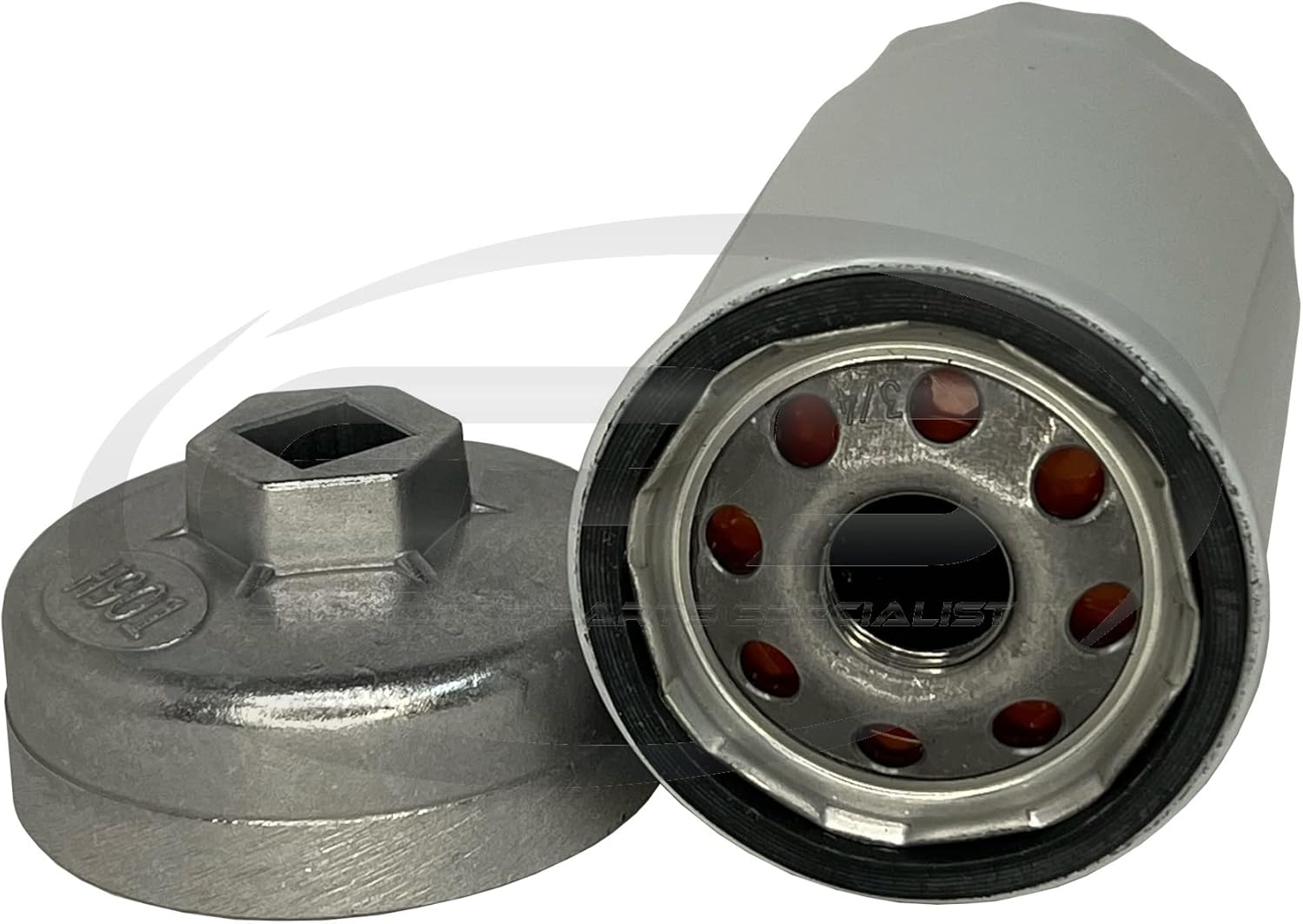
Image 4.1.2: GPS Oil Filter Wrench for removal and installation.
Video 4.1.3: Demonstration of an Onan 5500 7000 Generator Oil Change Service Kit, showing the oil filter replacement process.
Video 4.1.4: Overview of a 5500 Oil Change Kit for Onan RV Generators, including oil filter details.
4.2. Air Filter Replacement
- Locate the air filter housing on your generator.
- Open the air filter housing cover.
- Remove the old Onan Air Filter (PN: 140-3116). Note its orientation.
- Clean any debris from the air filter housing.
- Install the new air filter, ensuring it is seated correctly in the housing.
- Close and secure the air filter housing cover.
Image 4.2.1: Onan Air Filter (PN: 140-3116).
4.3. Fuel Filter Replacement
- Locate the fuel filter on your generator's fuel line.
- Place a rag or small container beneath the fuel filter to catch any spilled fuel.
- Carefully disconnect the fuel lines from both ends of the old fuel filter.
- Remove the old Onan Fuel Filter (PN: 149-2341-01).
- Install the new fuel filter, ensuring the flow direction arrow (if present) matches the fuel flow.
- Reconnect the fuel lines securely.
- Check for any fuel leaks after installation.

Image 4.3.1: Onan Fuel Filter (PN: 149-2341-01).
4.4. Spark Plug Replacement and Gapping
- Locate the spark plugs on your generator.
- Carefully remove the spark plug wires.
- Using a spark plug socket, remove the old spark plugs.
- Inspect the new Onan Spark Plugs (PN: 167-1638). Use the provided GPS Spark Plug Gap Tool (PN: 627-0560) to ensure the gap is set to the manufacturer's specification (refer to your generator's manual for the correct gap).
- Install the new spark plugs by hand to avoid cross-threading, then tighten them with a spark plug socket to the manufacturer's recommended torque.
- Reconnect the spark plug wires firmly.

Image 4.4.1: Onan Spark Plugs (PN: 167-1638).

Image 4.4.2: Using the GPS Spark Plug Gap Tool to set the correct gap.
Video 4.4.3: A general overview of a tune-up kit for Onan RV QG Generators, showing various components including spark plugs and filters.
5. Operating the Generator After Maintenance
After completing all maintenance steps, ensure all covers are securely fastened and all tools are removed from the generator area. Start the generator and allow it to run for a few minutes to ensure proper operation and to check for any unusual noises or leaks. For detailed operating instructions, always refer to your specific Onan RV Generator's owner's manual.
6. Troubleshooting
If your generator experiences issues after maintenance, perform the following basic checks:
- No Start: Check fuel levels, ensure spark plug wires are securely connected, and verify the battery is charged.
- Leaks: Re-check all connections for the oil filter, drain plug, and fuel lines. Ensure gaskets and seals are properly seated.
- Unusual Noises: Shut down the generator immediately and inspect for any loose parts or obstructions.
For more complex issues, consult your Onan RV Generator's comprehensive troubleshooting guide in its owner's manual or contact a certified service technician.
7. Specifications
| Manufacturer | Marine Connection Services, Inc. |
| Brand | GPS |
| Compatible Generator Models | HGJAA, HGJAB, HGJAC, HGJAE (Onan RV Generators 5500 and 7000 series) |
| Item Weight | 1 pounds |
| Package Dimensions | 11.1 x 8.46 x 5.71 inches |
| Manufacturer Part Number | 140-3117A |
| Special Features | OEM Quality Components |
8. Warranty and Support
GPS (Generator Parts Specialists) is a family-owned and operated OEM parts distributor. All GPS Tune Up Kits are proudly assembled in the U.S.A. For specific warranty information regarding individual components or the kit, please refer to the documentation included with your purchase or contact Generator Parts Specialists directly.
Contact Information:
For support or inquiries, please visit the GPS Store on Amazon or refer to the contact details provided in your product packaging.