
1. Product Overview
The Adam Elements OMNIA PA601 is a versatile 6-in-1 smart charging station designed to efficiently charge multiple USB-powered devices simultaneously. It features a robust aluminum casing for durability and electromagnetic interference minimization, along with comprehensive safety protections.
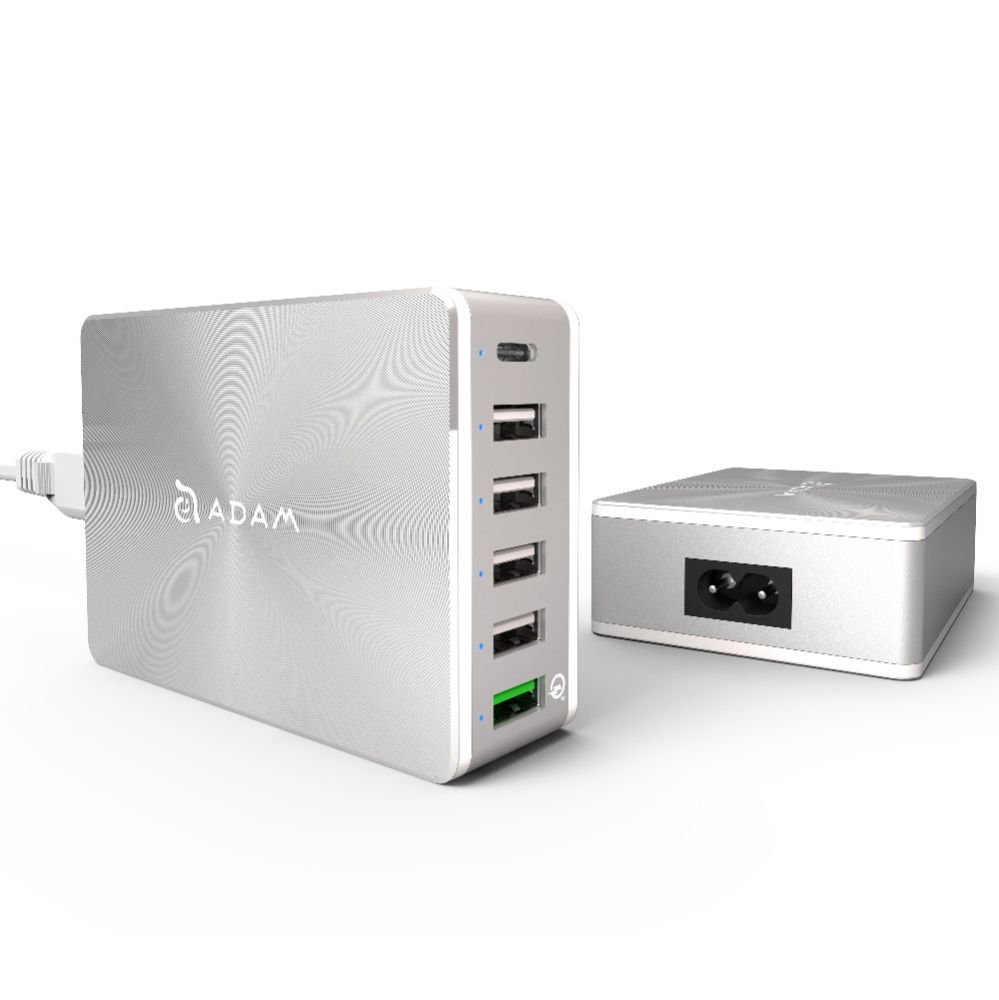
Image 1.1: The OMNIA PA601 Smart Charging Station, showing its compact design and connectivity.
2. Package Contents
Verify that all items are present in the package:
- Adam Elements OMNIA PA601 6-in-1 Smart Charging Station
- Power Cable
- Storage/Carry Bag
- User Manual (this document)
3. Safety Information
Please read and follow these safety guidelines to prevent damage to the device or injury:
- Do not expose the device to water, moisture, or extreme temperatures.
- Do not disassemble, modify, or attempt to repair the device.
- Use only the provided power cable or a certified equivalent.
- Ensure proper ventilation around the charging station during use.
- The device includes built-in protection against overload, overheating, short-circuits, and overvoltage. However, avoid connecting devices that exceed the station's total power output.
- Keep out of reach of children.
4. Setup
Follow these steps to set up your OMNIA PA601 charging station:
- Unpack the Device: Carefully remove the charging station and all accessories from the packaging.
- Connect Power: Insert the included power cable into the power input port on the charging station.
- Plug into Wall Outlet: Connect the other end of the power cable to a standard AC wall outlet. The station is now ready for use.

Image 4.1: The OMNIA PA601 showing its multiple USB ports for device connection.
5. Operating Instructions
The OMNIA PA601 is designed to charge up to six devices simultaneously. It features a total power output of up to 81W across its various ports.
5.1. Connecting Devices
- Standard USB-A Ports (4x 5V/2.4A): Use these ports for general charging of smartphones, tablets, and other USB-powered devices.
- USB-C Port (1x): Connect USB-C compatible devices for charging.
- Quick Charge 3.0 USB-A Port (1x): This port supports Qualcomm QC 3.0 technology, offering significantly faster charging for compatible devices. It can charge devices up to 4 times faster than normal charging, and is 38% more efficient than QC 2.0.
Simply plug your device's charging cable into the appropriate port on the OMNIA PA601, and then connect the other end to your device. Charging will begin automatically.
5.2. Smart Charging
Each charging port is independent and intelligent, automatically detecting the connected device's power requirements to deliver optimal charging speed while ensuring safety.
6. Maintenance
To ensure the longevity and optimal performance of your charging station:
- Cleaning: Disconnect the power cable before cleaning. Use a soft, dry cloth to wipe the exterior. Do not use liquid cleaners or aerosols.
- Storage: When not in use for extended periods, store the charging station in its included carry bag in a cool, dry place, away from direct sunlight and extreme temperatures.
- Cable Management: Avoid bending or kinking the power cable or device charging cables excessively.
7. Troubleshooting
If you encounter issues with your OMNIA PA601, refer to the table below:
| Problem | Solution |
|---|---|
| Device not charging. |
|
| Slow charging speed. |
|
| Charging station feels warm. |
|
8. Specifications
| Feature | Detail |
|---|---|
| Model Number | APAADPA601EUSL |
| Brand | ADAM elements |
| Color | Silver |
| Total Power Output | Up to 81W |
| USB-A Ports | 4 x 5V/2.4A |
| USB-C Port | 1 x (Specifications for this port are combined with QC 3.0 in source, assuming standard USB-C output) |
| Quick Charge 3.0 USB-A Port | 1 x (3.6-5.0V/3A, 5.1-9V/2A, 9.1-12V/1.5A) - Supports FCP |
| Protection Features | Overload, Overheat, Short-circuit, Overvoltage (6A 250V Fuse) |
| Housing Material | Aluminum (minimizes EMI) |
| Power Source | Wired (AC Power Cable included) |
| Compatible Devices | All USB mobile devices (tablets, smartphones, laptops) |
9. Warranty and Support
Adam Elements products are designed for reliability and performance. This product comes with a standard manufacturer's warranty against defects in materials and workmanship. Please refer to the warranty card included in your package or visit the official Adam Elements website for detailed warranty terms and conditions.
For technical support, troubleshooting assistance, or warranty claims, please contact Adam Elements customer service through their official website or the contact information provided with your purchase.