
Tzumi 5598
Tzumi Studio Series Speaker User Manual
Model: 5598
Introduction
Thank you for purchasing the Tzumi Studio Series Speaker. This compact and versatile Bluetooth speaker is designed to deliver powerful sound and ambiance, suitable for various indoor and outdoor settings. Its durable, waterproof design and portable nature make it an ideal companion for music on the go. Please read this manual carefully to ensure proper use and maintenance of your speaker.
Safety Information
- Do not expose the speaker to extreme temperatures or direct sunlight for prolonged periods.
- Avoid dropping or subjecting the speaker to strong impacts.
- Keep the speaker away from sources of heat, such as radiators, heat registers, stoves, or other apparatus (including amplifiers) that produce heat.
- Do not disassemble, repair, or modify the speaker yourself. Refer all servicing to qualified service personnel.
- Ensure the Micro-USB port cover is securely closed when using the speaker near water to maintain its IPX5 waterproof rating.
- Clean only with a dry cloth. Do not use liquid cleaners or aerosol cleaners.
Package Contents
Please check the package for the following items:
- 1 x Tzumi Studio Series Bluetooth Speaker
- 1 x Micro-USB Charging Cable
- 1 x User Manual (this document)
Product Overview
Familiarize yourself with the various parts of your Tzumi Studio Series Speaker.

Figure 1: Tzumi Studio Series Speaker. This image displays the speaker's compact, square design with a grey fabric grille on the front and control buttons on the top edge. A brown leather strap is visible on the side.
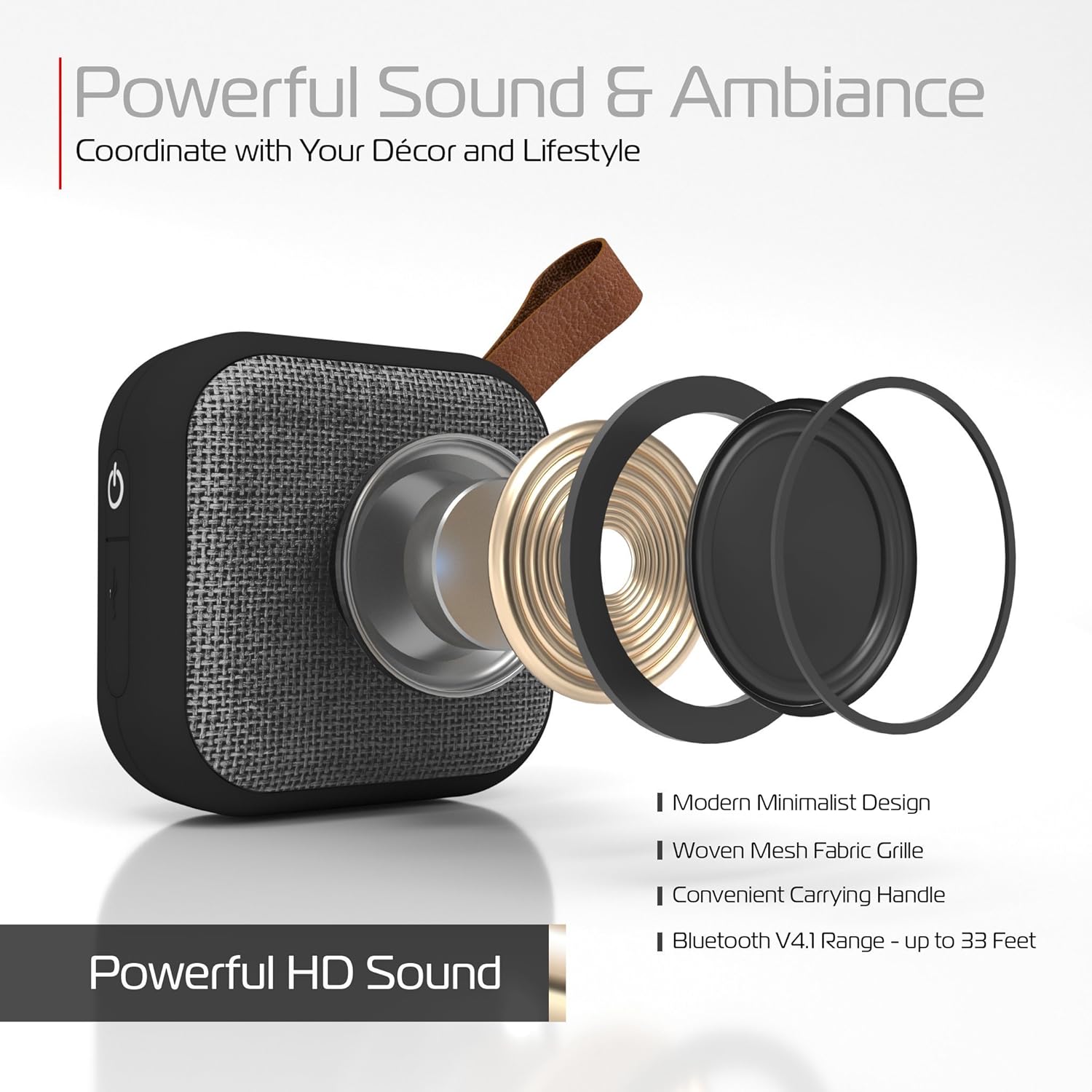
Figure 2: Internal components and design features. This image provides an exploded view of the speaker, highlighting its internal speaker driver and passive radiator, along with text indicating "Modern Minimalist Design," "Woven Mesh Fabric Grille," "Convenient Carrying Handle," and "Bluetooth V4.1 Range - Up to 33 Feet."
Speaker Components:
- Fabric Grille: Front-facing woven mesh for sound output.
- Control Buttons: Located on the top edge (Power, Volume Up/Next Track, Volume Down/Previous Track, Play/Pause/Call).
- Micro-USB Port: For charging the speaker.
- LED Indicator Lights: For battery status and pairing.
- HD Microphone: For hands-free calls.
- Leather Strap: For easy portability.
Setup
1. Charging the Speaker
Before first use, fully charge your Tzumi Studio Series Speaker. The speaker features LED battery monitor lights.
- Connect the Micro-USB charging cable to the speaker's Micro-USB port.
- Connect the other end of the cable to a USB power adapter (not included) or a computer's USB port.
- The LED indicator lights will show charging status. Once fully charged, the lights will indicate completion.
- A full charge provides up to 2.5 hours of play time.
2. Bluetooth Pairing
Pair your speaker with a Bluetooth-enabled device (smartphone, tablet, laptop) to play audio wirelessly.
- Ensure the speaker is charged.
- Press and hold the Power button on the speaker to turn it on. The LED indicator will flash, indicating it's in pairing mode.
- On your device, go to Bluetooth settings and enable Bluetooth.
- Search for available devices. The speaker will appear as "Tzumi Studio Speaker" or similar.
- Select the speaker from the list to connect. Once paired, the LED indicator will stop flashing and remain solid, and you may hear a confirmation tone.
- The speaker has a Bluetooth range of up to 33 feet (10 meters).

Figure 3: Key specifications and features. This image illustrates the speaker's compact size (3 inches square), compatibility with iOS and Android, a distance range of 33 feet, frequency response of 20Hz-20,000Hz, 2.5 hours play time, and a lightweight design at 4.4 ounces.
Operating the Speaker
Power On/Off
- To Power On: Press and hold the Power button until the LED indicator lights up.
- To Power Off: Press and hold the Power button until the LED indicator turns off.
Music Playback
- Play/Pause: Press the Play/Pause button once.
- Next Track: Press and hold the Volume Up (+) button.
- Previous Track: Press and hold the Volume Down (-) button.
- Volume Up: Short press the Volume Up (+) button.
- Volume Down: Short press the Volume Down (-) button.
Hands-Free Calling
The speaker's built-in HD microphone allows for hands-free phone calls when connected to your smartphone.
- Answer Call: Press the Play/Pause/Call button once when a call comes in.
- End Call: Press the Play/Pause/Call button once during a call.
- Reject Call: Press and hold the Play/Pause/Call button when a call comes in.
- Redial Last Number: Double-press the Play/Pause/Call button.
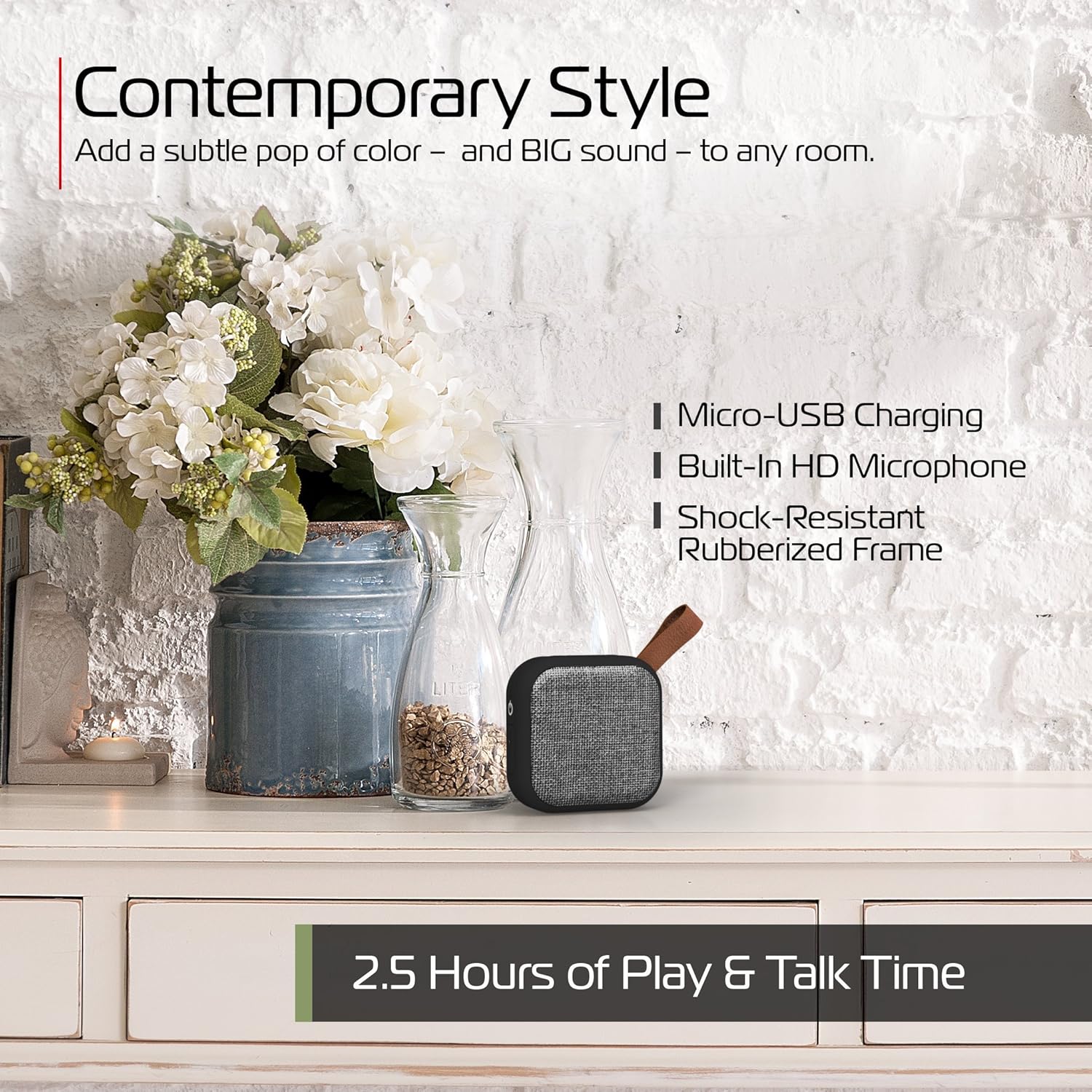
Figure 4: Speaker in a contemporary setting. This image shows the speaker placed on a white dresser next to a vase of flowers, emphasizing its "Contemporary Style." Text overlays highlight "Micro-USB Charging," "Built-In HD Microphone," "Shock-Resistant Rubberized Frame," and "2.5 Hours of Play & Talk Time."
Maintenance
- Cleaning: Wipe the speaker with a soft, dry cloth. Do not use abrasive cleaners, alcohol, or chemical solvents.
- Storage: When not in use for extended periods, store the speaker in a cool, dry place, away from direct sunlight and extreme temperatures.
- Water Resistance: While IPX5 waterproof, avoid submerging the speaker. Always ensure the Micro-USB port cover is sealed tightly to prevent water ingress.

Figure 5: Speaker in a poolside environment. This image shows the speaker positioned near the edge of a pool, with a person relaxing in the background, illustrating its suitability for outdoor and water-adjacent use due to its waterproof design.
Troubleshooting
| Problem | Possible Cause | Solution |
|---|---|---|
| Speaker does not turn on. | Low battery. | Charge the speaker fully. |
| Cannot pair with device. | Bluetooth is off on device; speaker not in pairing mode; device too far. | Ensure Bluetooth is enabled on your device. Turn the speaker off and on again to re-enter pairing mode. Move device closer to speaker (within 33 feet). |
| No sound or low volume. | Volume too low on speaker or device; speaker not connected. | Increase volume on both the speaker and your connected device. Ensure the speaker is successfully paired. |
| Sound distortion at high volumes. | Volume set too high. | Reduce the volume on the speaker or your connected device. |
| Charging port cover does not stay sealed. | Wear and tear or manufacturing defect. | Contact Tzumi customer support for assistance. Note: If the seal is compromised, the waterproof rating may be affected. |
Specifications
| Model Name: | Tzumi Studio Series Speaker |
| Model Number: | 5598 |
| Dimensions: | 3.2 x 3.2 x 1.5 inches |
| Weight: | 4.5 ounces (0.28 Pounds) |
| Connectivity: | Bluetooth V4.1, Micro-USB |
| Bluetooth Range: | Up to 33 feet (10 meters) |
| Battery Life: | Up to 2.5 hours (Play/Talk Time) |
| Frequency Response: | 20Hz - 20,000Hz |
| Water Resistance: | IPX5 Waterproof |
| Audio Output Mode: | Stereo |
| Speaker Maximum Output Power: | 120 Watts |
| Impedance: | 1 Ohm |
| UPC: | 841351155984 |
Warranty and Support
Tzumi is committed to providing high-quality consumer electronics products. If you encounter any issues with your Studio Series Fabric Speaker, please contact Tzumi customer support directly for assistance.
For more information or support, please visit the official Tzumi website or contact their customer service department. Refer to your product packaging or the Tzumi website for the most current contact information.
The Tzumi Promise: "At tzumi, we are committed to providing you with the very best in consumer electronics products. We're convinced you will be more than happy with your Studio Series Fabric Speaker, but if you are unsatisfied for any reason, please contact us directly so that we can be of assistance and make it right."
Related Documents - 5598
 |
Guia de Componentes e Montagem do Armário Aéreo Gold Arte Móveis Lista completa de componentes, ferragens e instruções para montagem do armário Aéreo Gold da Arte Móveis. Inclui códigos de peças, quantidades e detalhes de fixação para facilitar a instalação. |
 |
VTech Marble Rush Shuttle Blast-Off Set Instruction Manual This manual provides instructions for assembling and operating the VTech Marble Rush Shuttle Blast-Off Set, including details on parts, features, battery installation, and maintenance. |
 |
VTech Marble Rush Magnetic Magic Instruction Manual Comprehensive instruction manual for the VTech Marble Rush Magnetic Magic toy. Learn how to assemble, install batteries, use product features, care for the toy, troubleshoot issues, and find warranty and consumer service information. |
 |
Marble Rush Shuttle Blast-Off Set Instruction Manual | VTech Official instruction manual for the VTech Marble Rush Shuttle Blast-Off Set (Model 5598). Learn how to assemble, use, and care for your marble run playset. Includes product features, safety warnings, and FCC compliance information. |
 |
VTech Marble Rush: Build and Play Guide A comprehensive guide to building and playing with the VTech Marble Rush set, featuring multiple challenge levels and construction ideas. |
 |
VTech Marble Rush Magnetic Magic Construction Set Assembly Guide Detailed instructions and component list for building the VTech Marble Rush Magnetic Magic set, featuring multiple levels of construction challenges and magnetic play. |
Ask a question about this manual
Ask about setup, troubleshooting, compatibility, parts, safety, or missing instructions. Manuals+ will review the question and use this page’s manual context to help answer it.