
1. Introduction
This manual provides essential instructions for setting up, operating, and maintaining your LG B470 Basic Flip Phone. Please read this manual thoroughly to ensure proper use and to maximize the phone's features. The LG B470 is designed for reliable communication with a focus on ease of use.
2. Product Overview
The LG B470 is a compact flip phone featuring dual displays and a 1.3MP camera. Its design prioritizes simplicity and functionality.
2.1. Phone Components
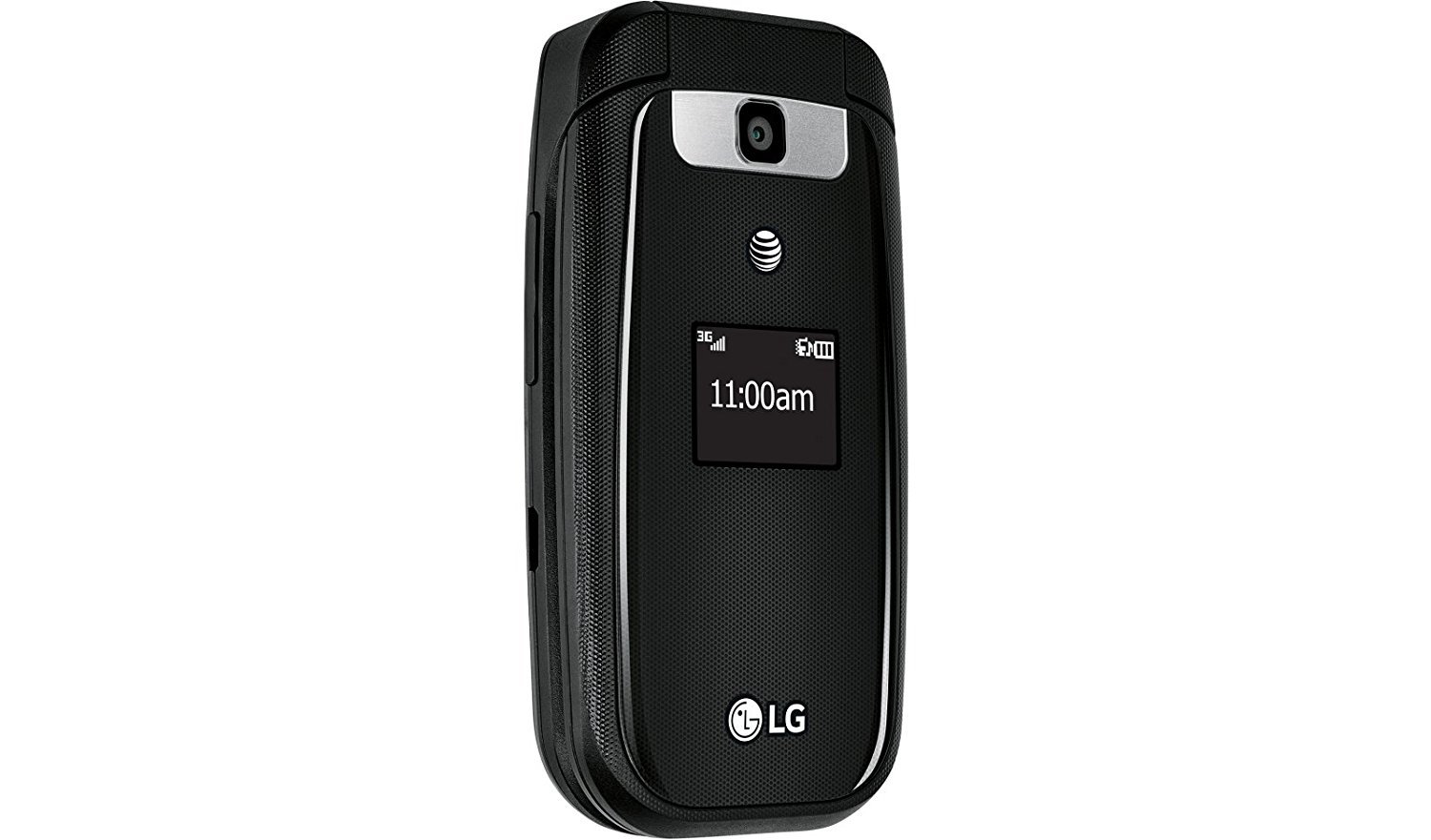
Figure 1: LG B470 Flip Phone (Closed View)
This image shows the LG B470 flip phone in its closed position. The external display is visible, showing the time and network status. Above the external display is the 1.3MP camera lens. The phone's exterior is black with a textured finish, and the LG logo is present at the bottom.

Figure 2: LG B470 Flip Phone (Open View)
This image displays the LG B470 flip phone in its open position, revealing the main internal display and the physical keypad. The keypad includes standard numeric keys, navigation buttons, and dedicated call/end buttons. The internal display is larger than the external one, providing a clear interface for navigation and communication.
2.2. Key Features
- Dual Displays: A vibrant 2.2-inch main display for interaction and a 0.98-inch external display for quick information like time and notifications.
- Enhanced Audio (Senior) Mode: Improves high frequencies (at 2,500Hz) for clearer sound during calls.
- 1.3MP Video Camera: Capture photos and videos with zoom and customizable effects.
- 3G Connectivity: Supports UMTS 850/1900MHz for reliable network access.
- SIM Card Slot: Device includes a slot for a SIM card.
- No MicroSD Slot: This model does not support external MicroSD memory cards.
3. Setup
3.1. Installing the SIM Card
- Ensure the phone is powered off.
- Remove the back cover of the phone.
- Locate the SIM card slot.
- Insert the AT&T compatible SIM card into the slot, ensuring the gold contacts face downwards and the card is correctly oriented as indicated by the diagram near the slot.
- Replace the back cover.
3.2. Battery Installation and Charging
- With the back cover removed, align the battery contacts with the terminals inside the phone.
- Gently press the battery into place.
- Replace the back cover.
- Connect the provided USB cable to the phone's charging port and the other end to a compatible USB power adapter.
- Plug the adapter into a wall outlet to charge the phone. A full charge is recommended before first use.
3.3. Initial Power On
Press and hold the Power/End Call button until the LG logo appears on the screen. Follow any on-screen prompts for initial setup, such as language selection.
4. Basic Operation
4.1. Making and Receiving Calls
- To Make a Call: Open the flip, dial the number using the keypad, and press the Send button.
- To Answer a Call: Open the flip or press the Send button when the phone rings.
- To End a Call: Press the End Call button or close the flip.
4.2. Messaging
Navigate to the Messages menu from the main screen. Select Create New Message to compose a text message. Use the keypad to enter text and select recipients from your contacts or enter a new number. Press Send to deliver the message.
4.3. Contacts
Access the Contacts menu to save, edit, or delete contact information. You can store names, phone numbers, and other details for easy access.
5. Enhanced Audio Mode
The LG B470 features an Enhanced Audio (Senior) Mode designed to improve call clarity by boosting high frequencies (around 2,500Hz). To activate or deactivate this mode, navigate to the Settings menu, then Call Settings, and look for the Enhanced Audio or Senior Mode option. Follow the on-screen instructions to adjust this setting.
6. Camera Usage
The phone is equipped with a 1.3MP camera capable of taking photos and recording videos. To access the camera, open the flip and navigate to the Camera application from the main menu. Use the navigation keys to frame your shot and the center key to capture. Options for zoom and effects can be found within the camera interface.
7. Connectivity
The LG B470 operates on 3G networks, specifically UMTS 850/1900MHz and GSM. It is designed for use with AT&T's network. While the product specifications mention Wi-Fi connectivity, this is typically for data transfer or specific features, not for general internet browsing on a basic flip phone. For network-related issues, contact your service provider, AT&T.
8. Maintenance
- Cleaning: Use a soft, dry cloth to clean the phone's exterior and displays. Avoid liquid cleaners.
- Battery Care: Avoid extreme temperatures. Do not puncture or disassemble the battery.
- Storage: Store the phone in a cool, dry place when not in use for extended periods.
- Software Updates: Periodically check for any available software updates through the phone's settings menu, if applicable.
9. Troubleshooting
| Problem | Possible Solution |
|---|---|
| Phone does not power on. | Ensure the battery is correctly installed and charged. Connect the charger and try again. |
| Cannot make or receive calls. | Check if the SIM card is properly inserted. Verify network signal strength. Contact AT&T for network issues. |
| Poor call quality. | Move to an area with better network coverage. Activate Enhanced Audio Mode if needed. |
| External display not working. | Restart the phone. If the issue persists, contact customer support. |
| Phone freezes or is unresponsive. | Remove and reinsert the battery to perform a hard reset. |
10. Specifications
- Model Name: B470
- Brand: LG
- Form Factor: Flip
- Color: Black
- Main Screen Size: 2.2 Inches
- External Display Size: 0.98 Inches
- Camera: 1.3 MP (Front Photo Sensor Resolution)
- Cellular Technology: 3G
- Wireless Carrier: AT&T
- Wireless Network Technology: GSM, UMTS (850/1900MHz)
- SIM Card Slot Count: Single SIM
- Audio Jack: No headphone jack
- Item Weight: 6.6 ounces
- Package Dimensions: 5.51 x 4.21 x 1.38 inches
- What's in the box: USB Cable
11. Warranty and Support
For warranty information and customer support, please refer to the documentation provided with your purchase or visit the official LG website. For network-specific inquiries, contact AT&T customer service. As this is a renewed product, specific warranty terms may vary; please consult your seller for details.