
Garmin 010-01847-03
Contents
Garmin vívofit 4 Activity Tracker User Manual
Model: 010-01847-03
Introduction
The Garmin vívofit 4 is an activity tracker designed for continuous wear with a battery life exceeding one year, eliminating the need for frequent recharging. It automatically tracks various activities and provides insights into your daily movement and sleep patterns.
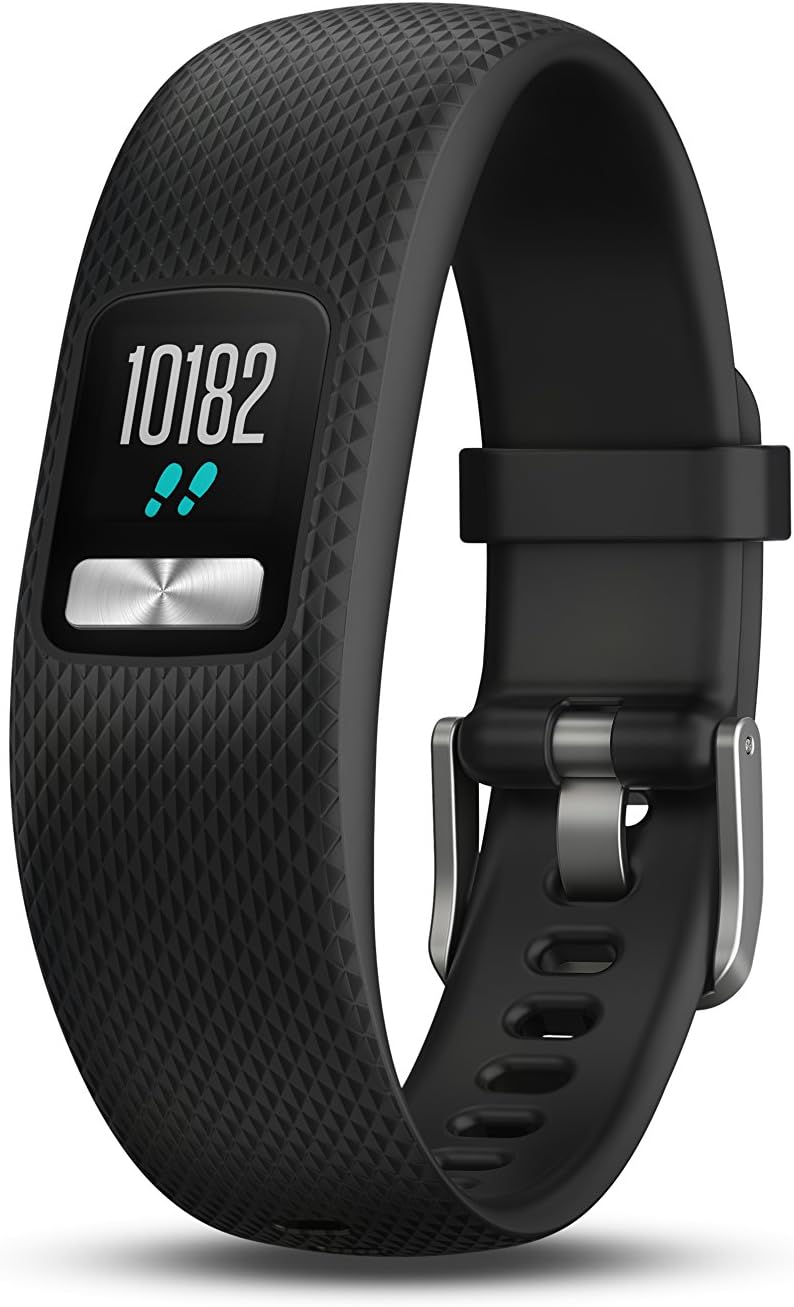
Image: The Garmin vívofit 4 activity tracker, black in color, shown on a wrist, displaying the current step count.
Setup
To begin using your vívofit 4, ensure the tracker module is correctly inserted into the wristband and then pair it with the Garmin Connect application on your smartphone.
Inserting the Tracker Module
The vívofit 4 module is designed to be easily inserted and removed from its compatible wristbands. Gently push the module into the designated slot in the wristband until it is securely seated. Ensure the display faces outwards and the button is accessible.
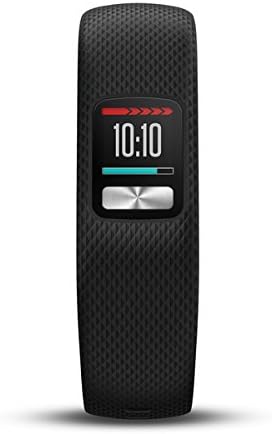
Image: A close-up view of the compact Garmin vívofit 4 tracker module, ready to be inserted into a wristband.
Initial Pairing with Garmin Connect
- Download the Garmin Connect app from your smartphone's app store.
- Open the app and follow the on-screen instructions to create an account or log in.
- Select to add a new device and choose the vívofit 4 from the list.
- Follow the prompts in the app to complete the pairing process. This typically involves pressing the button on your vívofit 4 to make it discoverable.

Image: The Garmin vívofit 4 tracker shown next to a smartphone, illustrating the syncing process with the Garmin Connect mobile application.
Operating
The vívofit 4 is designed for continuous activity tracking and provides various data points directly on its display and through the Garmin Connect app.
Activity Tracking
- Steps, Distance, and Calories: The device automatically tracks your daily steps, estimated distance traveled, and calories burned. This data is continuously updated on the device's always-on color display.
- Personalized Daily Step Goal: The vívofit 4 learns your activity level and assigns an attainable daily step goal. As you meet your milestones, it adjusts the goal for the next day, gradually pushing you towards a more active lifestyle.
- Move IQ: This feature automatically detects and classifies activities such as walking, running, swimming, and elliptical training. You don't need to manually start or stop an activity; Move IQ identifies the activity type and records it in Garmin Connect.
- Sleep Monitoring: Wear your vívofit 4 to bed, and it will monitor your sleep patterns, including periods of movement and restful sleep. This data can be reviewed in detail within the Garmin Connect app.

Image: The Garmin vívofit 4 display showing the current time and the accumulated step count for the day.

Image: The Garmin vívofit 4 display showing advanced activity data, possibly including intensity minutes or other fitness metrics.
Syncing with Garmin Connect
Your vívofit 4 periodically syncs with the Garmin Connect app. This allows you to save, plan, and share your activities, participate in social challenges, and gain a comprehensive overview of your fitness data. Ensure your smartphone's Bluetooth is enabled and the vívofit 4 is within range for successful syncing.
Maintenance
Battery Life
The vívofit 4 boasts an impressive 1+ year battery life, meaning no charging is necessary. It uses two replaceable Lithium Metal batteries (included). When the battery is low, the device will indicate it, and you can replace them yourself.
Water Resistance
The device is safe for swimming and showering. It is designed to withstand water exposure during daily activities and light water sports. However, it is not suitable for scuba diving or high-speed water sports.

Image: The Garmin vívofit 4 tracker with visible water droplets, demonstrating its water-resistant design suitable for showering and swimming.
Cleaning Your Device
Regularly clean your vívofit 4 and its band to prevent skin irritation and maintain device longevity. Use a soft, damp cloth to wipe the device. For the band, you can use mild soap and water, ensuring it is thoroughly rinsed and dried before reattaching the module.
Troubleshooting
- Device Not Turning On: Check if the batteries are correctly installed and have sufficient charge. Replace batteries if necessary.
- Not Syncing with Garmin Connect:
- Ensure Bluetooth is enabled on your smartphone.
- Make sure the vívofit 4 is within range of your smartphone.
- Try restarting both your vívofit 4 (by removing and reinserting the module) and your smartphone.
- Verify that the Garmin Connect app is updated to the latest version.
- Inaccurate Step Count:
- Ensure the device is worn securely on your wrist.
- Calibrate your stride length in the Garmin Connect app for improved accuracy.
- Display Issues: If the display is dim or unresponsive, check the battery level. If issues persist after battery replacement, contact Garmin support.
Specifications
| Feature | Detail |
|---|---|
| Brand | Garmin |
| Model Number | 010-01847-03 |
| Material | Silicone |
| Color | Black |
| Compatible Devices | Smartphones |
| Screen Size | 0.61 Inches |
| Product Dimensions | 1.4"L x 0.75"W x 0.37"H |
| Item Weight | 0.06 Pounds (0.96 ounces) |
| Battery Life | 1+ year |
| Sensor Type | Pedometer |
| Battery Description | Lithium-Ion (uses 2 Lithium Metal batteries) |
| UPC | 753759178949 |
| Connectivity Technologies | GPS (for activity tracking via connected smartphone) |
| Display Technology | Color display |
| Human Interface Input | Buttons |
| What's in the Box | vívofit 4, documentation |
| Date First Available | December 26, 2017 |
Warranty and Support
For detailed warranty information and additional support, please refer to the official Garmin User Guide.
You can access the User Guide in PDF format here: Garmin vívofit 4 User Guide (PDF)
Documents and downloads
Ask a question about this manual
Ask about setup, troubleshooting, compatibility, parts, safety, or missing instructions. Manuals+ will review the question and use this page’s manual context to help answer it.