
Important Safety Instructions
Please read all instructions carefully before using your Royal 89140X 1830MX Cross-Cut Paper Shredder. Keep this manual for future reference.
- WARNING: Keep children and pets away from the shredder.
- WARNING: Keep loose clothing, hair, and jewelry away from the shredder opening.
- WARNING: Do not insert fingers or other body parts into the shredder opening.
- Do not use the shredder if the power cord is damaged. Contact customer support for assistance.
- Always unplug the shredder before moving, cleaning, or emptying the waste bin.
- Do not shred adhesive labels, continuous forms, or plastic sheets other than credit cards.
- Do not spray any flammable products or lubricants into the shredder.
- Ensure the shredder is placed on a stable, level surface.
- Do not exceed the maximum sheet capacity (18 sheets of 20 lb bond paper) to prevent jams and motor strain.
- Observe the duty cycle to prevent overheating. Allow the shredder to cool down if the overheat indicator illuminates.
Product Overview
Familiarize yourself with the components of your Royal 89140X 1830MX Cross-Cut Paper Shredder.

Figure 1: Front-top view of the Royal 89140X 1830MX Cross-Cut Paper Shredder, showing the paper entry slot, control panel, and waste bin handle.
- Paper Entry Slot: For shredding paper documents.
- CD/Credit Card Entry Slot: Separate slot for shredding optical media and plastic cards.
- Control Panel: Includes status indicators and function buttons.
- Waste Bin: Collects shredded materials.
- Caster Wheels: For easy mobility of the shredder.
- Power Switch: Located at the rear of the unit.
Setup
- Unpack the Shredder: Carefully remove the shredder from its packaging. Ensure all packing materials are removed from the shredder head and waste bin.
- Position the Shredder: Place the shredder on a flat, stable surface. Ensure there is adequate space around the unit for ventilation and access to the waste bin.
- Connect Power: Plug the power cord into a standard 120V AC outlet.
- Turn On: Locate the main power switch on the rear of the shredder and switch it to the "ON" position. The shredder will enter standby mode.
Operating Instructions
Shredding Paper
- Ensure the shredder is plugged in and the main power switch is ON.
- The shredder should be in "Auto" mode (indicated by a green light on the control panel).
- Insert up to 18 sheets of 20 lb bond paper straight into the paper entry slot. The shredder will automatically start and stop once the paper has passed through.
- For optimal performance, avoid exceeding the maximum sheet capacity.
- The shredder can also shred small paper clips and staples along with paper.
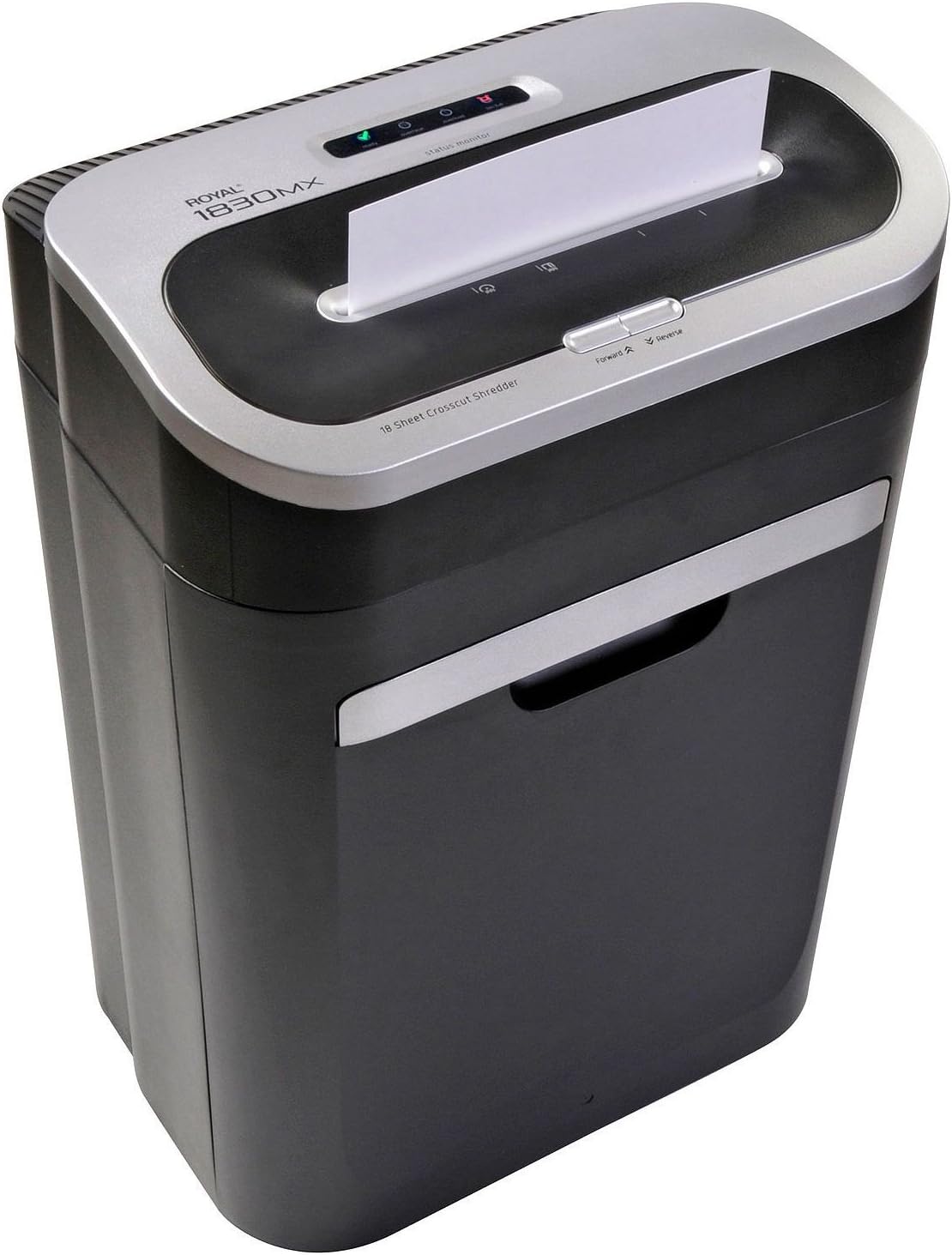
Figure 2: Correctly inserting paper into the shredder's main entry slot.
Shredding CDs and Credit Cards
- Ensure the shredder is in "Auto" mode.
- Insert one CD or credit card at a time into the dedicated CD/Credit Card entry slot.
- The shredder will automatically start and stop.
- Do not attempt to shred more than one CD or credit card at a time.

Figure 3: Inserting a CD into the dedicated media shredding slot.
Forward and Reverse Functions
- Forward (FWD): Press the "Forward" button to manually run the shredder blades forward. This can be used to clear minor obstructions or to ensure all material has passed through.
- Reverse (REV): Press the "Reverse" button to manually run the shredder blades in reverse. This is useful for clearing paper jams.
Maintenance
Emptying the Waste Bin
The shredder features a "Bin Full" indicator. When this light illuminates, the waste bin needs to be emptied.
- Switch the main power to "OFF" and unplug the shredder.
- Carefully pull the waste bin straight out from the front of the shredder.
- Dispose of the shredded material.
- Slide the waste bin back into the shredder until it clicks securely into place. The shredder will not operate if the bin is not properly seated.
- Plug in the shredder and switch the main power to "ON".
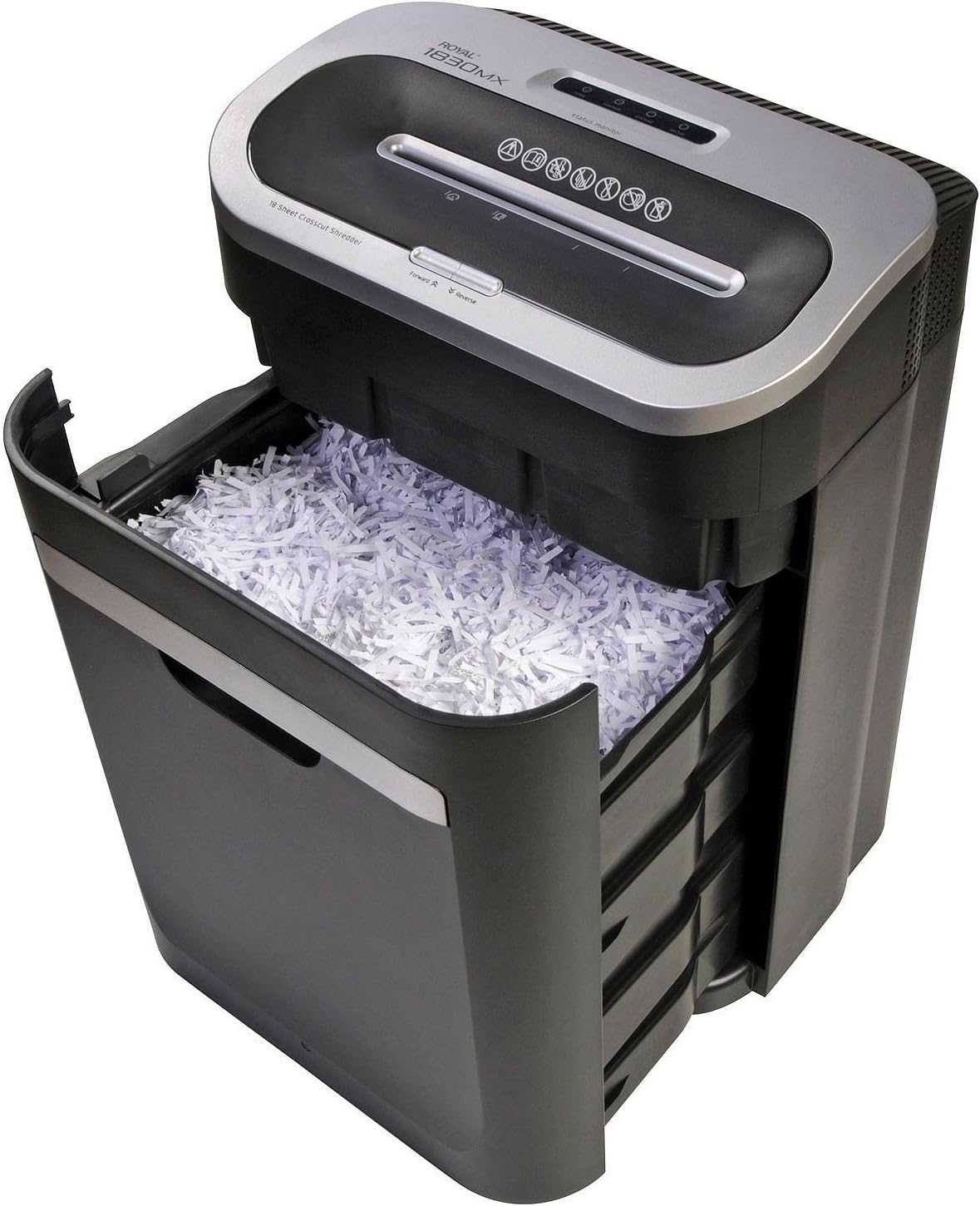
Figure 4: The waste bin pulled out, showing shredded material.
Oiling the Shredder Blades
Regular oiling helps maintain shredder performance and extends its lifespan. Oil the blades after every 30 minutes of continuous shredding or at least twice a month with regular use.
- Apply shredder oil (specifically designed for paper shredders) in a zigzag pattern across the paper entry slot.
- Run the shredder in "Forward" mode for 5-10 seconds to distribute the oil.
- Shred a few sheets of plain paper to absorb any excess oil.
Cleaning the Shredder
- Always unplug the shredder before cleaning.
- Wipe the exterior of the shredder with a soft, dry cloth. Do not use abrasive cleaners or solvents.
- Periodically clean the sensors located inside the paper entry slot to ensure proper "Auto" function and "Bin Full" detection. Use a cotton swab to gently wipe away dust.
Troubleshooting
Refer to this section for solutions to common issues you might encounter.
| Problem | Possible Cause | Solution |
|---|---|---|
| Shredder does not turn on. |
|
|
| Paper jam. |
|
|
| Shredder stops during operation (Overheat). |
|
|
| "Bin Full" indicator remains on after emptying. |
|
|
Specifications
| Feature | Detail |
|---|---|
| Model | 89140X 1830MX |
| Shred Type | Cross-Cut |
| Sheet Capacity | 18 sheets (20 lb bond paper) |
| Shreds | Paper, Staples, Small Paper Clips, CDs, Credit Cards |
| Waste Bin Capacity | 7.5 Gallons (approximate) |
| Product Dimensions | 23 x 17.5 x 12.7 inches |
| Item Weight | 35 pounds |
| Special Features | Automatic Start/Stop, Overheat Protection, Bin Full Indicator, Forward/Reverse Function |
Warranty and Support
For warranty information or technical support, please refer to the warranty card included with your product or visit the official Royal website. Keep your purchase receipt as proof of purchase.
Manufacturer: Royal
Brand: Royal


