
Introduction
This manual provides detailed instructions for the proper setup, operation, and maintenance of your DuFa DF-9021-01 Unisex Analogue Quartz Watch. Designed with precision and elegance, this timepiece features a Japan Quartz Chronograph movement with date and day functions, housed in a stainless steel case with a genuine leather strap. Please read this manual thoroughly to ensure optimal performance and longevity of your watch.
Product Overview

Figure 1: Front view of the DuFa DF-9021-01 watch, showcasing the black dial, chronograph subdials, and date/day display. The watch features a stainless steel case and a black leather strap.
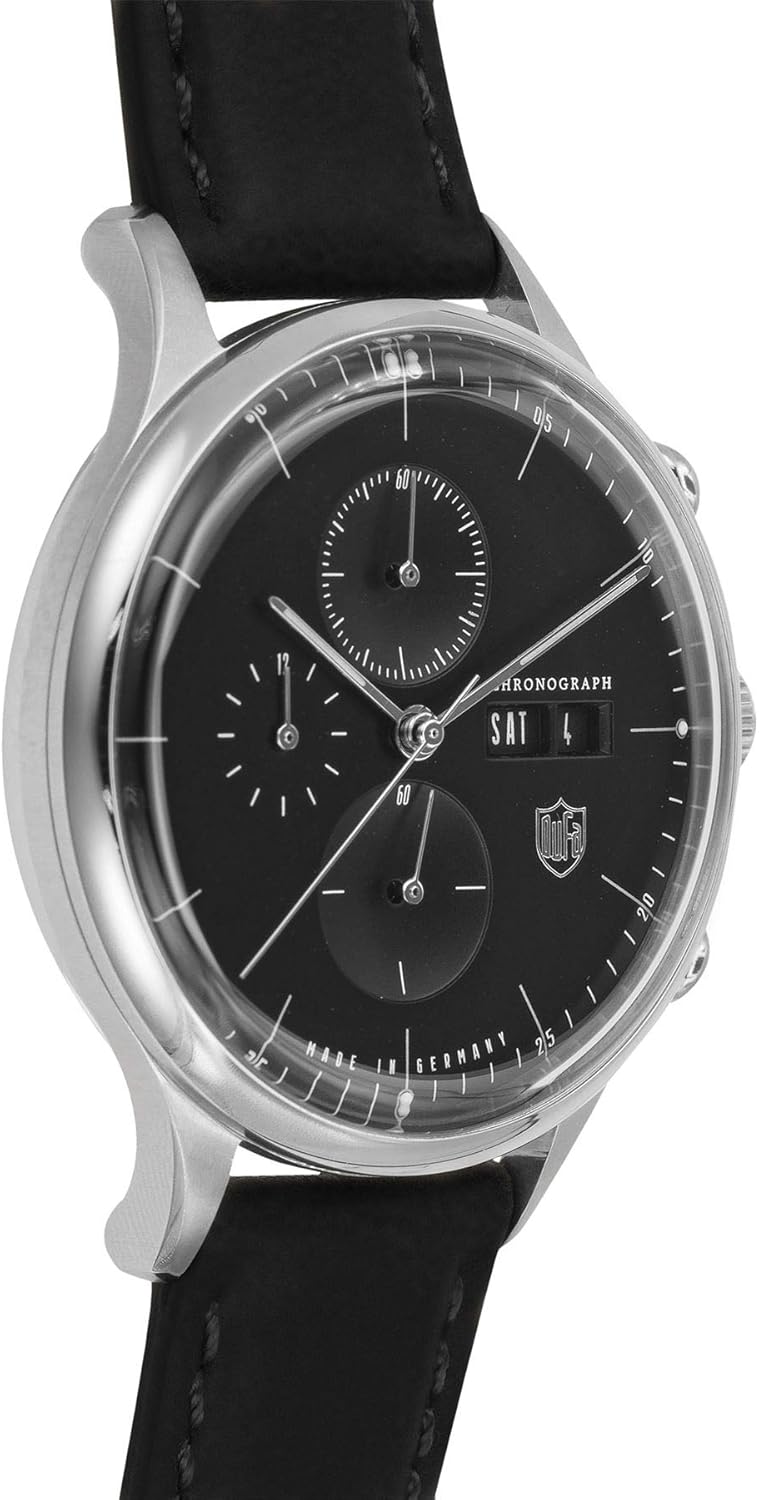
Figure 2: Angled view of the DuFa DF-9021-01 watch, highlighting the watch crown and pushers on the side of the stainless steel case. The intricate details of the dial and hands are visible.
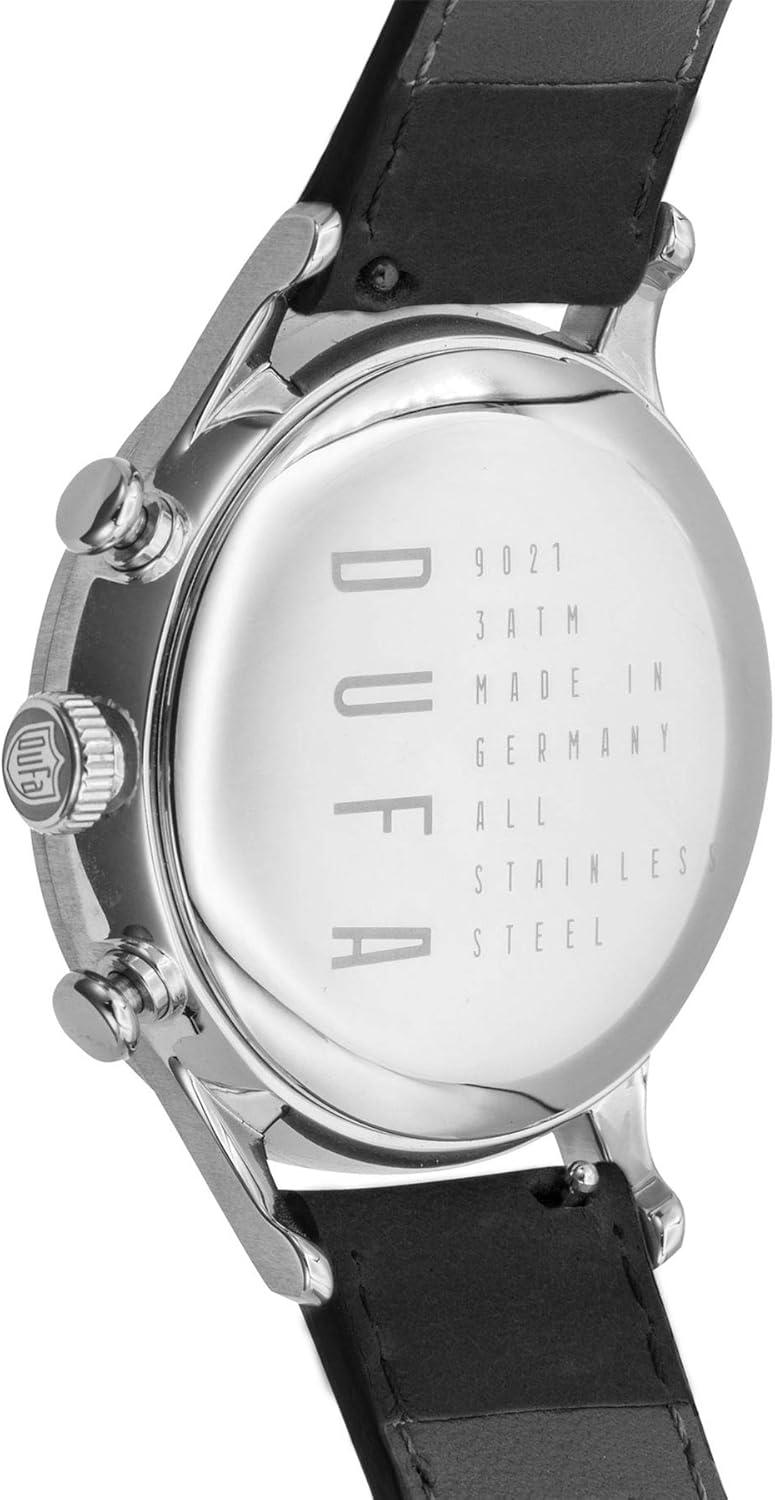
Figure 3: Rear view of the DuFa DF-9021-01 watch, showing the stainless steel case back engraved with model number (9021), water resistance (3 ATM), and "MADE IN GERMANY".

Figure 4: Close-up of the black genuine leather strap and the buckle of the DuFa DF-9021-01 watch, featuring the DuFa logo on the buckle.
Setup
1. Setting the Time
- Pull the crown (middle knob on the right side of the watch) out to the second click position. The second hand will stop.
- Turn the crown clockwise or counter-clockwise to set the hour and minute hands to the desired time.
- Push the crown back in to the normal position. The second hand will resume movement.
2. Setting the Date and Day
- Pull the crown out to the first click position.
- Turn the crown clockwise to set the date.
- Turn the crown counter-clockwise to set the day.
- Once the date and day are set, push the crown back in to the normal position.
Note: To avoid issues, do not set the date or day between 9:00 PM and 3:00 AM, as the watch's internal mechanism is engaged in changing the date/day during this period. If you need to set the date/day during this time, first set the time outside this window, adjust the date/day, then reset the time to the correct current time.
3. Adjusting the Leather Strap
The genuine leather strap is designed for comfort and durability. To adjust the fit, simply insert the buckle pin into the desired hole on the strap. Ensure the watch fits snugly but comfortably on your wrist, allowing for proper blood circulation.
Operating the Chronograph Function
Your DuFa DF-9021-01 watch is equipped with a chronograph (stopwatch) function.
- Start/Stop: Press the upper pusher (button above the crown) to start the chronograph. Press it again to stop the chronograph.
- Reset: While the chronograph is stopped, press the lower pusher (button below the crown) to reset all chronograph hands to their zero positions.
The chronograph features multiple subdials:
- 60-second subdial: Typically located at the 6 o'clock position, this subdial tracks elapsed seconds for the chronograph.
- 60-minute subdial: Typically located at the 9 o'clock position, this subdial tracks elapsed minutes for the chronograph.
- 24-hour subdial: Typically located at the 3 o'clock position, this subdial indicates the time in a 24-hour format, synchronized with the main time display.
Maintenance
Cleaning Your Watch
Regular cleaning will help maintain the appearance of your watch. Use a soft, dry cloth to wipe the case and crystal. For the leather strap, wipe with a slightly damp cloth and allow it to air dry. Avoid using harsh chemicals or abrasive materials.
Water Resistance
Your DuFa DF-9021-01 watch has a water resistance rating of 3 ATM (30 meters / 100 feet). This means it is suitable for daily use and can withstand splashes or brief immersion in water, such as rain or hand washing. It is not suitable for showering, swimming, diving, or any water sports. Do not operate the crown or pushers when the watch is wet.
Battery Replacement
The watch is powered by a quartz movement, which requires a battery. The battery life typically ranges from 2 to 3 years. When the watch stops running, it is likely due to a depleted battery. Battery replacement should be performed by a qualified watch technician to ensure proper sealing and water resistance integrity.
Leather Strap Care
Leather straps are susceptible to wear and tear from moisture, sweat, and direct sunlight. To prolong the life of your strap:
- Avoid prolonged exposure to water.
- Clean with a soft, damp cloth and allow to air dry naturally.
- Avoid direct sunlight and extreme temperatures.
- Consider rotating with another watch or strap to allow the leather to breathe.
Troubleshooting
| Problem | Possible Cause | Solution |
|---|---|---|
| Watch not running | Depleted battery | Replace battery (professional service recommended). |
| Watch running slow/fast | Low battery; exposure to strong magnetic fields; internal mechanism issue. | Replace battery; keep watch away from strong magnets; consult a watch technician. |
| Date/Day not changing | Incorrect setting time (9 PM - 3 AM); internal mechanism issue. | Adjust time outside the restricted window, then set date/day; consult a watch technician. |
| Chronograph hands not resetting to zero | Requires calibration; internal mechanism issue. | Refer to specific movement instructions for chronograph hand calibration (often involves pulling crown to second click and using pushers); consult a watch technician. |
Specifications
- Model: DF-9021-01
- Movement: Japan Quartz Chronograph with Date and Day
- Case Material: Stainless Steel
- Case Diameter: 38 mm
- Case Thickness: 12 mm
- Case Shape: Round
- Case Color: Stainless Steel
- Dial Color: Black
- Band: Genuine Leather Strap
- Band Color: Black
- Buckle: Strap Buckle
- Band Width: 18-16 mm
- Water Resistance: 3 ATM (30 meters / 100 feet)
- Watch Weight: 50 g
- Product Dimensions: 12 x 12 x 12 cm
- Manufacturer: DuFa Deutsche Uhrenfabrik
Warranty & Support
Warranty Information
Your DuFa DF-9021-01 watch comes with a 2 Years International Warranty. This warranty covers manufacturing defects in materials and workmanship under normal use. It does not cover damage resulting from improper handling, accidents, unauthorized repairs, normal wear and tear of the strap or battery, or water damage beyond the specified water resistance rating.
Please retain your proof of purchase for warranty claims. For detailed warranty terms and conditions, refer to the warranty card included with your watch or visit the official DuFa website.
Customer Support
For any questions, technical assistance, or warranty service, please contact DuFa customer support. Contact information can typically be found on the official DuFa website or on the packaging of your product. When contacting support, please have your watch model number (DF-9021-01) and proof of purchase readily available.