
Introduction
The reMarkable 1 is a digital device designed for writing, reading, and sketching, providing an experience similar to paper. It serves as a replacement for traditional notebooks, printouts, and documents, aiming to enhance focus and productivity by minimizing digital distractions.
This manual provides essential information for setting up, operating, maintaining, and troubleshooting your reMarkable 1 device.
What's in the Box
- reMarkable 1 Paper Tablet
- Marker (Stylus)
- 8 extra Marker tips
- Charging cable (USB-C)
Note: The original reMarkable Folio (sleeve) is not included with the device.
Setup
1. Initial Charge
Before first use, connect your reMarkable 1 to a power source using the provided USB-C charging cable. A full charge is recommended to ensure optimal performance.

Image: The reMarkable 1 tablet connected to a charging cable, illustrating the initial charging step.
2. Power On
Press and hold the power button located on the device until the reMarkable logo appears on the screen.
3. Wi-Fi Connection
Follow the on-screen prompts to connect your device to a Wi-Fi network. This is necessary for cloud synchronization and software updates. Note that the device may not support Wi-Fi networks requiring browser-based authentication (e.g., public hotspots).
Operating Instructions
Navigation
The reMarkable 1 features a 10.3-inch glare-free touchscreen display. Navigate through menus and documents by tapping and swiping. The physical buttons at the bottom of the device can be used for page turning or other functions depending on the context.

Image: The reMarkable 1 tablet showing its file management interface, with a stylus resting beside it. This illustrates the main screen and the stylus.
Writing and Sketching
Use the reMarkable Marker to write or draw on the screen. The CANVAS display offers a paper-like feel with low latency. Various pen types (ballpoint, pencil, technical pen, brush pen, paintbrush, graphite stick) and a highlighter are available through the on-screen toolbar.

Image: A close-up view of a hand writing on the reMarkable 1 tablet using the stylus, demonstrating the writing experience.
Document Management
- Create Notebooks: Organize your notes and sketches into various notebooks.
- Import Documents: Transfer PDF and EPUB files to your device for reading and annotation.
- Handwriting Conversion: Convert handwritten notes to typed text for easier sharing and editing.
- Cloud Synchronization: Your notes and documents automatically sync to the reMarkable cloud, accessible via desktop and mobile applications.
- Sharing: Share notebooks or individual pages via email in PDF format.
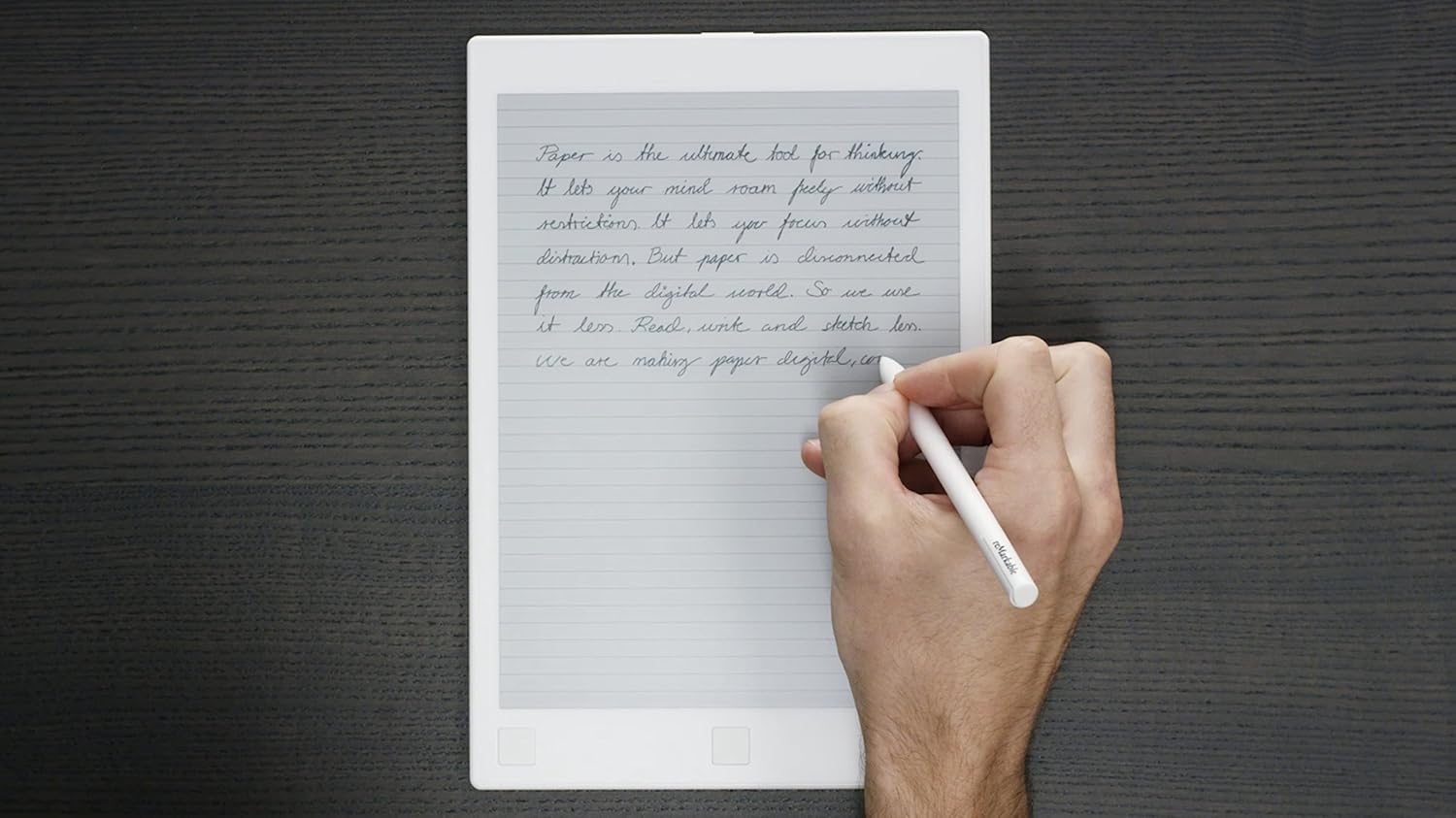
Image: A person writing on the reMarkable 1 tablet, which displays a lined paper template, highlighting its use as a digital notebook.
Reading
The reMarkable 1 is suitable for reading PDF and EPUB files. You can annotate documents directly on the screen. The glare-free display is designed for comfortable reading in various lighting conditions.

Image: A person reading an e-book on the reMarkable 1 tablet in a cafe, demonstrating its use as an e-reader.
Maintenance
Marker Tip Replacement
The Marker tips are consumable and will wear down with use. Replace the tip when it becomes too short or if writing performance degrades. Use the included extra tips. To replace:
- Gently pull out the old tip from the Marker.
- Insert a new tip firmly until it clicks into place.
Note: Ensure tips are properly seated to prevent them from falling out during use.
Cleaning the Device
Wipe the screen and body of the reMarkable 1 with a soft, dry, lint-free cloth. Avoid using abrasive cleaners or solvents.
Troubleshooting
- Device is Slow/Lags: Large files or complex documents may cause some lag. Ensure your device software is up to date.
- Screen Not Refreshing Properly: Occasionally, the screen may not refresh correctly. Try exiting and re-entering the document, or restart the device.
- Cannot Connect to Wi-Fi: Verify your Wi-Fi password. If connecting to a public network, ensure it does not require browser-based authentication, as the reMarkable 1 does not support this.
- Marker Not Writing: Check if the Marker tip is properly inserted and not excessively worn. Replace the tip if necessary.
- Battery Life Shorter Than Expected: Frequent use, especially with Wi-Fi enabled, can reduce battery life. Ensure the device is fully charged before extended use.
Specifications
| Brand | reMarkable |
| Model Name | reMarkable 1 |
| Model Number | RM102 |
| Screen Size | 10.3 Inches |
| Display Type | CANVAS (E-Ink) |
| Resolution | 226 DPI |
| Connectivity Technology | Wi-Fi, Wireless |
| Operating System | Codex |
| Item Weight | 0.35 Kilograms |
| Special Features | Portable, Lightweight, Paper-Feel, Low Latency, Glare-Free Touchscreen |
| Uses | Writing, Drawing, Reading, Note Taking |
Warranty and Support
For warranty information, technical support, or further assistance, please refer to the official reMarkable website or contact their customer service directly. Keep your purchase receipt for warranty claims.
Official reMarkable Website: www.remarkable.com


