
MEE audio BTA-BTX1-CL
MEE audio BTX1 Bluetooth Wireless MMCX Adapter Cable
Model: BTA-BTX1-CL
Product Overview
The MEE audio BTX1 Bluetooth Wireless MMCX Adapter Cable is designed to transform your favorite MMCX-compatible earphones and in-ear monitors into wireless audio devices. This adapter provides the freedom of movement by eliminating the need for a wired connection, making it ideal for use with modern devices that lack a traditional headphone jack.

Equipped with advanced Bluetooth 4.0 technology and Qualcomm aptX support, the BTX1 ensures high-fidelity wireless sound quality. The integrated microphone and remote allow for seamless phone calls and media playback control. Its ergonomic design with built-in Flex-wire ear hooks provides a secure and comfortable fit for various activities. Dual rechargeable batteries offer up to 7 hours of talk or music playback time.
Key Features
- High Quality Wireless Sound: Qualcomm aptX technology delivers high-fidelity audio over Bluetooth, ensuring a superior listening experience.
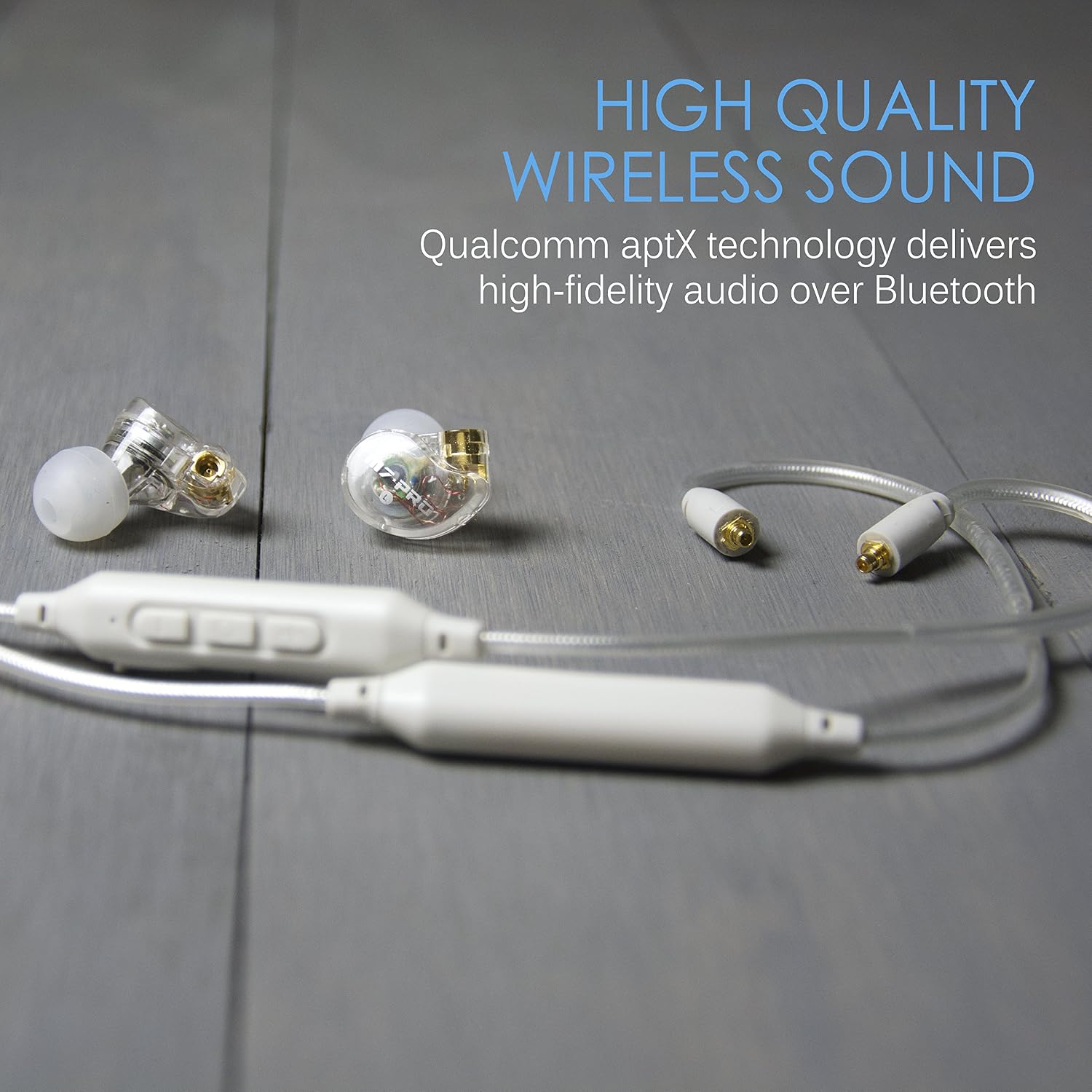
Image: The MEE audio BTX1 adapter cable connected to earphones, illustrating the high-quality wireless sound enabled by Qualcomm aptX technology. - Universal MMCX Connectors: Compatible with most MMCX earphones, including MEE audio Pinnacle P1/P2, and M7 PRO. This allows you to upgrade your existing high-quality earphones to wireless.
- Built-in Headset: Seamlessly take phone calls and control media playback with the integrated microphone and remote.
- Locked-in Fit: The ergonomic design with built-in flex-wire earhooks ensures a secure fit for all activities, providing comfort and stability.

Image: A person wearing the MEE audio BTX1 adapter cable with earphones, demonstrating the secure and ergonomic "locked-in fit" provided by the flex-wire earhooks. - Long Battery Life: Built-in rechargeable batteries provide up to 7 hours of talk/music playback time, allowing for extended use.
What's in the Box
Upon opening the package, please ensure all the following components are present:
- BTX1 Bluetooth Wireless MMCX Adapter
- Micro-USB Charging Cable
- User Manual (this document)

Setup
1. Charging the BTX1
Before initial use, fully charge the BTX1 adapter. Connect the supplied Micro-USB charging cable to the charging port on the BTX1 and the other end to a USB power source (e.g., computer USB port, wall adapter). The charging time is approximately 2 hours.
2. Connecting Earphones
The BTX1 uses universal Micro-Miniature Coaxial (MMCX) connectors. Carefully align the MMCX connector on your earphones with the corresponding connectors on the BTX1 cable and push them together until they click into place. Ensure a secure connection for optimal audio performance. To disconnect, gently pull the earphone straight out from the connector, avoiding twisting.

3. Bluetooth Pairing
- Ensure the BTX1 is charged and turned off.
- Press and hold the multi-function button on the BTX1 until the LED indicator flashes blue and red, indicating pairing mode.
- On your Bluetooth-enabled device (phone, tablet, computer), go to the Bluetooth settings.
- Search for new devices and select "MEE audio BTX1" from the list.
- Once connected, the LED indicator on the BTX1 will flash blue periodically.

Operating Instructions
The BTX1 features an integrated remote and microphone for convenient control of your audio and calls.
Power On/Off
- Power On: Press and hold the multi-function button for approximately 2 seconds until the LED flashes blue.
- Power Off: Press and hold the multi-function button for approximately 3 seconds until the LED flashes red and then turns off.
Music Playback Controls
- Play/Pause: Press the multi-function button once.
- Next Track: Press and hold the Volume Up (+) button for 2 seconds.
- Previous Track: Press and hold the Volume Down (-) button for 2 seconds.
- Volume Up: Press the Volume Up (+) button.
- Volume Down: Press the Volume Down (-) button.
Call Management
- Answer/End Call: Press the multi-function button once.
- Reject Call: Press and hold the multi-function button for 2 seconds.
- Activate Voice Assistant (Siri/Google Assistant): Double-press the multi-function button.

Maintenance
Proper care and maintenance will ensure the longevity of your MEE audio BTX1 adapter.
- Cleaning: Wipe the adapter and cable with a soft, slightly damp cloth. Do not use harsh chemicals or abrasive cleaners.
- Storage: When not in use, store the adapter in a cool, dry place, away from direct sunlight and extreme temperatures.
- Handling: Avoid pulling the cable forcefully or twisting the MMCX connectors excessively, as this can cause damage.
Troubleshooting
| Problem | Possible Cause | Solution |
|---|---|---|
| No sound from earphones. | Earphones not properly connected; BTX1 not powered on; BTX1 not paired; device volume too low. | Ensure MMCX connectors are securely attached. Power on the BTX1. Re-pair the BTX1 with your device. Increase volume on both the BTX1 and your connected device. |
| Cannot pair BTX1 with device. | BTX1 not in pairing mode; device's Bluetooth is off; interference. | Ensure BTX1 is in pairing mode (flashing blue/red). Turn on Bluetooth on your device. Move BTX1 closer to your device and away from other wireless devices. |
| Short battery life. | Not fully charged; old battery. | Ensure BTX1 is fully charged before use. Battery performance may degrade over time. |
| Poor audio quality / static. | Interference; distance from device; low battery. | Reduce distance between BTX1 and device. Charge the BTX1. Avoid environments with strong wireless interference. |
Specifications
| Feature | Detail |
|---|---|
| Model Name | BTA-BTX1-CL |
| Brand | MEE audio |
| Connectivity Technology | Bluetooth 4.0 (with Qualcomm aptX) |
| Ear Placement | In Ear (with over-ear fit via Flex-wire ear hooks) |
| Charging Time | Approximately 2 Hours |
| Battery Life | Up to 7 hours talk/music playback |
| Compatible Devices | Phones, Tablets, Computers, Monitors (with Bluetooth stereo audio transmitters) |
| Item Weight | 0.11 Ounces (approx. 3.1 grams) |
| Product Dimensions | 1 x 1 x 1 inches (approximate, for main unit) |
| Battery Type | 1 Lithium Polymer battery (included) |
| UPC | 616312625277 |
Warranty and Support
The MEE audio BTX1 Bluetooth Wireless MMCX Adapter Cable comes with a 1-year manufacturer's warranty, covering defects in materials and workmanship from the original date of purchase.
For technical support, warranty claims, or additional product information, please visit the official MEE audio website or contact their customer service directly. You can also find more information and products at the MEE audio Store on Amazon.
Important Safety Information
- Do not expose the device to liquids or extreme temperatures.
- Do not attempt to disassemble or modify the device.
- Keep out of reach of children.
- Dispose of the device according to local regulations.
Official Product Videos
No official product videos from the seller were found for this specific model in the provided data.
Related documentsBTA-BTX1-CL


Ask a question about this manual
Ask about setup, troubleshooting, compatibility, parts, safety, or missing instructions. Manuals+ will review the question and use this page’s manual context to help answer it.