
Introduction
This manual provides essential instructions for the safe and effective use of your PKPOWER Mini USB PC Charger Cable Cord. This cable is designed to provide power and charging capabilities for compatible devices, specifically the Brookstone Big Blue Live Wireless Speaker. Please read this manual thoroughly before use.
Setup
To set up the PKPOWER Mini USB PC Charger Cable Cord, follow these steps:
- Identify the correct ports: Locate the Mini USB port on your Brookstone Big Blue Live Wireless Speaker and a standard USB-A port on your power source (e.g., computer, USB wall adapter).
- Connect to power source: Insert the standard USB-A end of the cable into a compatible USB power source. Ensure the power source provides an input of 100-240V 50-60Hz for optimal performance.
- Connect to speaker: Insert the Mini USB end of the cable into the Mini USB port on your Brookstone Big Blue Live Wireless Speaker.
- Verify connection: Once connected, your speaker should indicate that it is receiving power or charging, typically via an LED indicator.
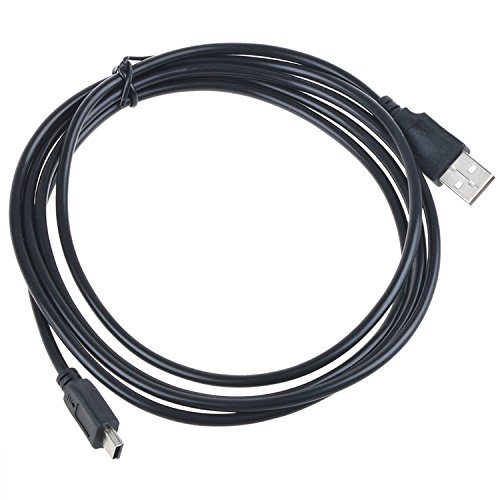
Image: The PKPOWER Mini USB PC Charger Cable Cord, showing both the USB-A and Mini USB connectors.
Operating Instructions
The PKPOWER Mini USB PC Charger Cable Cord is designed for straightforward operation:
- Charging: Once properly connected to a power source and your Brookstone Big Blue Live Wireless Speaker, the cable will facilitate charging of the speaker's internal battery.
- Power Supply: The cable can also supply continuous power to the speaker when connected, allowing it to operate without relying solely on its battery.
- Safety Features: This cable incorporates Over Voltage output Protection (OVP), Over Current output Protection (OCP), and Short Circuit output Protection (SCP) to safeguard your devices during charging and operation.

Image: A close-up view of the PKPOWER Mini USB PC Charger Cable Cord, highlighting the Mini USB connector.
Maintenance
Proper care ensures the longevity and performance of your cable:
- Storage: Store the cable in a cool, dry place away from direct sunlight and extreme temperatures. Avoid tightly coiling or bending the cable sharply, as this can damage internal wires.
- Cleaning: If the cable becomes dirty, gently wipe it with a soft, dry cloth. Do not use harsh chemicals or abrasive cleaners. Ensure connectors are free of dust and debris.
- Handling: Always grasp the connector ends when plugging or unplugging the cable. Avoid pulling directly on the cable itself.
Troubleshooting
If you encounter issues with your PKPOWER Mini USB PC Charger Cable Cord, consider the following:
- Device not charging:
- Ensure both ends of the cable are securely connected to the power source and the speaker.
- Verify that the power source is active and functioning correctly.
- Check if the Brookstone Big Blue Live Wireless Speaker's charging port is clean and free of obstructions.
- Test the cable with another compatible device or try a different power source if available.
- Loose connection:
- Inspect the connectors for any visible damage or bent pins.
- Ensure the cable is fully inserted into both ports.
- Cable damage:
- Visually inspect the cable for any cuts, fraying, or severe bends. A damaged cable should be replaced immediately to prevent potential hazards.
Technical Specifications
| Brand | PKPOWER |
| Model | Mini USB PC Charger Cable Cord |
| Connector Type | USB (USB-A to Mini USB) |
| Cable Type | USB |
| Compatible Devices | Brookstone Big Blue Live Wireless Speaker |
| Special Feature | Fast Charging (as per manufacturer claim) |
| Color | Black (based on product images) |
| Connector Gender | Male-to-Male |
| Input Voltage | 100-240V 50-60Hz |
| Certifications | CE / FCC / RoHS Certified |
| Protection Features | OVP (Over Voltage Protection), OCP (Over Current Protection), SCP (Short Circuit Protection) |
| Indoor/Outdoor Usage | Indoor, Outdoor |
| UPC/GTIN | 716833361965 |
Warranty and Support
PKPOWER products are manufactured to high standards. While specific warranty details are not provided in this document, PKPOWER offers customer support for any inquiries or issues you may encounter.
For assistance, please contact PKPOWER customer service. Our friendly and reliable customer service team aims to respond to inquiries within 24 hours.
You can find more information about PKPOWER products and support options by visiting the official PKPOWER Store on Amazon.