
Introduction
The NETGEAR AC1200 dual-band Wi-Fi range extender is designed to boost your existing network range, providing AC dual-band Wi-Fi speeds up to 1200Mbps. It supports new 802.11ac and b/g/n Wi-Fi devices and utilizes FastLane technology for improved performance by using both Wi-Fi bands. This device works with any standard Wi-Fi router or gateway, making it suitable for enhancing connectivity for HD video streaming, gaming, and various devices such as iPads, smartphones, and laptops.
Product Overview
The NETGEAR EX6110-100NAS is a compact, wall-plug design Wi-Fi range extender. It features LED indicators for Power, Router, Device, and WPS status, along with buttons for Reset, WPS, and Power.

Front view of the NETGEAR EX6110-100NAS AC1200 WiFi Range Extender, showing the NETGEAR logo and LED indicators for Power, Router, Device, and WPS.

A direct front view of the NETGEAR EX6110-100NAS AC1200 WiFi Range Extender, highlighting the LED indicators.
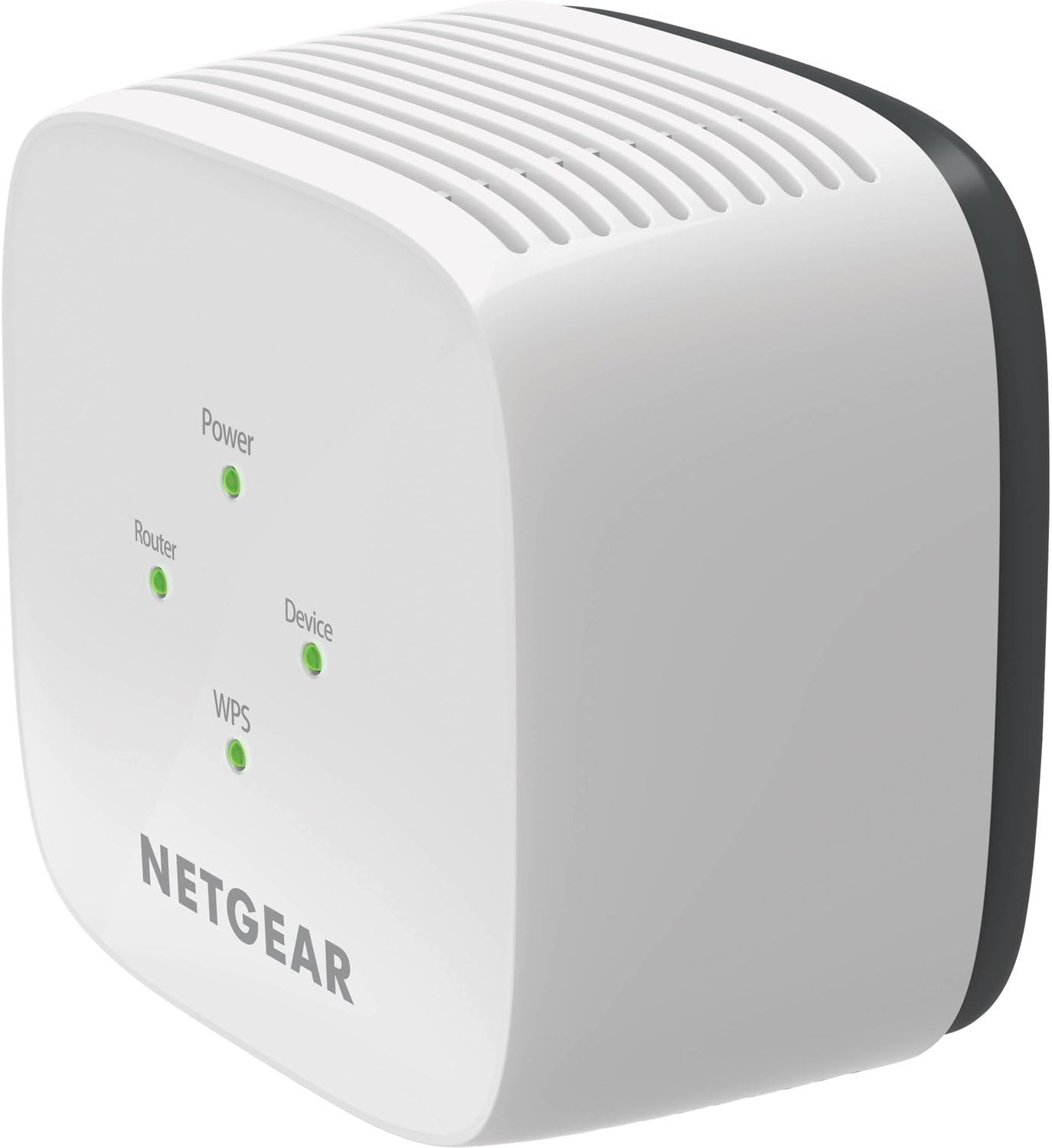
Angled view of the NETGEAR EX6110-100NAS AC1200 WiFi Range Extender, showing the front panel with LEDs and a side panel with ventilation.

Side view of the NETGEAR EX6110-100NAS AC1200 WiFi Range Extender, displaying the Reset, WPS, and Power buttons.
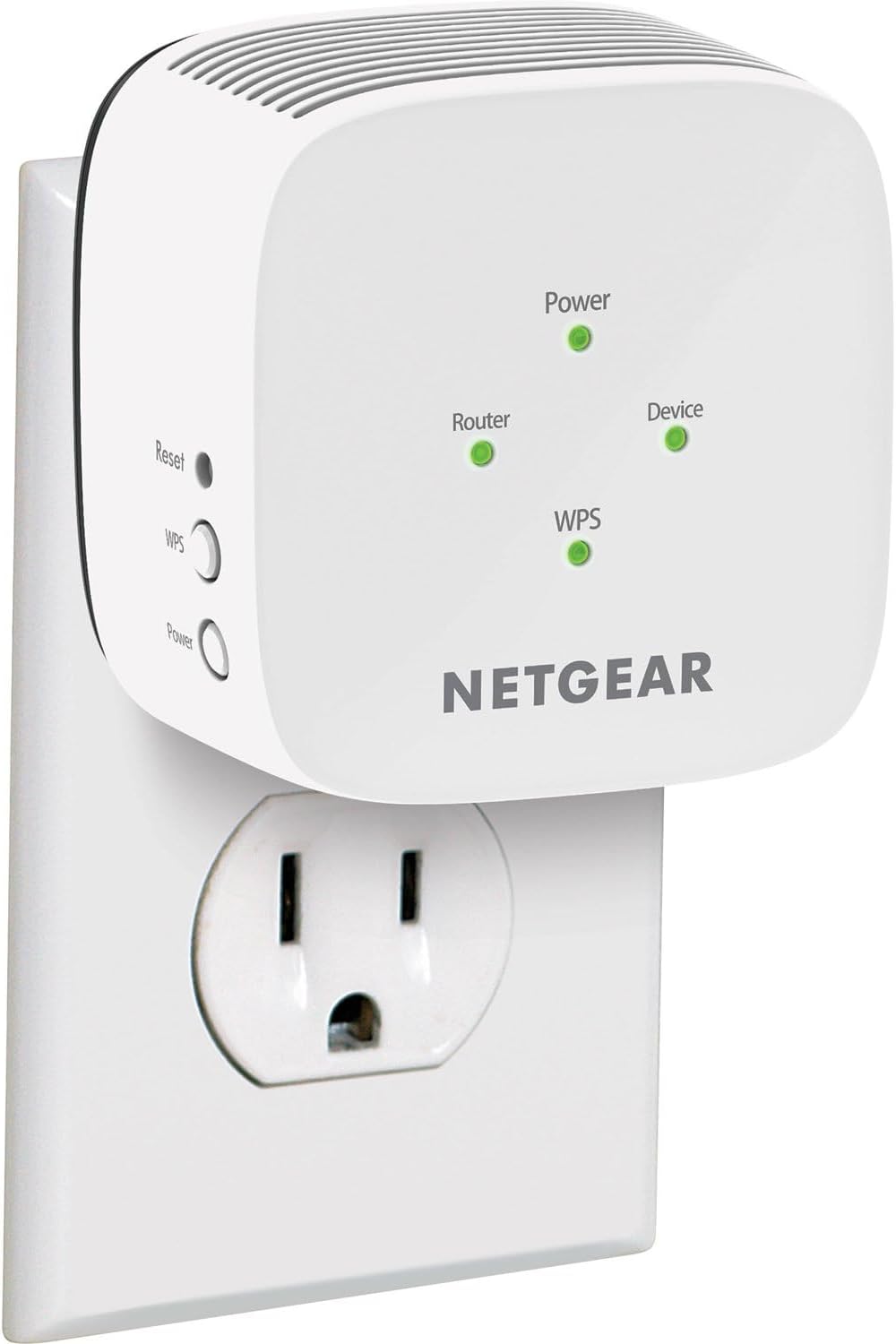
The NETGEAR EX6110-100NAS AC1200 WiFi Range Extender shown plugged into a standard electrical outlet.
Key Features
- Dual Band Wi-Fi: Extends 2.4 GHz and 5 GHz Wi-Fi signals simultaneously.
- AC1200 Speed: Delivers combined Wi-Fi speeds up to 1200 Mbps (300 Mbps for 2.4 GHz and 900 Mbps for 5 GHz).
- FastLane Technology: Improves Wi-Fi performance by using both Wi-Fi bands to establish one super-fast connection.
- Universal Compatibility: Works with any standard Wi-Fi router or gateway.
- WPS (Wi-Fi Protected Setup): Easy setup with a push of a button.
- Smart LED Indicators: Help find the best location for optimal Wi-Fi coverage.
Setup
This section outlines the steps to set up your NETGEAR EX6110-100NAS AC1200 WiFi Range Extender. You can choose between WPS (Wi-Fi Protected Setup) or the NETGEAR Installation Assistant.
Method 1: WPS (Wi-Fi Protected Setup)
- Power On: Plug the extender into an electrical outlet near your Wi-Fi router. Wait for the Power LED to light green.
- Activate WPS on Router: Press the WPS button on your Wi-Fi router. Refer to your router's manual if you are unsure where this button is located.
- Activate WPS on Extender: Within two minutes, press the WPS button on the side of your extender. The WPS LED on the extender should blink.
- Connect: Once the WPS LED on the extender lights solid green, the extender is successfully connected to your router.
- Relocate (Optional): Unplug the extender and move it to a new location, approximately halfway between your router and the area with poor Wi-Fi signal. Plug it into an electrical outlet.
- Verify Connection: Wait for the Router Link LED to light solid green. If it's amber or red, move the extender closer to the router.
Method 2: NETGEAR Installation Assistant (Web Browser Setup)
- Power On: Plug the extender into an electrical outlet near your Wi-Fi router. Wait for the Power LED to light green.
- Connect to Extender: On your computer or mobile device, connect to the extender's Wi-Fi network. The network name (SSID) will typically be "NETGEAR_EXT" or "NETGEAR_EXT_5G".
- Launch Browser: Open a web browser and type
www.mywifiext.netinto the address bar. - Follow Instructions: The NETGEAR Installation Assistant will guide you through the setup process. You will be prompted to create an account, select your existing Wi-Fi network(s), and enter your Wi-Fi password(s).
- Relocate (Optional): After successful setup, unplug the extender and move it to a new location, approximately halfway between your router and the area with poor Wi-Fi signal. Plug it into an electrical outlet.
- Verify Connection: Wait for the Router Link LED to light solid green. If it's amber or red, move the extender closer to the router.
Operating
Once your NETGEAR EX6110-100NAS AC1200 WiFi Range Extender is set up, it will automatically extend your Wi-Fi network.
- Connecting Devices: Devices can connect to the extended network using the new network name (SSID) created during setup. This is typically your existing network name with "_EXT" appended (e.g., "MyHomeWiFi_EXT").
- LED Indicators:
- Power LED: Indicates if the extender is powered on.
- Router Link LED: Indicates the connection quality between the extender and your router (Green: Best connection, Amber: Good connection, Red: Poor/No connection).
- Device Link LED: Indicates the connection quality between the extender and your connected devices.
- WPS LED: Indicates the status of the WPS connection process.
- FastLane Technology: For devices requiring maximum speed, FastLane technology can be configured to use one Wi-Fi band for communication with the router and the other for communication with devices, optimizing throughput. This can be configured via the NETGEAR Installation Assistant web interface.
Maintenance
To ensure optimal performance and longevity of your NETGEAR EX6110-100NAS AC1200 WiFi Range Extender, consider the following maintenance tips:
- Firmware Updates: Regularly check the NETGEAR support website for firmware updates. Firmware updates can improve performance, add new features, and enhance security.
- Placement: Ensure the extender is placed in an open area, away from obstructions like large metal objects, concrete walls, and other electronic devices that might cause interference.
- Cleaning: Keep the device clean and free from dust. Use a soft, dry cloth to wipe the exterior. Do not use liquid cleaners or aerosols.
- Resetting: If you experience persistent issues, a factory reset might resolve them. To perform a factory reset, press and hold the Reset button with a paperclip for about 5-10 seconds until the LEDs blink. Note that this will erase all custom settings.
Troubleshooting
This section provides solutions to common issues you might encounter with your NETGEAR EX6110-100NAS AC1200 WiFi Range Extender.
- No Power LED:
- Ensure the extender is securely plugged into a working electrical outlet.
- Check if the Power button on the side of the extender is pressed.
- Router Link LED is Red or Off:
- The extender is too far from the router. Move it closer.
- There might be interference. Try moving the extender to a different outlet.
- Re-run the setup process (WPS or web browser) to re-establish the connection.
- Connected to Extender but No Internet Access:
- Verify that your main router has an active internet connection.
- Check the Router Link LED on the extender. If it's red or off, refer to the previous point.
- Restart both your router and the extender.
- Slow Speeds on Extended Network:
- The extender might be too far from the router, resulting in a weak signal. Relocate the extender closer to the router.
- Ensure there are no major obstructions between the extender and your devices, or between the extender and the router.
- Consider enabling FastLane technology via the extender's web interface for specific high-bandwidth applications.
- Check for interference from other electronic devices (e.g., microwaves, cordless phones).
- Cannot Access
www.mywifiext.net:- Ensure your device is connected to the extender's Wi-Fi network (e.g., "NETGEAR_EXT").
- Try clearing your browser's cache and cookies, or use a different web browser.
- Restart your computer/device and the extender.
Specifications
| Feature | Detail |
|---|---|
| Brand | NETGEAR |
| Model Number | EX6110-100NAS |
| Wireless Type | 802.11ac |
| Data Transfer Rate | 1200 Megabits Per Second |
| Frequency Band Class | Dual-Band |
| Item Weight | 7.1 ounces |
| Product Dimensions | 6 x 4.5 x 4 inches |
| Voltage | 100-240 Volts |
| Manufacturer | SYNNEX INFORMATION TECHNOLOGIES DROPSHIP |
| Date First Available | November 16, 2017 |
Warranty and Support
For detailed warranty information and technical support, please refer to the official NETGEAR website.
- Warranty: Information regarding the product warranty can typically be found on the NETGEAR support portal or within the product packaging.
- Technical Support: NETGEAR offers technical support for its products. Visit the official NETGEAR support website for contact options, FAQs, and troubleshooting guides.
- Online Resources: Additional resources, including updated manuals and software downloads, are available on the NETGEAR website.


