1. Product Overview
The Scotts Elite Spreader is an advanced and accurate lawn care accessory designed for year-round use. Engineered for a 20% faster application compared to standard 5 ft. spread patterns, it ensures efficient distribution of various products. This durable push spreader can hold enough material to cover up to 20,000 sq. ft. Its dual rotors provide exceptional accuracy, and the ergonomic handle includes a convenient smartphone holder. The spreader also features Scotts EdgeGuard technology to prevent product from spreading into unwanted areas.

Figure 1: Scotts Elite Spreader, front view.
2. Setup and Assembly
The Scotts Elite Spreader requires minimal assembly. It comes largely pre-assembled, primarily requiring the handle to be secured and wheels attached. The handle is designed to fold for easy storage when not in use.
Assembly Steps:
- Unpack: Carefully remove all components from the packaging.
- Attach Handle: Raise the handle to the upright position and tighten the securing knobs or bolts as indicated in the packaging.
- Attach Wheels: Secure the never-flat tires to the axle. These durable tires are designed to conquer any terrain without going flat.
3. Operating Instructions
Follow these steps for effective and accurate product application:
Preparation:
- Know Your Lawn Size: Determine the square footage of your lawn to ensure proper product coverage.
- Fill Over Driveway: When filling the spreader with grass seed, fertilizer, weed and feed, salt, or ice melt, do so over a hard surface like a driveway. This allows for easy cleanup of any spilled product.
- Set the Dial: Turn the orange dial to the correct setting. Refer to the product bag of your Scotts material for the recommended spreader setting.

Figure 2: Top view of the hopper with setting dial.
Application:
- Engage Spreader: Begin walking at a brisk, consistent pace. Once moving, squeeze the trigger on the ergonomic handle to start the spreading action.
- Maintain Overlap: Make each pass approximately 6 feet from the previous one to ensure even coverage.
- Release at Turns: Release the trigger when you reach the end of a pass or before making a turn to stop the flow of product. This prevents over-application in specific areas.
- Utilize EdgeGuard Technology: The EdgeGuard feature helps block product from spreading to unwanted areas like driveways, sidewalks, or flowerbeds. Engage the EdgeGuard lever on the handle when spreading along edges.

Figure 3: Operating the spreader on a lawn.

Figure 4: Spreader distributing material.

Figure 5: EdgeGuard feature engaged.
4. Maintenance
Proper maintenance ensures the longevity and optimal performance of your Scotts Elite Spreader.
- Clean After Use: After each use, empty any remaining product from the hopper. Rinse the hopper and spreading mechanism thoroughly with water. Wipe down or allow to air dry completely before storage.
- Inspect Regularly: Periodically check the wheels, axle, and spreading components for any signs of wear or damage. Ensure all moving parts are free of debris.
- Lubrication: Lightly lubricate any moving metal parts as needed to ensure smooth operation.
- Storage: Store the spreader in a dry, covered area. The handle can be folded down for compact storage.
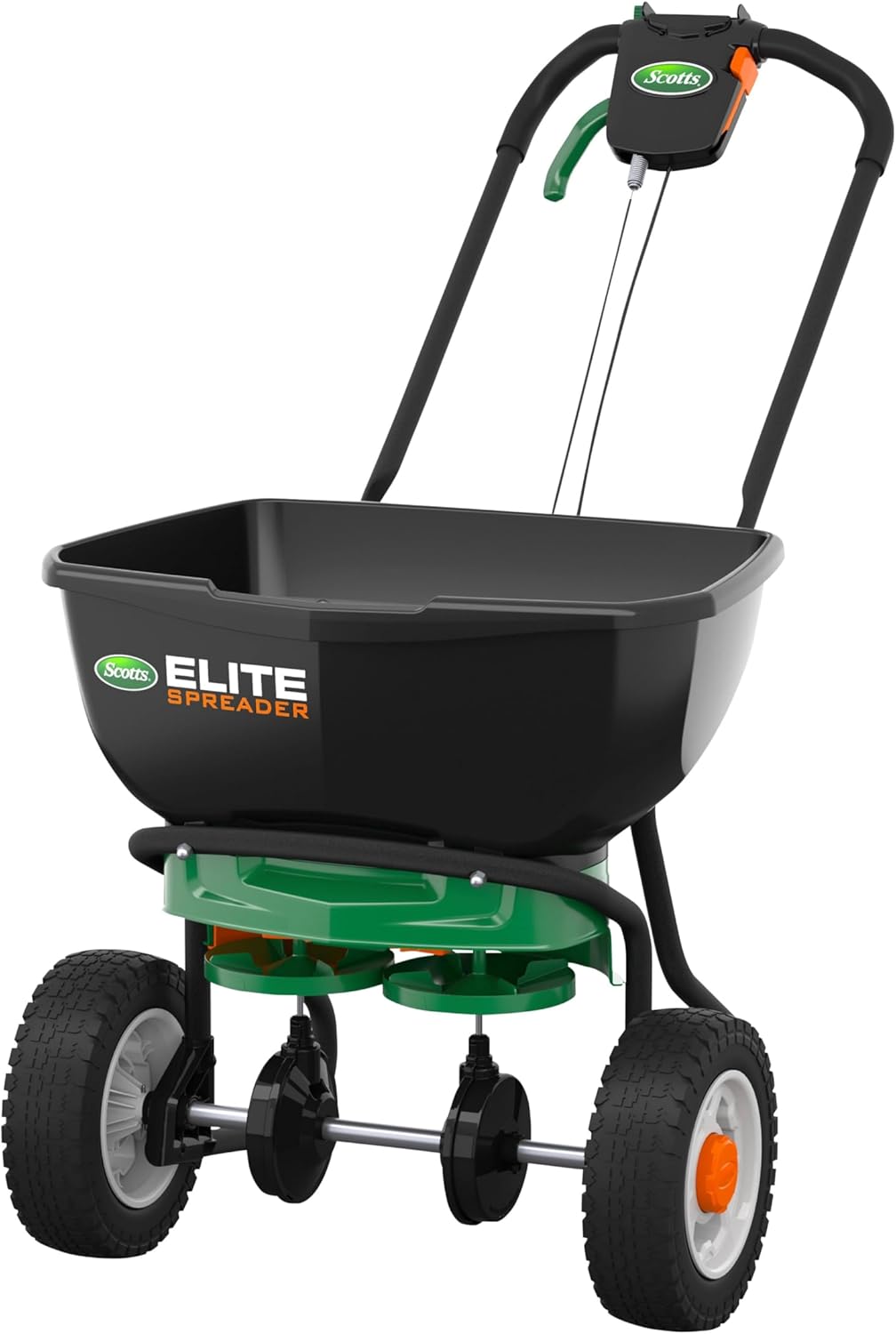
Figure 6: Spreader with folded handle for storage.
5. Troubleshooting
- Uneven Spreading: If you notice uneven distribution, check the spreader setting to ensure it matches the product recommendations. Verify that the hopper is not clogged and that the dual rotors are spinning freely. Ensure you are walking at a consistent pace.
- Product Not Dispensing: Check if the flow gate is open by squeezing the trigger. Inspect the hopper for any clumps or blockages that might be preventing the product from flowing. Ensure the spreader setting dial is not set to 'OFF'.
- Difficulty Pushing: Ensure the wheels are clean and free of debris. The never-flat tires are designed for various terrains, but excessive build-up can impede movement.
- Damaged Components: In case of broken plastic gears or other structural damage, discontinue use and contact Scotts customer support for assistance.
6. Specifications
| Feature | Detail |
|---|---|
| Brand | Scotts |
| Model Number | 75902 |
| Style | Elite |
| Power Source | Manual |
| Material | Plastic |
| Color | Black, Green |
| Item Weight | 19.8 pounds (9 Kilograms) |
| Product Dimensions | 20.07"D x 23.63"W x 23.31"H |
| Capacity | Up to 20,000 sq. ft. of product |
| Spreading Mechanism | Dual Rotors for exceptional accuracy |
| Tires | Never-flat tires |
| Special Features | EdgeGuard Technology, Ergonomic Handle with Smartphone Holder |
7. Warranty and Support
For warranty information, product support, or to inquire about replacement parts, please contact Scotts customer service directly. Refer to the product packaging or the official Scotts website for the most current contact details and warranty terms.


