
1. Safety Information
Please read all safety instructions carefully before using this product. Failure to follow these instructions may result in electric shock, fire, or other hazards.
- Do not expose the speaker to extreme temperatures or direct sunlight for extended periods.
- Do not attempt to disassemble, repair, or modify the speaker. This will void the warranty and may cause damage.
- Keep the speaker away from medical devices, as it contains magnets that may interfere with their operation.
- Use only the provided charging cable or a certified equivalent.
- Ensure the charging port cover is securely closed when the speaker is exposed to water to maintain its IP67 waterproof rating.
2. Package Contents
Verify that all items are present in the package:
- Altec Lansing One Bluetooth Speaker
- USB Charging Cable
- User Manual
3. Product Overview
The Altec Lansing One is a compact and portable Bluetooth speaker designed for robust audio performance and durability. It features a 5W speaker, Bluetooth 3.0+EDR connectivity, and an IP67 waterproof rating, making it suitable for various environments.
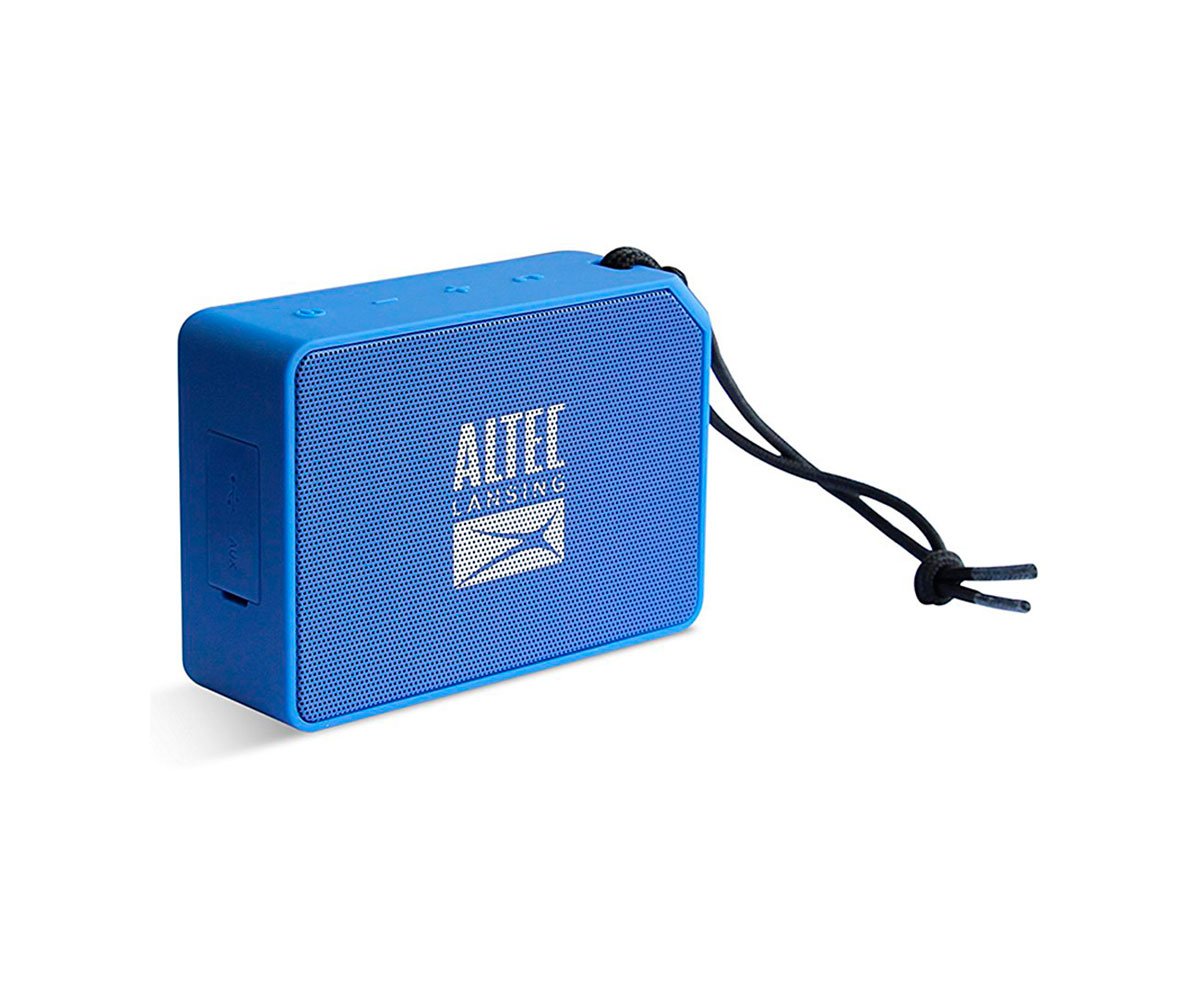
Figure 1: Front view of the Altec Lansing One Bluetooth Speaker, showcasing its compact design and speaker grille.
Controls and Indicators:
- Power Button: Press and hold to turn the speaker on or off.
- Bluetooth Button: Press to enter pairing mode.
- Volume Up (+): Press to increase volume.
- Volume Down (-): Press to decrease volume.
- Play/Pause Button: Press to play or pause music. Also used for call management.
- LED Indicator: Displays power status, charging status, and Bluetooth pairing status.
4. Setup
4.1 Charging the Speaker
- Locate the charging port on the speaker, usually protected by a rubber flap.
- Open the rubber flap and connect the small end of the USB charging cable to the speaker's charging port.
- Connect the larger end of the USB cable to a USB power adapter (not included) or a computer's USB port.
- The LED indicator will illuminate to show charging status. It will typically turn off or change color when fully charged.
- A full charge provides approximately 10 hours of playback time.
4.2 Power On/Off
- To Power On: Press and hold the Power Button for approximately 3 seconds until you hear an audible tone and the LED indicator lights up.
- To Power Off: Press and hold the Power Button for approximately 3 seconds until you hear an audible tone and the LED indicator turns off.
4.3 Bluetooth Pairing
To connect your Altec Lansing One speaker to a Bluetooth-enabled device:
- Ensure the speaker is powered on and within 10 meters (33 feet) of your device.
- Press the Bluetooth Button on the speaker. The LED indicator will flash rapidly, indicating it is in pairing mode.
- On your device (smartphone, tablet, laptop), go to the Bluetooth settings menu.
- Search for available devices. You should see "Altec Lansing One" or a similar name appear in the list.
- Select "Altec Lansing One" to initiate the connection.
- Once successfully paired, the speaker will emit an audible tone, and the LED indicator will stop flashing and remain solid.
- The speaker will automatically attempt to reconnect to the last paired device when powered on.
5. Operating the Speaker
5.1 Music Playback
- Play/Pause: Press the Play/Pause Button once to play or pause audio.
- Volume Control: Press the Volume Up (+) button to increase volume. Press the Volume Down (-) button to decrease volume.
- Next Track: Press and hold the Volume Up (+) button for 2 seconds.
- Previous Track: Press and hold the Volume Down (-) button for 2 seconds.
5.2 Call Management
When connected to a smartphone, the speaker can be used for hands-free calls:
- Answer Call: Press the Play/Pause Button once when an incoming call is received.
- End Call: Press the Play/Pause Button once during a call to hang up.
- Reject Call: Press and hold the Play/Pause Button for 2 seconds when an incoming call is received.
5.3 Waterproofing (IP67)
The Altec Lansing One speaker is rated IP67, meaning it is dust-tight and protected against immersion in water up to 1 meter (3.3 feet) for up to 30 minutes. To maintain this rating:
- Ensure the rubber flap covering the charging port is securely closed before exposing the speaker to water or dust.
- Do not intentionally submerge the speaker for prolonged periods or beyond the specified depth.
- After exposure to water, wipe the speaker dry with a soft cloth before charging.
6. Maintenance
- Cleaning: Use a soft, damp cloth to clean the speaker's exterior. Do not use harsh chemicals or abrasive cleaners.
- Storage: Store the speaker in a cool, dry place when not in use. Avoid storing it in extreme temperatures.
- Battery Care: To prolong battery life, avoid fully discharging the battery frequently. Charge the speaker regularly, even if not in use for extended periods.
7. Troubleshooting
Speaker will not turn on:
- Ensure the battery is charged. Connect the speaker to a power source using the USB cable.
- Press and hold the Power Button for at least 3 seconds.
Cannot pair with Bluetooth device:
- Ensure the speaker is in pairing mode (LED indicator flashing). If not, press the Bluetooth Button.
- Make sure Bluetooth is enabled on your device.
- Move the speaker closer to your device (within 10 meters).
- Turn off and on both the speaker and your device's Bluetooth.
- If previously paired, try 'forgetting' or 'unpairing' the speaker from your device's Bluetooth list and then re-pairing.
No sound or low volume:
- Increase the volume on both the speaker and your connected device.
- Ensure the speaker is properly paired and connected to your device.
- Check if the audio source on your device is playing.
8. Specifications
| Model Number | AL-SNDBS2-001.182 |
| Bluetooth Version | 3.0+EDR |
| Output Power | 5 Watts |
| Waterproof Rating | IP67 (Dust-tight, immersion up to 1m for 30 min) |
| Battery Life | Up to 10 hours |
| Bluetooth Range | 10 meters (33 feet) |
| Dimensions (L x W x H) | 7.1 x 3.2 x 10.2 cm |
| Weight | 240 grams |
| Connectivity Technology | Bluetooth |
| Audio Output Mode | Mono |
9. Warranty and Support
This Altec Lansing One speaker comes with a limited warranty. Please refer to the warranty card included in your package for specific terms and conditions.
For technical support, troubleshooting assistance, or warranty claims, please visit the official Altec Lansing website or contact customer service:
- Website: www.alteclansing.com
- Email: support@alteclansing.com


