
1. Introduction
This manual provides essential instructions for the safe and effective use of your PK Power AC Power Cord. This power cord is designed to supply electrical power to compatible devices, specifically Hannspree HF207HPB and HF237HPB LCD Monitors. Please read this manual thoroughly before use and retain it for future reference.
2. Safety Information
- Ensure the power cord is compatible with your device's power requirements before connecting.
- Do not use the power cord if it is damaged, frayed, or has exposed wires.
- Avoid placing the cord in high-traffic areas where it could be tripped over or damaged.
- Do not overload electrical outlets.
- Keep the power cord away from water and excessive heat.
- Always grasp the plug, not the cord, when disconnecting from an outlet or device.
3. Setup
Follow these steps to properly connect your AC power cord:
- Identify Connectors: The power cord has two ends: a standard 2-prong or 3-prong AC plug (male) for the wall outlet and a C7 or C13 connector (female) for your device.
- Connect to Device: Insert the female connector end of the power cord firmly into the power input port of your Hannspree HF207HPB or HF237HPB LCD Monitor. Ensure a snug fit.
- Connect to Power Outlet: Insert the male plug end of the power cord into a standard, grounded electrical wall outlet.
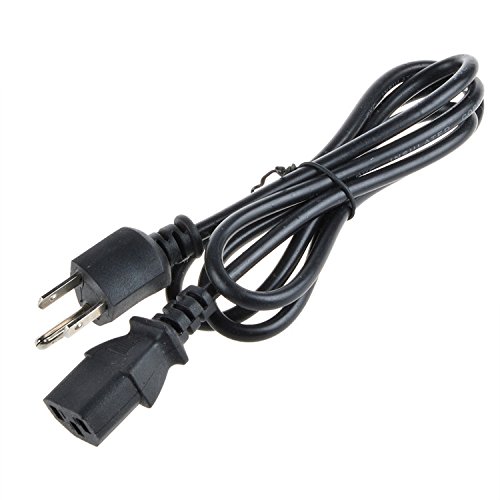
Image 1: Overview of the PK Power AC Power Cord, showing both the male plug and female connector.
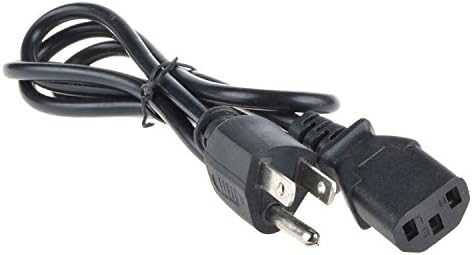
Image 2: Detailed view of the male plug, designed for insertion into a wall outlet.

Image 3: Detailed view of the female connector, which connects to the device's power input.
4. Operating
Once the power cord is securely connected to both your monitor and a power outlet, your monitor should receive power. Turn on your monitor using its power button as per its own instruction manual.
5. Maintenance
- Regularly inspect the power cord for any signs of damage, such as cuts, abrasions, or bent prongs.
- Clean the cord periodically with a dry, soft cloth. Do not use liquid cleaners.
- Store the cord in a cool, dry place when not in use, avoiding tight coiling that could stress the wires.
6. Troubleshooting
No Power to Monitor
- Check Connections: Ensure both ends of the power cord are fully and securely plugged into the monitor and the wall outlet.
- Test Outlet: Plug another working device into the same wall outlet to confirm the outlet is supplying power.
- Inspect Cord: Examine the power cord for any visible damage. If damaged, discontinue use and replace it.
- Monitor Power Button: Ensure the monitor's power button is pressed and the monitor is switched on.
7. Specifications
| Feature | Specification |
|---|---|
| Input Voltage | 100-240V AC |
| Input Frequency | 50-60Hz |
| Protection Features | OVP (Over Voltage Protection), OCP (Over Current Protection), SCP (Short Circuit Protection) |
| Connector Gender | Male-to-Male (referring to the overall cable's function, with specific male plug and female receptacle) |
| Total Power Outlets | 1 (for the device it powers) |
| UPC | 716833354431 |
8. Compatibility
This PK Power AC Power Cord is compatible with the following LCD Monitor models:
- Hannspree HF207HPB LCD Monitor
- Hannspree HF237HPB LCD Monitor
9. Support
For any questions or assistance, please contact our customer service. Our friendly and reliable customer service team will respond to you within 24 hours.