1. Introduction
Thank you for choosing the Vaultz Combination Lock Box. This secure and stylish storage solution is designed to protect your valuables, documents, and personal items. Constructed with durable chrome-steel corners and robust panels, it offers reliable security with the convenience of a combination lock. Please read this manual carefully before using your lock box to ensure proper operation and maintenance.
2. Safety Information
- Keep the combination confidential and in a secure location, separate from the lock box.
- Do not force the lock mechanism. If it is difficult to open or close, check the combination.
- This lock box is designed for security against casual theft and unauthorized access. It is not fireproof or waterproof.
- Keep out of reach of small children to prevent accidental locking or damage.
3. Package Contents
Please verify that all items are present in your package:
- Vaultz Combination Lock Box (Model 803147)
- Removable internal tray (if applicable)
- User Manual (this document)
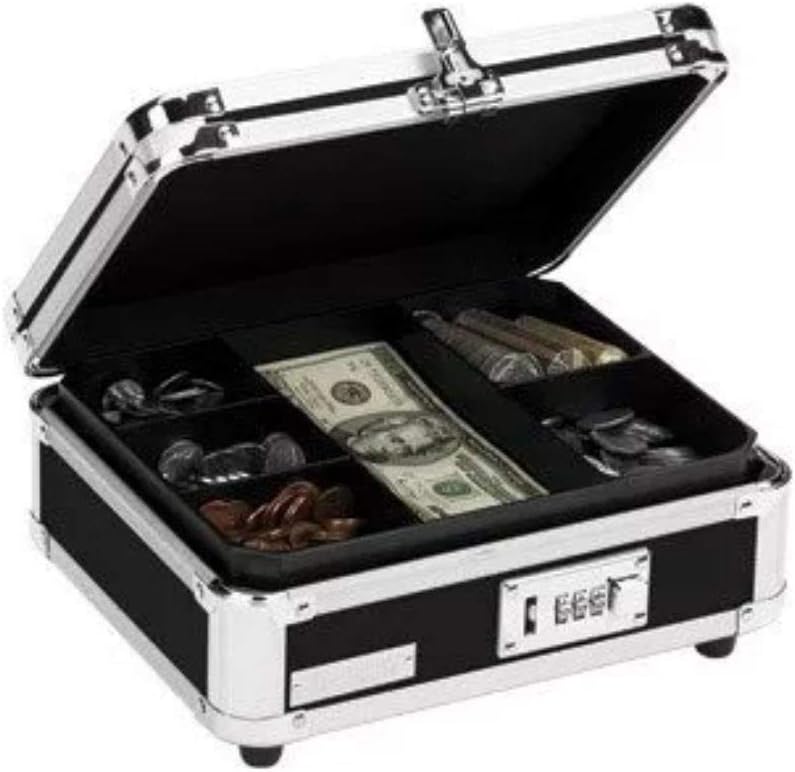
Image: The Vaultz lock box shown open, revealing an internal tray with various compartments for organizing cash, coins, and other small items.
4. Setup
4.1 Initial Combination Setting
Your Vaultz Combination Lock Box comes with a factory preset combination, usually 0-0-0. To open the box for the first time:
- Ensure the dials are set to the factory preset combination (e.g., 0-0-0).
- Slide the latch mechanism to the right to release the lock.
- Lift the lid to open the box.
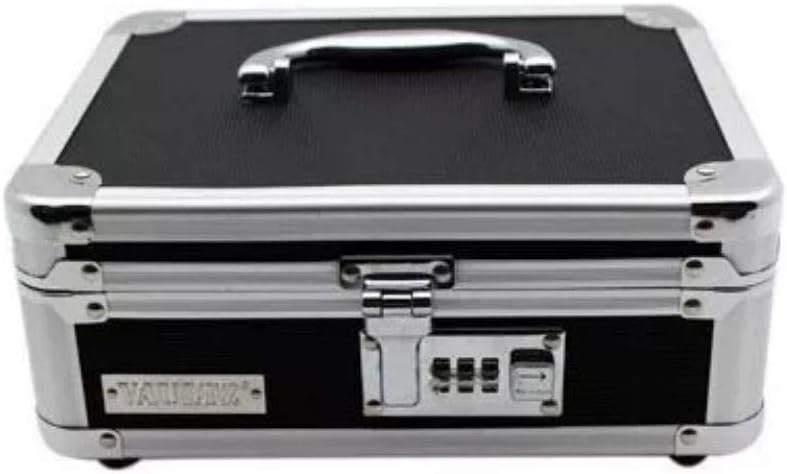
Image: A direct front view of the Vaultz lock box, highlighting the three-digit combination lock mechanism.
4.2 Setting Your Personal Combination
To set a new, personal combination:
- With the lock box open and the current combination set (e.g., 0-0-0), locate the reset button or lever inside the lock mechanism. This is typically a small button or a lever that needs to be pushed in or moved.
- While holding the reset button/lever, rotate the dials to your desired 3-digit combination. Choose a memorable but secure combination.
- Release the reset button/lever. Your new combination is now set.
- Important: Scramble the dials immediately after setting your new combination and test it with the box open to ensure it works correctly before closing the box.
5. Operating Instructions
5.1 Opening the Lock Box
- Rotate the combination dials to your personal 3-digit combination.
- Slide the latch mechanism to the right.
- Lift the lid to open the box.

Image: The Vaultz lock box shown fully open, revealing the empty interior and the removable tray.
5.2 Closing and Locking the Lock Box
- Close the lid of the lock box firmly. The latch should click into place.
- Scramble the combination dials to lock the box. This prevents unauthorized access.

Image: An angled view of the Vaultz lock box in its closed and locked state, showing the handle and combination lock.
6. Maintenance
- Cleaning: Wipe the exterior of the lock box with a soft, damp cloth. Avoid abrasive cleaners or solvents that could damage the finish.
- Lubrication: The lock mechanism generally does not require lubrication. If it feels stiff, a small amount of graphite lubricant (not oil) can be applied sparingly to the moving parts of the latch.
- Storage: Store the lock box in a dry environment to prevent moisture damage.
7. Troubleshooting
| Problem | Possible Cause | Solution |
|---|---|---|
| Lock box will not open. | Incorrect combination entered. | Ensure the correct 3-digit combination is aligned precisely. Try rotating the dials slightly back and forth to ensure they are seated correctly. |
| Lock box is difficult to close. | Obstruction or misalignment. | Check for any items obstructing the lid or latch mechanism. Ensure the lid is properly aligned before attempting to close. |
| Forgot combination. | Combination lost. | Unfortunately, if the combination is forgotten and not recorded, there is no master key or override. You may need to contact Vaultz customer support for assistance, though recovery without the combination is generally not possible for security reasons. |
8. Specifications
| Feature | Detail |
|---|---|
| Model Number | 803147 |
| Brand | Vaultz |
| Dimensions (L x W x H) | 25 cm x 21.5 cm x 12 cm (approx. 9.8 x 8.5 x 4.7 inches) |
| Material | Steel Alloy with Chrome-Steel Corners |
| Lock Type | 3-Digit Combination Lock |
| Weight | 1.14 kg (approx. 2.5 lbs) |

Image: The Vaultz lock box with arrows and labels indicating its length (25cm), width (25cm), and height (12cm).
9. Warranty and Support
Vaultz products are manufactured with quality and durability in mind. For information regarding warranty coverage, product support, or to purchase replacement parts, please visit the official Vaultz website or contact their customer service department.
Website: www.vaultz.com