1. Introduction
This manual provides essential information for the safe and effective operation, maintenance, and troubleshooting of your Skil 6604 570W 220V Impact Drill. Please read these instructions carefully before using the tool and keep them for future reference. The Skil 6604 Impact Drill features 570 Watts of power, a lightweight and compact design, and a robust 3/8" (10 mm) metal chuck suitable for various daily applications. It includes a variable speed electronic switch for precise drilling and a reversible function for screwdriving and unscrewing tasks.
2. General Safety Instructions
Always follow basic safety precautions when using electric tools to reduce the risk of fire, electric shock, and personal injury.
- Work Area Safety: Keep your work area clean and well-lit. Cluttered or dark areas invite accidents. Do not operate power tools in explosive atmospheres, such as in the presence of flammable liquids, gases, or dust.
- Electrical Safety: Power tool plugs must match the outlet. Never modify the plug in any way. Do not use any adapter plugs with earthed (grounded) power tools. Avoid body contact with earthed or grounded surfaces such as pipes, radiators, ranges, and refrigerators.
- Personal Safety: Always wear eye protection. Use safety glasses, goggles, or a face shield. Wear hearing protection when operating power tools for extended periods. Dress properly. Do not wear loose clothing or jewelry. Keep hair and clothing away from moving parts.
- Tool Use and Care: Do not force the power tool. Use the correct power tool for your application. Disconnect the plug from the power source before making any adjustments, changing accessories, or storing power tools.
- Maintenance: Maintain power tools. Check for misalignment or binding of moving parts, breakage of parts, and any other condition that may affect the power tool’s operation. If damaged, have the power tool repaired before use.
3. Product Overview and Components
Familiarize yourself with the various parts of your Skil 6604 Impact Drill for safe and efficient operation.

Image Description: A detailed diagram of the Skil 6604 Impact Drill, pointing out its ergonomic design, impact selection button, maximum drilling diameter (20mm in wood, 10mm in steel and concrete), reverse function, lock-on button for continuous work, robust motor performance, and 570W power with 10mm chuck.

Image Description: A front-side view of the Skil 6604 Impact Drill, showing its black and red casing, the 10mm metal chuck, and the included chuck key resting in front of the tool.
Key Components:
- Chuck: Holds drill bits and other accessories.
- Chuck Key: Used to tighten and loosen the chuck.
- Impact/Drill Mode Selector: Switch between drilling and impact drilling modes.
- Variable Speed Trigger: Controls the rotational speed of the chuck.
- Lock-on Button: For continuous operation without holding the trigger.
- Forward/Reverse Switch: Changes the direction of rotation for drilling and screwdriving/unscrewing.
- Power Cord: Connects the tool to the electrical outlet.
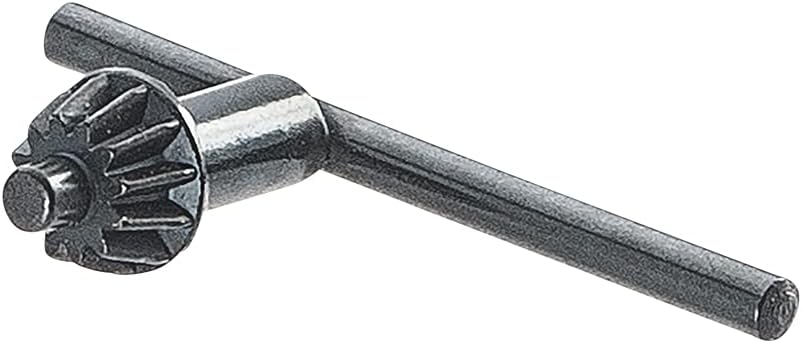
Image Description: A close-up view of the metal chuck key, used for securing and releasing drill bits from the drill's chuck.
4. Setup
4.1 Attaching and Removing Drill Bits
- Ensure Safety: Always unplug the drill from the power source before changing accessories.
- Open Chuck: Insert the chuck key into one of the holes on the chuck. Rotate the chuck key counter-clockwise to open the chuck jaws wide enough to insert the drill bit.
- Insert Bit: Insert the drill bit fully into the chuck, ensuring it is centered.
- Tighten Chuck: Rotate the chuck key clockwise to tighten the chuck jaws securely around the drill bit. Tighten firmly in all three holes of the chuck for maximum grip.
- Remove Key: Always remove the chuck key before operating the drill.
5. Operating Instructions
5.1 Powering On/Off and Speed Control
- To Turn On: Press the variable speed trigger. The speed increases as you press the trigger further.
- To Turn Off: Release the variable speed trigger.
- Lock-on Function: For continuous operation, press the trigger and then press the lock-on button. To release, press the trigger again.
5.2 Selecting Drilling Mode (Impact/Drill)
The Skil 6604 features a mode selector for standard drilling or impact drilling.
- Drill Mode (Symbol: Drill Bit): For drilling in wood, metal, plastics, and for screwdriving.
- Impact Drill Mode (Symbol: Hammer): For drilling in masonry, concrete, and brick.
5.3 Forward/Reverse Function
The forward/reverse switch is located near the trigger and allows you to change the direction of rotation.
- Forward (Clockwise): For drilling and tightening screws.
- Reverse (Counter-clockwise): For unscrewing and removing jammed drill bits.
5.4 Drilling Techniques
- General Drilling: Apply steady, even pressure. Do not force the drill. Allow the drill bit to do the work.
- Wood: Use wood drill bits. Start with a slow speed and increase as needed.
- Metal: Use metal drill bits. Apply cutting oil to the drill bit to prevent overheating and extend bit life.
- Masonry/Concrete: Use impact drill mode and masonry drill bits. Apply firm, steady pressure.
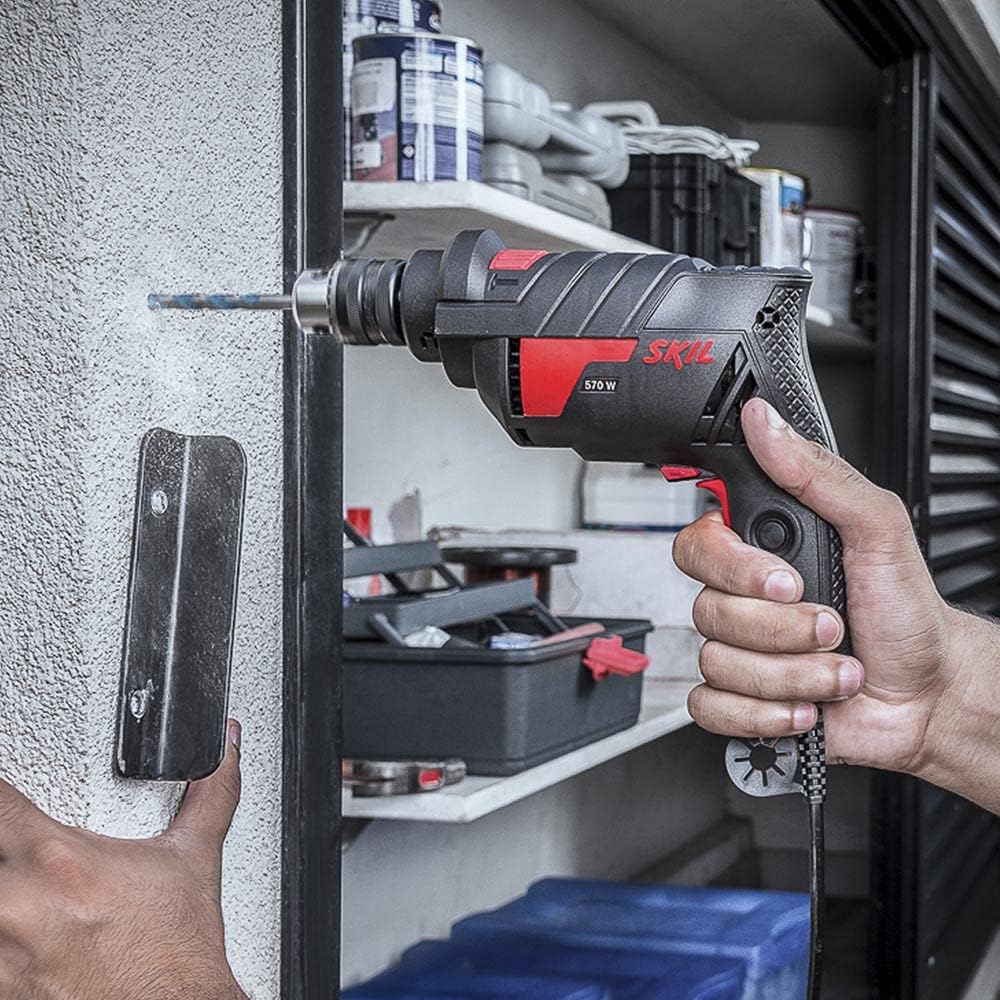
Image Description: A person is shown holding the Skil 6604 Impact Drill, drilling into a light-colored wall. The drill is positioned horizontally, demonstrating its use in a practical application.
6. Maintenance
Regular maintenance ensures the longevity and optimal performance of your drill.
- Cleaning: Keep the ventilation openings clean to prevent motor overheating. Use a soft, damp cloth to clean the tool casing. Do not use harsh chemicals or abrasive cleaners.
- Chuck Care: Periodically clean the chuck jaws to ensure proper gripping of drill bits.
- Cord Inspection: Regularly inspect the power cord for any damage. If damaged, have it repaired by a qualified service technician.
- Storage: Store the drill in a dry, secure place out of reach of children.
7. Troubleshooting
This section addresses common issues you might encounter with your Skil 6604 Impact Drill.
| Problem | Possible Cause | Solution |
|---|---|---|
| Drill does not start | No power supply; Damaged power cord; Faulty switch | Check power outlet and connections; Inspect power cord for damage (seek professional repair if damaged); Contact service center for switch replacement. |
| Loss of power during operation | Overload; Loose connection | Reduce pressure on the drill; Check power cord connection. |
| Drill bit slips in chuck | Chuck not tightened sufficiently; Worn chuck jaws | Ensure chuck is tightened firmly with the chuck key in all three holes; Replace chuck if jaws are worn. |
| Excessive vibration or noise | Bent drill bit; Internal damage | Replace bent drill bit; Discontinue use and seek professional inspection. |
8. Specifications
Detailed technical specifications for the Skil 6604 Impact Drill.
| Specification | Value |
|---|---|
| Brand | SKIL |
| Model Number | 6604 |
| Manufacturer | ROBERT BOSCH LTDA |
| Part Number | F0126604JA |
| Power Source Type | Corded Electric |
| Voltage | 220 Volts |
| Wattage | 570 watts |
| Maximum Power | 570 Watt |
| Speed | 3100 RPM |
| Maximum Chuck Size | 10 mm (3/8") |
| Special Features | Variable Speed |
| Included Components | Drill, chuck key, manual |
| Material | Plastic |
| Color | Black |
| Product Dimensions (L x W x H) | 24 x 7 x 22 cm |
| Weight | 1.41 Grams |
9. Warranty and Support
The Skil 6604 Impact Drill comes with a 2-year warranty against manufacturing defects. For warranty claims or technical support, please refer to the contact information provided with your purchase documentation or visit the official SKIL website.
Extended Warranty Options:
- Extended Warranty against failures and defects for 12 months.
- Extended Warranty against failures and defects for 24 months.
These extended warranty options may be available for purchase separately. Please check with your retailer for details.


