1. Introduction
This manual provides detailed instructions for the setup, operation, maintenance, and troubleshooting of your YEELIGHT Motion Sensor Rechargeable LED Night Light, Model YLYD01YL. This device combines thoughtful design with practical functionality, featuring a flower-shaped soft light LED layout, Fresnel ultra-thin lens, and dual sensors for enhanced performance. It is designed to provide convenient, automatic illumination in various indoor environments.

Image 1.1: Overview of the YEELIGHT Rechargeable LED Night Light highlighting 360° soft light, magnetic adsorption, USB chargeability, motion sensor, and light sensor.
2. Product Features
- Motion Sensor: Automatically detects human movement within its range to illuminate your path.
- Light Sensor: Ensures the light only activates in dark conditions, conserving battery life.
- Rechargeable Battery: Equipped with a built-in 750mAh lithium polymer battery, offering extended use between charges.
- Soft Warm White Light: Provides a comfortable 2700K warm white illumination, ideal for night use.
- Multiple Installation Options: Can be installed using magnetic attachment, 3M adhesive, or a built-in hook.
- Compact Design: Small and unobtrusive, suitable for various indoor spaces.

Image 2.1: The YEELIGHT night light provides 360° soft light from 6 built-in LEDs, offering more comfortable illumination compared to other lights with 180° dim light from a single LED.
3. Package Contents
Verify that all items are present in the package:
- YEELIGHT Motion Sensor LED Night Light (Model YLYD01YL)
- USB Charging Cable
- User Manual
4. Setup
- Initial Charge: Before first use, fully charge the night light using the provided USB cable. Connect the cable to the charging port on the device and a standard USB power source (e.g., computer, USB wall adapter). The indicator light will show charging status.
- Select Operating Mode: Locate the switch on the side of the night light. It typically has three settings: ON, OFF, and AUTO.
- ON: The light will remain continuously on.
- OFF: The light will remain off.
- AUTO: The light will activate automatically based on motion and ambient light conditions. This is the recommended mode for most uses.

Image 4.1: The night light offers both an automatic mode (Auto Mode) for motion and light sensing, and a continuous illumination mode (Always On Mode).
5. Operation
Once set to AUTO mode, the night light operates as follows:
- Light Sensing: The integrated light sensor detects ambient light levels. The night light will only activate when the environment is dark enough. It will remain off in well-lit conditions.
- Motion Activation: When in a dark environment, the motion sensor will detect movement within its range (up to 22 feet with a 120° detection angle). Upon detection, the light will turn on.
- Automatic Shut-off: If no further motion is detected for approximately 15 seconds, the light will automatically turn off to conserve battery power.
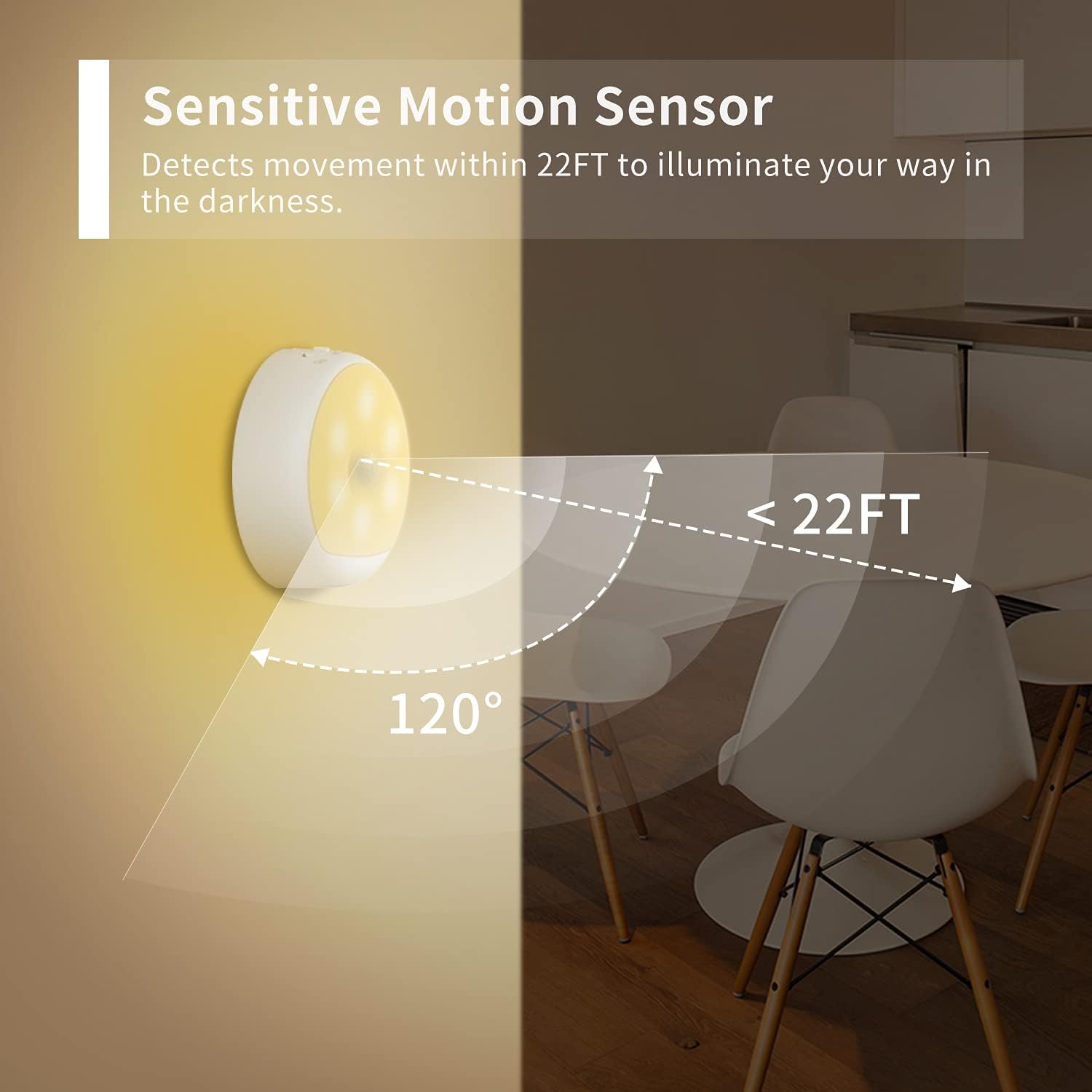
Image 5.1: The sensitive motion sensor detects movement within a 22-foot range and a 120-degree angle to illuminate your path in darkness.

Image 5.2: The night light automatically turns off in the daytime, turns on when motion is detected, and turns off after 15 seconds of inactivity.
6. Charging
The YEELIGHT Motion Sensor LED Night Light features a built-in rechargeable battery. When the light output diminishes or the device stops responding, it is time to recharge.
- Connect the provided USB cable to the charging port on the night light.
- Plug the other end of the USB cable into a compatible USB power source (e.g., computer, USB wall adapter, power bank).
- A charging indicator light will typically illuminate during charging and turn off or change color when fully charged.
- A full charge provides a long standby time, up to 120 days in AUTO mode depending on usage frequency.

Image 6.1: The night light is rechargeable, featuring a built-in 750mAh battery that provides a long standby time of 120 days.

Image 6.2: The YEELIGHT night light utilizes convenient USB charging, eliminating the need for disposable AAA batteries found in some other models.
7. Installation Methods
The YEELIGHT Motion Sensor LED Night Light offers versatile installation options to suit various locations:
- Magnetic Attachment: The light can be easily attached to any metallic surface using its integrated magnet. This allows for quick placement and removal.
- 3M Strong Adhesive: For non-metallic surfaces, use the included 3M adhesive pad. Attach the adhesive to the back of the light and then firmly press it onto a clean, dry surface.
- Hook Up: A built-in hook allows the light to be hung on a rod, nail, or other suitable fixture, such as inside a closet or on a shower curtain rod.

Image 7.1: The night light offers three easy installation methods: magnetic attachment, 3M strong adhesive, and hanging with a hook.

Image 7.2: Examples of installation using magnetic attachment (on a cabinet), 3M strong adhesive (on a wall), and the hook (inside a closet).
8. Maintenance
- Cleaning: Wipe the surface of the night light with a soft, dry cloth. Do not use abrasive cleaners or immerse the device in water.
- Battery Care: To prolong battery life, avoid fully discharging the battery frequently. Recharge the device when the light output noticeably decreases. If storing for an extended period, charge the battery to approximately 50% and recharge every few months.
- Environmental Conditions: Avoid exposing the night light to extreme temperatures, direct sunlight, or high humidity. This product is designed for indoor use only and is not water resistant.
9. Troubleshooting
| Problem | Possible Cause | Solution |
|---|---|---|
| Light does not turn on in AUTO mode. | 1. Environment is too bright. 2. No motion detected. 3. Battery is low or depleted. | 1. Test in a darker environment. 2. Ensure movement is within detection range and angle. 3. Recharge the device. |
| Light stays on continuously in AUTO mode. | 1. Constant motion in detection area. 2. Device is set to ON mode. | 1. Relocate the light to an area with less frequent movement. 2. Verify the switch is set to AUTO. |
| Battery does not charge. | 1. Faulty USB cable or power source. 2. Charging port obstruction. | 1. Try a different USB cable and power source. 2. Check the charging port for debris and clean gently if necessary. |
10. Specifications
| Feature | Detail |
|---|---|
| Model Name | Rechargeable Motion Sensor LED Night Light |
| Model Number | YLYD01YL |
| Brand | YEELIGHT |
| Light Color Temperature | 2700K Warm White |
| Battery Type | Lithium Polymer (750mAh) |
| Voltage | 5 Volts |
| Item Weight | 2.88 ounces (0.18 Pounds) |
| Product Dimensions | 2"D x 3"W x 2"H |
| Motion Detection Range | Up to 22 feet |
| Motion Detection Angle | 120 degrees |
| Automatic Shut-off Time | Approx. 15 seconds of no motion |
| Indoor/Outdoor Usage | Indoor Only |
| Material | Metal |
11. Warranty and Support
This YEELIGHT product comes with a 12-month warranty from the date of purchase. This warranty covers manufacturing defects and issues arising from normal use.
For technical support, warranty claims, or further inquiries, please visit the official YEELIGHT store or contact customer service through the retailer where the product was purchased.
You can find more information and support resources at the YEELIGHT Brand Store.


