Introduction
This manual provides comprehensive instructions for the Vivitar IPC113-WHT Wide Angle 1080p HD Wi-Fi Smart Home Camera. It covers setup, operation, maintenance, and troubleshooting to ensure optimal performance and security for your home or office. The camera features 1080p HD video, a wide-angle lens, motion detection, night vision, two-way audio, and compatibility with iOS and Android devices, as well as Amazon Alexa and Google Assistant.
What's in the Box
Upon opening the package, verify that all components are present:
- High Definition Capture Cam (Vivitar IPC113-WHT)
- Power Adapter (AC/DC)
- USB Cable
- Mounting Accessories (e.g., screws, wall anchors, magnetic base)
- User Manual
Product Overview
Familiarize yourself with the various parts of your Vivitar IPC113-WHT camera.
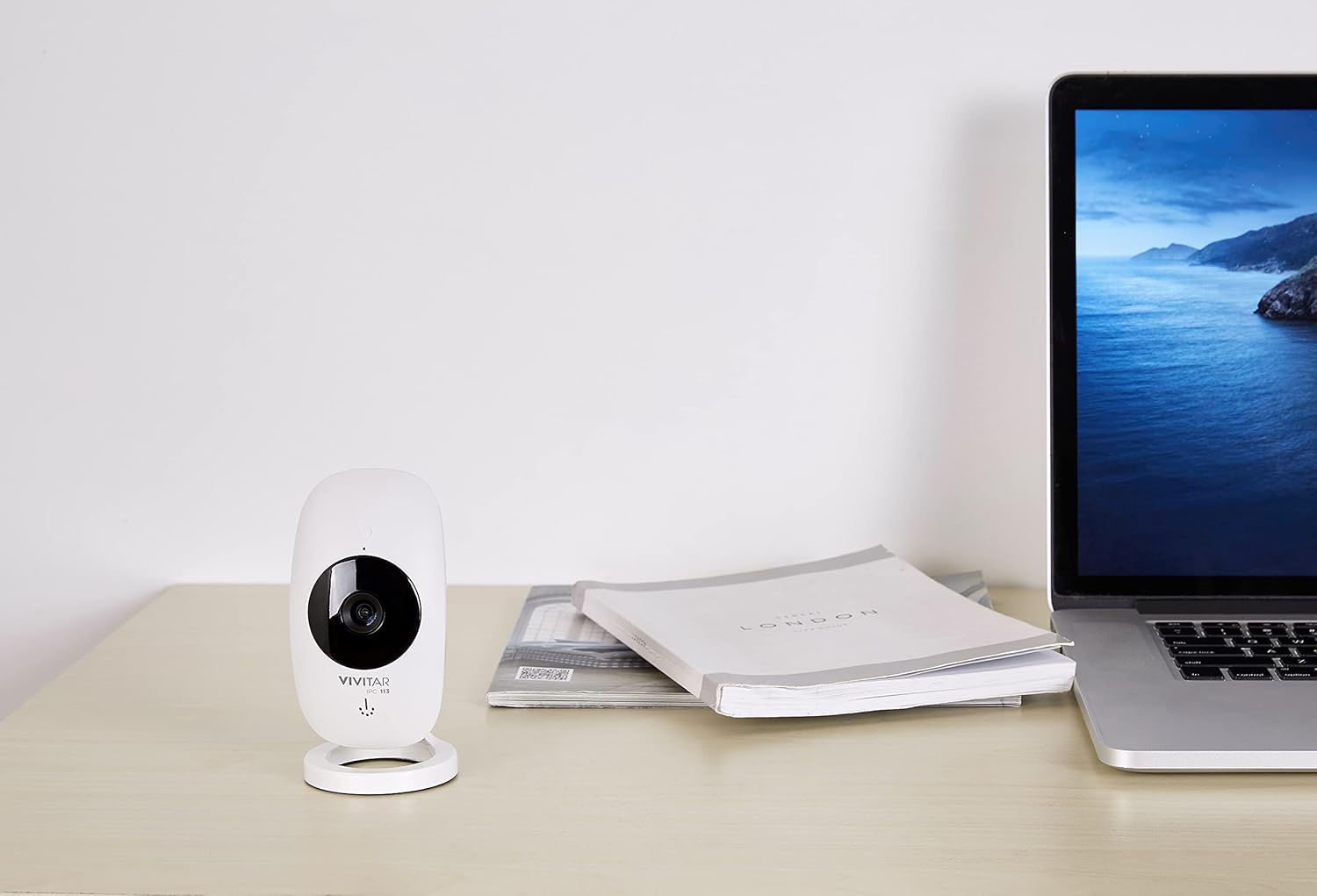
Figure 1: The Vivitar IPC113-WHT camera positioned on a desk, illustrating its compact design for discreet placement.
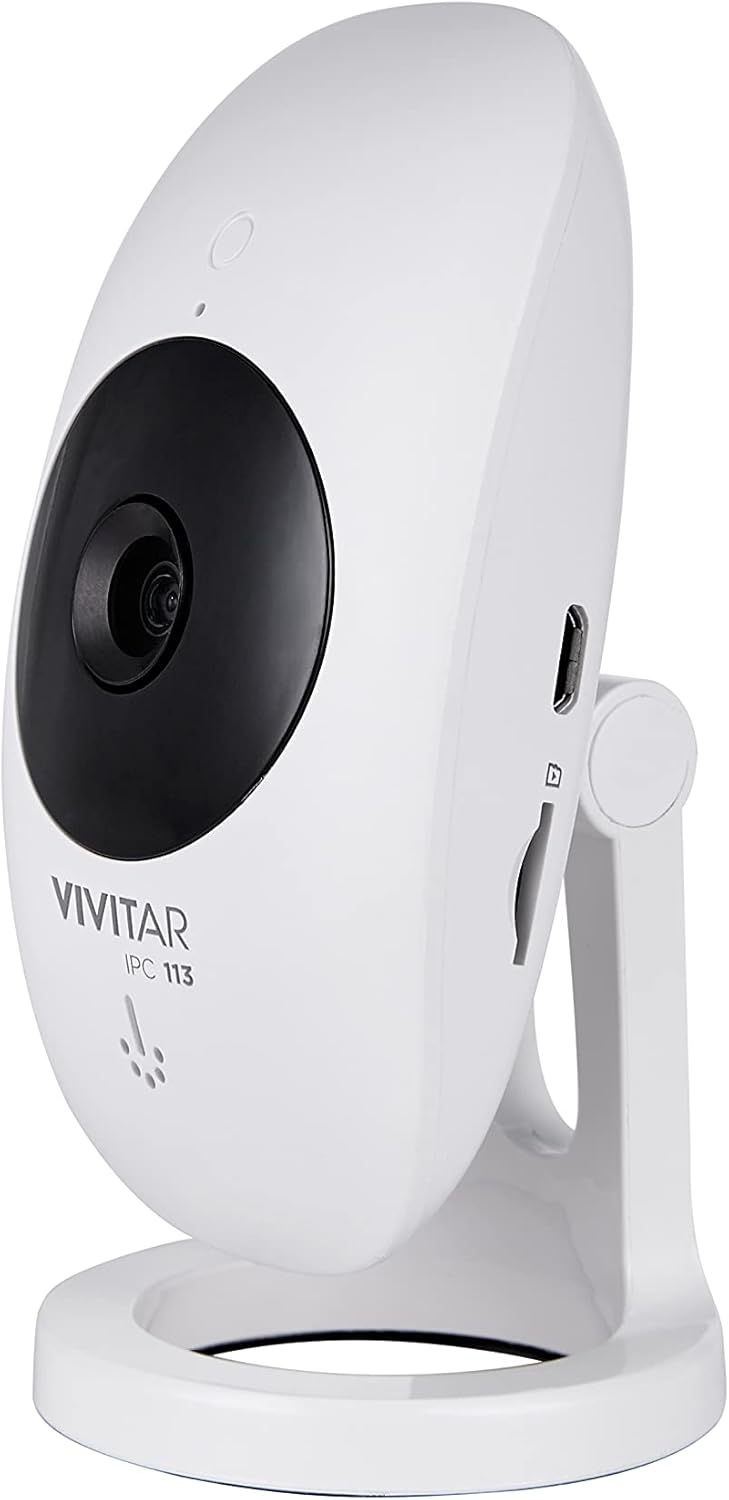
Figure 2: Side profile of the camera, highlighting the micro USB power input and the microSD card slot for local storage.

Figure 3: Rear view of the camera, detailing the reset button and ventilation for optimal performance.

Figure 4: Labeled diagram of the camera's front, identifying the motion detector, night vision light, high definition lens, microphone, speakerphone, and adjustable stand.
Setup Instructions
- Power On: Connect the camera to a power source using the provided USB cable and AC/DC adapter. The camera will power on automatically.
- Download the App: Download the "Vivitar Home" app from the Apple App Store (for iOS devices) or Google Play Store (for Android devices).
- Create an Account: Open the Vivitar Home app and follow the on-screen instructions to create a new user account or log in if you already have one.
- Add Device: In the app, select the option to add a new device. Choose the Vivitar IPC113-WHT camera from the list.
- Connect to Wi-Fi: Follow the app's prompts to connect the camera to your home Wi-Fi network. Ensure your Wi-Fi network is 2.4GHz, as 5GHz networks are not supported.
- Placement: Position the camera in your desired location. The magnetic base allows for flexible mounting on metallic surfaces, or use the included mounting accessories for wall or ceiling installation.
- Optional: MicroSD Card Installation: For local video storage, insert a compatible microSD card (not included) into the designated slot on the camera.
Operating Instructions
- Live View: Open the Vivitar Home app and select your camera to view the live 1080p HD video feed.
- Digital Pan, Tilt, Zoom: Use the app interface to digitally adjust the camera's view, pan, tilt, or zoom in on specific areas within the wide-angle lens's field of view.
- Two-Way Audio: Utilize the microphone and speakerphone features within the app to communicate with individuals near the camera.
- Motion Detection: The camera is equipped with motion detection. When activity is detected, you will receive push notifications on your smartphone. Sensitivity settings can be adjusted in the app.
- Night Vision: The camera automatically switches to night vision mode in low-light conditions, providing clear monitoring around the clock.
- Recording and Storage:
- Local Storage: Videos can be recorded and stored on an installed microSD card.
- Cloud Storage: A free cloud service is available for reviewing and sharing footage, allowing access to your camera's recordings from any location.
- Voice Control: Integrate your camera with Amazon Alexa or Google Assistant for convenient voice control commands. Refer to the respective voice assistant app for integration steps.

Figure 5: The Vivitar Home app on a smartphone, demonstrating the live video feed and user interface for camera control.
Maintenance
- Cleaning: Gently wipe the camera lens and body with a soft, dry cloth. Avoid using liquid cleaners or abrasive materials.
- Software Updates: Periodically check the Vivitar Home app for firmware updates for your camera. Keeping the firmware updated ensures optimal performance and security.
- MicroSD Card Management: If using a microSD card, regularly back up important footage and format the card periodically to maintain recording efficiency.
- Environmental Conditions: Ensure the camera is used indoors and within recommended temperature and humidity ranges to prevent damage.
Troubleshooting
- Camera not connecting to Wi-Fi:
- Ensure your Wi-Fi network is 2.4GHz. The camera does not support 5GHz networks.
- Verify that the Wi-Fi password entered in the app is correct.
- Move the camera closer to your Wi-Fi router to improve signal strength.
- Restart your router and the camera.
- No video feed in the app:
- Check if the camera is powered on and connected to Wi-Fi.
- Ensure your smartphone has a stable internet connection.
- Close and reopen the Vivitar Home app.
- Motion detection alerts not received:
- Verify that push notifications are enabled for the Vivitar Home app in your phone's settings.
- Check the motion detection sensitivity settings within the app.
- Ensure the camera is positioned correctly to detect motion in the desired area.
- Two-way audio not working:
- Ensure your phone's microphone is enabled for the Vivitar Home app.
- Check the volume settings on both your phone and within the app.
- Confirm there are no obstructions blocking the camera's microphone or speaker.
Specifications
| Model Name | IPC113-WHT |
| Brand | Vivitar |
| Video Capture Resolution | 1080p HD |
| Connectivity Technology | Wireless (Wi-Fi) |
| Wireless Communication Technology | Wi-Fi (2.4GHz only) |
| Special Features | Motion Sensor, Night Vision, Two-Way Audio |
| Compatible Devices | Smartphone (iOS, Android), Amazon Alexa, Google Assistant |
| Power Source | AC/DC |
| Indoor/Outdoor Usage | Indoor |
| Mounting Type | Wall Mount (with magnetic base) |
| Dimensions (L x W x H) | 5.25 x 2.5 x 8 inches |
| Item Weight | 8.4 ounces |
| Color | White |
| Manufacturer | Sakar International, Inc. |
Warranty and Support
For warranty information and technical support, please refer to the documentation included with your product or visit the official Vivitar website. You may also contact Sakar International, Inc., the manufacturer, for assistance. Keep your purchase receipt as proof of purchase for warranty claims.
Manufacturer: Sakar International, Inc.


