
SUSAY H96 Max X4
SUSAY H96 Max X4 Android 11.0 TV Box User Manual
Model: H96 Max X4 (S905X4)
1. Important Safety Information
Please read all instructions carefully before using this device. Keep this manual for future reference.
- Do not expose the device to water, moisture, or extreme temperatures.
- Use only the provided power adapter. Using unauthorized adapters may damage the device and void the warranty.
- Avoid placing the device near heat sources or in direct sunlight.
- Do not attempt to open or repair the device yourself. Refer all servicing to qualified personnel.
- Ensure proper ventilation around the device to prevent overheating.
2. Package Contents
Verify that all items are present in the package:
- SUSAY H96 Max X4 Android TV Box
- Remote Control
- Power Adapter
- HDMI Cable
- User Manual (this document)
3. Product Overview
The SUSAY H96 Max X4 is an Android 11.0 TV Box designed to provide a smart media experience on your television. It features an Amlogic S905X4 processor, 4GB RAM, and 64GB ROM, supporting 8K video decoding and dual-band Wi-Fi.
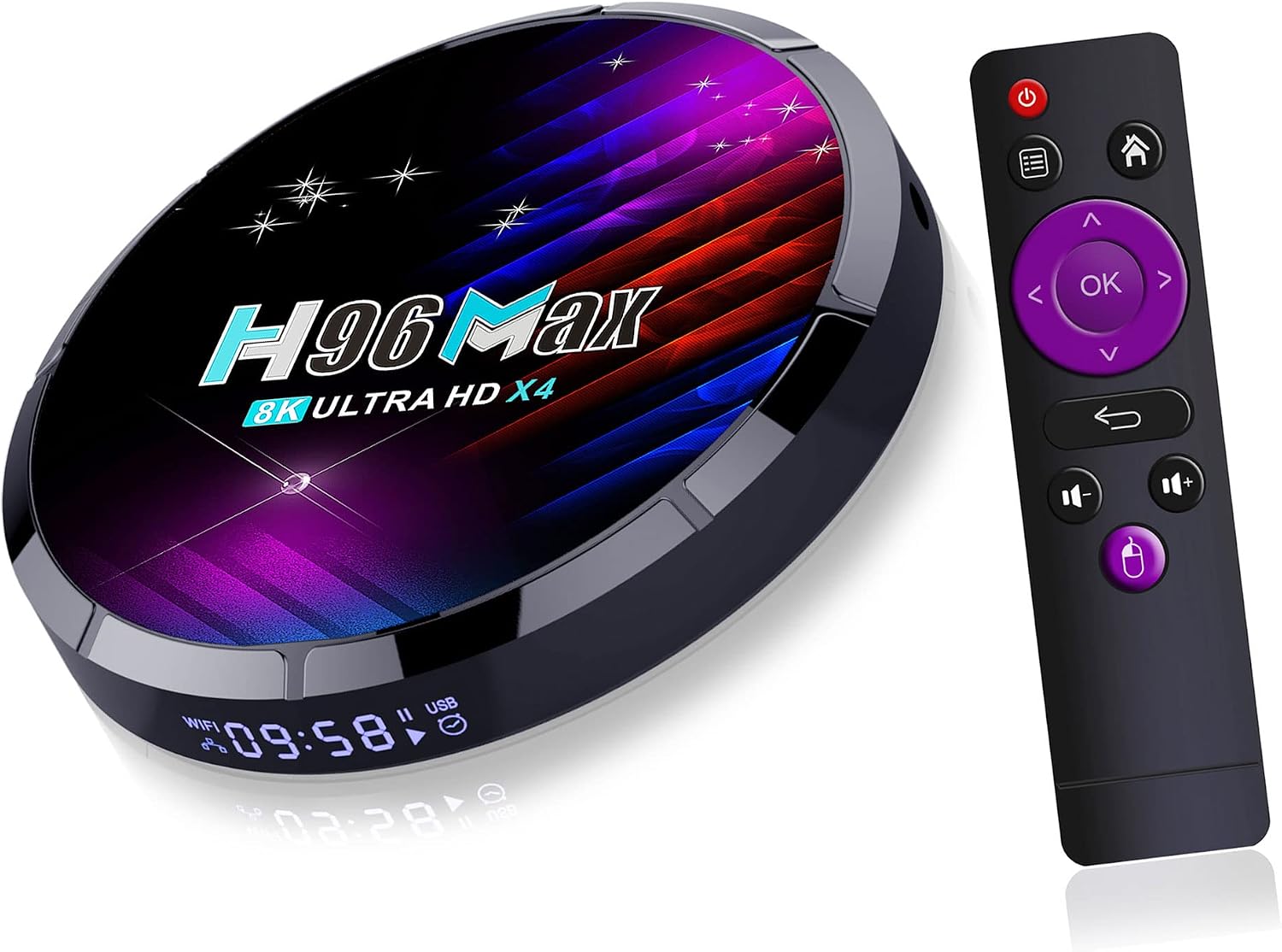
Image: The SUSAY H96 Max X4 Android TV Box, a compact black device with a glossy top surface displaying 'H96 Max 8K ULTRA HD X4', alongside its black remote control with purple accents.
3.1 Device Ports and Connections
Familiarize yourself with the available ports on your device:

Image: Diagram illustrating the port layout of the SUSAY H96 Max X4. Ports include TF (MicroSD card slot), DC (power input), SPDIF (digital audio output), AV (analog audio/video output), HD OUT (HDMI output), LAN (Ethernet port), USB 2.0, and USB 3.0.
- TF Card Slot: For inserting a MicroSD card to expand storage.
- DC: Power input port for the included power adapter.
- SPDIF: Digital audio output for connecting to compatible audio systems.
- AV: Analog audio/video output for older televisions.
- HD OUT: HDMI output for connecting to your television or monitor.
- LAN: Ethernet port for wired network connection.
- USB 2.0: Standard USB port for connecting peripherals.
- USB 3.0: High-speed USB port for connecting peripherals or external storage.
4. Setup Guide
Follow these steps to set up your SUSAY H96 Max X4 TV Box:
- Connect to TV: Connect one end of the HDMI cable to the HD OUT port on the TV Box and the other end to an HDMI input port on your television. Note the HDMI input number (e.g., HDMI 1, HDMI 2).
- Connect to Power: Plug the power adapter into the DC port on the TV Box, then plug the adapter into a wall outlet.
- Network Connection (Optional):
- Wired: Connect an Ethernet cable from your router to the LAN port on the TV Box.
- Wireless: You will configure Wi-Fi after the initial boot-up.
- Power On: Turn on your television and select the correct HDMI input source using your TV remote. The TV Box should automatically power on and display the boot-up screen.
- Initial Setup: Follow the on-screen instructions to complete the initial setup, including language selection, Wi-Fi connection (if not wired), and Google account login.
5. Operating Instructions
5.1 Navigating the Android 11.0 Interface
The device runs on Android 11.0, offering a user-friendly interface for accessing applications and media content.

Image: A graphic depicting the Android 11.0 logo with an upward trend arrow, indicating system performance and features, alongside the H96 Max 8K ULTRA HD X4 logo in the background.
- Use the provided remote control to navigate the menus. The arrow keys move the cursor, and the 'OK' button selects items.
- The 'Home' button returns you to the main screen.
- The 'Back' button returns to the previous screen.
- Consider connecting a USB mouse and keyboard for easier navigation and text input.
5.2 Installing Applications
You can install applications from the Google Play Store or other trusted sources:
- From the home screen, navigate to the Google Play Store icon and select it.
- Sign in with your Google account if prompted.
- Use the search function to find desired applications.
- Select an app and choose 'Install' to download and set it up.
5.3 Media Playback and 8K Decoding
The H96 Max X4 supports high-resolution video playback, including 8K content.

Image: A television screen displaying a detailed image of a parrot's head, with overlaid boxes indicating different resolutions: 1080P (1920x1080), 4K (3840x2160), and 8K (7680x4320), highlighting the device's 8K decoding capability.
- Access media files from connected USB drives, MicroSD cards, or network storage.
- Use pre-installed media players or download preferred players from the Google Play Store.
- Ensure your television and HDMI cable support 8K resolution for optimal viewing of 8K content.
5.4 Screen Mirroring (DLNA, Miracast, Airplay)
The device supports various screen mirroring protocols, allowing you to cast content from your mobile devices to your TV.

Image: A scene showing a smartphone displaying a landscape image, with the same image mirrored on a large television screen. Icons for Airplay, Miracast, and DLNA are displayed below, indicating support for these screen sharing technologies.
- Ensure your mobile device and the TV Box are connected to the same Wi-Fi network.
- Open the relevant screen mirroring application or feature on your mobile device (e.g., 'Cast' on Android, 'Screen Mirroring' on iOS/Airplay).
- Select the H96 Max X4 from the list of available devices to begin mirroring.
6. Maintenance
To ensure the longevity and optimal performance of your TV Box:
- Cleaning: Use a soft, dry cloth to clean the device. Do not use liquid cleaners or abrasive materials.
- Ventilation: Keep the ventilation openings clear of dust and obstructions.
- Software Updates: Periodically check for system updates in the device settings to ensure you have the latest features and security patches.
- Storage Management: Regularly clear cache and uninstall unused applications to maintain system performance.
7. Troubleshooting
If you encounter issues, refer to the following common problems and solutions:
- No Power:
- Ensure the power adapter is securely connected to the device and a working power outlet.
- Try a different power outlet.
- No Picture on TV:
- Verify the HDMI cable is securely connected to both the TV Box and the TV.
- Ensure your TV is set to the correct HDMI input source.
- Try a different HDMI cable or TV input port.
- Remote Control Not Responding:
- Check and replace the batteries in the remote control.
- Ensure there are no obstructions between the remote and the TV Box.
- Wi-Fi Connection Issues:
- Restart your router and the TV Box.
- Ensure the Wi-Fi password is entered correctly.
- Move the TV Box closer to the router or use a wired Ethernet connection.
- Slow Performance:
- Close unused applications running in the background.
- Clear the cache of frequently used applications.
- Consider a factory reset if performance issues persist (note: this will erase all data).
8. Specifications
Detailed technical specifications for the SUSAY H96 Max X4 TV Box:

Image: A close-up view of the Amlogic S905X4 chip on a circuit board, highlighting its key features: 4Core 64bit CPU, 3D GPU (Mali-G31 MP2), and low power consumption.
| Feature | Specification |
|---|---|
| Operating System | Android 11.0 |
| CPU | Amlogic S905X4 64-bit Quad Core ARM Cortex A55 |
| GPU | ARM G31 MP2 |
| RAM | 4GB DDR3 |
| Internal Storage | 64GB EMMC |
| Wi-Fi | Dual-band 2.4GHz/5GHz |
| Bluetooth | BT 4.0 |
| Ethernet | 10/100M (RJ-45) |
| USB Ports | 1x USB 3.0, 1x USB 2.0 |
| Video Decoding | 8K Full HD, H.265, AV1, VP9 |
| Video Output Resolution | Up to 1920x1080 Pixels (8K decoding supported) |
| Connectivity Technology | RJ45 |
| Memory Storage Capacity | 64 GB |
| Ram Memory Installed Size | 4 GB |
| Item Weight | 14.1 ounces |
| Package Dimensions | 7.87 x 4.72 x 2.17 inches |
9. Warranty and Support
For warranty information and technical support, please refer to the documentation provided with your purchase or contact the manufacturer directly. Keep your proof of purchase for warranty claims.
Ask a question about this manual
Ask about setup, troubleshooting, compatibility, parts, safety, or missing instructions. Manuals+ will review the question and use this page’s manual context to help answer it.