
1. Introduction
Thank you for choosing the Trisa Electronics 1613.7700 Perfect Makeup Applicator. This device is designed to provide a uniform and fine application of makeup, allowing your skin to breathe naturally. Its vibrating action ensures even distribution for a flawless finish. Please read this manual carefully before use to ensure proper operation and maintenance.
2. Safety Instructions
- Keep the device out of reach of children.
- Do not immerse the device in water or any other liquid.
- Use only as intended for makeup application.
- Do not use on irritated, broken, or infected skin.
- If you experience any discomfort, discontinue use immediately.
- Ensure batteries are inserted correctly according to polarity markings.
- Remove batteries if the device will not be used for an extended period.
- Dispose of used batteries responsibly.
3. Package Contents
The package should contain the following items:
- 1x Trisa Electronics 1613.7700 Perfect Makeup Applicator
- 1x Makeup Sponge (pre-attached or separate)
- 1x User Manual
Note: 2x AAA batteries are required but not included.
4. Product Overview
Familiarize yourself with the components of your makeup applicator:
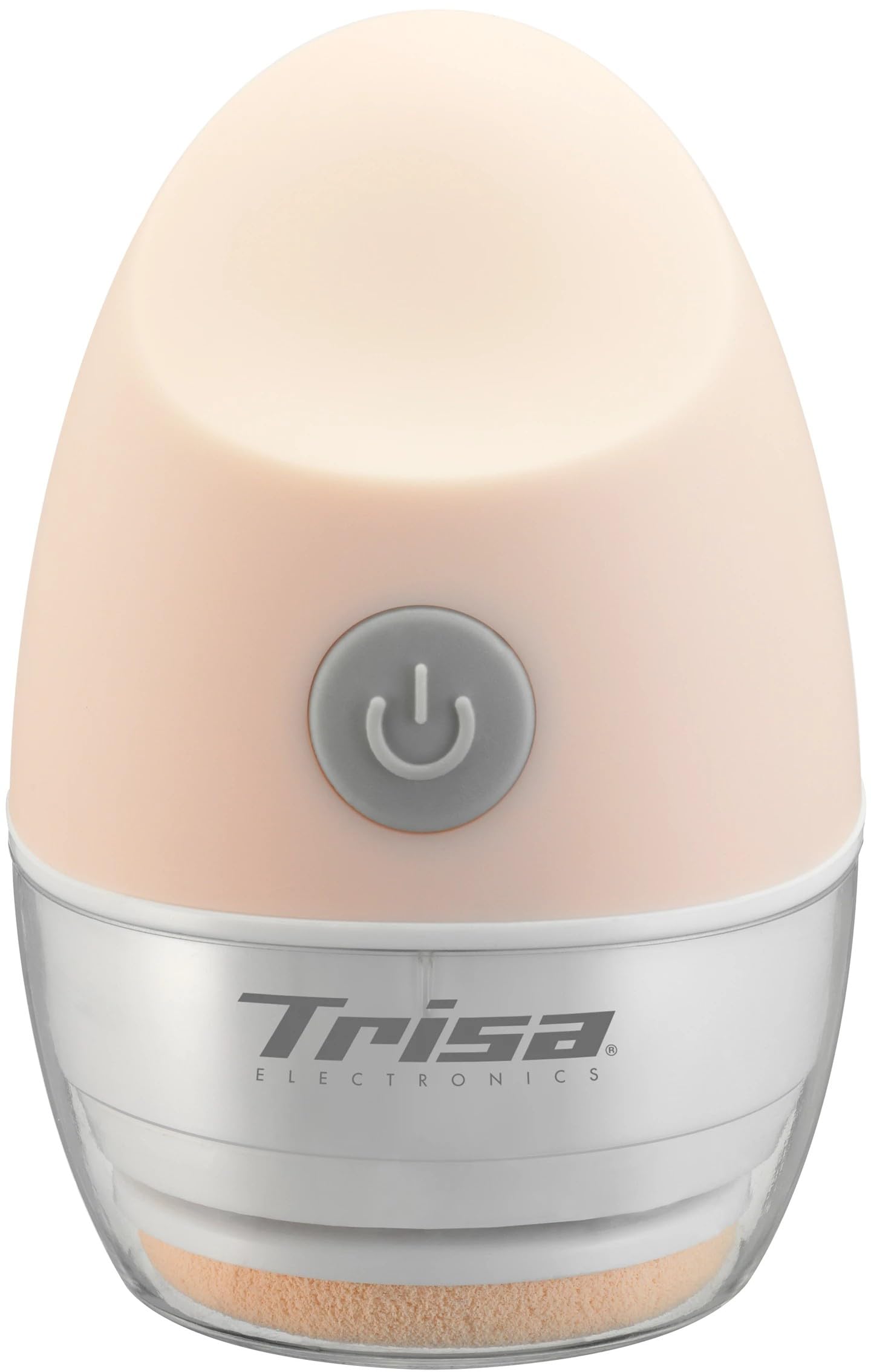
Figure 1: Main view of the Trisa Electronics 1613.7700 Perfect Makeup Applicator. It features a compact, ergonomic design with a detachable sponge head.
- Sponge Head: The soft, replaceable sponge for makeup application.
- Device Body: Contains the motor and battery compartment.
- Power Button: To turn the device on and off.
- Battery Compartment: Located at the base of the device.
5. Setup
5.1 Inserting Batteries
- Locate the battery compartment cover at the bottom of the device.
- Gently twist or slide the cover to open it.
- Insert 2 AAA batteries, ensuring the correct polarity (+/-) as indicated inside the compartment.
- Replace the battery compartment cover, ensuring it is securely closed.
5.2 Attaching the Sponge Head

Figure 2: Detail of the device head, illustrating where the makeup sponge attaches.
The makeup sponge is designed for easy attachment and replacement.
- Align the sponge head with the attachment point on the device body.
- Gently press or twist the sponge head until it clicks securely into place.
- Ensure the sponge is firmly attached before use.
6. Operating Instructions
6.1 Applying Makeup
- Apply a small amount of your preferred liquid or cream foundation directly onto the sponge head or onto your skin.
- Press the power button to turn on the device. The sponge head will begin to vibrate at 4000-5000 vibrations per minute.
- Gently glide the vibrating sponge across your face, blending the makeup in small, circular motions.
- The vibrations help to evenly distribute the makeup, creating a thin, uniform layer that allows the skin to breathe.
- Continue until your makeup is fully blended and you achieve the desired coverage.
- Press the power button again to turn off the device.

Figure 3: The device vibrates at 4000-5000 times per minute for even makeup distribution.

Figure 4: The thin layer of makeup applied by the device promotes natural skin breathing.
7. Maintenance
7.1 Cleaning the Sponge Head
- After each use, detach the sponge head from the device.
- Wash the sponge head with mild soap and lukewarm water.
- Rinse thoroughly until all makeup residue is removed.
- Gently squeeze out excess water and allow the sponge to air dry completely before reattaching or storing.
7.2 Replacing the Sponge Head
For hygienic reasons and optimal performance, it is recommended to replace the sponge head regularly, depending on frequency of use.
- Gently twist or pull the old sponge head to detach it from the device.
- Dispose of the used sponge head.
- Attach a new, clean sponge head as described in Section 5.2.
7.3 Cleaning the Device Body
- Wipe the device body with a soft, damp cloth.
- Do not use abrasive cleaners or immerse the device in water.
- Ensure the device is completely dry before storing.
8. Troubleshooting
| Problem | Possible Cause | Solution |
|---|---|---|
| Device does not turn on. | Batteries are dead or incorrectly inserted. | Replace batteries with new AAA batteries, ensuring correct polarity. |
| Vibration is weak. | Batteries are low. | Replace batteries with new AAA batteries. |
| Makeup application is uneven. | Sponge head is dirty or worn out. | Clean or replace the sponge head. Ensure makeup is applied evenly to the sponge. |
| Sponge head detaches during use. | Sponge head not securely attached. | Reattach the sponge head, ensuring it clicks firmly into place. |
9. Specifications
- Model: 1613.7700
- Brand: Trisa Electronics
- Vibration Frequency: 4000-5000 vibrations per minute
- Power Source: 2x AAA batteries (not included)
- Dimensions (L x W x H): 12 x 5.5 x 5.5 cm (4.72 x 2.17 x 2.17 inches)
- Weight: 60 grams (excluding batteries)
- Material: Silicone
- Recommended Use: Makeup application
10. Warranty and Support
For warranty information or technical support, please refer to the documentation provided with your purchase or visit the official Trisa Electronics website. Keep your proof of purchase for any warranty claims.
Manufacturer: Trisa Electronics AG