
1. Introduction
Welcome to the user manual for your QFX RETRO-39 Portable Shoebox Cassette Tape Recorder. This device combines vintage aesthetics with modern functionality, offering cassette playback and recording, USB and Bluetooth connectivity, FM radio, and MP3 playback. Please read this manual thoroughly to ensure proper use and to maximize your enjoyment of the product.

Figure 1: Top view of the QFX RETRO-39 unit, showcasing its classic shoebox design.
2. Key Features
- USB to Cassette Recording: Record digital audio from a USB drive directly onto cassette tape.
- Dual Recording Options: Record from USB to cassette or from cassette, Bluetooth, FM Radio, built-in microphone, or Line-in to USB.
- Maximum Connectivity: Features USB input, Line-in/out jacks, external microphone support, and Bluetooth playback through the integrated 3.5-inch speaker.
- Portable and Long-Lasting: Equipped with a swivel carrying handle for easy transport. Can be powered by the included AC cord or 4 “ C” batteries (not included).
- MP3 & FM Ready: Play MP3 files directly from a USB stick or tune in to your preferred FM radio stations.
3. Product Components and Controls
Familiarize yourself with the various parts and controls of your RETRO-39 unit.
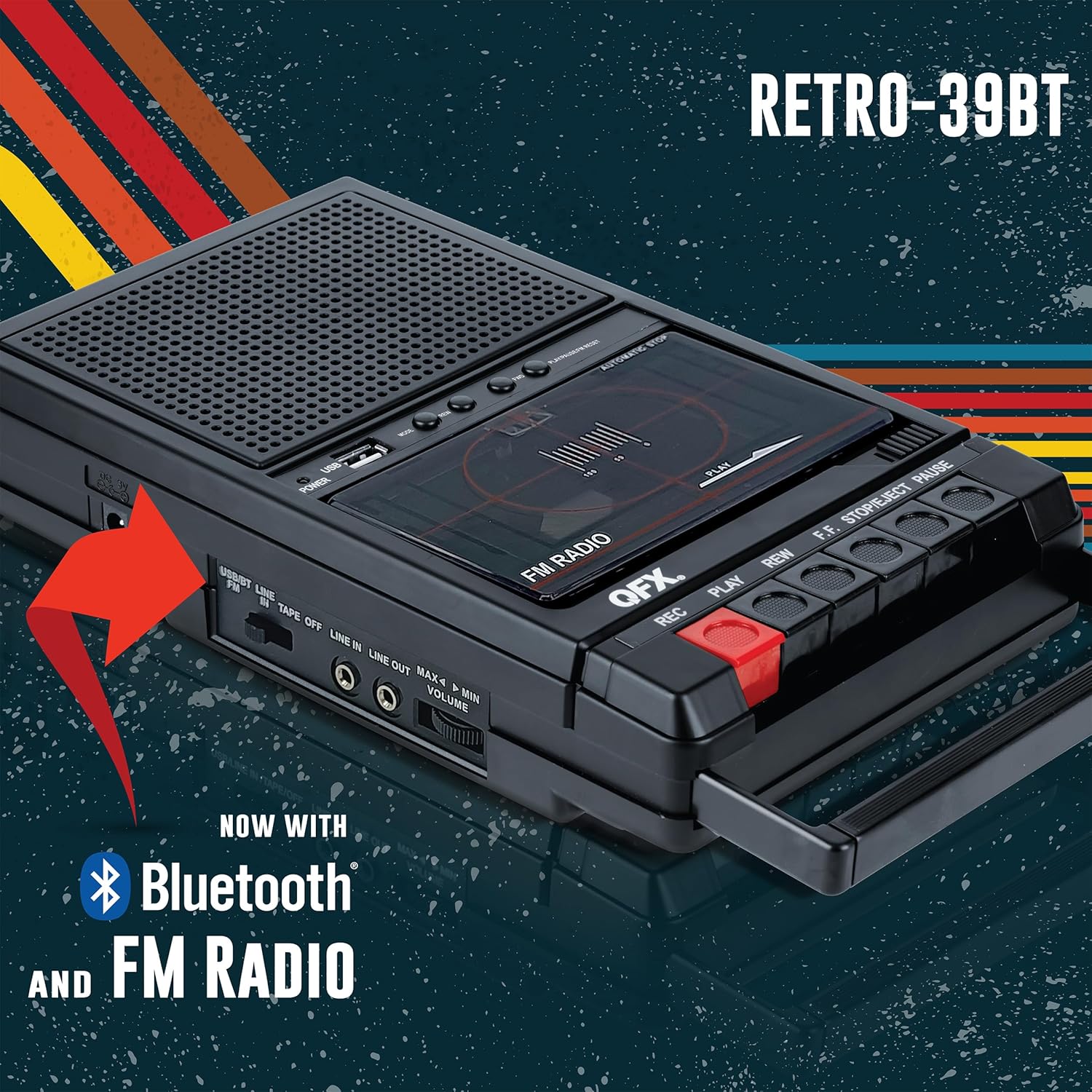
Figure 2: Labeled diagram of the QFX RETRO-39, highlighting key components and controls.
- 1. Power Indicator: Illuminates when the unit is powered on.
- 2. USB 2.0 Port: For connecting USB flash drives for MP3 playback or recording.
- 3. Mode Button: Cycles through input modes (USB/Bluetooth/Line-in/FM).
- 4. REW (Rewind) Button: Rewinds the cassette tape or navigates backward in USB/Bluetooth modes.
- 5. FWD (Forward) Button: Fast forwards the cassette tape or navigates forward in USB/Bluetooth modes.
- 6. PLAY/PAUSE/FM RESET Button: Plays/pauses audio or resets FM radio tuning.
- 7. 3.5" Speaker: Built-in speaker for audio output.
- 8. Tape Deck: Compartment for inserting cassette tapes.
- 9. Built-in Microphone: For direct voice recording to cassette.
- 10. Tape Deck Controls: Includes REC (Record), PLAY, REW (Rewind), F.F. (Fast Forward), STOP/EJECT, and PAUSE buttons for cassette operation.
- 11. Power Input (DC 5V, 1A): For connecting the AC power adapter.
- 12. USB/BT/LINE IN/TAPE/OFF Switch: Selects the audio source or turns the unit off.
- 13. Line In Jack: 3.5mm input for connecting external audio devices.
- 14. Line Out Jack: 3.5mm output for connecting to external speakers or headphones.
- 15. Volume Control: Adjusts the audio output level.
- 16. Adjustable Handles: For convenient carrying.
4. Setup
4.1 Powering the Unit
The QFX RETRO-39 can be powered in two ways:
- AC Power: Connect the included AC power cord to the DC 5V, 1A input on the unit and plug the other end into a standard wall outlet.
- Battery Power: For portable use, insert 4 “ C” size batteries (not included) into the battery compartment located on the bottom of the unit. Ensure correct polarity.

Figure 3: Powering options for the RETRO-39: AC adapter or C-cell batteries.
4.2 Initial Power On
Slide the USB/BT/LINE IN/TAPE/OFF switch to any desired mode (e.g., TAPE, LINE IN, USB/BT) to turn on the unit. The Power indicator light will illuminate.
5. Operating Instructions
5.1 Cassette Playback
- Slide the source switch to TAPE.
- Press the STOP/EJECT button to open the cassette compartment.
- Insert a cassette tape with the open edge facing upwards. Close the compartment.
- Press the PLAY button to begin playback.
- Adjust the Volume control to your desired listening level.
- Use REW (Rewind) or F.F. (Fast Forward) buttons to navigate the tape.
- Press PAUSE to temporarily stop playback, and press again to resume.
- Press STOP/EJECT to stop playback and eject the tape.
5.2 Cassette Recording
The RETRO-39 supports recording from USB, Bluetooth, FM Radio, built-in microphone, or Line-in to either cassette or USB.
- Insert a blank cassette tape into the tape deck.
- Select your desired input source using the source switch (USB/BT, LINE IN, or FM).
- For microphone recording, ensure the source switch is set to TAPE and the built-in microphone will be active.
- Press the REC (Record) button. The PLAY button will also engage simultaneously.
- Begin playing your audio source (USB, Bluetooth, FM Radio, or external device via Line-in) or speak into the built-in microphone.
- To stop recording, press the STOP/EJECT button.
5.3 USB Playback
- Slide the source switch to USB/BT.
- Insert a USB flash drive containing MP3 files into the USB 2.0 Port.
- The unit will automatically begin playing MP3s.
- Use the REW and FWD buttons to skip tracks.
- Press the PLAY/PAUSE button to pause or resume playback.
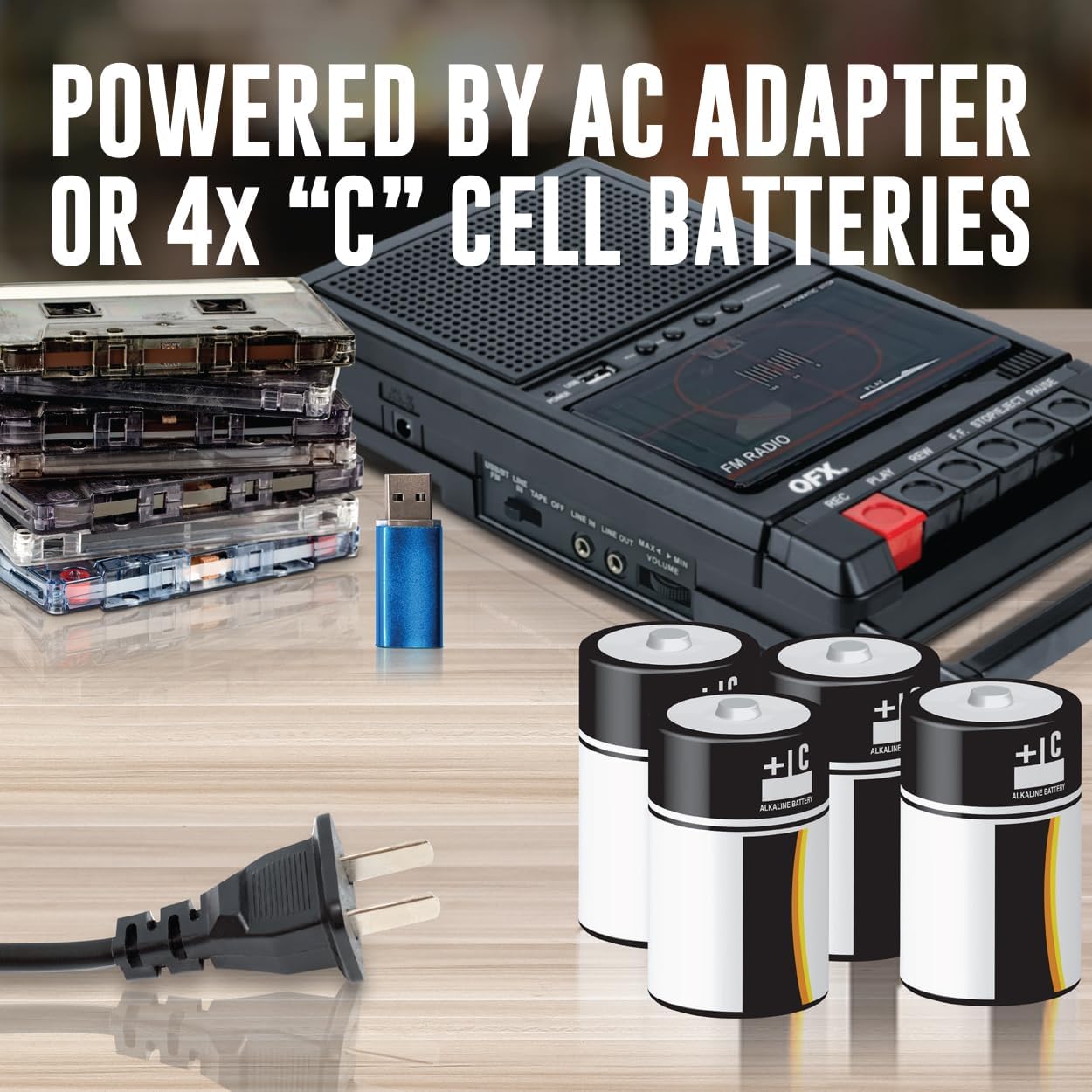
Figure 4: Inserting a USB flash drive for MP3 playback or recording.
5.4 Bluetooth Playback
- Slide the source switch to USB/BT. The unit will enter Bluetooth pairing mode.
- On your Bluetooth-enabled device (smartphone, tablet, etc.), search for “ RETRO-39” in the Bluetooth settings.
- Select “ RETRO-39” to pair. Once paired, you will hear a confirmation tone.
- Begin playing audio from your device. Sound will be streamed through the RETRO-39’s speaker.
- Use the REW, FWD, and PLAY/PAUSE buttons on the RETRO-39 to control playback, or control directly from your paired device.
Figure 5: Bluetooth connectivity for streaming audio from your devices.
5.5 FM Radio Operation
- Slide the source switch to FM.
- Extend the telescopic antenna for better reception.
- Use the REW and FWD buttons to scan for radio stations.
- Press the PLAY/PAUSE/FM RESET button to reset the FM tuner.
5.6 Line-in / Line-out Functionality
- Line-in: Connect an external audio source (e.g., CD player, smartphone) to the LINE IN jack using a 3.5mm audio cable. Slide the source switch to LINE IN to play audio through the RETRO-39 speaker.
- Line-out: Connect headphones or external speakers to the LINE OUT jack using a 3.5mm audio cable for private listening or amplified sound.
6. Maintenance
To ensure the longevity and optimal performance of your QFX RETRO-39, follow these maintenance guidelines:
- Cleaning: Use a soft, dry cloth to clean the exterior of the unit. Do not use abrasive cleaners or solvents. For the tape head, use a specialized cassette head cleaner periodically.
- Battery Care: If using batteries, remove them if the unit will not be used for an extended period to prevent leakage.
- Storage: Store the unit in a cool, dry place away from direct sunlight, extreme temperatures, and high humidity.
- Tape Care: Store cassette tapes in their cases to protect them from dust and damage. Avoid exposing tapes to strong magnetic fields.
7. Troubleshooting
If you encounter issues with your QFX RETRO-39, please refer to the following common problems and solutions:
| Problem | Possible Cause | Solution |
|---|---|---|
| No Power | Unit not plugged in; batteries drained or incorrectly inserted; power switch off. | Ensure AC adapter is securely plugged in. Replace batteries or check polarity. Slide the source switch to an ON position. |
| No Sound / Low Volume | Volume too low; incorrect source selected; headphones/external speakers not connected properly. | Increase volume. Select the correct input source. Check connections to Line Out. |
| Cassette Tape Not Playing/Recording | Tape not inserted correctly; tape damaged; REC/PLAY buttons not fully pressed. | Re-insert tape correctly. Try a different tape. Ensure buttons are fully engaged. Clean tape heads. |
| USB Playback Issues | USB drive not formatted correctly; unsupported file format; USB drive damaged. | Ensure USB is FAT32 format. Only MP3 files are supported. Try a different USB drive. |
| Bluetooth Pairing Failure | Unit not in pairing mode; device too far; interference. | Ensure source switch is on USB/BT. Move device closer to the unit. Reduce interference from other wireless devices. |
| Poor FM Radio Reception | Antenna not extended; weak signal area; interference. | Fully extend the telescopic antenna. Reposition the unit for better signal. Avoid placing near electronic devices that cause interference. |
8. Specifications
| Feature | Detail |
|---|---|
| Product Dimensions | 10.24 x 1.97 x 5.91 inches (26 x 5 x 15 cm) |
| Item Weight | 1.7 pounds (0.77 kg) |
| Manufacturer | QFX USA |
| Item Model Number | RETRO-39 |
| Batteries Required | 4 C batteries (not included) |
| Compatible Devices | Earphone, Laptop, Personal Computer, Smartphone, Tablet |
| Hardware Interface | USB |
| Microphone Form Factor | Built-In |
| Audio Format | MP3 Audio |
| Headphones Jack | 3.5 millimeters |
| Memory Storage Capacity | 32 GB (USB support) |
9. Warranty and Support
QFX stands behind the quality of its products. For warranty information and customer support, please contact QFX directly.
- Customer Support: For technical assistance or inquiries, please contact the QFX customer support center at 800.864.2582 or email support@qfxusa.com.
- Proposition 65 Warning: This product may contain chemicals known to the State of California to cause cancer and reproductive harm. For more information, please visit www.P65Warnings.ca.gov.


