
1. Introduction
The YONGNUO YN585EX is a powerful P-TTL automatic flash unit designed specifically for PENTAX cameras. It offers versatile lighting solutions for various photographic scenarios, ensuring optimal exposure and creative control. This manual provides detailed instructions for setup, operation, and maintenance to help you maximize the potential of your speedlight.
2. Safety Information
- Do not disassemble or modify the product. Repairs should only be performed by authorized service personnel.
- Keep the product dry. Do not handle with wet hands or immerse in water.
- Avoid direct eye exposure to the flash, especially at close range, as it may cause visual impairment.
- Keep out of reach of children.
- Use only specified batteries. Incorrect battery usage may lead to leakage, overheating, or explosion.
- Do not use the flash in the presence of flammable gases or liquids.
3. Package Contents
- YONGNUO YN585EX Speedlight Unit
- Protective Bag
- Mini Stand
- Instruction Manual
4. Part Names and Functions
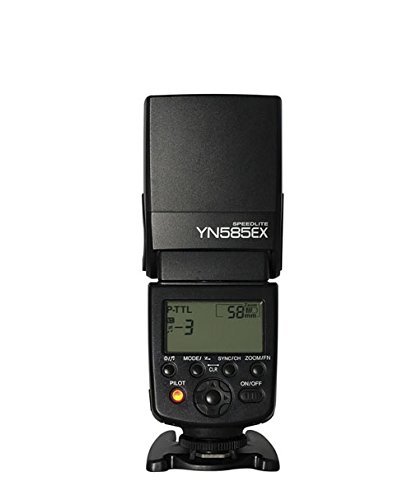
Figure 1: Front view of the YONGNUO YN585EX Speedlight, showing the flash head and main body.
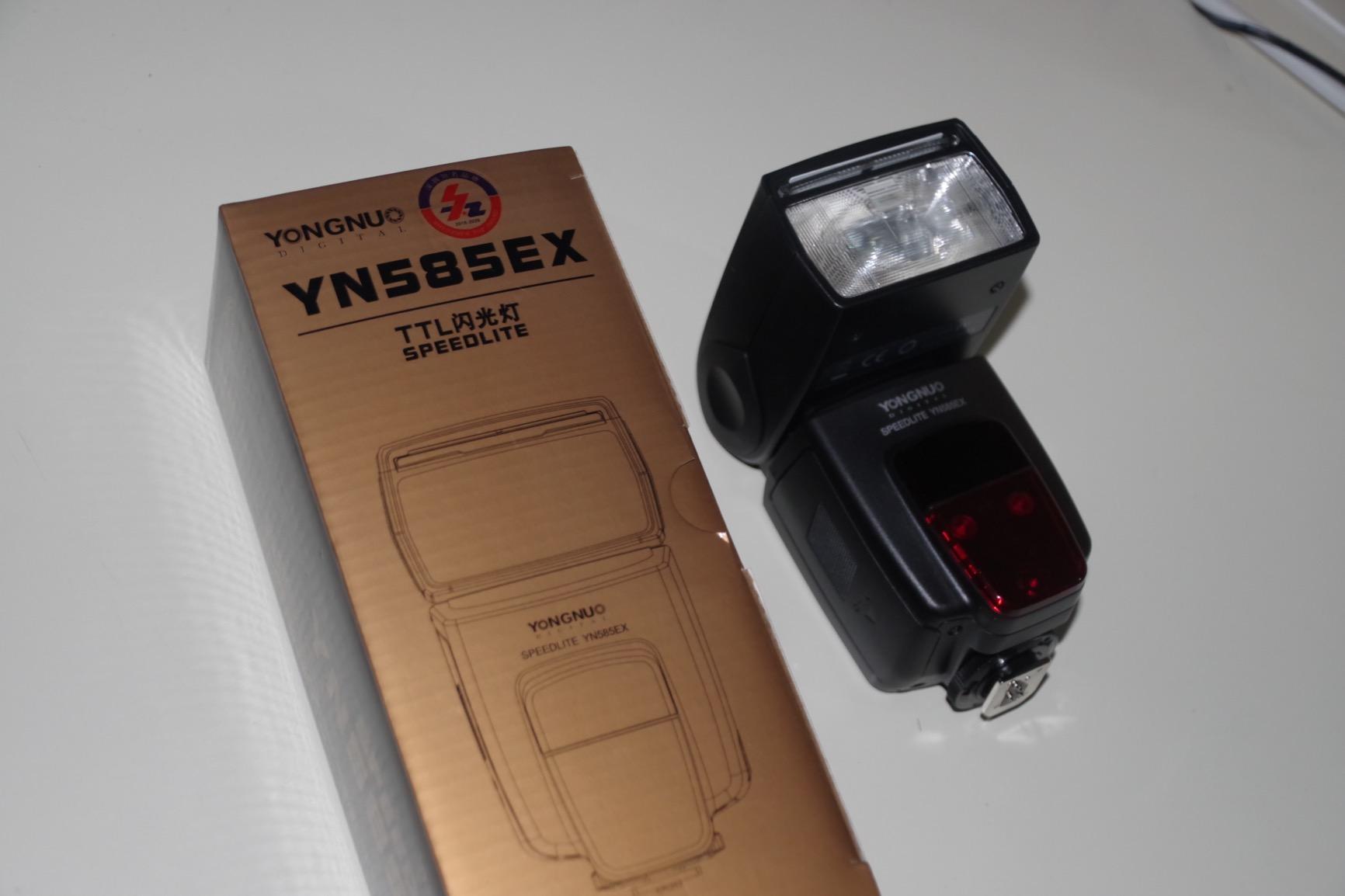
Figure 2: Side view of the YONGNUO YN585EX Speedlight, highlighting the hot shoe and battery compartment.
- Flash Head: Emits light. Can be tilted and rotated for bounce flash.
- LCD Panel: Displays current settings, modes, and battery status.
- Control Buttons:
- MODE Button: Selects flash modes (P-TTL, M, Multi, S1/S2).
- ZOOM/Fn Button: Adjusts flash zoom coverage or accesses custom functions.
- Gr/CH Button: Selects group or channel in wireless mode.
- SET Button: Confirms selections.
- TEST Button: Fires a test flash and indicates flash readiness.
- Power Switch: Turns the unit on/off.
- Battery Compartment: Holds 4 AA batteries.
- Hot Shoe: Connects the speedlight to the camera.
- Sync Port: For connecting to a camera or trigger via a sync cable.
- External Power Port: For connecting an external power pack for faster recycling times.
5. Setup
5.1 Battery Installation
- Open the battery compartment cover located on the side of the speedlight.
- Insert four (4) AA-size batteries, ensuring correct polarity (+/-).
- Close the battery compartment cover securely.
5.2 Mounting to Camera
- Slide the speedlight's hot shoe foot completely into the camera's hot shoe.
- Rotate the locking ring or lever (if present) on the speedlight's foot to secure it firmly to the camera.
6. Operating Modes
6.1 P-TTL Automatic Flash Mode
In P-TTL mode, the speedlight automatically determines the optimal flash output based on the camera's metering system. This provides accurate exposure in various lighting conditions.
- Press the MODE button until 'P-TTL' is displayed on the LCD panel.
- The flash will automatically adjust its output for correct exposure.
6.2 Manual (M) Mode
Manual mode allows you to set the flash output power manually, from full power (1/1) down to 1/128 power, in 1/3 stop increments. This offers precise control over lighting.
- Press the MODE button until 'M' is displayed.
- Use the dial to adjust the flash output power.
6.3 Multi (Stroboscopic) Mode
Multi mode fires a series of rapid flashes during a single exposure, creating a stroboscopic effect. This is ideal for capturing multiple movements of a subject in one frame.
- Press the MODE button until 'Multi' is displayed.
- Adjust the flash output, frequency (Hz), and number of flashes (Times) using the dial and corresponding buttons.
6.4 S1/S2 Optical Slave Modes
The YN585EX can function as an optical slave unit, triggered by another flash. S1 mode triggers the flash upon detecting the first flash from a master unit. S2 mode ignores the pre-flash of a master unit and triggers on the main flash.
- Press the MODE button to cycle through modes until S1 or S2 is selected.
- Position the YN585EX so its optical sensor can detect the master flash.
6.5 High-Speed Sync (HSS)
HSS allows the flash to synchronize with shutter speeds faster than the camera's maximum flash sync speed, enabling wider apertures in bright conditions or freezing fast motion.
- Activate HSS through the camera's menu or by pressing the dedicated HSS button on the speedlight (if available).
6.6 Focus Assist Beam
The built-in focus assist beam helps the camera achieve focus in low-light conditions by projecting a pattern onto the subject.
- The focus assist beam typically activates automatically when the camera struggles to focus in dim light.
7. Custom Functions (C.Fn)
Custom functions allow you to personalize the speedlight's behavior. Access these settings via the ZOOM/Fn button (long press) or a dedicated menu button.
- LCD Backlight Duration: Adjusts how long the LCD backlight stays on.
- LCD Brightness: Controls the brightness of the LCD display.
- Beep Sound: Turns the audible beep on or off.
- Power Saving Mode: Configures the standby and auto-off timers.
- Wireless ID/Channel: Sets the ID and channel for wireless communication.
- Distance Unit: Selects meters (m) or feet (ft) for distance display.
8. Specifications
| Feature | Description |
|---|---|
| Brand | YONGNUO |
| Compatible Mount | PENTAX Hot Shoe |
| Camera Flash Type | Hot Shoe |
| Flash Sync Speed | 1/200 second |
| Wireless Communication Technology | RF |
| Exposure Control Type | Auto (P-TTL) |
| Waterproof | No |
| Shutter Speed | 0.01 seconds |
| Viewfinder Type | Optical Viewfinder |
9. Troubleshooting
- Flash not firing: Check battery levels, ensure the speedlight is securely mounted to the camera, and verify that the camera's flash settings are enabled.
- Incorrect exposure: In P-TTL mode, ensure the subject is within the flash's effective range. In Manual mode, adjust the flash output power. Check camera ISO and aperture settings.
- Wireless trigger issues: Verify that the channel and ID settings on both the speedlight and the trigger are identical. Ensure there are no obstructions between the units.
- Slow recycling time: Replace batteries with fresh ones or use an external power pack.
10. Maintenance
- Clean the speedlight body with a soft, dry cloth. Do not use solvents or abrasive cleaners.
- Regularly clean the hot shoe contacts with a clean, dry cloth to ensure good electrical connection.
- When not in use for extended periods, remove the batteries to prevent leakage.
- Store the speedlight in a cool, dry place, away from direct sunlight and extreme temperatures.
11. Warranty and Support
This product comes with a standard manufacturer's warranty. For warranty claims, technical support, or service inquiries, please contact your retailer or the YONGNUO customer service department. Keep your proof of purchase for warranty validation.


