
1. Product Overview
The Panasonic WhisperSense FV-0511VQC1 is a ceiling-mount bathroom exhaust fan designed for efficient and quiet ventilation. It features integrated motion and humidity sensors for automatic operation, along with a Pick-A-Flow speed selector to customize airflow. The fan incorporates an ECM motor with SmartFlow technology for optimal performance and energy efficiency.
2. Setup and Installation
This ventilation fan is designed for simplified installation, suitable for both new construction and retrofit applications. The Flex-Z Fast bracket facilitates flexible and trouble-free mounting, even from below the ceiling. The unit includes an integrated dual 4-inch or 6-inch duct adapter for versatile duct layout options.

Figure 2.1: Key components of the WhisperSense fan, illustrating the Flex-Z Fast bracket, motor, fan, and vent cover for installation.

Figure 2.2: The WhisperSense fan seamlessly integrated into a modern bathroom ceiling, highlighting its easy installation design.
2.1 Installation Video
Video 2.1: This video demonstrates the installation process and key features of the Panasonic WhisperSense DC Ventilation Fan, including the Flex-Z Fast bracket and adjustable airflow settings.
3. Operating Instructions
The WhisperSense fan offers intelligent operation through its dual sensor technology and customizable airflow settings.
3.1 Sensor Operation
The fan is equipped with both motion and humidity sensors. The motion sensor activates the fan when movement is detected in the bathroom, ensuring ventilation when the space is occupied. The humidity sensor monitors moisture levels and automatically turns the fan on or off to prevent excessive humidity buildup, which helps in controlling moisture and odors. These sensors can be customized for sensitivity and run-time settings.

Figure 3.1: Detail of the fan's grille, highlighting the integrated sensor for motion and humidity detection.
3.2 Airflow Selection
Utilize the Pick-A-Flow speed selector switch to choose your desired airflow capacity: 50, 80, or 110 Cubic Feet Per Minute (CFM). This allows you to optimize ventilation based on room size and specific needs. The ECM motor with SmartFlow technology ensures consistent CFM output even against static pressure.
4. Maintenance
Regular maintenance ensures optimal performance and longevity of your Panasonic WhisperSense fan. Always disconnect power before performing any maintenance.
4.1 Cleaning the Grille
Periodically remove the fan grille and clean it with a soft cloth and mild detergent. Ensure the grille is completely dry before reattaching. This prevents dust and debris buildup that can restrict airflow.
4.2 Fan and Motor Cleaning
For deeper cleaning, consult a qualified technician to safely access and clean the fan blades and motor housing. Avoid using abrasive cleaners or solvents.
5. Troubleshooting
If you encounter issues with your WhisperSense fan, refer to the following common troubleshooting tips:
- Fan Not Turning On: Check the power supply and ensure the circuit breaker is not tripped. Verify that the motion or humidity sensor settings are correctly configured and that the sensors are not obstructed.
- Fan Not Turning Off: The motion sensor may be too sensitive or positioned where it detects movement outside the intended area. Adjust the sensor's angle or sensitivity settings. Ensure the humidity sensor is not detecting persistent high humidity.
- Excessive Noise: Check for any loose components or obstructions within the fan housing or ductwork. Ensure the fan is securely mounted.
- Reduced Airflow: Clean the fan grille and check for any blockages in the ductwork. Ensure the Pick-A-Flow setting is appropriate for your needs.
For persistent issues or complex repairs, it is recommended to contact a qualified electrician or Panasonic customer support.
6. Specifications
Key technical specifications for the Panasonic WhisperSense FV-0511VQC1 fan:
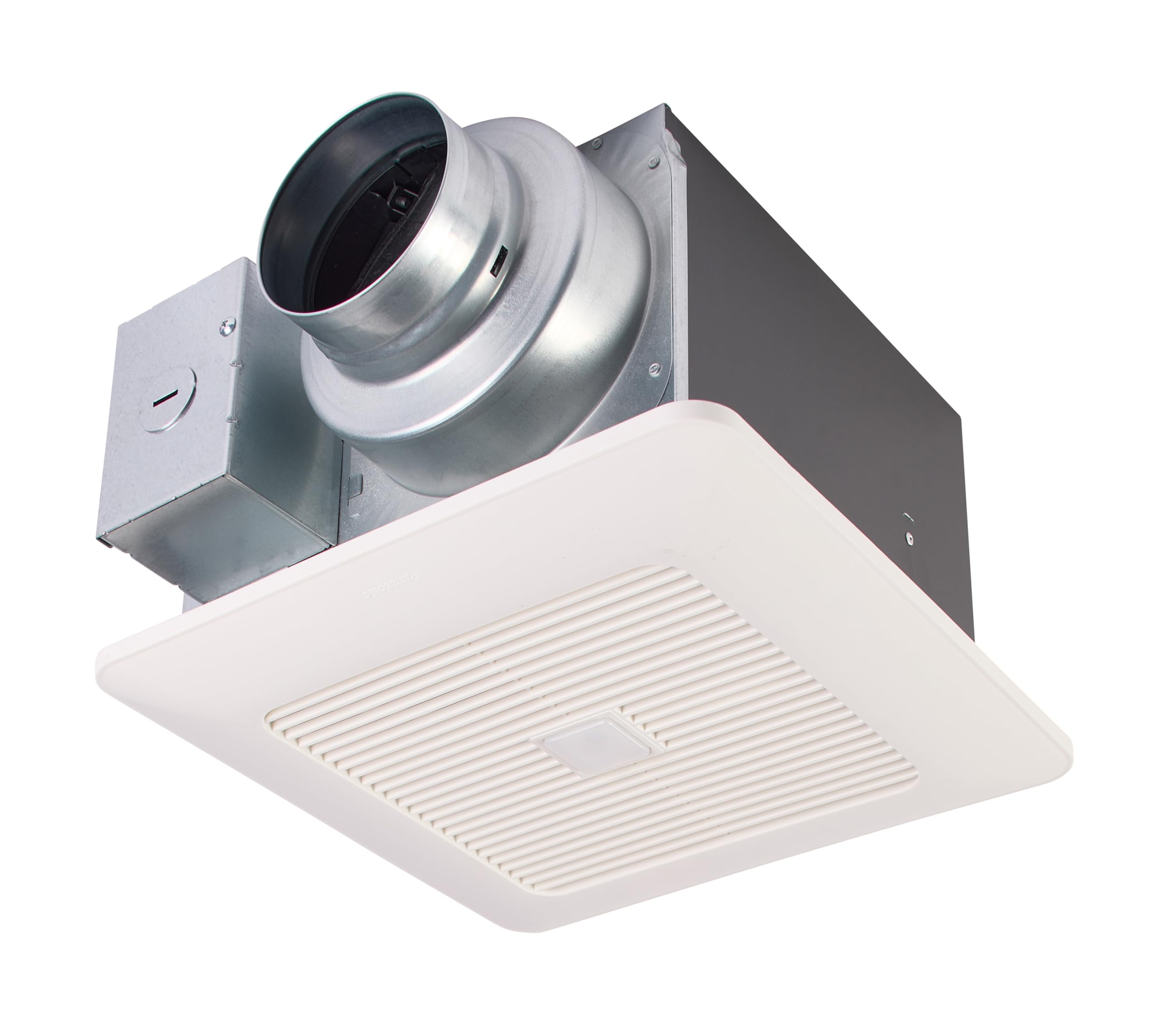
Figure 6.1: Dimensional drawing of the WhisperSense fan, indicating key measurements for installation planning.
| Feature | Specification |
|---|---|
| Model Name | FV-0511VQC1 |
| Air Flow Capacity | 50-80-110 CFM (selectable) |
| Noise Level | 0.9 Sones |
| Wattage | 10.8 watts |
| Voltage | 120 Volts |
| Product Dimensions | 14.17"D x 16.73"W x 11.85"H |
| Duct Size | 4 or 6 Inches (dual adapter) |
| Special Features | Motion and Humidity Sensor, Pick-A-Flow Speed Selector, ECM Motor with SmartFlow Technology |
| Certification | ENERGY STAR certified |
| Mounting Type | Ceiling Mount |
7. Warranty and Support
For detailed warranty information and customer support, please refer to the official Panasonic website or contact their customer service department. Keep your purchase receipt as proof of purchase for any warranty claims.