
1. Introduction
This manual provides essential information for the safe and efficient operation of your Whynter ARC-102CS Portable Air Conditioner. This versatile unit offers cooling, dehumidification, and fan functions for rooms up to 300 square feet. Please read all instructions carefully before installation and use, and retain this manual for future reference.
2. Product Overview
The Whynter ARC-102CS is a compact and efficient portable air conditioner designed for optimal climate control. It features a sleek design and includes an activated carbon filter and washable pre-filter for improved air quality.
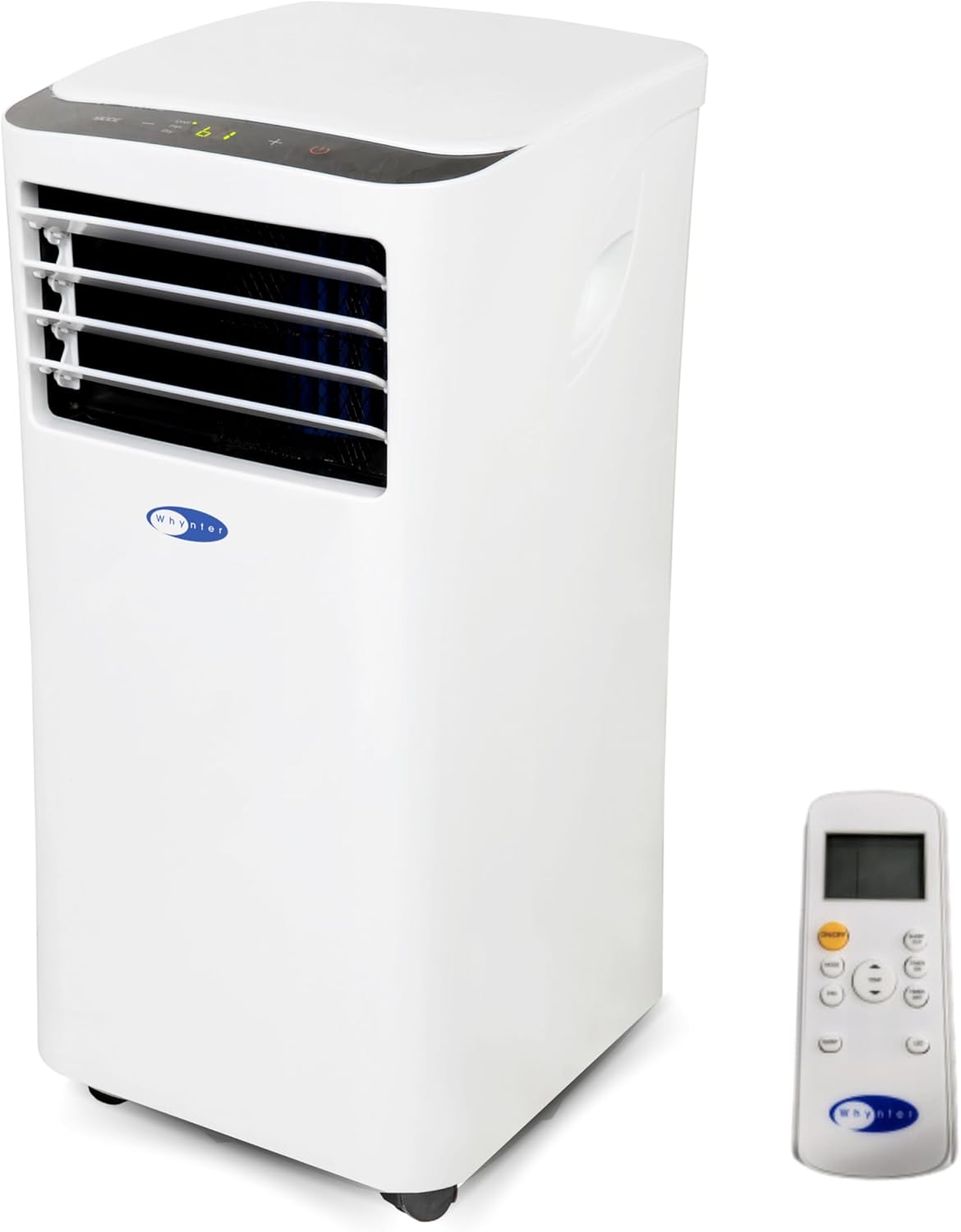
Figure 1: Whynter ARC-102CS Portable Air Conditioner with included remote control.
Key Features:
- Powerful Cooling: 10,000 BTU (7,000 BTU SACC) suitable for rooms up to 300 sq. ft.
- Quiet Operation: Operates at 51 dBA in low speed.
- 3 Operational Modes: Cool, Dehumidify, and Fan.
- Built-In Dehumidifier: Features a patented auto-drain function with 68 pint/day capacity.
- Enhanced Air Quality: Equipped with an Activated Carbon Air Filter and a Washable Pre-filter.
- Portability: Integrated caster wheels for easy movement.
Video 1: A 360-degree view of the Whynter ARC-102CS Portable Air Conditioner, showcasing its design and features from all angles.
3. Setup
Proper installation is crucial for the efficient operation of your portable air conditioner. This unit includes a window kit for venting exhaust air.
3.1 Unpacking and Component Identification
Carefully remove all packaging materials. Ensure all components are present before proceeding with installation.

Figure 2: All components included with the ARC-102CS unit, ready for assembly.
3.2 Window Kit Installation
- Prepare the Window: Open the window where the unit will be vented. Remove any screens if necessary.
- Assemble the Window Kit: The adjustable window kit (6.5"W x 26.75" (min) / 82" (max) L) can be configured for horizontal or vertical windows. Adjust the length of the window kit to fit your window opening.
- Attach Exhaust Hose: Connect the extendable exhaust hose (up to 59" long, 6.0" diameter) to the hose connector on the back of the AC unit.
- Secure to Window: Insert the other end of the exhaust hose connector into the opening of the window kit. Close the window sash firmly against the kit to secure it in place. Use the provided weather stripping to seal any gaps around the window kit for optimal efficiency.

Figure 3: The portable AC unit with its single exhaust hose properly installed in a window.
3.3 Unit Placement
Place the portable air conditioner on a flat, stable surface. Ensure there is at least 20 inches of clearance around the unit for proper airflow. The unit is equipped with caster wheels for easy mobility.

Figure 4: Caster wheels on the unit's base allow for easy repositioning.
4. Operating Instructions
Your ARC-102CS unit can be operated using the control panel on the top of the unit or the included remote control.

Figure 5: Control panel with digital display and function buttons.
4.1 Control Panel Functions
- Power Button: Turns the unit On/Off.
- Mode Button: Cycles through Cool, Dehumidify, and Fan modes.
- Speed Button: Adjusts fan speed (Low, Medium, High).
- Up/Down Arrows: Adjusts desired temperature (62°F – 86°F) or sets timer.
- Timer Button: Sets the auto On/Off timer (up to 24 hours).
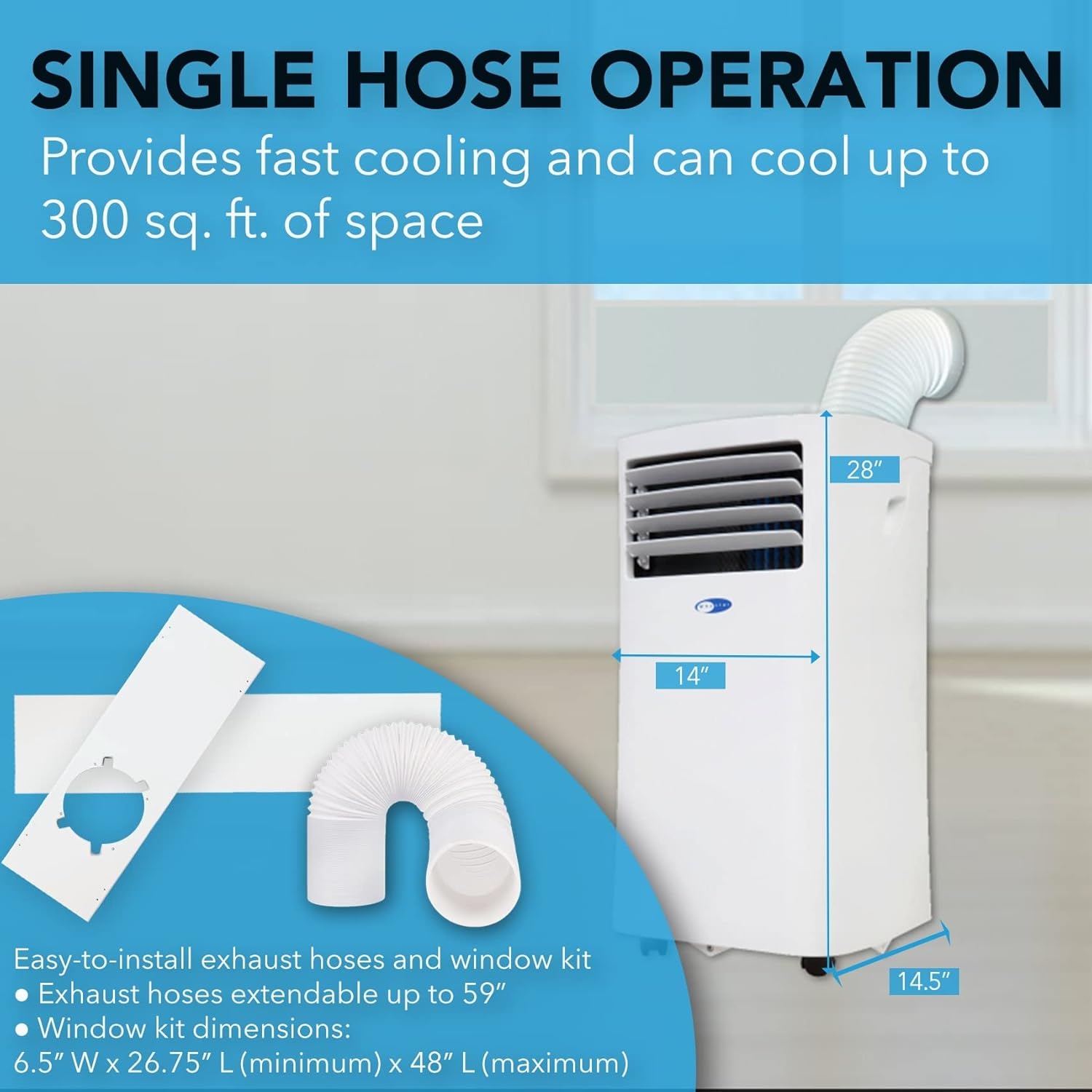
Figure 6: Multiple setting options are available for customized comfort.
4.2 Operating Modes
- Cool Mode: Provides cooling and dehumidification. Set desired temperature using the Up/Down arrows.
- Dehumidify Mode: Removes excess moisture from the air. The unit will operate as a dehumidifier, and the fan speed is fixed to Low.
- Fan Mode: Circulates air without cooling. Adjust fan speed as desired.
5. Maintenance
Regular maintenance ensures optimal performance and longevity of your unit.
5.1 Air Filter Cleaning
The unit is equipped with a washable pre-filter and an activated carbon filter. Clean the pre-filter every two weeks or as needed, and replace the activated carbon filter every 2-3 months.
- Turn off the unit and unplug it from the power outlet.
- Remove the filter frame from the back of the unit.
- Gently wash the pre-filter under running water (warm, soapy water if heavily soiled).
- Allow the pre-filter to air dry completely before reinstalling.
- Replace the activated carbon filter as per recommended schedule.

Figure 7: Washable pre-filter and activated carbon filter.
5.2 Drainage
The ARC-102CS features a patented auto-drain function that automatically exhausts all condensate in most environments. However, in very humid conditions, manual drainage may be required. The unit has upper gravity and lower drain ports for continuous operation.

Figure 8: Rear view of the unit, highlighting drainage ports.
6. Troubleshooting
If you experience issues with your unit, consult the following table for common problems and solutions.
| Problem | Possible Cause | Solution |
|---|---|---|
| Unit does not turn on | No power supply; Power cord not plugged in; Circuit breaker tripped. | Check power connection; Reset circuit breaker. |
| Unit cools but not enough | Room size too large; Doors/windows open; Air filter dirty; Exhaust hose blocked. | Ensure room is within capacity; Close all openings; Clean/replace filter; Check exhaust hose for obstructions. |
| Unit is noisy | Unit not on a level surface; Air filter dirty. | Place unit on a flat surface; Clean/replace filter. |
| Water leakage | Drain plug not properly sealed; Unit operating in high humidity. | Ensure drain plug is secure; Manually drain unit if pan is full. |
7. Specifications
| Feature | Specification |
|---|---|
| Model Number | ARC-102CS |
| Cooling Capacity (ASHRAE) | 10,000 BTU |
| Cooling Capacity (SACC) | 7,000 BTU |
| Coverage Area | Up to 300 sq. ft. |
| Dehumidifying Capacity | 68 Pints/day |
| Noise Level | 51.5 dBA (Low Speed) |
| Temperature Range | 62°F – 86°F |
| Power Supply | 115 V / 60Hz / 1 phase |
| Power Consumption | Max. 1110W / 9.8A |
| Refrigerant | R-32 |
| Product Dimensions | 14"D x 14.5"W x 28"H |
| Item Weight | 53 pounds |
8. Warranty and Support
The Whynter ARC-102CS Portable Air Conditioner comes with a 1-year limited manufacturer's warranty and a 3-year compressor warranty. For customer support, please refer to the contact information provided in your product packaging or visit the official Whynter website.


