1. Introduction
The Victron Energy MultiPlus Compact is a versatile device combining a powerful pure sine wave inverter, a sophisticated battery charger with adaptive charge technology, and a high-speed AC transfer switch in a single compact enclosure. This manual provides essential information for the safe and efficient installation, operation, and maintenance of your MultiPlus Compact unit.

Figure 1: Front view of the Victron Energy MultiPlus Compact Inverter Charger.
2. Safety Information
Important: Incorrect installation can be hazardous. Always consult a licensed professional and follow all applicable electrical codes during installation. This device contains high voltage components and should only be serviced by qualified personnel.
- Ensure the unit is disconnected from all power sources before performing any installation or maintenance.
- Do not expose the unit to water or excessive moisture.
- Do not operate the unit if it has been damaged.
- Charge lead-acid or Li-Ion batteries only. Ensure adequate ventilation during charging.
3. Product Overview
3.1 Key Features
- Pure Sine Wave Inverter: Provides high-quality AC power suitable for sensitive electronics.
- Adaptive Battery Charger: Features a sophisticated multi-stage charging algorithm to optimize battery life.
- High-Speed AC Transfer Switch: Ensures uninterrupted power supply by switching between AC sources within 20 milliseconds.
- PowerAssist Feature: Prevents overload of a limited AC source (e.g., generator or shore power) by supplementing with power from the battery.
- Parallel and Three-Phase Operation: Up to six units can operate in parallel for increased power output, and three units can be configured for three-phase output.
3.2 Dimensions and Weight
The MultiPlus Compact is designed for efficient space utilization.

Figure 2: Dimensions and weight of the MultiPlus Compact unit. The unit measures approximately 520 mm (20.4 inches) in height, 225 mm (8.8 inches) in width, and 125 mm (4.9 inches) in depth, with a weight of 15 kg (33.1 lbs).
- Product Dimensions: 5 x 10 x 20.5 inches (approx. 127 x 254 x 521 mm)
- Item Weight: 33.1 pounds (approx. 15 kg)
4. Setup and Installation
Installation should be performed by a qualified professional. Ensure all local and national electrical codes are followed.
4.1 Mounting
- Mount the unit in a dry, well-ventilated area, protected from direct sunlight and extreme temperatures.
- Ensure sufficient clearance around the unit for proper airflow and cooling.
- Securely fasten the unit to a sturdy surface using appropriate mounting hardware.
4.2 Electrical Connections
Connect the MultiPlus Compact to your battery bank, AC input (shore power or generator), and AC output (loads) according to the wiring diagrams provided in the full product manual. Pay close attention to polarity and proper grounding.

Figure 3: Example wiring diagram for parallel connection of MultiPlus Compact units. This diagram illustrates how multiple units can be connected to achieve higher power output and three-phase operation.
4.3 Initial Configuration
After physical installation, the unit requires configuration. This can often be done via the VictronConnect app or other Victron monitoring devices.

Figure 4: The VictronConnect app allows for monitoring, operation, and configuration of the MultiPlus Compact.
For detailed configuration, refer to the VictronConnect app video below:
Video 1: Demonstrates the VictronConnect App for monitoring performance, configuration, and firmware updates. This app allows users to instantly check monitoring data, see device performance, and manage settings.
5. Operating Instructions
5.1 Basic Operation
Once installed and configured, the MultiPlus Compact operates largely automatically. It will convert DC battery power to AC power when no external AC source is available and charge batteries when an AC source is connected.
5.2 PowerAssist Function
The PowerAssist feature prevents overloading of a limited AC source, such as a generator or shore power connection. If the AC load exceeds the capacity of the external source, the MultiPlus will automatically draw additional power from the battery to supplement the supply. When the load decreases, excess power from the AC source will be used to recharge the battery.
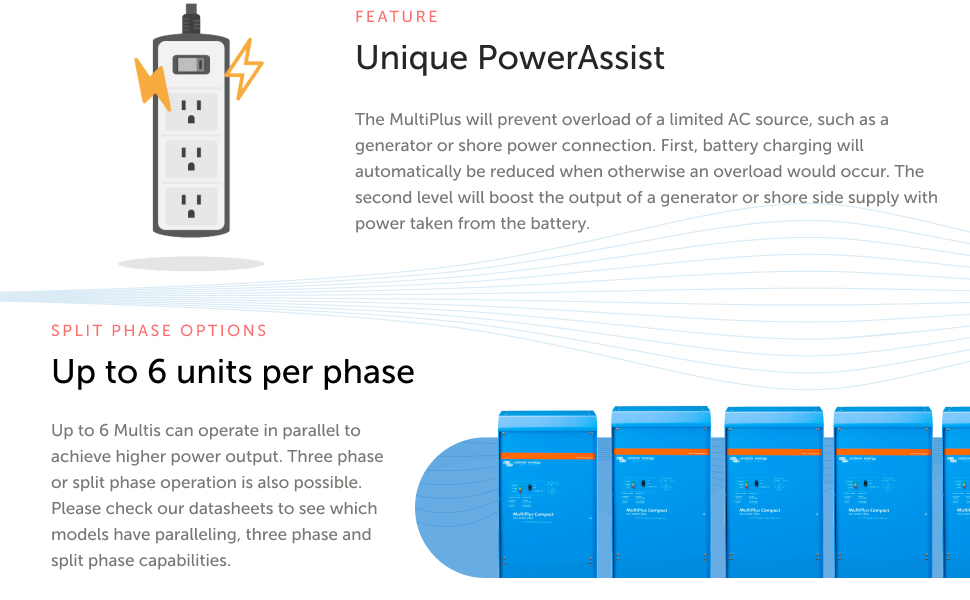
Figure 5: Illustration of the PowerAssist feature, showing how the MultiPlus supplements a limited AC source with battery power.
5.3 Uninterrupted AC Power (UPS Function)
In the event of a grid failure or disconnection of shore/generator power, the inverter within the MultiPlus automatically activates within 20 milliseconds. This rapid transfer ensures that connected loads, including sensitive electronic equipment, continue to operate without interruption.

Figure 6: Diagram illustrating the UPS function, where the inverter seamlessly takes over power supply during an AC source interruption.
5.4 Adaptive Charging
The MultiPlus Compact features a four-stage adaptive charging process (Bulk, Absorption, Float, Storage) to ensure optimal battery health and longevity. The BatterySafe Mode is integrated into the absorption time calculation, preventing excessive gassing by limiting the rate of voltage increase once the gassing voltage is reached.

Figure 7: Graph depicting the four-stage adaptive charging process with BatterySafe mode, optimizing battery charging.
5.5 Remote Monitoring and Management
The Victron Remote Management (VRM) portal allows for comprehensive monitoring and management of your system from anywhere. This includes checking system performance, managing devices, and setting up alerts.
Video 2: Overview of the VRM (Victron Remote Management) portal, demonstrating how to monitor system performance, manage devices, and set up alerts and alarms remotely.
6. Maintenance
Regular maintenance ensures the longevity and optimal performance of your MultiPlus Compact.
- Cleaning: Keep the unit clean and free from dust and debris. Use a dry cloth for cleaning. Do not use liquid cleaners.
- Ventilation: Ensure ventilation openings are not obstructed. Periodically check for dust buildup in cooling fins.
- Connections: Periodically inspect all electrical connections for tightness and signs of corrosion. Tighten any loose connections.
- Battery Health: Monitor battery voltage and temperature, especially during charging, to ensure proper operation.
7. Troubleshooting
This section addresses common issues. For more complex problems, consult the full product manual or contact Victron Energy support.
| Problem | Possible Cause | Solution |
|---|---|---|
| No AC output from inverter | Low battery voltage, overload, or thermal shutdown. | Check battery voltage and charge if low. Reduce AC load. Allow unit to cool down if overheated. |
| Batteries not charging | No AC input, AC input breaker tripped, or charger settings incorrect. | Verify AC input connection and power. Check AC input breaker. Review charger settings via VictronConnect. |
| Unit making loud humming noise | Normal operation under heavy load or during charging, or loose mounting. | Ensure unit is securely mounted. Some noise is normal, especially during high current operation. If excessive, consult support. |
| Overload alarm | Connected AC loads exceed the unit's capacity. | Reduce the total AC load connected to the inverter. |
8. Specifications
Key technical specifications for the Victron Energy MultiPlus Compact 2000VA 24-Volt Inverter Charger (Model: CMP242200100).
- Model Number: CMP242200100
- Input Voltage: 24-Volt DC (Battery Powered)
- Output Power (VA): 2000VA
- Output Power (Watts): 2000 watts
- Battery Capacity (Recommended): 50 Amp Hours (minimum for optimal performance)
- Product Dimensions: 5 x 10 x 20.5 inches
- Item Weight: 33.1 pounds
- Manufacturer: Victron Energy
- Date First Available: February 12, 2019
9. Warranty and Support
For detailed warranty information, please refer to the official Victron Energy website or the warranty card included with your product. Technical support can be accessed through the Victron Energy global network of professionals. Always provide your model number (CMP242200100) and serial number when seeking support.
You can also visit the Victron Energy Store on Amazon for additional product information and resources.


