1. Introduction
Thank you for choosing the BESTEK 300W Pure Sine Wave Power Inverter. This device converts 12V DC power from your vehicle's battery into 220V-240V AC household power, allowing you to operate various electronic devices on the go. It also features dual USB ports for charging mobile devices.
Unlike modified sine wave inverters, this pure sine wave inverter produces a smooth, consistent, and fluid waveform. This ensures that connected devices operate more smoothly, cooler, and quieter, without the risk of damage from the sharp on/off fluctuations associated with modified sine waves. It is ideal for sensitive electronics such as laptops, medical equipment, and audio systems.
2. Package Contents
- 1 x BESTEK 300W Pure Sine Wave Power Inverter
- 1 x User Manual
3. Product Features
- Pure Sine Wave Output: Provides stable and clean power, suitable for sensitive electronics.
- High Power Output: Delivers 300W continuous DC to AC power, with a maximum of 360W and 700W peak power.
- Dual Smart USB Ports: Two USB charging ports (DC 5V, 4.8A Max, 2.4A per port) automatically detect and deliver the fastest charging speed for your mobile devices.
- Compact and Lightweight Design: Space-saving design, easily fits in various vehicle compartments.
- Multi-Protection System: Built-in 40A fuse and comprehensive protection against short-circuits, low voltage, overloads, over-voltage, and over-temperature.
- Efficient Cooling: Features a built-in cooling fan for effective heat dissipation, ensuring stable operation.

Figure 3.1: The BESTEK 300W Pure Sine Wave Power Inverter can power a wide range of electronic devices, including personal computers, cameras, PSPs, tablets, and smartphones, thanks to its pure sine wave output.

Figure 3.2: The inverter incorporates multiple safety protections, such as over-load, short-circuit, low-voltage, over-temperature, and over-voltage protection, ensuring safe operation for both the device and connected electronics.

Figure 3.3: The inverter features a built-in cooling fan and a multi-way heat dissipation design to maintain optimal operating temperature and prevent overheating during use.
4. Safety Instructions and Precautions
Please read and understand all safety instructions before operating the inverter to prevent injury or damage to the device and connected equipment.
- Vehicle Compatibility: This inverter is designed for DC 12V vehicles ONLY. Do not use with DC 24V systems or in aircraft.
- Power Consumption: If the total rated input of all connected AC devices exceeds 150W, it is recommended to connect the inverter directly to your vehicle's battery using battery clamps (not included). Most 12V vehicle accessory ports are rated and fused for a maximum of 150W. Exceeding this limit can damage your vehicle's electrical system.
- High-Power Appliances: This inverter is not designed for high-power electrical appliances such as hair dryers, electric heaters, curling irons, microwaves, or coffee makers. Refer to the specifications for maximum wattage.
- Vehicle Engine Off: Do not leave the inverter in the ON position when your vehicle's engine is off. This can drain your vehicle's battery.
- Ventilation: Ensure adequate ventilation around the inverter during operation. Do not block the cooling fan or vents.
- Environment: Avoid exposing the inverter to water, rain, moisture, direct sunlight, or extreme temperatures. Operate in a dry, well-ventilated area.
- Modifications: Do not attempt to open or modify the inverter. There are no user-serviceable parts inside.
5. Setup and Connection
Before connecting, ensure the inverter's AC switch is in the OFF position and your vehicle's engine is running.

Figure 5.1: Overview of the inverter's components, including the cigarette lighter plug, power cord, USB ports, AC power switch, and cooling fan/outlet.
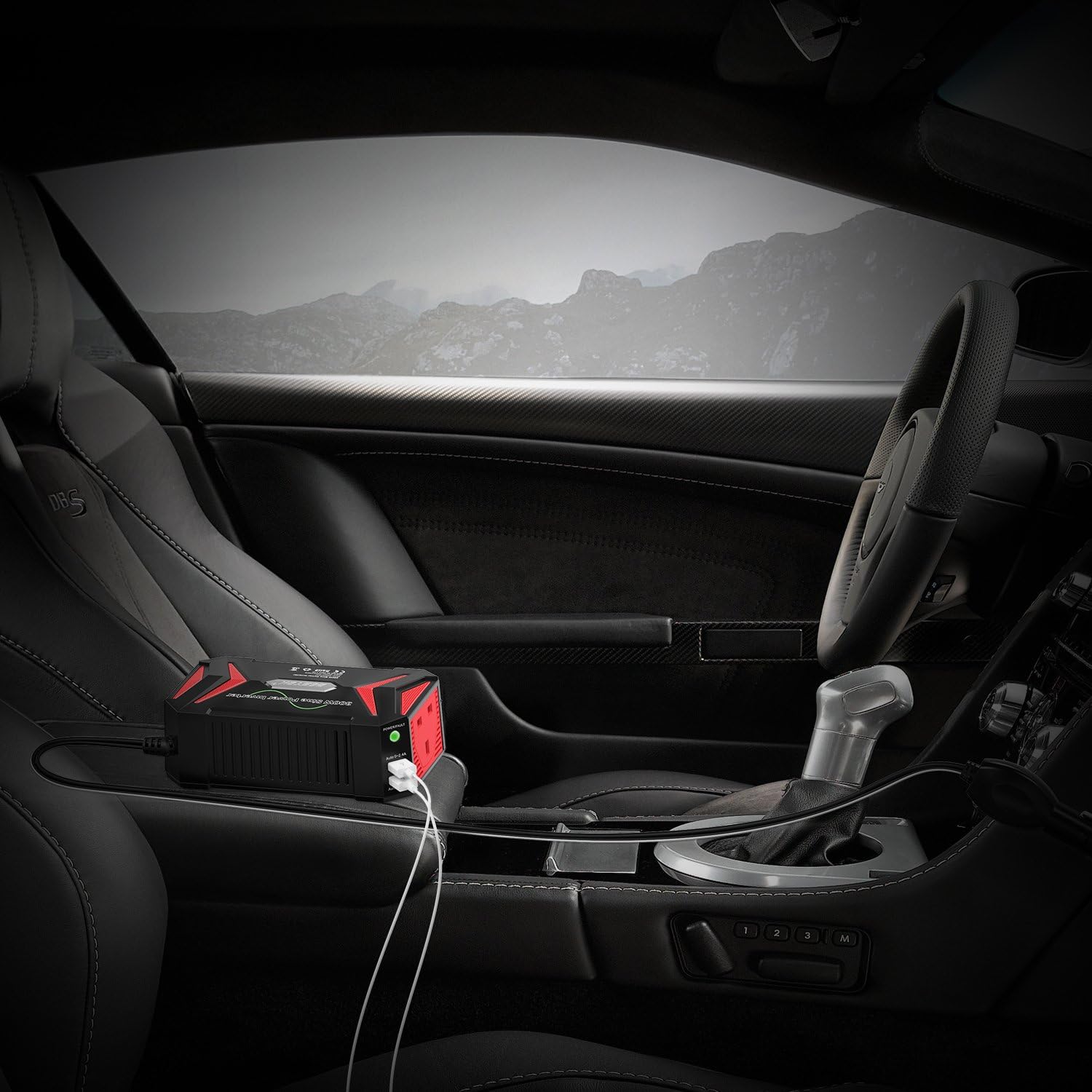
Figure 5.2: The inverter is designed for convenient placement within a vehicle, connecting to the cigarette lighter socket for power.
5.1. Connecting via Cigarette Lighter Socket (Up to 150W)
- Ensure the inverter's AC switch is in the OFF position.
- Insert the cigarette lighter plug firmly into your vehicle's 12V accessory socket.
- Place the inverter on a stable, flat surface, ensuring proper ventilation.
5.2. Connecting Directly to Battery (Above 150W)
For loads exceeding 150W, direct battery connection is required. This method typically uses battery clamps (not included with this model) to connect directly to the vehicle's 12V battery terminals.
- Ensure the inverter's AC switch is in the OFF position.
- Connect the RED battery clamp to the positive (+) terminal of the vehicle battery.
- Connect the BLACK battery clamp to the negative (-) terminal of the vehicle battery.
- Connect the other end of the battery clamp cables to the inverter's DC input terminals (if applicable for your clamp set).
- Place the inverter on a stable, flat surface, ensuring proper ventilation.
Note: Always ensure correct polarity when connecting directly to the battery. Incorrect connection can damage the inverter and vehicle.
6. Operating Instructions
6.1. Powering On/Off
- After connecting the inverter to your vehicle's power source, switch the AC switch on the inverter to the ON position.
- The indicator light will illuminate, typically GREEN for normal operation.
- To turn off the inverter, switch the AC switch to the OFF position.
6.2. Using AC Outlets
- Plug your AC-powered device (ensure its wattage is within the inverter's capacity) into one of the AC outlets on the inverter.
- Turn on your device.
6.3. Using USB Charging Ports
- Connect your mobile device's USB charging cable to one of the inverter's USB ports.
- The inverter's smart charging technology will automatically detect your device and deliver the optimal charging current up to 2.4A per port.

Figure 6.1: The power/fault indicator light provides visual feedback on the inverter's status: no light (no power), green light (normal operation), and red light (under protection).
7. Specifications
| Model Number | MRZ3013HU-BK-UK |
| Rated Power | 300W |
| Maximum Power | 360W |
| Peak Power | 700W |
| Input Voltage | DC 12V |
| Output Voltage | AC 220V ~ 240V |
| USB Output | DC 5V, 4.2A (4.8A Max, Auto 0~2.4A*2) |
| AC Outlets | 2 |
| Over Voltage Shutdown | DC 15V-16V |
| Low Voltage Shutdown | DC 10V-11V |

Figure 7.1: The inverter's compact design makes it highly portable and easy to store, comparable in size to a modern smartphone.
8. Troubleshooting
If the inverter is not functioning correctly, refer to the following troubleshooting guide:
| Problem | Indicator Light | Possible Cause | Solution |
|---|---|---|---|
| No Power Output | No Light | Inverter is OFF, poor connection, vehicle battery low/dead, vehicle accessory socket fuse blown. |
|
| Inverter Shuts Down / No Output | Red Light | Overload, short-circuit, low input voltage, over-voltage, over-temperature. |
|
| USB Ports Not Charging | No Light / Green Light | Inverter is OFF, device not compatible, faulty USB cable. |
|
9. Maintenance
- Keep the inverter clean and free from dust and debris. Use a dry cloth for cleaning.
- Ensure the cooling fan and vents are not obstructed to allow for proper airflow.
- Store the inverter in a cool, dry place when not in use.
- Regularly check the power cord and plug for any signs of damage.
10. Customer Support
For further assistance or inquiries, please contact BESTEK customer support. Refer to the product packaging or BESTEK's official website for contact information.


