1. Introduction
The LVYUAN 1000W Car Power Inverter is designed to convert 12V DC power from your vehicle's battery into 110V AC power, allowing you to operate various electronic devices. It features dual AC outlets and a 3.1A USB port, making it suitable for charging and powering laptops, phones, tablets, and other small appliances during travel, camping, or in emergency situations.
2. Safety Information
WARNING: Read all safety instructions before use. Failure to follow these instructions may result in electric shock, fire, or serious injury.
- Ensure proper ventilation. Do not install the inverter in hot, sunny, or humid environments.
- Keep the inverter away from water, flammable materials, and any objects that could block ventilation openings.
- When using the cigarette lighter adapter, ensure the connected appliance's wattage is under 150W to prevent overloading your vehicle's fuse.
- Always connect the positive (+) terminal of the inverter to the positive (+) terminal of the battery, and the negative (-) terminal of the inverter to the negative (-) terminal of the battery. Incorrect polarity can cause damage.
- This inverter is a modified sine wave inverter and is not suitable for high-power inductive loads such as air conditioners, refrigerators, or microwave ovens. For such appliances, a pure sine wave inverter is required.
- Do not disassemble or modify the inverter. Repairs should only be performed by qualified personnel.
The inverter incorporates 6-fold protection features for safe operation, including reverse connection protection, over-temperature protection, high voltage protection, low voltage protection, overload protection, and short circuit protection.
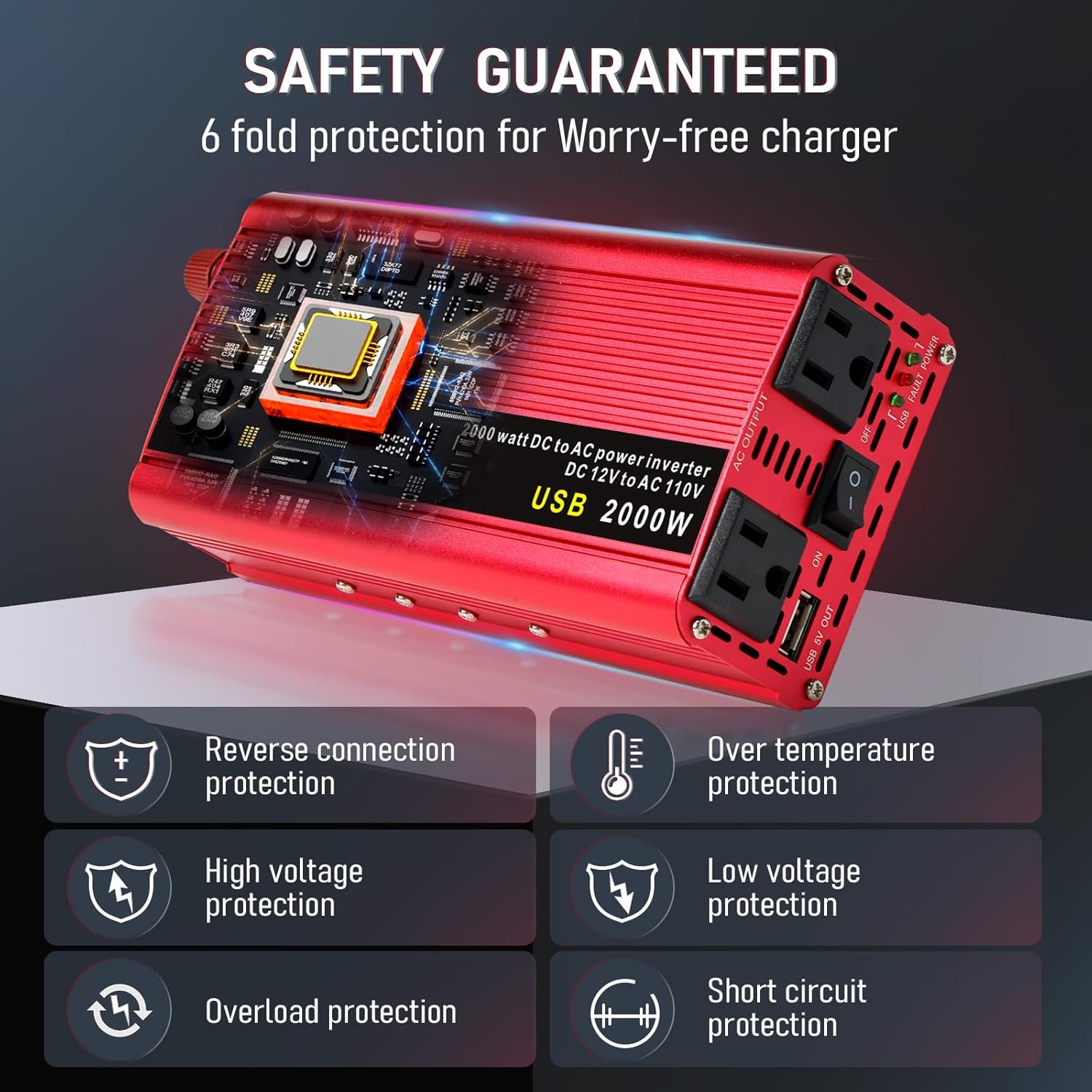
Image: This diagram highlights the six safety protection features of the inverter: Reverse connection protection, Over temperature protection, High voltage protection, Low voltage protection, Overload protection, and Short circuit protection.
3. Package Contents
Verify that all items are present in the package:
- 1 x LVYUAN 1000W Car Power Inverter Unit
- 1 x Battery Clips (Red for positive, Black for negative)
- 1 x Cigarette Lighter Adapter
4. Product Features and Components
Familiarize yourself with the inverter's components:
- AC Output Sockets: Two standard 110V AC outlets for powering devices.
- USB Charging Port: 3.1A USB port for charging USB-powered devices.
- Power Switch: On/Off switch for the inverter.
- LED Power Indicator: Indicates the power status (green for on, red for fault).
- Cooling Fan: Automatically activates to dissipate heat and maintain optimal operating temperature.
- Positive (+) and Negative (-) Terminals: For connecting battery clips.
- Digital Display: Shows input DC voltage (from battery) and output AC voltage.
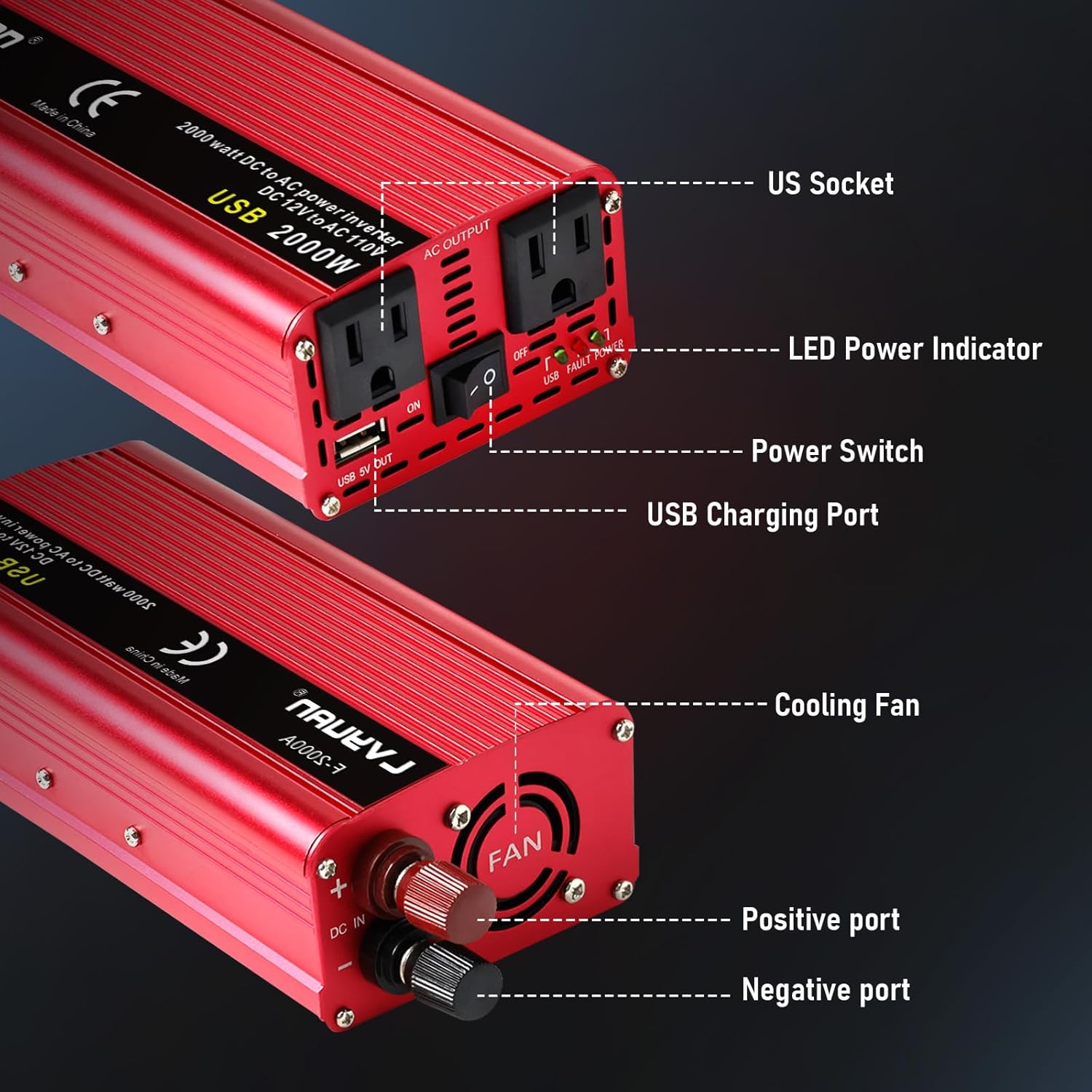
Image: A detailed view of the inverter's front and back panels, highlighting the AC outlets, USB ports, power switch, LED indicators, cooling fan, and battery connection terminals.
5. Setup and Installation
5.1. Using the Cigarette Lighter Adapter (for loads under 150W)
- Ensure the inverter's power switch is in the 'OFF' position.
- Connect the cigarette lighter adapter cable to the inverter's input terminals (red to positive, black to negative).
- Plug the cigarette lighter adapter into your vehicle's 12V cigarette lighter socket.
- Start your vehicle's engine.
- Flip the inverter's power switch to 'ON'. The LED indicator should turn green.
- Plug your device(s) into the AC outlets or USB port.
5.2. Using the Battery Clips (for loads up to 1000W)
- Ensure the inverter's power switch is in the 'OFF' position.
- Connect the red battery clip cable to the positive (+) terminal of the inverter.
- Connect the black battery clip cable to the negative (-) terminal of the inverter.
- Connect the other end of the red battery clip to the positive (+) terminal of your vehicle's 12V battery.
- Connect the other end of the black battery clip to the negative (-) terminal of your vehicle's 12V battery.
- Start your vehicle's engine.
- Flip the inverter's power switch to 'ON'. The LED indicator should turn green.
- Plug your device(s) into the AC outlets or USB port.
Video: This video demonstrates connecting the inverter to a car battery using alligator clips and powering a small fan. It also shows connecting via the cigarette lighter adapter and charging a phone.
Video: This video provides instructions for using a 1200W power inverter, including connecting to a battery and plugging in devices. It highlights the digital display and various ports.
Video: This video demonstrates the installation process for alligator clips on a power inverter, showing how to secure the cables to the inverter's terminals.
Video: This video illustrates the connection of a 12V to 110V power inverter, demonstrating how to connect it to a car battery and use it to power various devices.
6. Operating Instructions
- After proper installation, turn the inverter's power switch to 'ON'.
- Observe the digital display for the input battery voltage and output AC voltage.
- Plug your desired AC-powered devices into the 110V AC outlets or USB-powered devices into the USB port.
- Ensure the total wattage of all connected devices does not exceed the inverter's continuous power rating (800W).
- When finished, turn the inverter's power switch to 'OFF' and unplug all devices.

Image: The inverter in use, demonstrating simultaneous charging of a smartphone and a tablet, showcasing its dual AC outlets and USB port capabilities.
7. Usage Scenarios
The LVYUAN 1000W Car Power Inverter provides convenient power for a variety of applications:
- In-Car Use: Power laptops, charge phones, or run small electronics during commutes or road trips using the cigarette lighter adapter (for low-power devices).
- Outdoor Activities: Ideal for camping, tailgating, or other outdoor adventures where you need to power lights, small fans, or charge portable devices using the battery clips.
- Work/Emergency: Keep essential tools or communication devices charged when away from traditional power sources or during power outages.

Image: This image illustrates the versatility of the inverter, showing it being used inside a car to charge a laptop and phone, and also outdoors to power a laptop and a portable lamp.
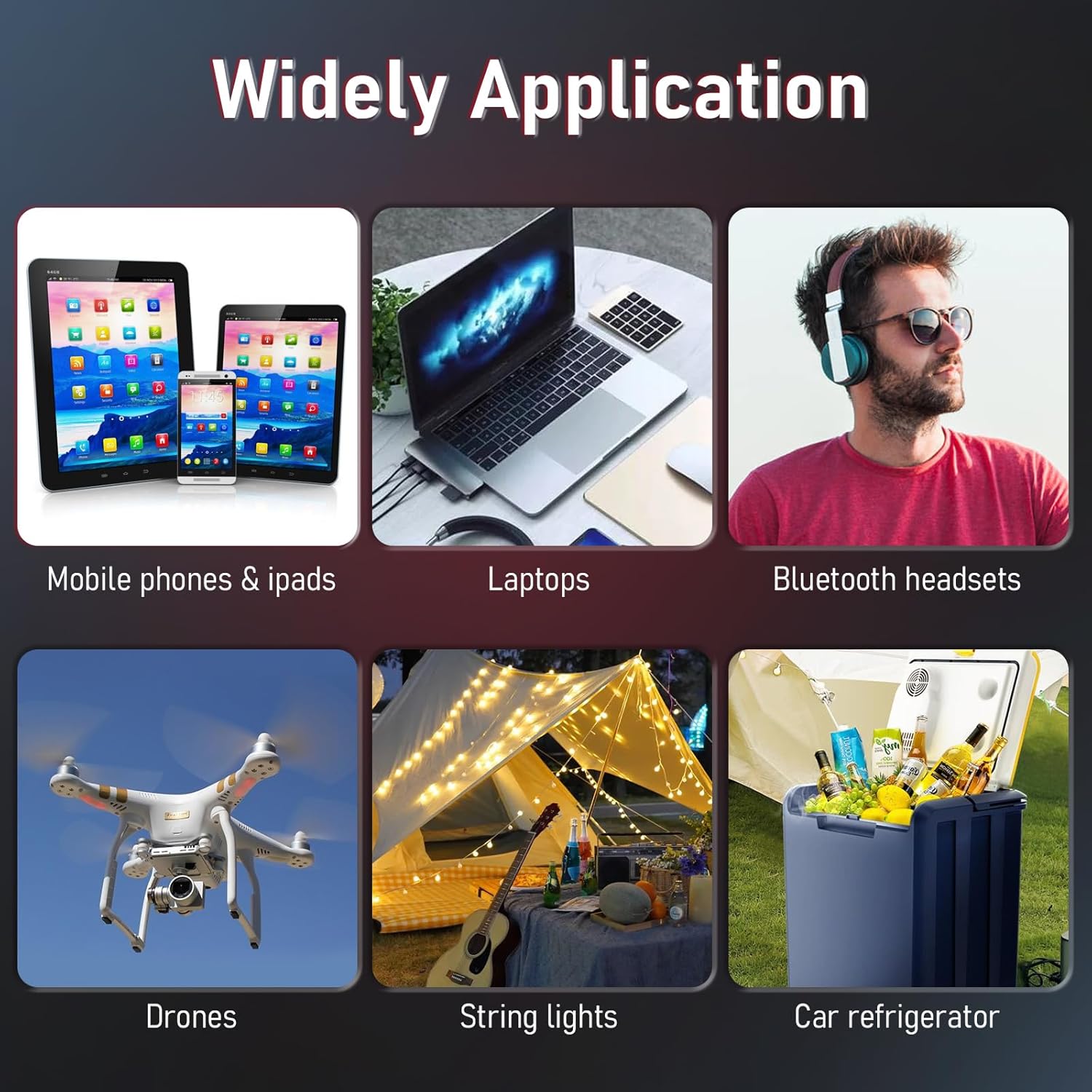
Image: A collage showcasing the wide range of applications for the inverter, including charging mobile phones, iPads, laptops, Bluetooth headsets, drones, powering string lights, and car refrigerators.
8. Specifications
| Feature | Specification |
|---|---|
| Brand | LVYUAN |
| Model | 1000W |
| Continuous Wattage | 800 watts |
| Peak Power | 2000 watts |
| Input Voltage | DC 12V |
| Output Voltage | AC 110V |
| USB Output | 3.1A |
| Product Dimensions | 7.87 x 3.74 x 2.17 inches |
| Item Weight | 2.16 pounds |
| Included Components | Battery Clips, Cigarette Lighter |

Image: This image provides a visual representation of the inverter's dimensions and the lengths of its included cables.
9. Troubleshooting
If the inverter is not functioning correctly, consider the following:
- No Power/LED Off: Check all cable connections to ensure they are secure and correctly polarized (red to positive, black to negative). Verify your vehicle's battery has sufficient charge.
- Fault LED (Red) On: This indicates a protection mode has been activated.
- Overload: The total wattage of connected devices exceeds 800W. Reduce the load.
- Over-temperature: The inverter is overheating. Allow it to cool down and ensure proper ventilation.
- Low/High Voltage: The input battery voltage is outside the acceptable range (12V). Check your vehicle's battery status.
- Short Circuit: Disconnect all devices and check for any short circuits in the wiring or devices.
- Device Not Charging: Ensure the device is compatible with the inverter's output (110V AC or 3.1A USB). Check the device's charging cable.
- Fan Noise: The cooling fan operates automatically when the inverter reaches a certain temperature. This is normal operation.
10. Warranty and Support
For warranty information, technical support, or service inquiries, please refer to the manufacturer's official website or contact their customer support directly. Keep your purchase receipt as proof of purchase.


