
Introduction
The uxcell BT168 is a compact and lightweight universal battery tester designed to quickly assess the charge status of various household batteries. This device operates without requiring its own internal batteries, drawing power directly from the battery being tested.
It features an easy-to-read analog display that indicates the battery's condition as "Good," "Low," or "Replace/Recharge" using a color-coded scale. The BT168 is suitable for testing standard and rechargeable batteries, including AA, AAA, C, D, 1.5V button cells, and 9V batteries.
Safety Information
- Do not attempt to test batteries that are visibly damaged or leaking.
- Ensure correct polarity when inserting batteries into the tester. Incorrect polarity may not damage the tester but will prevent an accurate reading.
- Keep the device away from water and excessive moisture.
- This device is for testing purposes only. Do not use it as a charger or for any other unintended purpose.
- Keep out of reach of children.
Setup
The uxcell BT168 battery tester requires no assembly or internal batteries. It is ready for immediate use upon removal from its packaging.
Operating Instructions
Follow these steps to test your batteries:
- Identify Battery Type: Determine the type of battery you wish to test (e.g., AA, AAA, C, D, 9V, 1.5V button cell).
-
Insert Battery:
- For 1.5V Batteries (AA, AAA, C, D, Button Cell): Place the battery between the two testing arms. The positive (+) terminal should contact the fixed positive contact, and the negative (-) terminal should contact the movable arm. Gently slide the movable arm to secure the battery.
- For 9V Batteries: Connect the terminals of the 9V battery to the two contacts located at the top of the tester, ensuring correct polarity.
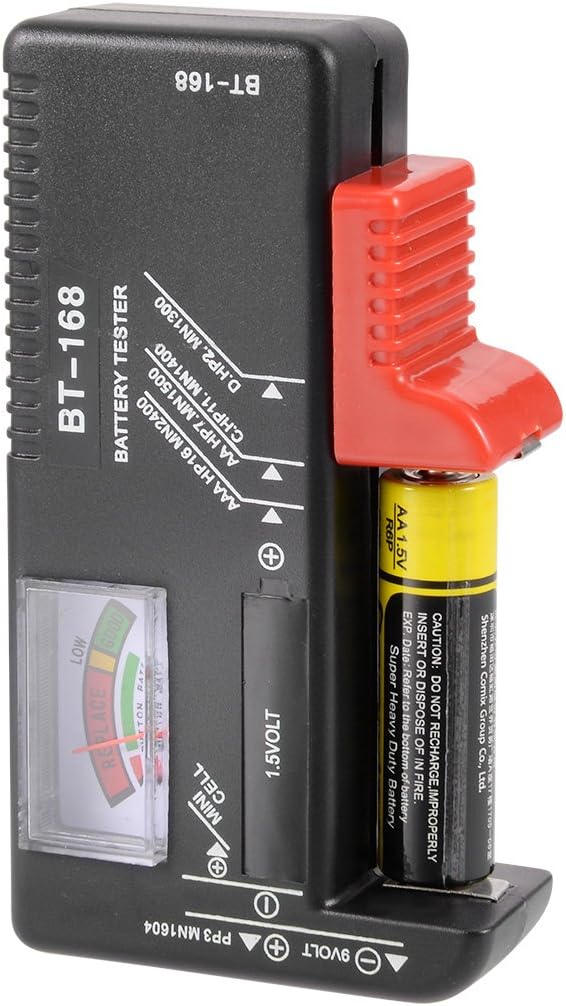
Figure 1: Correct insertion of a 1.5V AA battery into the tester.

Figure 2: Top view of the tester showing the 9V battery contacts and the analog display.
-
Read the Display: Once the battery is correctly inserted, the analog needle on the display will move to indicate the battery's charge level.
- Green Zone ("GOOD"): The battery has sufficient charge.
- Yellow Zone ("LOW"): The battery charge is low and may need replacement or recharging soon.
- Red Zone ("REPLACE" / "RECHARGE"): The battery is depleted and needs to be replaced or recharged immediately.
- Remove Battery: After reading the result, carefully remove the battery from the tester.
Maintenance
- Cleaning: Wipe the tester with a soft, dry cloth. Do not use abrasive cleaners or solvents.
- Storage: Store the device in a cool, dry place, away from direct sunlight and extreme temperatures.
- Inspection: Periodically check the testing contacts for any dirt or corrosion and clean if necessary to ensure accurate readings.
Troubleshooting
| Problem | Possible Cause | Solution |
|---|---|---|
| Needle does not move. |
|
|
| Inconsistent readings. |
|
|
Specifications
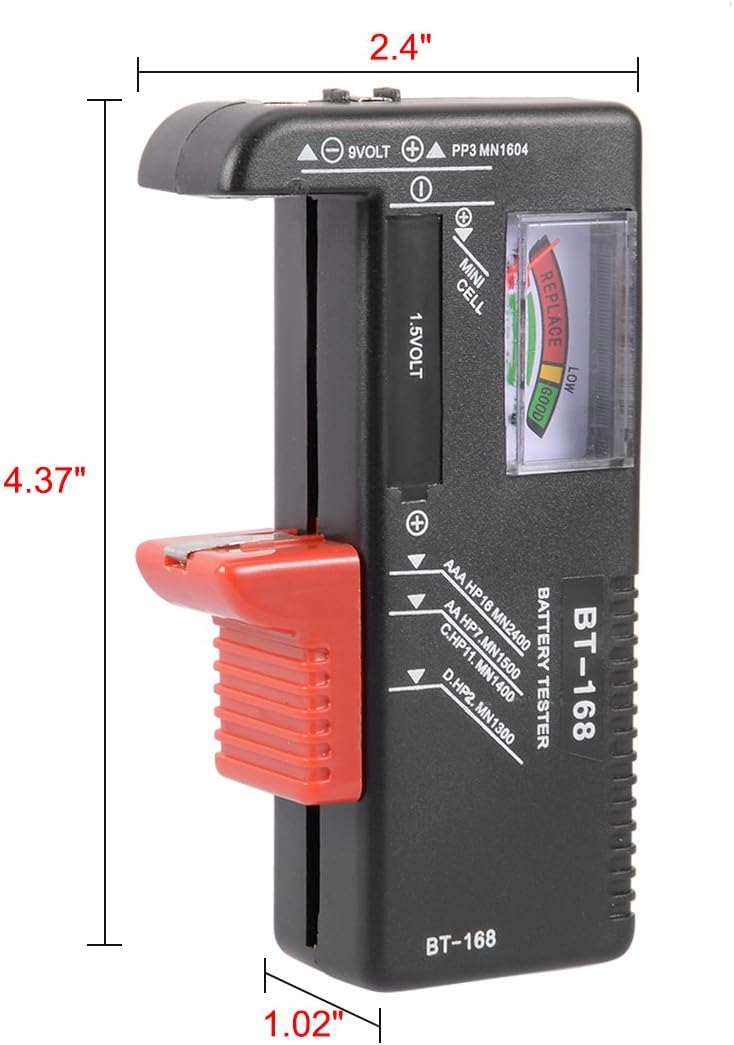
Figure 3: Dimensions of the uxcell BT168 battery tester.
- Model: BT168
- Part Number: a17090100ux0119
- Compatible Battery Types: AA, AAA, C, D, 9V (PP3, MN1604, 6F22, 006P), 1.5V Button Cell (all kinds)
- Power Source: Battery Powered (uses power from the battery being tested)
- Material: Plastic, Metal
- Item Weight: Approximately 2.39 ounces (67.7 grams)
- Package Dimensions: Approximately 6.8 x 4 x 1 inches
Warranty and Support
For warranty information and customer support, please refer to the documentation provided with your purchase or contact the seller directly. You may also visit the official uxcell store on Amazon for more details.