
1. Important Safety Information
Please read this entire instruction manual before installation. If you have any questions regarding safety or installation, please contact a qualified service technician. LogiLink is not responsible for damage or injury caused by incorrect mounting or use.
- Weight Capacity: Do not exceed the maximum load capacity of 35 kg (77 lbs).
- TV Size: This mount is designed for TVs between 37 and 70 inches.
- Wall Type: Ensure the mounting surface can safely support the combined weight of the equipment and hardware.
- Tools: Use appropriate tools for installation.
- Children: Keep children away during installation. Small parts may be a choking hazard.
2. Product Overview
The LogiLink BP0038 is a fixed TV wall mount designed to securely hold your television close to the wall, providing a clean and space-saving installation.
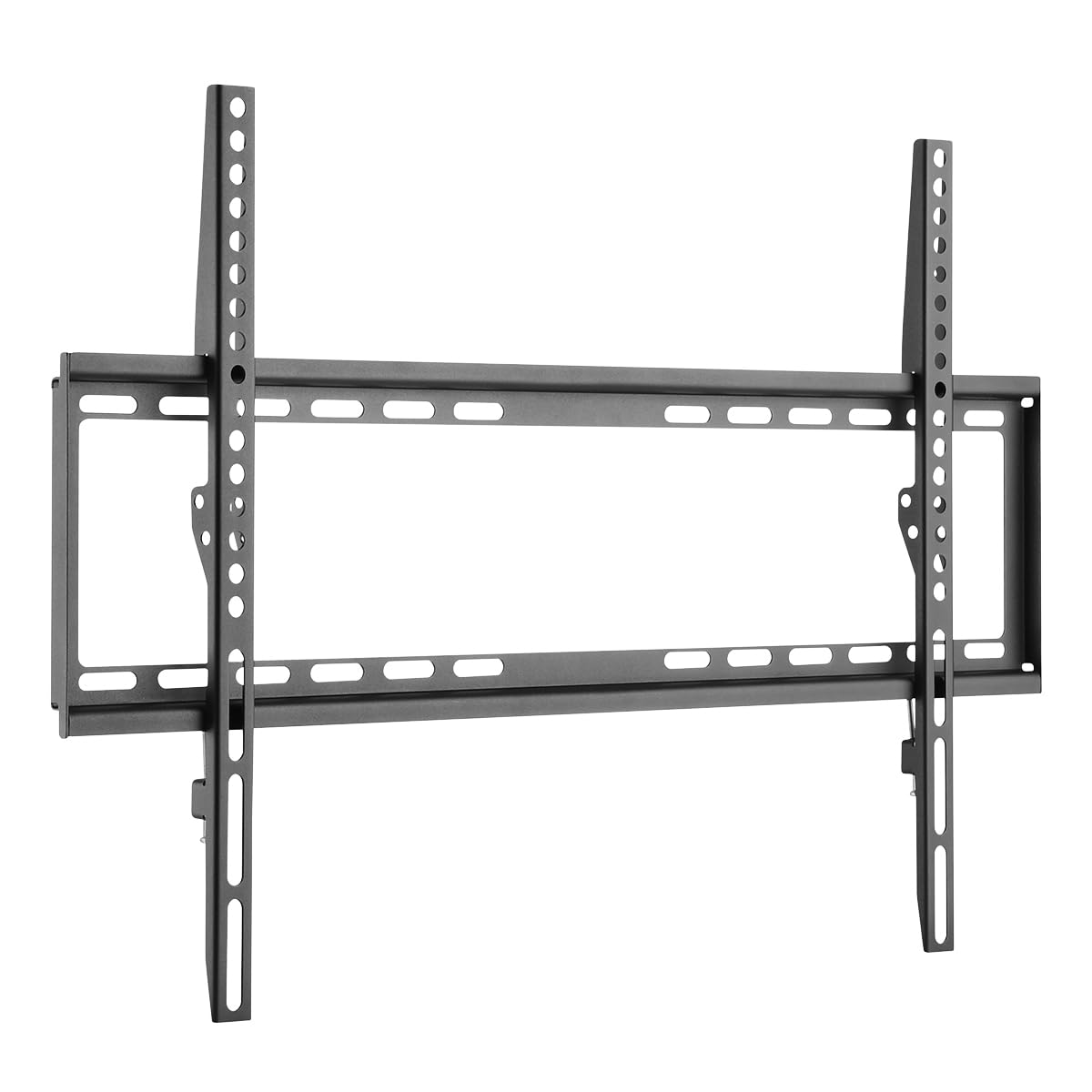
Figure 2.1: Overview of the LogiLink BP0038 Fixed TV Wall Mount.
3. Package Contents
Verify that all components are present and undamaged before beginning installation. If any parts are missing or damaged, do not proceed with installation and contact your retailer.

Figure 3.1: Illustration of typical mounting hardware included.
- Wall Plate (1x)
- TV Brackets (2x)
- Mounting Screws (various sizes for TV and wall)
- Wall Anchors (for concrete/brick walls)
- Washers and Spacers
4. Specifications
| Model | BP0038 |
| Color | Black |
| Material | Alloy Steel |
| Item Weight | 1.08 kg (2.38 lbs) |
| Dimensions (LxWxH) | 42.2 x 2 x 66.5 cm |
| Load Capacity | 35 kg (77 lbs) |
| VESA Compatibility | 200x200, 400x200, 300x300, 400x400, 600x400 |
| Mounting Type | Fixed |
| Wall Distance | 20.5 mm |
| Suitable TV Size | 37-70 inches |

Figure 4.1: Detailed dimensions of the wall mount components.
5. Installation Instructions
Follow these steps carefully to ensure a safe and secure installation.

Figure 5.1: Overview of the installation process.
5.1 Pre-installation Checklist
- Verify your TV's weight and VESA mounting pattern (distance between mounting holes on the back of the TV) are within the mount's specifications.
- Determine your wall type (wood stud, concrete, brick) and ensure it can support the weight.
- Ensure all package contents are present and undamaged.
5.2 Tools Required (Not Included)
- Electric Drill
- Spirit Level
- Stud Finder (for wood stud walls)
- Pencil
- Measuring Tape
- Phillips Head Screwdriver
- Wrench (if needed for specific bolts)
5.3 Mounting the Wall Plate
- Determine the desired height for your TV. Use the wall plate as a template and a spirit level to mark the drilling points on the wall.
- For wood stud walls: Locate the center of the wood studs using a stud finder. Drill pilot holes (recommended size in manual, typically smaller than screw diameter).
- For concrete/brick walls: Drill holes at the marked points. Insert the plastic wall anchors into the drilled holes.
- Align the wall plate with the drilled holes and secure it to the wall using the appropriate screws. Ensure it is firmly attached and level.
5.4 Attaching TV Brackets
- Carefully place your TV face down on a soft, clean surface to prevent screen damage.
- Identify the VESA mounting holes on the back of your TV.
- Select the correct diameter and length of TV screws from the provided hardware kit that fit your TV's mounting holes. Use spacers if the TV back is uneven or if cables need clearance.
- Attach the two TV brackets to the back of your TV using the selected screws, washers, and spacers. Ensure the brackets are oriented correctly (hooks facing downwards) and are securely tightened.
5.5 Mounting the TV to the Wall Plate
- With assistance, carefully lift the TV and hook the TV brackets onto the top edge of the wall plate.
- Gently lower the TV until the brackets are fully seated on the wall plate.
- Locate the safety screws or locking mechanisms on the bottom of the TV brackets. Tighten these screws to secure the TV to the wall plate and prevent accidental dislodging.
6. Operation
The LogiLink BP0038 is a fixed wall mount. Once installed, your TV will remain in a static position, flush against the wall. No adjustments for tilt, swivel, or extension are possible with this model.
7. Maintenance
- Cleaning: Clean the mount with a soft, dry cloth. Avoid abrasive cleaners or solvents.
- Periodic Check: Periodically check all screws and connections to ensure they remain tight and secure. Re-tighten if necessary.
8. Troubleshooting
| Problem | Possible Cause | Solution |
|---|---|---|
| TV is not level after installation. | Wall plate was not perfectly level during installation. | Carefully remove the TV, loosen the wall plate screws, adjust the plate using a spirit level, and re-tighten. Ensure to use a spirit level during initial marking. |
| Mount feels loose or unstable. | Screws are not fully tightened, incorrect anchors used, or wall type not suitable. | Ensure all screws are securely tightened. Verify that the correct wall anchors were used for your wall type. If unsure, consult a professional. |
| TV does not fit the mount. | TV size or VESA pattern is incompatible. | Double-check your TV's VESA pattern and weight against the mount's specifications (Section 4). This mount supports VESA up to 600x400 and TVs from 37-70 inches, up to 35 kg. |
9. Warranty and Support
This LogiLink BP0038 TV Wall Mount comes with a 2-year manufacturer's warranty from the date of purchase. This warranty covers defects in materials and workmanship under normal use.
For technical support, warranty claims, or if you have any questions not covered in this manual, please contact your retailer or visit the official LogiLink website for customer service information.
Please retain your proof of purchase for warranty purposes.


