
1. Product Overview
The ACV Rear View Camera Interface (Model B076HV2XSX) is an adapter designed to integrate your vehicle's original (OEM) rear view camera with an aftermarket head unit. This device allows you to retain the factory-installed camera functionality when upgrading your car's audio and infotainment system, ensuring a seamless transition and continued safety feature operation.
2. Compatibility
This interface is compatible with various Chrysler, Dodge, and Jeep vehicle models. Please verify your vehicle's make, model, and year against the list below to ensure proper fitment:
- Chrysler: 200 (2011-2015), 300C (LX) (2008-2010), 300M (2002-2004), Aspen (2008-2009), Concorde 2 (2002-2004), Pacifica (2004-2008), PT Cruiser (PT) (2002-2005), Sebring (FJ) (2002-2010), Town & Country (2002-2003)
- Jeep: Commander (WH) (2008-2010), Compass 2nd Generation (2009-2015), Grand Cherokee (2002-2010), Liberty (2002-2015), Patriot (PK) (2009-2015)
- Dodge: Avenger (JS) (2007-2015), Caliber (PK) (2009-2015), Caravan (2002-2015), Challenger (2008-2014), Charger (2008-2010), Dakota (2002-2011), Durango 1 (2002-2009), Intrepid (2002-2004), Journey (2009-2010), Magnum (2009-2010), Nitro (KJ) (2007-2011), Ram (DR/DH) (2002-2015), Stratus (2002-2006), Viper (2003-2009)
3. Setup and Installation
Installation of this interface typically involves connecting it between the vehicle's existing wiring harness for the OEM camera and the video input of your new aftermarket head unit. Professional installation is highly recommended to ensure correct wiring and functionality.
Important Installation Note:
The proprietary vehicle plug may not fit exactly into the interface initially. It is necessary to remove any existing coding caps from the vehicle's original plug to allow for a proper and secure connection with this adapter.
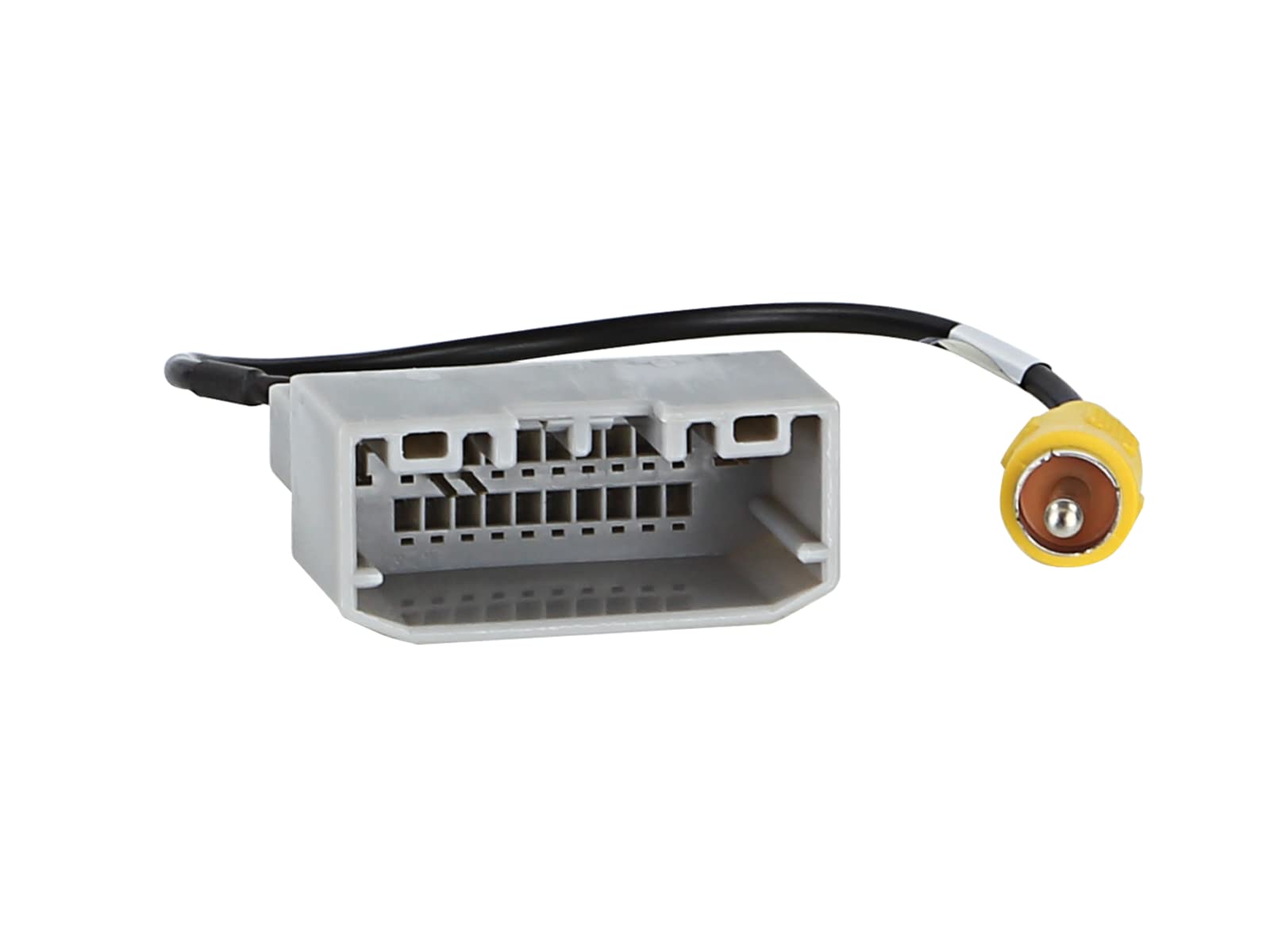
This image displays the proprietary multi-pin connector designed for Chrysler/Dodge/Jeep vehicles, alongside a standard yellow RCA video output plug. The multi-pin connector connects to the vehicle's wiring harness, while the RCA plug connects to the aftermarket head unit's video input.
Ensure all connections are firm and properly insulated to prevent short circuits or signal loss.
4. Operating Instructions
Once correctly installed, the ACV Rear View Camera Interface operates automatically. When the vehicle is shifted into reverse gear, the interface will activate the OEM rear view camera and display its feed on your aftermarket head unit's screen. No manual intervention is required for its basic operation.
5. Maintenance
This interface is a passive electronic component and requires no routine maintenance. To ensure longevity, avoid exposing the unit to extreme temperatures, moisture, or physical impact. Periodically check connections for security if you experience intermittent issues.
6. Troubleshooting
- No Camera Image Displayed:
- Verify that the coding caps have been removed from the vehicle's original plug as instructed in the installation section.
- Check all connections to ensure they are secure and correctly seated.
- Confirm that the aftermarket head unit is properly configured to receive video input from the rear view camera.
- Plug Does Not Fit:
- Re-examine the vehicle's original plug for any coding caps or plastic tabs that might obstruct the connection. These must be carefully removed.
- Ensure you have the correct interface for your specific vehicle model and year.
- Intermittent Signal:
- Check for loose connections or damaged wiring.
- Ensure proper grounding of the head unit and camera system.
If issues persist after performing these checks, it is recommended to consult a qualified automotive electronics technician.
7. Specifications
- Brand:
- ACV
- Compatible Devices:
- Camera
- Installation Type:
- Aftermarket
- Optical Sensor Technology:
- CCD CMOS
- Lens Type:
- Wide-angle
- Connector Type:
- Proprietary Plug (Chrysler/Dodge/Jeep)
- Video Capture Resolution:
- 720p or 1080p
- Video Capture Format:
- MP4
8. Warranty and Support
For warranty information and technical support, please refer to the documentation provided with your purchase or contact the seller directly. Keep your proof of purchase for any warranty claims.