
1. Introduction
This manual provides essential information for the proper installation, operation, and maintenance of the Frymaster 8262758 Control Kj3 K3000 Old Panel. This component is a genuine Original Equipment Manufacturer (OEM) part designed for specific Frymaster commercial deep fryers. Adherence to these instructions is crucial for safe and efficient performance.
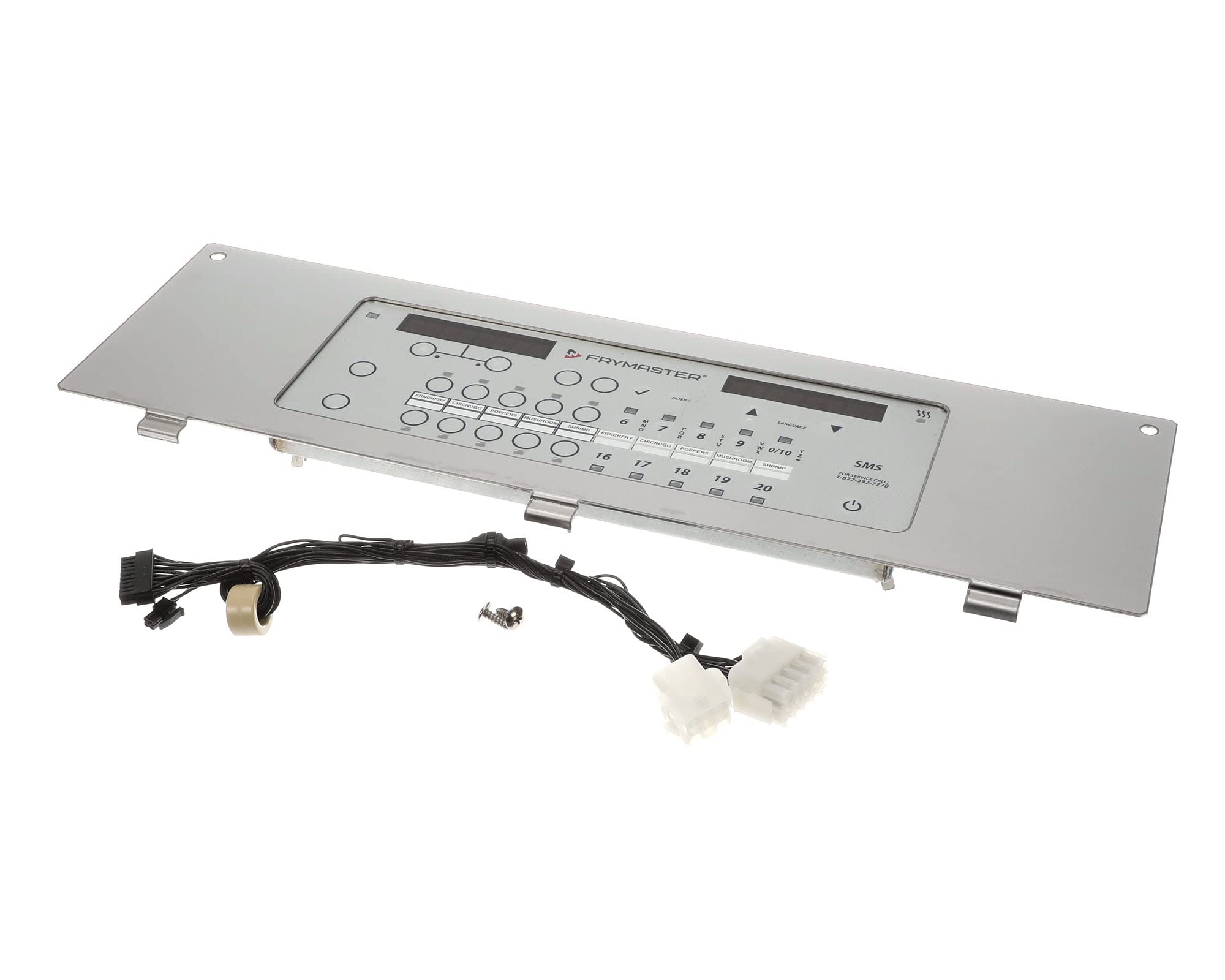
Image 1.1: Frymaster 8262758 Control Kj3 K3000 Old Panel. This image displays the front view of the control panel, highlighting its interface and connection points.
2. Setup and Installation
Installation of the Frymaster 8262758 Control Panel should only be performed by qualified service personnel. Improper installation can lead to equipment damage, personal injury, or voiding of the warranty.
2.1 Safety Precautions
- Ensure the fryer is disconnected from all power sources before beginning installation.
- Wear appropriate personal protective equipment (PPE).
- Refer to the specific fryer model's service manual for detailed wiring diagrams and installation procedures.
2.2 Installation Steps (General)
- Carefully remove the existing control panel, noting all wire connections.
- Mount the new 8262758 Control Panel into the designated housing.
- Connect all wiring according to the fryer's wiring diagram. Ensure all connections are secure and correctly polarized.
- Verify all connections before restoring power to the fryer.
- Perform initial power-up and functional tests as outlined in the fryer's service manual.
3. Operating Instructions
The Frymaster 8262758 Control Kj3 K3000 Old Panel serves as the primary interface for managing fryer operations. Its functions typically include temperature control, timer settings, and diagnostic feedback.
3.1 Basic Functions
- Temperature Setting: Use the designated controls to set and adjust the desired cooking temperature. The panel will display the current and set temperatures.
- Timer Functions: Activate and monitor cooking cycles using the integrated timer.
- Status Indicators: Observe indicator lights or display messages for operational status, error codes, or heating cycles.
For detailed operational procedures specific to your fryer model, consult the fryer's user manual.
4. Maintenance
Regular maintenance ensures the longevity and reliable performance of the control panel.
4.1 Cleaning
- Before cleaning, ensure the fryer is turned off and disconnected from the power supply.
- Wipe the control panel surface with a soft, damp cloth.
- Do not use abrasive cleaners, solvents, or harsh chemicals, as these can damage the panel's finish or internal components.
- Avoid spraying water directly onto the control panel.
4.2 Inspection
- Periodically inspect the panel for any signs of physical damage, loose connections, or wear.
- If any issues are observed, contact qualified service personnel for inspection and repair.
5. Troubleshooting
This section provides basic troubleshooting steps for common issues. For complex problems, always contact a qualified service technician.
| Problem | Possible Cause | Solution |
|---|---|---|
| Panel does not power on | No power supply; Loose wiring; Blown fuse | Check power connection; Verify circuit breaker; Inspect wiring (qualified personnel only); Replace fuse (qualified personnel only) |
| Incorrect temperature display | Faulty temperature sensor; Control panel malfunction | Contact qualified service personnel for sensor testing or panel replacement. |
| Buttons unresponsive | Panel malfunction; Debris under buttons | Clean panel surface; If issue persists, contact qualified service personnel. |
Warning: Do not attempt to repair internal components of the control panel unless you are a qualified and authorized service technician.
6. Specifications
- Model Number: 8262758
- Product Type: Mechanical Components
- Manufacturer: FRYMASTER
- Item Weight: Approximately 4.25 pounds (1.93 kg)
- Product Dimensions: Approximately 1 x 1 x 1 inches (2.54 x 2.54 x 2.54 cm)
- Country of Origin: United States
7. Warranty Information
Warranty coverage for the Frymaster 8262758 Control Kj3 K3000 Old Panel is provided by the manufacturer, Frymaster. Specific terms and conditions, including duration and coverage details, may vary. Please retain your proof of purchase.
For detailed warranty information, please refer to the documentation included with your purchase or contact Frymaster directly through their official website or customer service channels.
8. Customer Support
If you require technical assistance, have questions regarding installation, operation, or maintenance, or need to report a malfunction, please contact Frymaster customer support or an authorized service center.
- Frymaster Official Website: www.frymaster.com (for product information, service locator, and contact details)
- Authorized Service: Contact your local authorized Frymaster service provider for professional assistance.
When contacting support, please have your product model number (8262758) and serial number (if applicable) readily available.
